UPDF
UPDF
 UPDF for Windows
 UPDF for Mac
 UPDF for iPhone/iPad
 UPDF for Android
 Nomostar
 UPDF AI Online
 UPDF Sign
 IvyCraft
 Edit PDF
 Annotate PDF
 Create PDF
 PDF Form
 Edit links
 Convert PDF
 OCR
OCR PDF to Word
 PDF to Image
 PDF to Excel
 Organize PDF
 Merge PDF
 Split PDF
 Crop PDF
 Rotate PDF
 Protect PDF
 Sign PDF
 Redact PDF
 Sanitize PDF
 Remove Security
 Read PDF
 UPDF Cloud
 Compress PDF
 Print PDF
 Batch Process
 About UPDF AI
 UPDF AI Solutions
 AI User Guide
 FAQ about UPDF AI
 Summarize PDF
 Translate PDF
 Chat with PDF
 Chat with AI
 Chat with image
 PDF to Mind Map
 Explain PDF
 PDF AI Tools
 Image AI Tools
 AI Chat Tools
 AI Writing Tools
 AI Study Tools
 AI Working Tools
 Other AI Tools
 AI Bookmark Generation
 AI Bookmark Summary
 AI Watermark Generation
 AI Background Generation
 AI Sticker Generation
 AI Stamp Generation
 AI Editing Suite
 UPDF Copilot
 AI Page Management
 AI Semantic Search
 PDF to Word
 PDF to Excel
 PDF to PowerPoint
 Enterprise Solution
 Enterprise Sign
 Enterprise AI
 Enterprise Plan
 Enterprise User Guide
 Enterprise Webinar
 IT
IT Education
 Construction
 Financial Service
 Healthcare
 Insurance
 Legal
Legal Manufacturing
 Government
 Researchers & PhDs
 Solopreneurs & Freelancers
 Lawyers & Legal Professionals
 Real Estate Agents & Brokers
 Education Solution
 Customer Stories
 User Guide
 UPDF Tricks
 FAQs
FAQs UPDF Reviews
 Download Center
 Blog
Blog Newsroom
 Tech Spec
 Updates
 UPDF vs. Adobe Acrobat
 UPDF vs. Foxit
 UPDF vs. PDF Expert

UPDF Reviews
What the Market Says About Us?
Feedback
What the Market Says About Us?

UPDF is an all-in-one AI PDF editor that's more versatile, yet more affordable, than the competition. Stop working with PDFs like they're impossible to manipulate and start editing and formatting them as easily as you would a Word document.
Read full review on AppleInsider
UPDF offers compelling advantages over expensive alternatives like Adobe Acrobat. The software supports major platforms — Mac, iOS, Windows and Android — with one account usable across four devices simultaneously. Users enjoy lifetime free upgrades and pay just one-sixth the price of Adobe’s subscription model.
Read full review on Cult Of Mac
There are a ton of different PDF editors out there, but what has kept me coming back is the price-to-performance ratio you get out of UPDF. Whether you’re a student, creative, business user, or tired of clunky software, UPDF offers serious value without cutting corners.
Read full review on 9to5Mac
UPDF is a versatile all-in-one solution for anyone who uses PDFs for work or personal use. You can use the program to edit words, fonts, and images in PDFs; annotate files with highlights, strikethroughs, or text comments; and split, combine, or reorder existing documents.
Read full review on NEW ATLAS
UPDF delivers a full suite of PDF editing solutions that cost only 12% of Adobe Acrobat. With UPDF you get a comprehensive set of tools to create, edit, annotate, convert, organize, redact, protect, eSign, fill PDF forms, and the list goes on.
Read full review on Software Testing Help
UPDF is an amazing AI PDF editor that offers a lot of fantastic tools through which you can streamline your workflow and manage PDFs efficiently. This tool will let you experience powerful PDF editing tools with AI features and cross-platform support at an unbeatable price.
Read full review on FOSSBYTES
JCristina
141K subscribers
Adobe Acrobat Alternative Break FREE Of Adobe CC

Tech Dad
22.9K subscribers
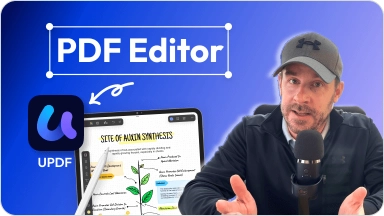
How to edit PDF docs like a pro on M4 iPad Pro! UPDF app overview!

AI Luke
21K subscribers
Best AI PDF Editor Just Replaced Adobe (UPDF Review)

Sandip Banerjee
16K subscribers
Best Adobe Acrobat Pro Alternative?UPDF Explained (AI & More!)

Christian Eggbauer
13.2K subscribers
Best PDF Editor of 2026? UPDF Full Review & AI Tools Breakdown

9to5Mac
941k subscribers
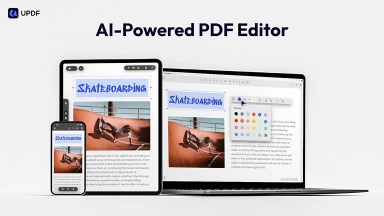
This AI-powered PDF Editor Just Got a Major Upgrade

Temple Du Livre
6.25K subscribers

UPDF: the all-in-one PDF software you need!

iPhoneltalia
292K subscribers
UPDF: Is it still the best PDF editor for iPhone and Mac? 🤔

Mestres da Informática
604K subscribers
😱 UPDF: The AI That Turns Boring PDFs into Brilliant Documents!


Professionals’ Voices


Khurram A.
Senior Product Designer


I love it for easier selection, inserting, splitting split documents. Incredible to easily combine multiple PDF documents as a team for our effective projects documents. Impressive with signing and sending documents to clients directly from the software.

Rosa I.
CEO
It's a spectacular tool, I edit all PDF files and use a lot of other people's PDF files. I use the tool every day, for my work it is essential and meets all the needs that must be had.

Mahmudul islam S.
Civil Engineer

Simple and easy to navigate user interface, OCR available with fast performance. It has advanced PDF editing, PDF conversion and PDF protection options. It comes in different language and support system is very quick to assist me.

Joel N.
Freelance

I love it for easier selection, inserting, splitting split documents. Incredible to easily combine multiple PDF documents as a team for our effective projects documents. Impressive with signing and sending documents to clients directly from the software.
Students’ Voices

Luisa M. C.
Medical Student
UPDF has provided everything I was looking for reading, commenting on, and editing PDFs. I really appreciate the variety of features it offers, especially considering its price.

Alex C.
Student
The best PDF tool I’ve ever used — seriously. Finally, a PDF editor that just works. It’s sleek, intuitive, and actually reliable on both desktop and iOS. Every feature feels intentional — from editing to converting and annotating, it’s all fast, smooth, and shockingly pleasant to use.

Vista101
IT Student
Whether I am editing scholarship documents, preparing internship papers, annotating cybersecurity study materials, or creating good-looking PDFs for art projects, UPDF is able to handle them all seamlessly.

Free try before you buy. Enjoy a risk-free 30-day money back guarantee.








UPDF and AI Assistant work on Windows, Mac, iOS, and Android, and the AI is also available on the web.
1/6 price of Adobe Acrobat. 1 payment covers 4 devices across platforms.
Free try before you buy. Enjoy a risk-free 30-day money back guarantee.
UPDF safeguards users’ data and documents that are not shared and is protected.
UPDF interface is localized in 12 languages to let you easily navigate and understand it. UPDF interface supports English, French, German, Italian, Spanish, Portuguese, Russian, Chinese (Traditional), Chinese (Simplified), Japanese, Dutch, and Korean.