 UPDF
UPDF
 UPDF for Windows
 UPDF for Mac
 UPDF for iPhone/iPad
 UPDF for Android
 Nomostar
 UPDF AI Online
 UPDF Sign
 IvyCraft
 Edit PDF
 Annotate PDF
 Create PDF
 PDF Form
 Edit links
 Convert PDF
 OCR
OCR PDF to Word
 PDF to Image
 PDF to Excel
 Organize PDF
 Merge PDF
 Split PDF
 Crop PDF
 Rotate PDF
 Protect PDF
 Sign PDF
 Redact PDF
 Sanitize PDF
 Remove Security
 Read PDF
 UPDF Cloud
 Compress PDF
 Print PDF
 Batch Process
 About UPDF AI
 UPDF AI Solutions
 AI User Guide
 FAQ about UPDF AI
 Summarize PDF
 Translate PDF
 Chat with PDF
 Chat with AI
 Chat with image
 PDF to Mind Map
 Explain PDF
 PDF AI Tools
 Image AI Tools
 AI Chat Tools
 AI Writing Tools
 AI Study Tools
 AI Working Tools
 Other AI Tools
 AI Bookmark Generation
 AI Bookmark Summary
 AI Watermark Generation
 AI Background Generation
 AI Sticker Generation
 AI Stamp Generation
 AI Editing Suite
 UPDF Copilot
 AI Page Management
 AI Semantic Search
 PDF to Word
 PDF to Excel
 PDF to PowerPoint
 Enterprise Solution
 Enterprise Sign
 Enterprise AI
 Enterprise Plan
 Enterprise User Guide
 Enterprise Webinar
 IT
IT Education
 Construction
 Financial Service
 Healthcare
 Insurance
 Legal
Legal Manufacturing
 Government
 Researchers & PhDs
 Solopreneurs & Freelancers
 Lawyers & Legal Professionals
 Real Estate Agents & Brokers
 Education Solution
 Customer Stories
 User Guide
 UPDF Tricks
 FAQs
FAQs UPDF Reviews
 Download Center
 Blog
Blog Newsroom
 Tech Spec
 Updates
 UPDF vs. Adobe Acrobat
 UPDF vs. Foxit
 UPDF vs. PDF Expert


WebinarThe Smarter Way to Work
with PDFs: Discover UPDF’s
Essential Tools and Latest
AI Features
Sep 24 2026, at 16:00 (UTC+8/ Hong Kong Time)
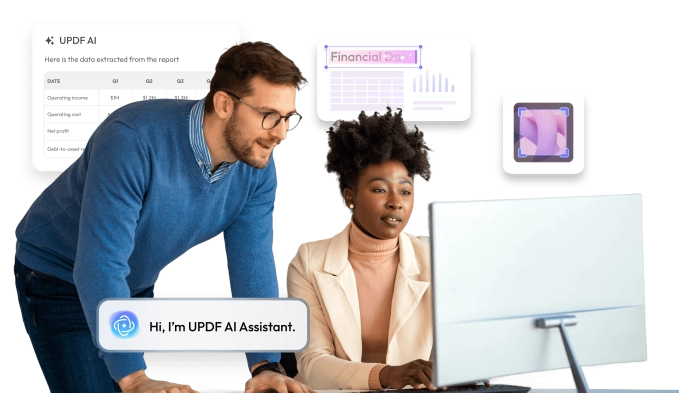

Join Our Upcoming Webinar!
PDFs are essential across industries, but editing, converting, organizing, and understanding them can still take too much time.
In this 45-minute webinar, you’ll see how UPDF simplifies everyday document workflows—from editing and annotation to conversion, OCR, page organization, protection, and signing. We’ll also introduce the latest UPDF AI features, including Copilot, Semantic Search, AI PDF Editing, Page Management, and intelligent bookmarks, and show how they help you work faster and smarter.

Why Attend
-

Explore essential UPDF tools for editing, converting, OCR, organizing, protecting, and signing PDFs.
-

See the latest UPDF AI features in action through practical document workflows.
-

Discover useful PDF solutions for legal, finance, education, healthcare, manufacturing, and other industries.

Who Should Attend
-

Professionals who regularly create, review, convert, or manage PDF documents.
-

Legal, finance, healthcare, education, manufacturing, sales, and operations teams.
-

Anyone looking for a faster and smarter way to work with PDFs.

Thank you for signing up!
We’ll send a confirmation email and the link to join before the event begins.