UPDF
UPDF
 UPDF for Windows
 UPDF for Mac
 UPDF for iPhone/iPad
 UPDF for Android
 UPDF AI Online
 UPDF Sign
 Edit PDF
 Annotate PDF
 Create PDF
 PDF Form
 Edit links
 Convert PDF
 OCR
OCR PDF to Word
 PDF to Image
 PDF to Excel
 Organize PDF
 Merge PDF
 Split PDF
 Crop PDF
 Rotate PDF
 Protect PDF
 Sign PDF
 Redact PDF
 Sanitize PDF
 Remove Security
 Read PDF
 UPDF Cloud
 Compress PDF
 Print PDF
 Batch Process
 About UPDF AI
 UPDF AI Solutions
 AI User Guide
 FAQ about UPDF AI
 Summarize PDF
 Translate PDF
 Chat with PDF
 Chat with AI
 Chat with image
 PDF to Mind Map
 Explain PDF
 PDF AI Tools
 Image AI Tools
 AI Chat Tools
 AI Writing Tools
 AI Study Tools
 AI Working Tools
 Other AI Tools
 AI Bookmark Generation
 AI Bookmark Summary
 AI Watermark Generation
 AI Background Generation
 AI Sticker Generation
 AI Stamp Generation
 AI Editing Suite
 UPDF Copilot
 AI Page Management
 AI Semantic Search
 PDF to Word
 PDF to Excel
 PDF to PowerPoint
 Enterprise Solution
 Enterprise Sign
 Enterprise AI
 Enterprise Plan
 Enterprise User Guide
 Enterprise Webinar
 Banking
 Healthcare
 Insurance
 Legal
Legal Manufacturing
 Government
 Education Solution
 Customer Stories
 User Guide
 UPDF Tricks
 FAQs
FAQs UPDF Reviews
 Download Center
 Blog
Blog Newsroom
 Tech Spec
 Updates
 UPDF vs. Adobe Acrobat
 UPDF vs. Foxit
 UPDF vs. PDF Expert

2026 is not the year we need to follow the traditional manual research process of finding papers one by one, downloading them separately, skimming dozens of pages, and taking notes. Academic work has evolved, and so have the tools that support it.
Today, there are research tools that can help read, analyze, and organize academic papers to save countless hours. Now, the main question is which research tool to choose. Some researchers focus on discovering new papers quickly. Others spend hours interacting with full-length PDFs, annotating complex sections, extracting insights, and more. These two needs require different tools.
UPDF AI and Semantic Scholar are two popular platforms that assist researchers at different stages of the academic journey. Semantic Scholar focuses on helping users discover relevant studies through intelligent search and citation analysis. UPDF AI supports deep interaction with full-length PDFs using AI-powered summaries and contextual question answering.
Stick with this UPDF AI vs Semantic Scholar guide to compare their features and understand how each tool fits into your workflow.
What Is UPDF AI and How Does It Work?
UPDF AI Online is a web-based AI assistant for academic PDFs which users can access it for free via their browsers.
The UPDF AI Online allows users to upload papers and interact directly with content. The AI reads and analyzes the entire file, not just the abstract or metadata. It can help with:
- Summarizing the entire paper or specific sections
- Explaining complex concepts or formulas/terminology in simpler language
- Extracting key findings, limitations, and research gaps
- Answering context-based questions from the uploaded document
- Generating structured notes for literature reviews
- Comparing insights across multiple uploaded PDFs
- Translating the entire paper side-by-side or specific pages/content
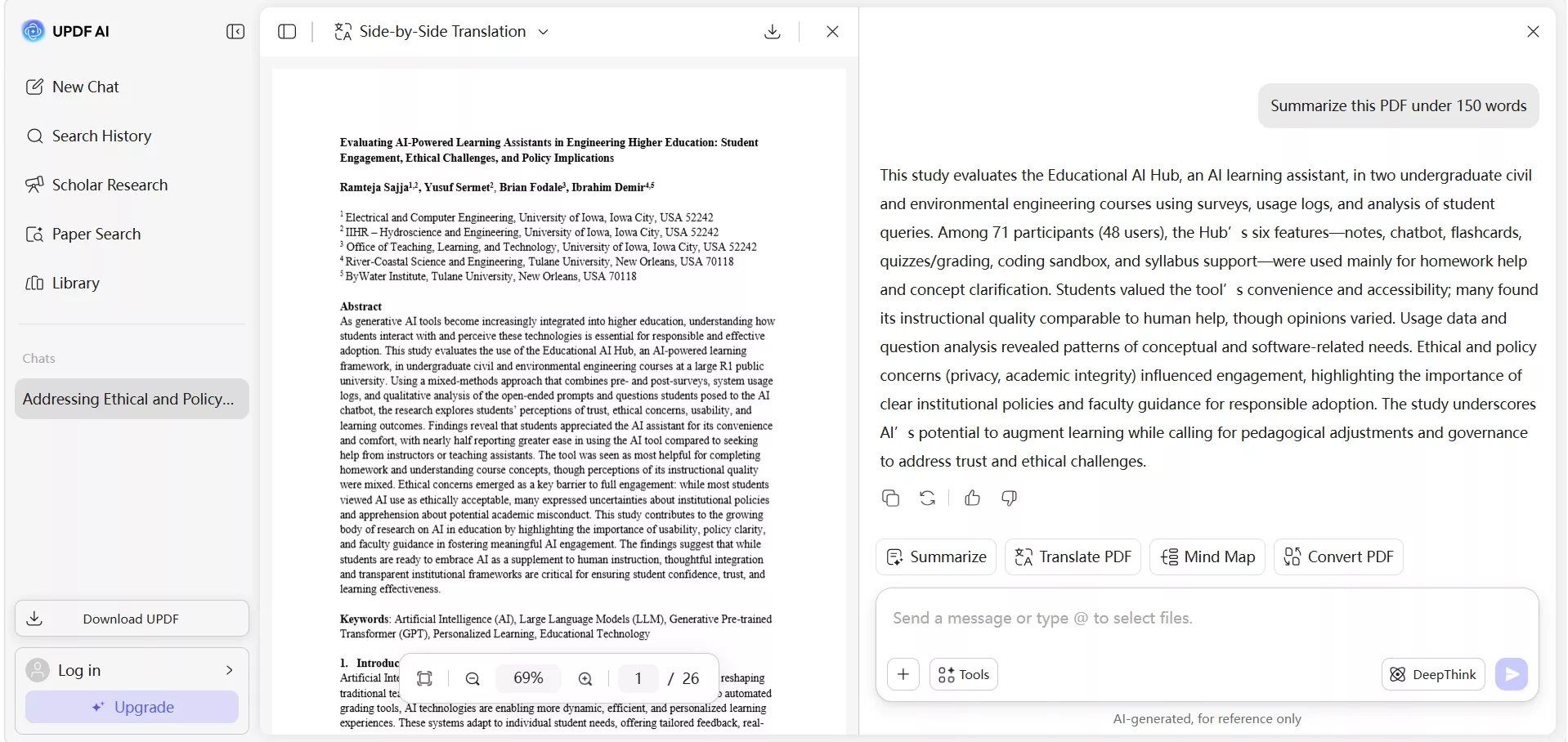
UPDF AI is PDF-native and meant to handle long academic documents, so it focuses on context awareness and structured understanding. It understands the entire document structure, such as abstracts, headings, tables, references, and appendices.
UPDF AI is also integrated inside the UPDF desktop app, which is a feature-packed PDF reader, annotator, and editor. This means that you can benefit from AI-assisted reading, annotation, and editing in one environment.
Download UPDF and try it yourself.
Windows • macOS • iOS • Android 100% secure
What Is Semantic Scholar and What Is It Best For?
Semantic Scholar is an AI-powered research tool for scientific literature. It helps users discover relevant research papers using advanced filtering, citation insights, topic-based recommendations, and more.
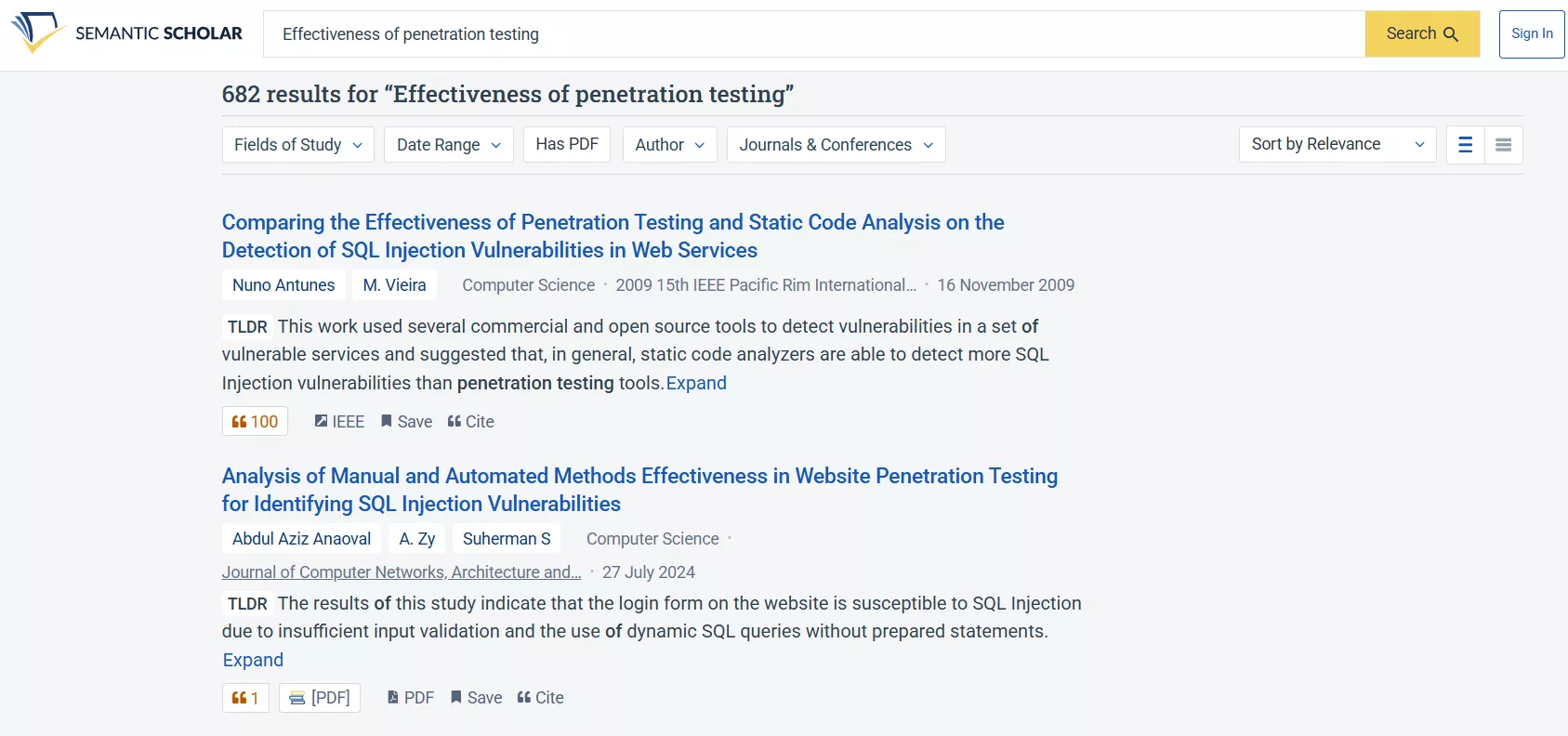
It searches over 214 million papers from almost all science fields and lets users filter the results based on journals and conferences, publication types, authors, and date range.
Its strengths include:
- Large academic database
- Citation graph analysis
- Paper recommendations
- AI-generated summaries
- Online library to manage papers
- Answer paper-related questions with AI
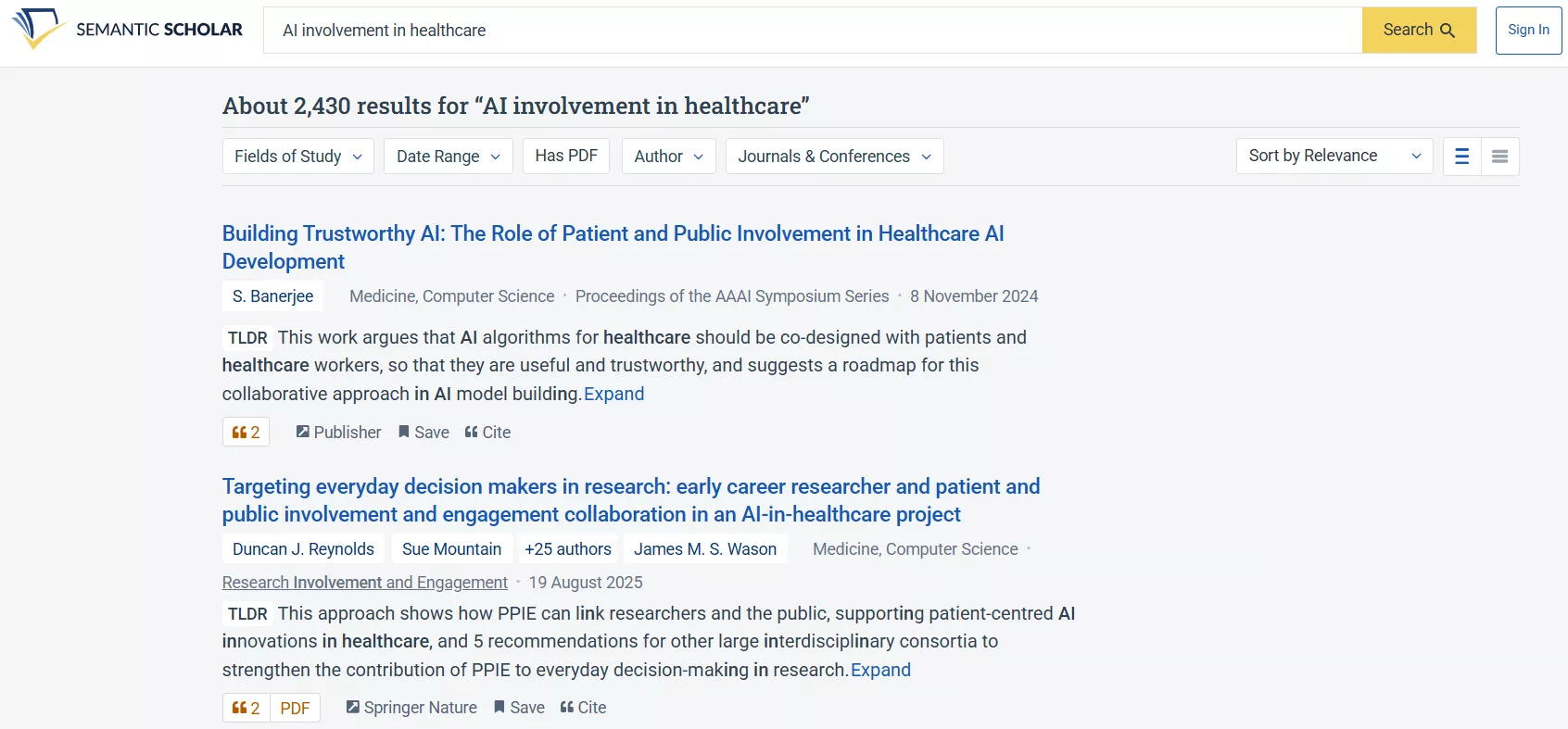
Semantic Scholar is particularly useful at the early stage of research when identifying influential studies and related work.
Since its primary function is discovery, it does not analyze uploaded PDFs directly. After finding a paper, users need to open and read the full document on an external platform.
Feature Comparison Through Real Academic Workflows
Moving forward to our UPDF AI vs Semantic Scholar comparison, I will now compare their features and user experience to clarify how they assist in real academic workflows:
1. Finding Research Papers
When I begin a new research topic, my first priority is finding relevant and credible papers. This is where Semantic Scholar plays a clear role. I can enter a keyword and filter results by year, citation count, author, or field of study. The suggested related paper helps me trace research trends and foundational studies.
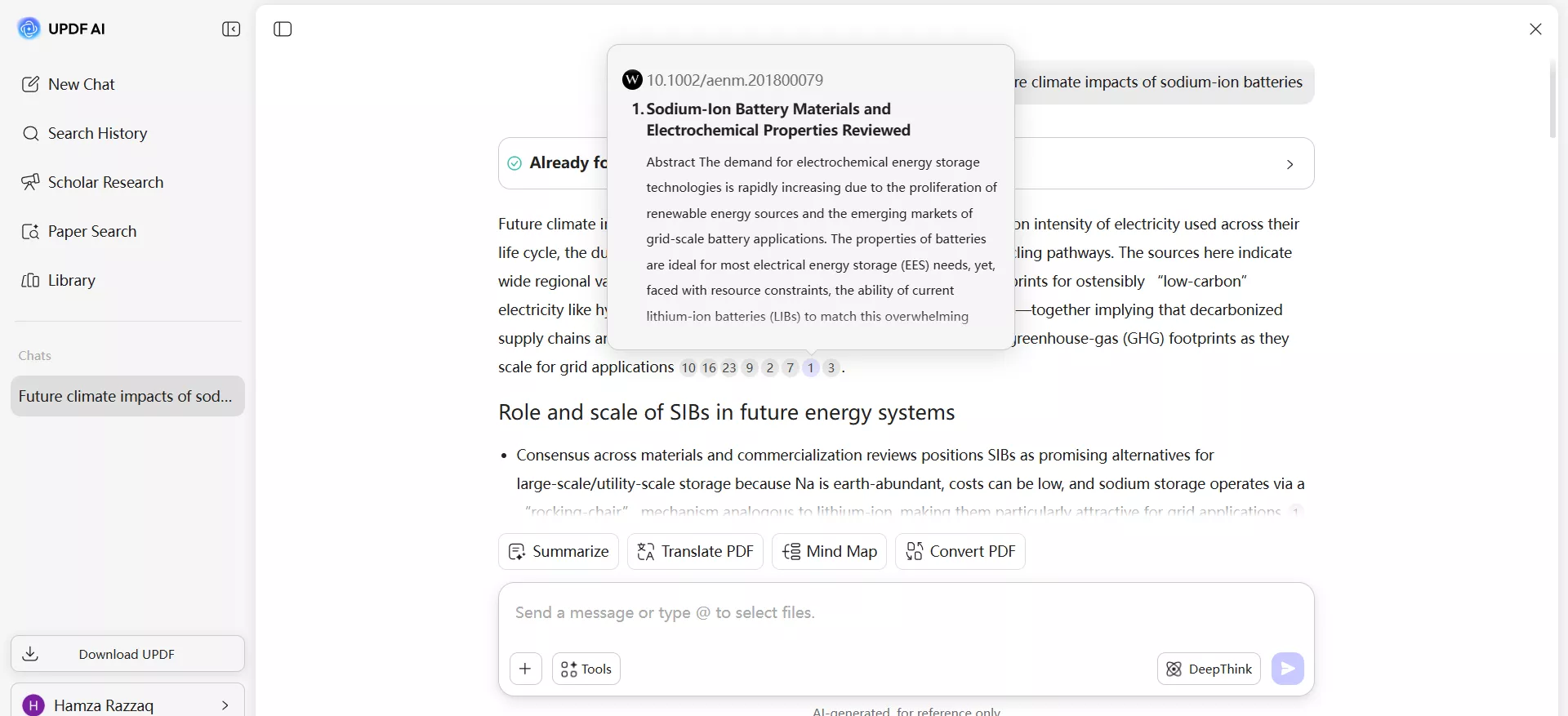
UPDF AI offers a different process for finding research papers. It offers a dedicated "Paper Search" feature that returns relevant research papers for your requested keywords and provides citation-based answers. For example, I asked it to find the papers on "future climate impacts of sodium-ion batteries". It provided me citation-backed answers, where I could hover the mouse over the number of cited papers and get the paper's abstract. I could also click the number and get more information about the paper.
2. Reading and Understanding Research Papers
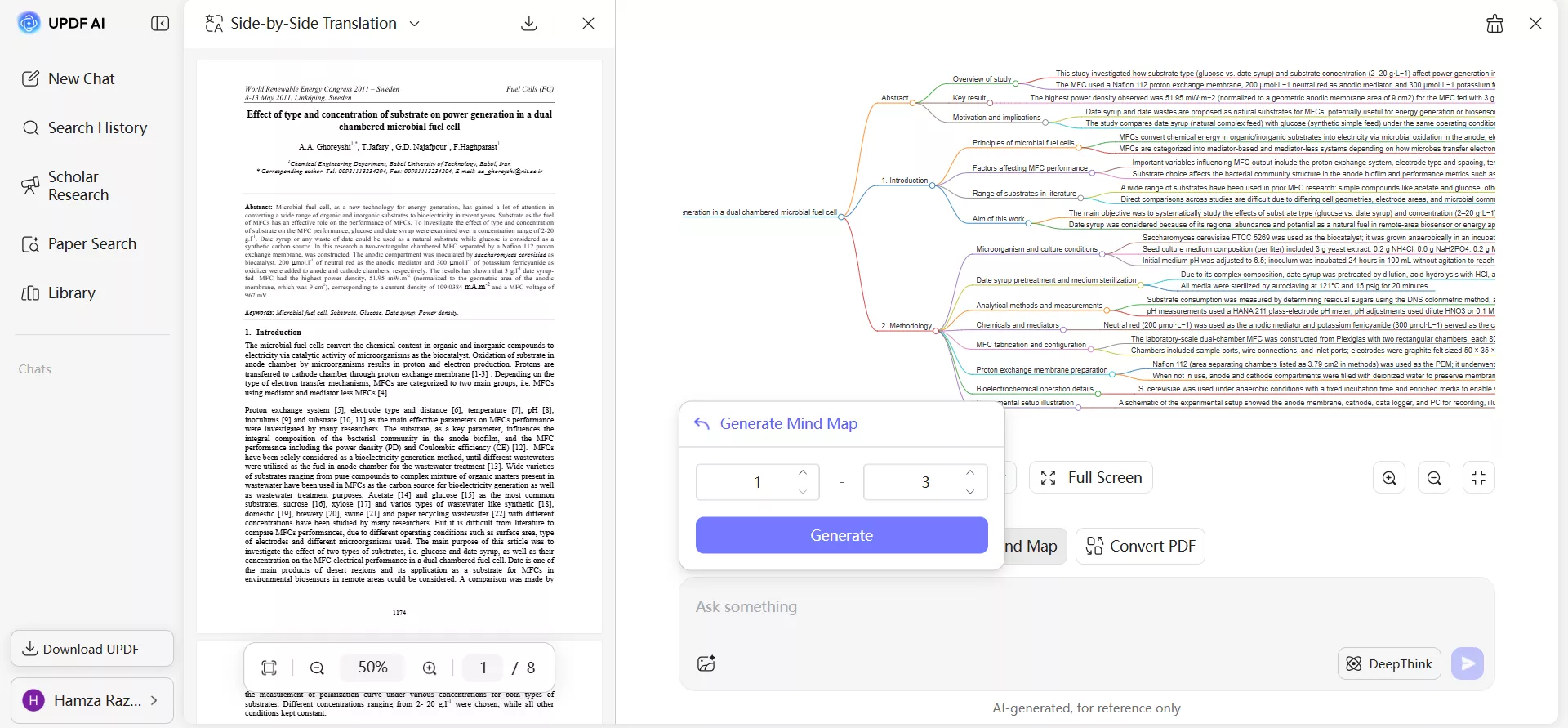
When I upload a full PDF into UPDF AI, I get immediate assistance in reading and understanding research papers. I used the built-in option to summarize the paper and get a quick overview.
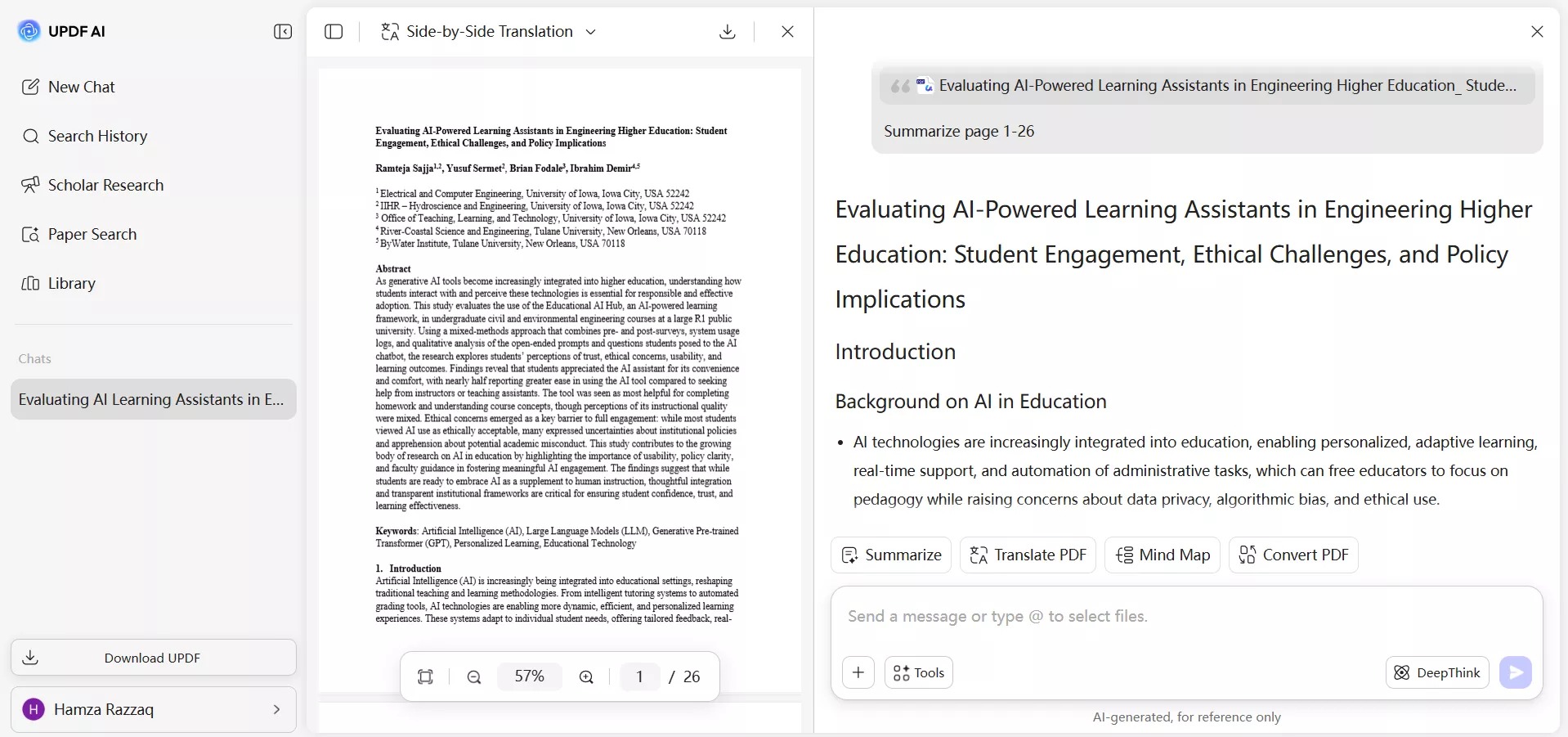
If a paragraph feels dense or technical, I request a simplified explanation to clarify the concept. This process helps me move from general understanding to detailed comprehension and quickly identify key arguments.
In addition, I can translate the entire PDF into a different language while preserving the original formatting, which is helpful when reviewing international studies. Plus, I also generate mind maps to visualize concepts when required.
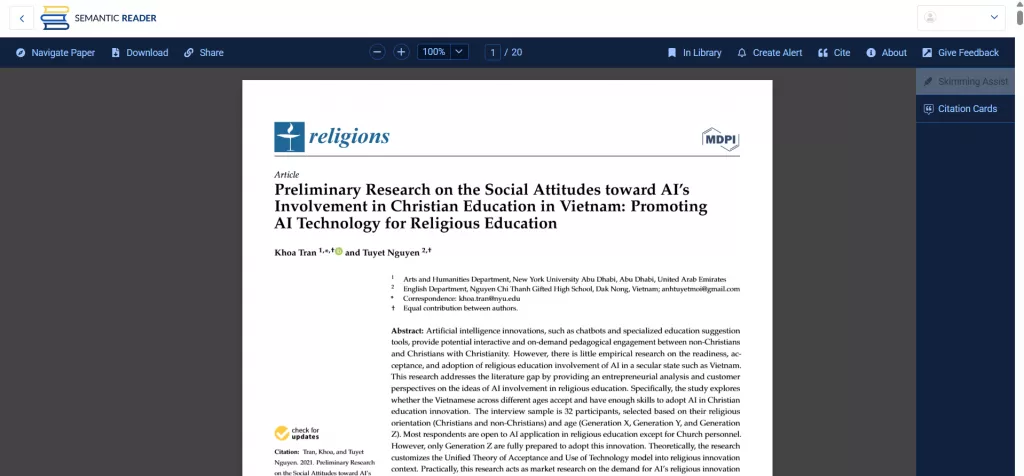
With Semantic Scholar, I didn't see the option to upload and analyze full research paper PDFs. Its strength appears at the discovery stage, as it helps locate relevant studies, get a quick summary, review abstracts, and check citation connections. However, it now offers a "Semantic Reader" to read the research papers, but it felt like an ordinary PDF reader.
3. Asking Questions and Following Research Logic
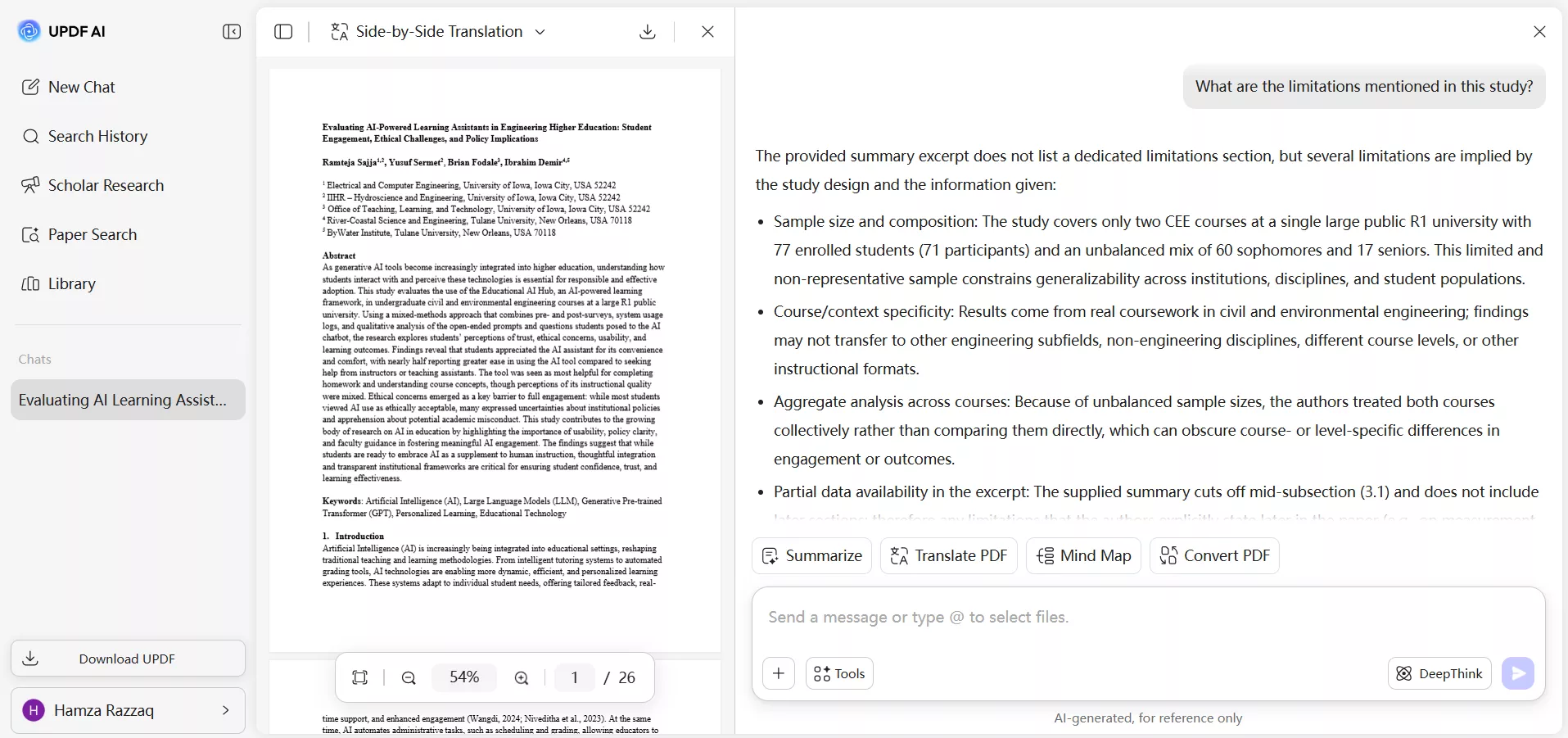
UPDF's AI assistant gives complete freedom to ask any questions about the research paper. We can ask targeted questions about specific sections, such as the research methodology, limitations, or statistical analysis. For example, I asked the question about “What are the limitations mentioned in this study?” and received context-based answers drawn directly from the uploaded file.
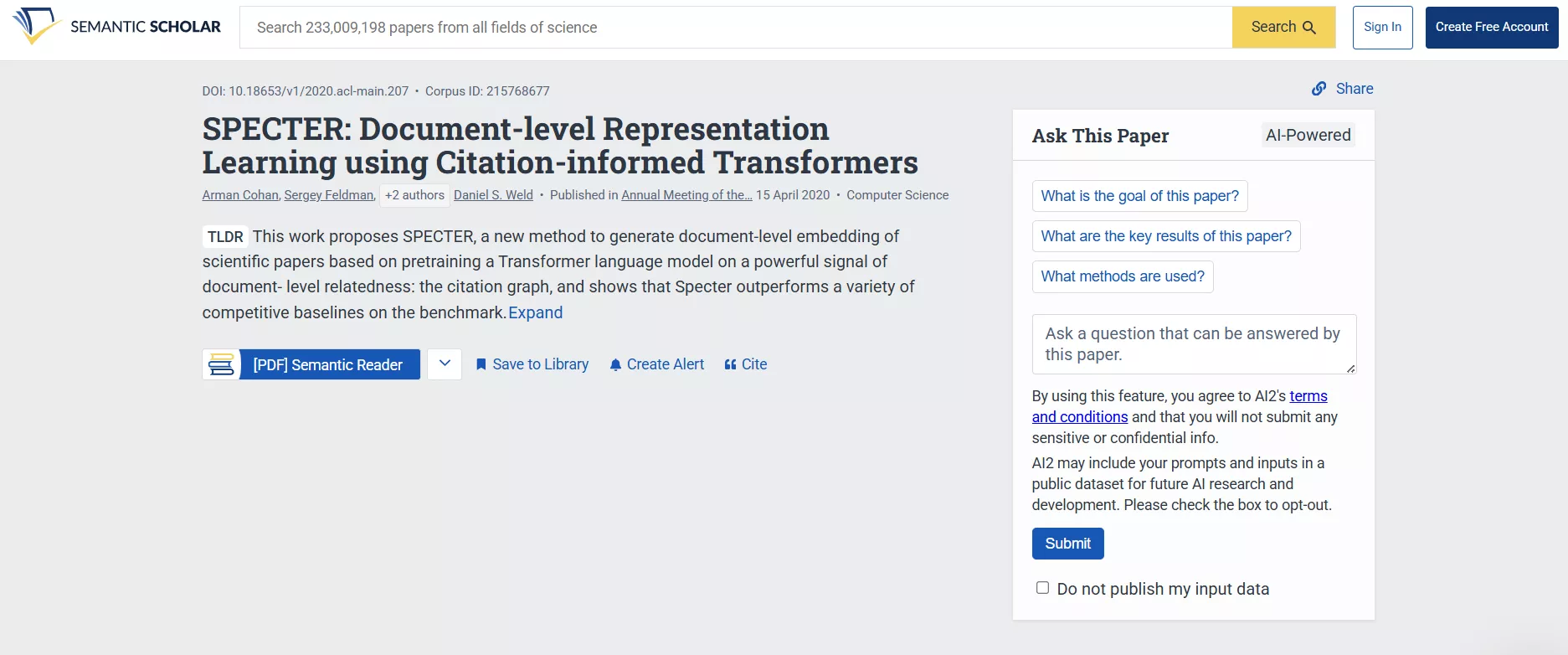
Semantic Scholar now offers an "Ask This Paper" section on each paper page, where we can ask questions about the paper. However, this feature is only available on the paper page, where we cannot interact with the complete PDF.
4. Working with Multiple Papers
UPDF AI is handy when working with multiple papers. I upload different PDFs on the targeted research topic and then ask it to compare methodologies, extract key findings, and more. For example, I uploaded multiple files on the topic of "Semiconductor Market Risks and Growth Constraints" and asked the question to "Identify and extract common market risks and growth constraints mentioned across all uploaded semiconductor-related sources".
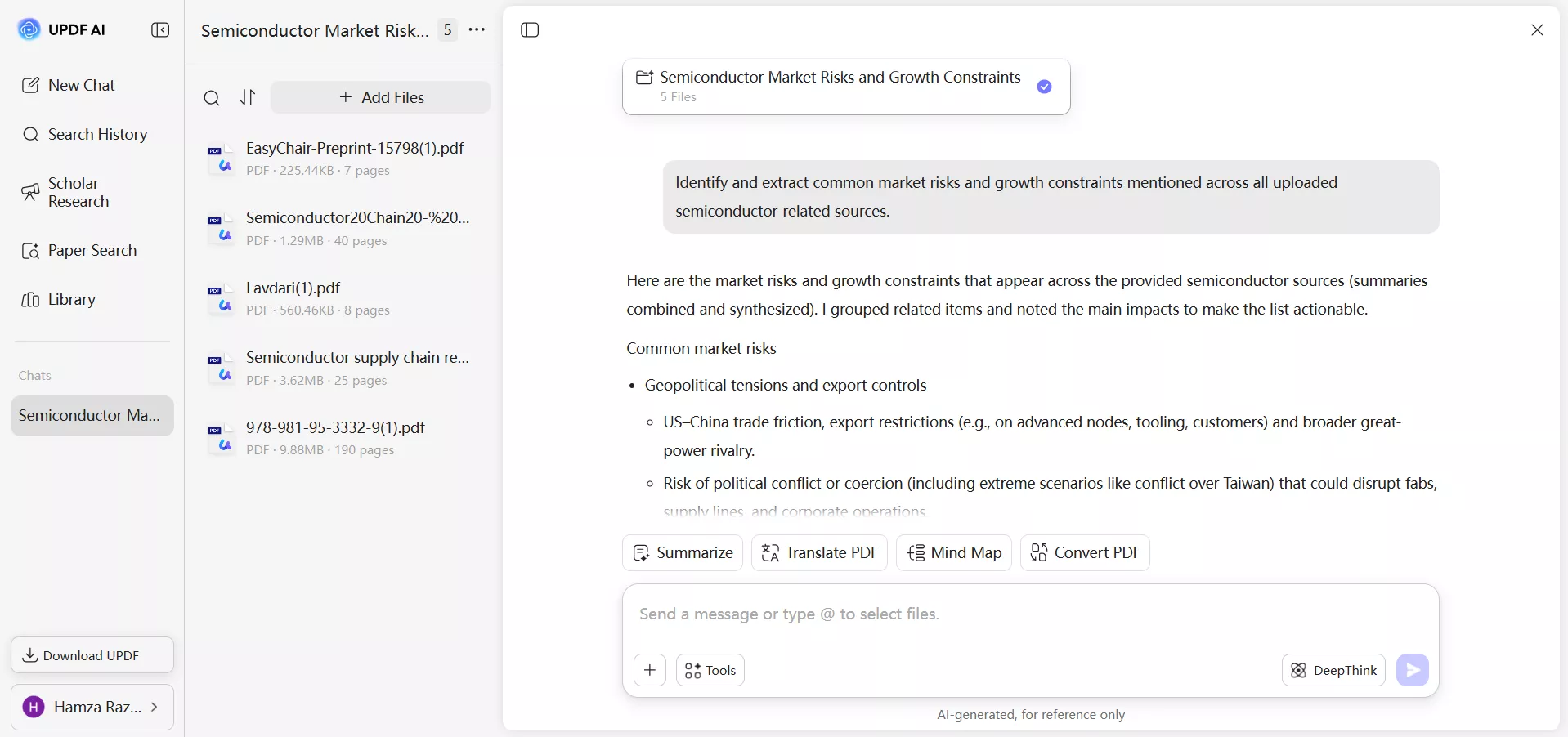
UPDF AI analyzed all the uploaded sources and then gave context-aware responses. I didn't have to create separate notes for each document and spend time comparing them manually. This has been really useful for me during literature reviews.
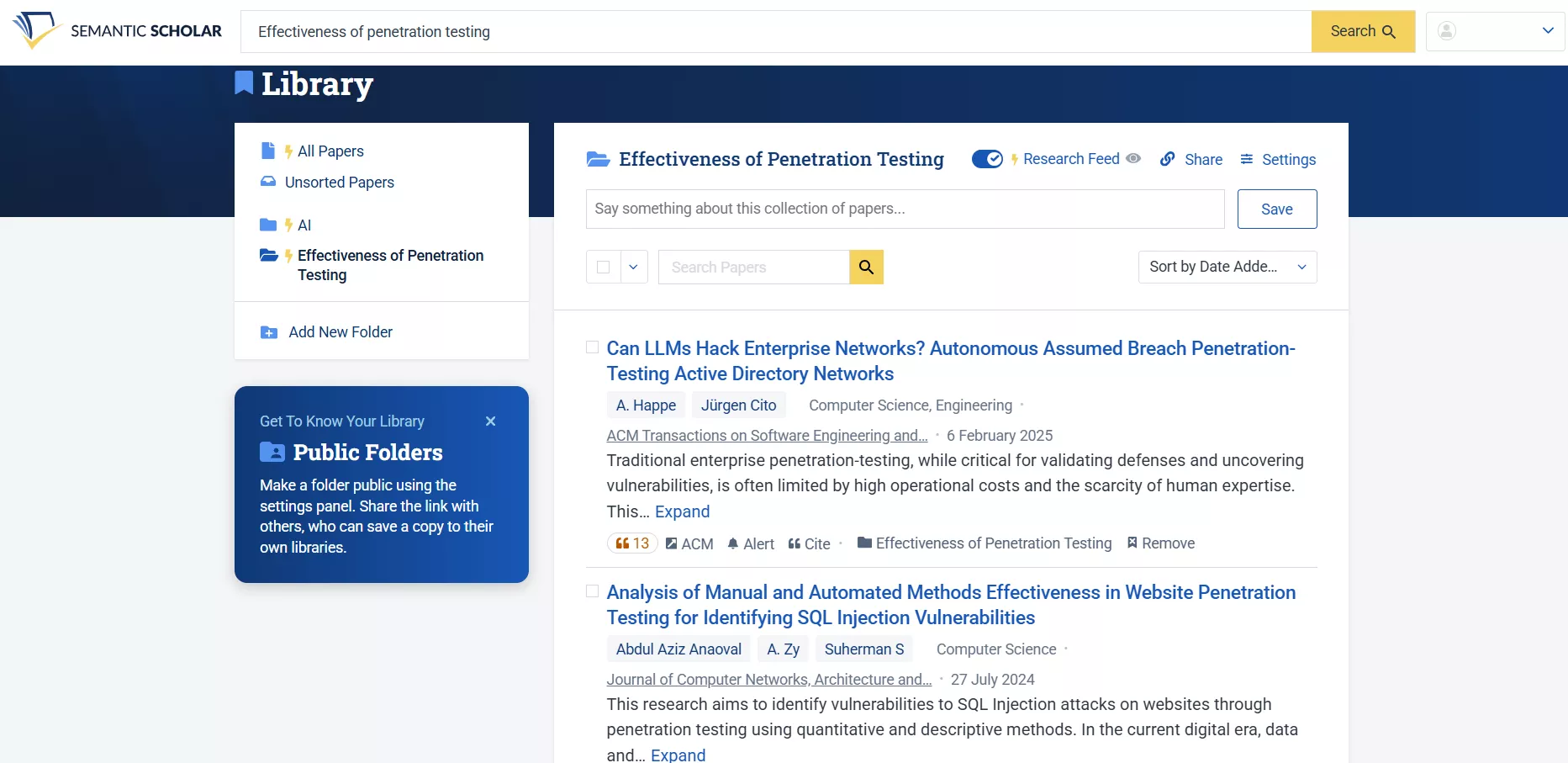
Semantic Scholar has a different approach for working with multiple papers. Since its emphasis is to ease the discovery process, it offers a "Library" section where users can save papers, organize them into lists, and revisit them later. It also highlights related research and citation connections between saved studies. However, the comparison happens at the metadata and reference level. For a deeper content-level comparison, the full PDFs still need to be downloaded and analyzed using another tool.
Pricing and Free Version Comparison
UPDF AI offers both free and paid plans for users. You can start with the free plan and test UPDF AI capabilities before committing to the paid plan.
| UPDF AI Pricing | |
| Free Plan ($0/month) | Paid Plan ($29/quarter or $79/year) |
| 5 PDFs limit | Unlimited PDFs |
| 100 questions | Unlimited questions |
| 100 pages per PDF | Unlimited pages per PDF |
| 10MB per PDF | 2GB per PDF |
| 5 PDFs per collection | 100 PDFs per collection |
| 1GB cloud storage | 100GB cloud storage |
Semantic Scholar is a free-to-use tool for paper discovery and citation exploration. So, there isn't a limited free plan or traditional subscription charges for doing extensive research. You can use Semantic Scholar for 100% free.
For long-term academic users who frequently analyze full-length PDFs, UPDF's predictable subscription model aligns with consistent usage needs. However, Semantic Scholar's free access is sufficient for occasional literature discovery.
User Experience Comparison
1. Interface and Learning Curve
When I used UPDF AI for the first time, I didn't have to watch any tutorials to access its features. It has a well-organized interface that lets you easily chat with PDFs, search for papers, draft a deeper literature review, generate mind maps, and translate/convert PDFs with ease. Everything has its dedicated section, and there's no hassle in finding any feature.
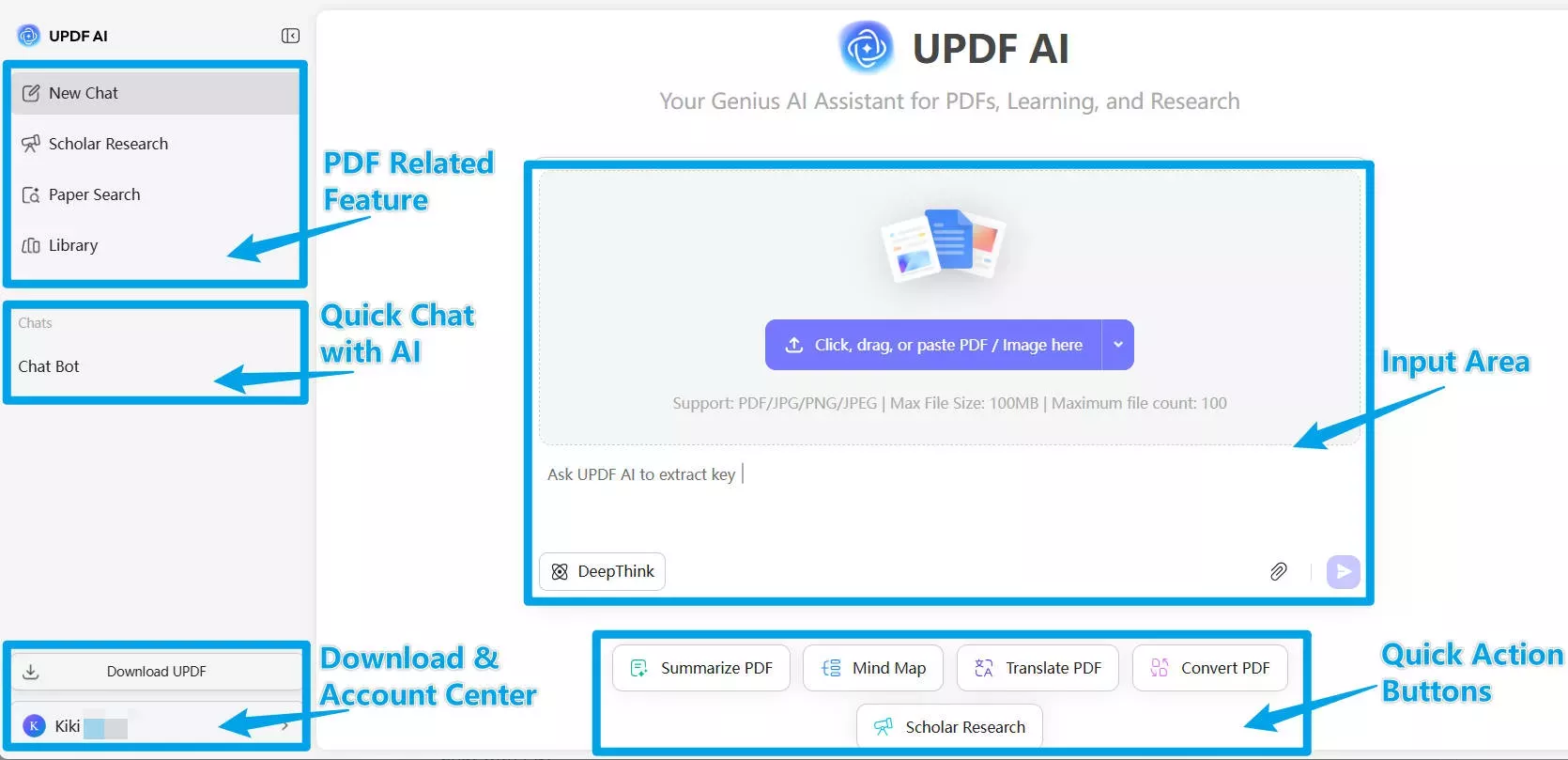
The experience is also intuitive when using UPDF AI inside the UPDF app. Everything feels centralized. I can highlight text, annotate margins, edit pages, and ask AI questions without leaving the document.
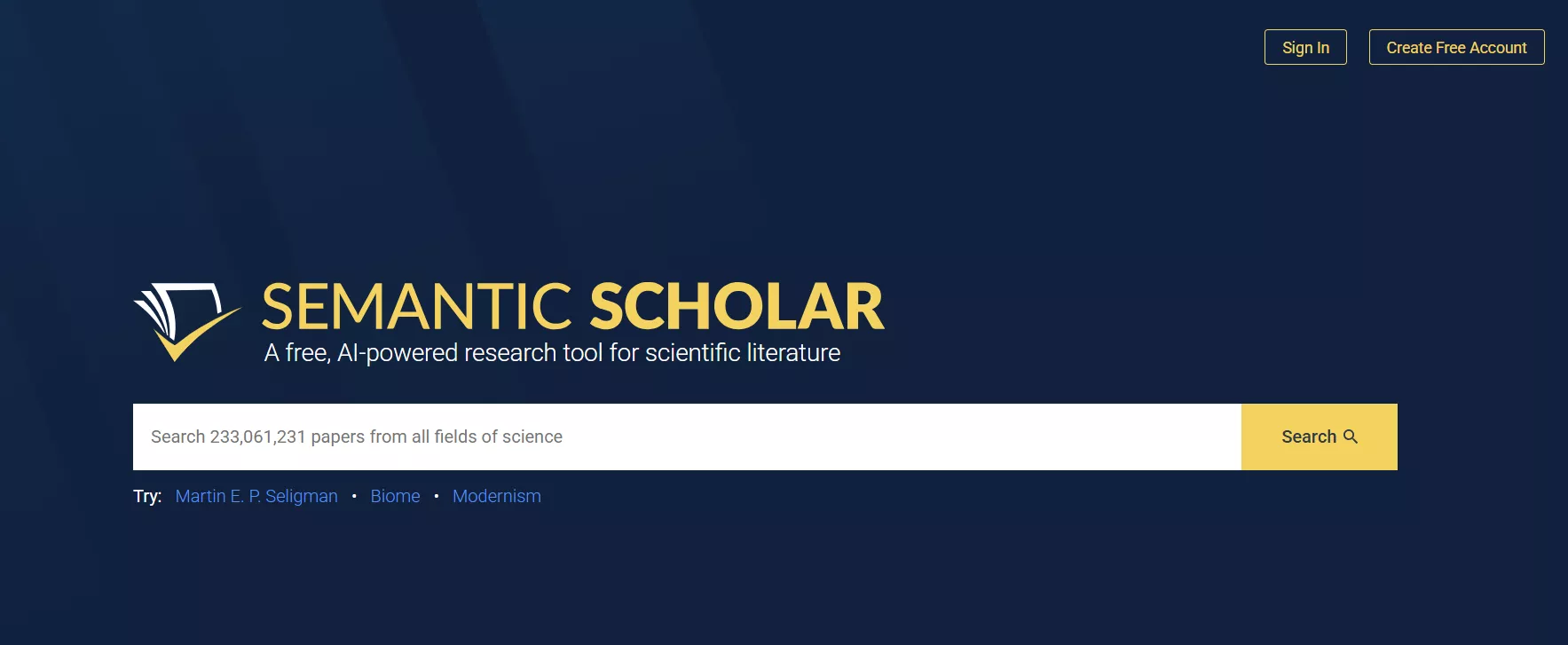
Semantic Scholar also offers a user-friendly browser interface optimized for search. I could directly perform the search in seconds and then use various filters to shortlist the targeted research papers. I didn't feel the need for any tutorial to use this platform.
2. Workflow Continuity
UPDF AI makes it easy to stay within a single ecosystem. Reading, summarizing, answering questions, and more within a single window keeps the workflow uninterrupted and focused. I do not need to switch between multiple tabs or platforms. Plus, if I use UPDF AI within the UPDF app, I can also annotate, add notes, organize pages, and do more in a single app.
I didn't enjoy the same level of workflow continuity with Semantic Scholar that I got with UPDF AI. Semantic Scholar is best at searching research papers. It now even offers built-in support for reading PDFs and asking questions. However, when it comes to summarizing, annotating, analyzing multiple PDFs, and more, there is a need for a third-party tool.
User Reviews and General Feedback
Looking at research communities' feedback on UPDF AI and Semantic Scholar, there is strong appreciation for the strengths of each tool.
UPDF AI users are seen to appreciate its PDF-focused AI interaction, structured summaries, context-aware explanations, visual representations, and more. Its multiple PDF chatting is also appreciated by many. Graduate students and researchers often mention that having an integrated workspace reduces distractions during long research sessions.
When it comes to Semantic Scholar, users term it as a powerful go-to discovery engine. Researchers in their early stages of literature review appreciate its quick assistance in identifying influential studies and emerging research trends.
Simply put, feedback reflects their different purposes. Semantic Scholar is recognized for efficient research discovery, while UPDF AI is appreciated for deeper document interaction and workflow continuity.
Which One Should You Choose?
Now comes the last part of our UPDF AI vs Semantic Scholar comparison, i.e., which one should you choose? You must have noticed so far that there isn't one winner between these two tools. Both offer unique sets of features that support different stages of research activities.
You can start with Semantic Scholar to discover relevant studies, explore citation networks, and identify influential papers using filters. Use it frequently during the early phase of research and download the PDFs of the research papers you shortlisted.
Afterward, you can feed the PDFs into UPDF and proceed to read and understand them. Its PDF-native AI and integrated workflow let you summarize those PDFs, ask AI to extract insights, and do a lot more. It is suitable for long-term academic work involving detailed literature reviews, thesis writing, dissertation research, grant proposals, and structured comparative analysis across multiple sources.
In short, researchers can choose both and use them strategically at different stages. If your academic routine requires consistent interaction with full-length PDFs rather than just discovering them, UPDF AI aligns more with that daily workflow.
Conclusion
That's the wrap to our UPDF AI vs Semantic Scholar comparison guide. We will recommend you try UPDF AI for free and explore its features. Afterward, you can upgrade if it fits your academic workflow.
UPDF AI integrates directly with the UPDF app so that you can read, annotate, organize, and access AI assistance in one environment. Furthermore, the platform emphasizes data security and document privacy. User files are not used for AI training, and document confidentiality remains protected.
Note: The information on this page is based on UPDF writers' testing and publicly available product details at the time of writing. Features and pricing may change over time. If you notice any inaccuracies, please contact us at [email protected]

 Enrica Taylor
 Engelbert White