 UPDF
UPDF
 UPDF for Windows
 UPDF for Mac
 UPDF for iPhone/iPad
 UPDF for Android
 UPDF AI Online
 UPDF Sign
 Edit PDF
 Annotate PDF
 Create PDF
 PDF Form
 Edit links
 Convert PDF
 OCR
OCR PDF to Word
 PDF to Image
 PDF to Excel
 Organize PDF
 Merge PDF
 Split PDF
 Crop PDF
 Rotate PDF
 Protect PDF
 Sign PDF
 Redact PDF
 Sanitize PDF
 Remove Security
 Read PDF
 UPDF Cloud
 Compress PDF
 Print PDF
 Batch Process
 About UPDF AI
 UPDF AI Solutions
 AI User Guide
 FAQ about UPDF AI
 Summarize PDF
 Translate PDF
 Chat with PDF
 Chat with AI
 Chat with image
 PDF to Mind Map
 Explain PDF
 PDF AI Tools
 Image AI Tools
 AI Chat Tools
 AI Writing Tools
 AI Study Tools
 AI Working Tools
 Other AI Tools
 AI Bookmark Generation
 AI Bookmark Summary
 AI Watermark Generation
 AI Background Generation
 AI Sticker Generation
 AI Stamp Generation
 AI Editing Suite
 UPDF Copilot
 AI Page Management
 AI Semantic Search
 PDF to Word
 PDF to Excel
 PDF to PowerPoint
 Enterprise Solution
 Enterprise Sign
 Enterprise AI
 Enterprise Plan
 Enterprise User Guide
 Enterprise Webinar
 Banking
 Healthcare
 Insurance
 Legal
Legal Manufacturing
 Government
 Education Solution
 Customer Stories
 User Guide
 UPDF Tricks
 FAQs
FAQs UPDF Reviews
 Download Center
 Blog
Blog Newsroom
 Tech Spec
 Updates
 UPDF vs. Adobe Acrobat
 UPDF vs. Foxit
 UPDF vs. PDF Expert


Choosing a PDF tool feels simple until daily work exposes missing features and workflow frustrations. In this PDF 995 vs. UPDF comparison, I tested both tools with real documents. I wanted clarity beyond marketing claims, feature lists, and outdated reviews. This article explains how each tool behaves during everyday PDF tasks.
PDF995 represents a classic, utility-style PDF solution built for basic needs. On the other hand, UPDF represents a modern, AI-powered PDF editor designed for efficiency, you can click the button below to have a free download. So, read until the end if you want a confident, practical recommendation.
Windows • macOS • iOS • Android 100% secure
Part 1. What is PDF 995?
When I first explored PDF995, I saw it positioned as a traditional utility-style PDF solution. Instead of one application, it operates as a small suite of separate PDF tools. The suite includes PDF995 for creation, PdfEdit995 for editing, and Signature995 for protection. Each tool focuses on one function rather than providing a unified editing workspace.
Supported Devices And System Support
PDF995 is designed specifically for Windows-based operating systems only. It supports Windows 11, Windows 10, Windows 8.1, Windows 7, and older versions. Both 32-bit and 64-bit Windows environments are officially supported. This wide compatibility makes it useful for offices using legacy Windows systems.
Installation Experience And Workflow Limitations
During my testing, I noticed advanced features require separate downloads for each tool. To edit, secure, or manage PDFs, I had to install applications individually. This step-by-step installation process felt slightly frustrating during regular document handling. Switching between tools also interrupted workflow during repeated editing tasks.
Pricing Plans And License Model
PDF995 offers a free version that displays sponsor pages during software usage. A single-user license costs $9.95 and removes all sponsor interruptions. The complete suite license costs $19.95 per user. Each license works permanently for the current version and updates released within one year. Review the table below to compare PDF995 pricing across user plans:
| Number of Users | PDF 995 Price | PDF 995 Suite Price | Toolset Price |
| 1 User | $9.95 | $19.95 | $29.95 |
| 2 Users | $19.90 | $39.90 | $49.00 |
| 3 Users | $29.85 | $59.85 | $73.50 |
| 4 Users | $39.80 | $79.80 | $98.00 |
Part 2. What is UPDF?
The moment I started using UPDF, I immediately noticed its focus on simplicity and completeness. UPDF works as an all-in-one PDF editor designed for modern document workflows. Unlike older tools, everything feels integrated, responsive, and easy to understand. It removes the need for juggling multiple applications during everyday PDF tasks.Moreover, UPDF also includes UPDF AI and UPDF Sign as online services. These tools work directly in browsers without requiring any additional downloads. Compared with fragmented setups like a PDF995 download process, this felt far more efficient. The experience stays smooth whether I work locally or online.
Windows • macOS • iOS • Android 100% secure
Supported Devices And Platforms
UPDF supports Windows, macOS, iOS, and Android devices seamlessly. I can open, edit, and review PDFs across desktops, tablets, and smartphones easily. This flexibility supports modern work habits without limiting device choices.
One License Across All Devices
One UPDF license works across all supported platforms simultaneously. I experienced consistent tools, layouts, and features on every device. This consistency reduces learning time and improves productivity across workflows.
Pricing Plans And Accessibility
Review the table below to understand UPDF's monthly pricing options clearly:
| Plan | Yearly Price | License Type | Best For |
| Free Plan | Free | Limited access | Basic PDF viewing and annotations |
| Annual Plan | $39.99/year | Subscription | Full PDF editing with regular updates |
| Perpetual Plan | $69.99/year | One-time license | Long-term professional PDF usage |
| UPDF AI Assistant | $79.00/year | Subscription | AI summarizing, translating, and content analysis |
| UPDF Sign | $69.00/year | Subscription | Online electronic signature workflows |
Part 3. My Testing Methodology: How I Compared PDF995 Suite and UPDF
Before choosing a PDF tool, I wanted proof from real usage, not marketing promises. I tested both tools using everyday PDFs from work, study, and document review tasks. My focus stayed on how they handled real files, real edits, and repeated workflows. This hands-on approach helped me judge which tool fits the practical, daily PDF needs better.
How I Approached Real-World PDF Testing
I used the same set of PDFs for both tools to ensure fairness. These files included scanned documents, multi-page reports, and image-heavy PDFs. I performed identical actions on each file to compare speed, accuracy, and usability. In addition, screenshots were captured during every step to record actual results clearly.
Download Experience And Initial Setup
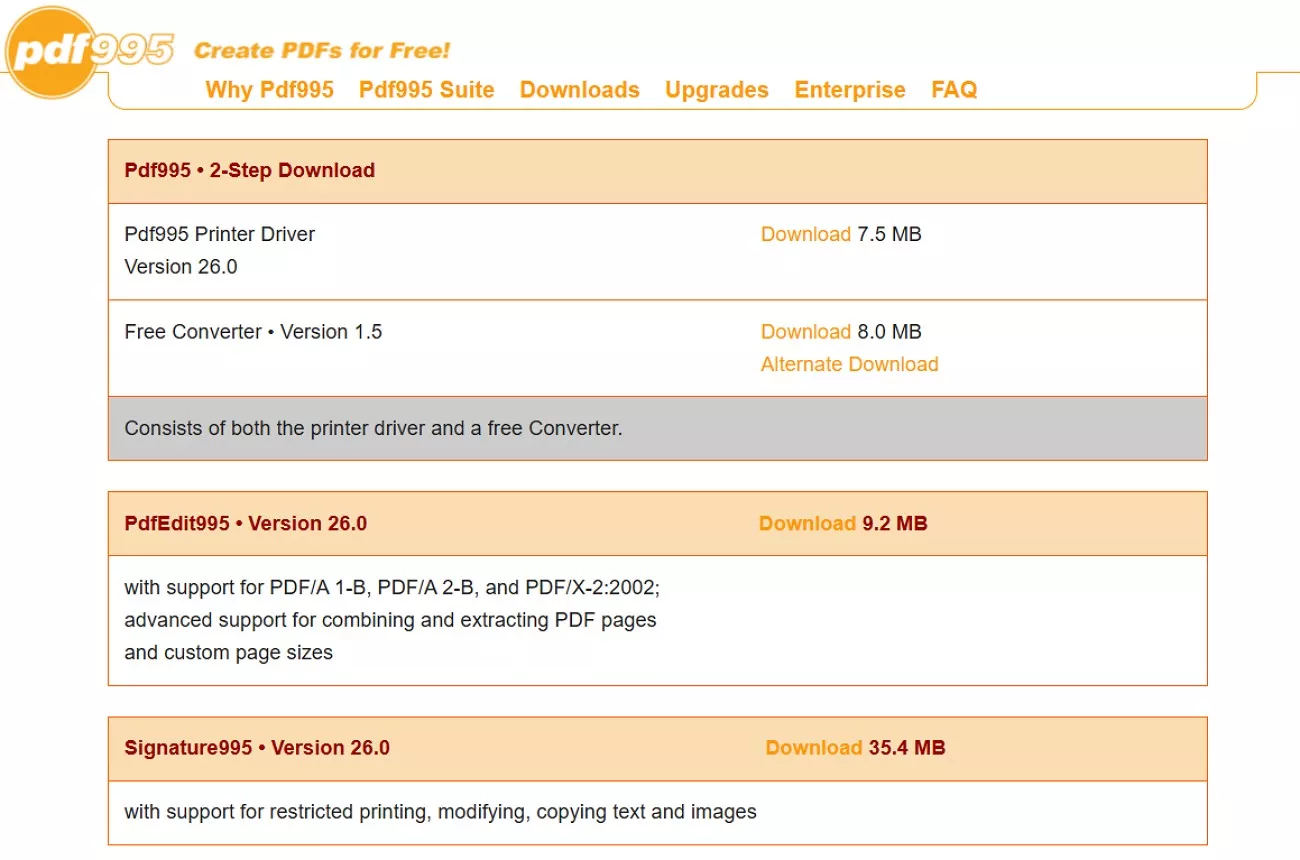
My testing started with the download process, since first impressions matter significantly. PDF995 required downloading four separate components, one after another, manually. I installed the printer driver, converter, editor, and signature tool separately. This process felt slow when I just wanted to start working immediately.
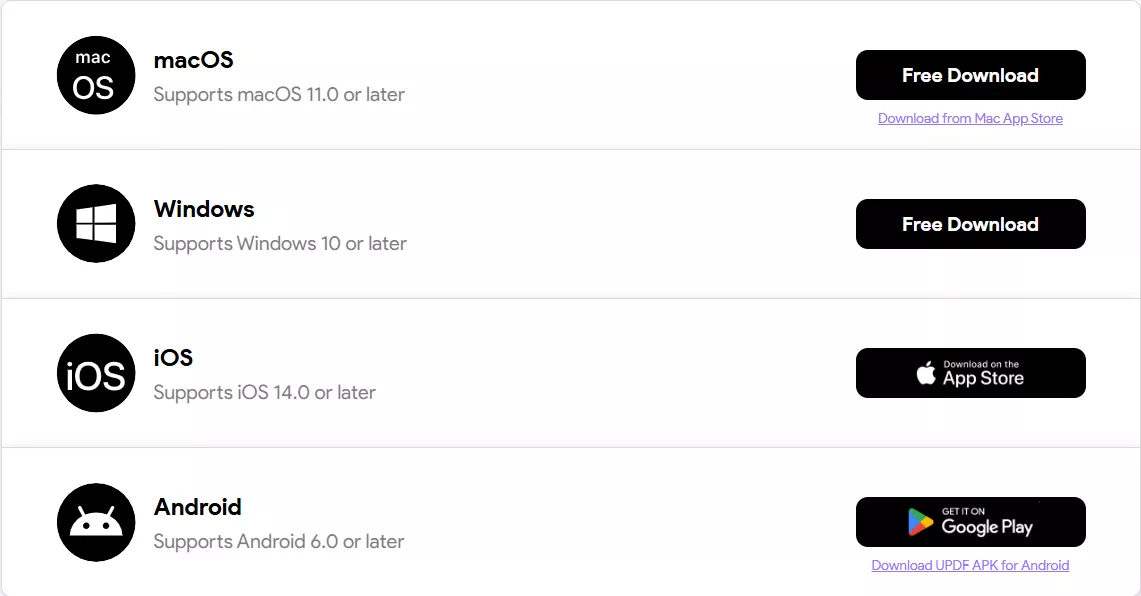
UPDF required downloading only one installer file. The installation completed quickly, and all features became available instantly. I did not need to install or switch between additional tools. This difference immediately showed how workflow efficiency would differ later.
Windows • macOS • iOS • Android 100% secure
Interface Design And Learning Curve Comparison
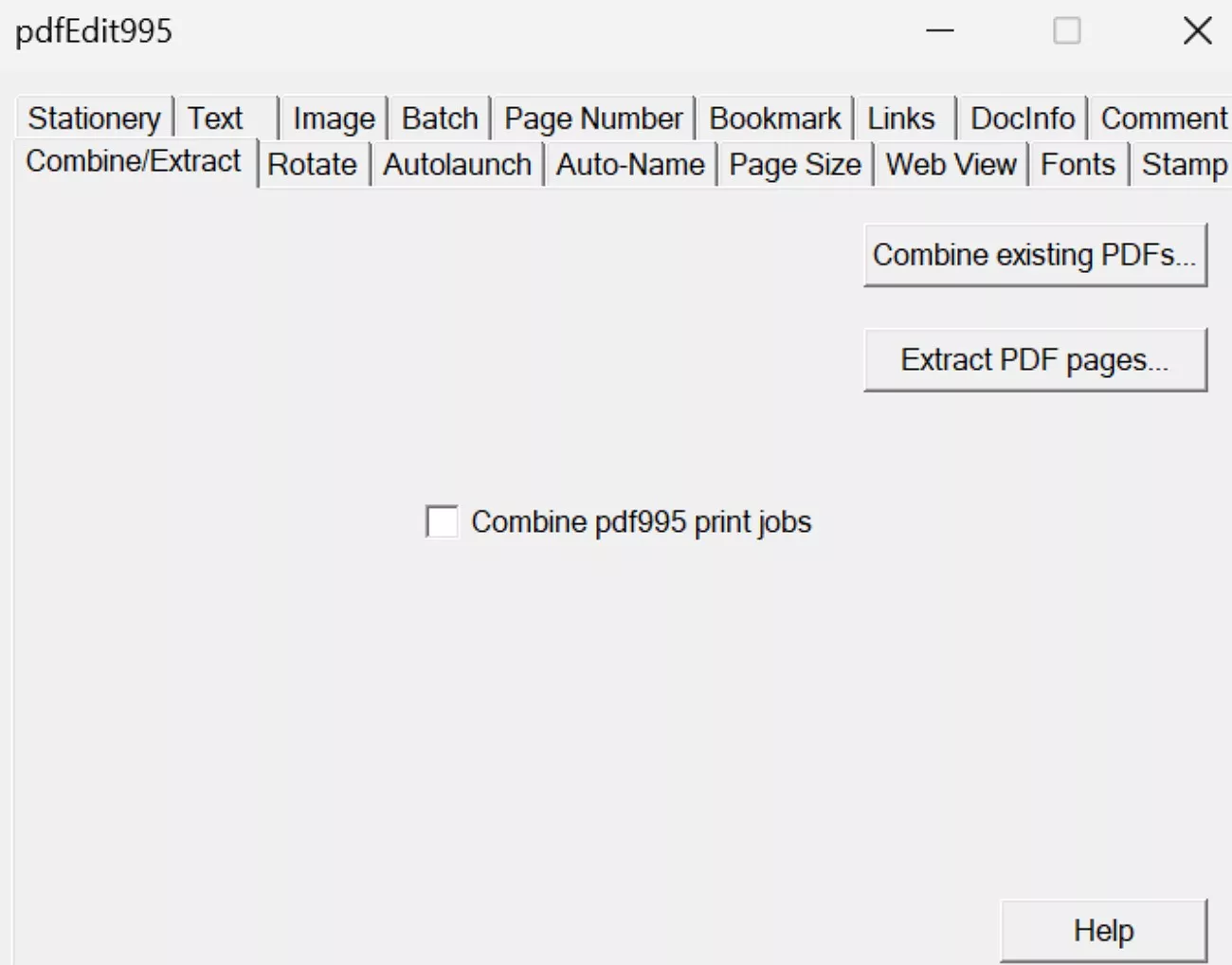
Once installed, I explored each interface without using guides initially. PDF995 uses a classic, utility-style interface with dense menus and text-heavy tabs. Each function sits under different menus, requiring time to remember locations. I often paused to search for features during active editing.
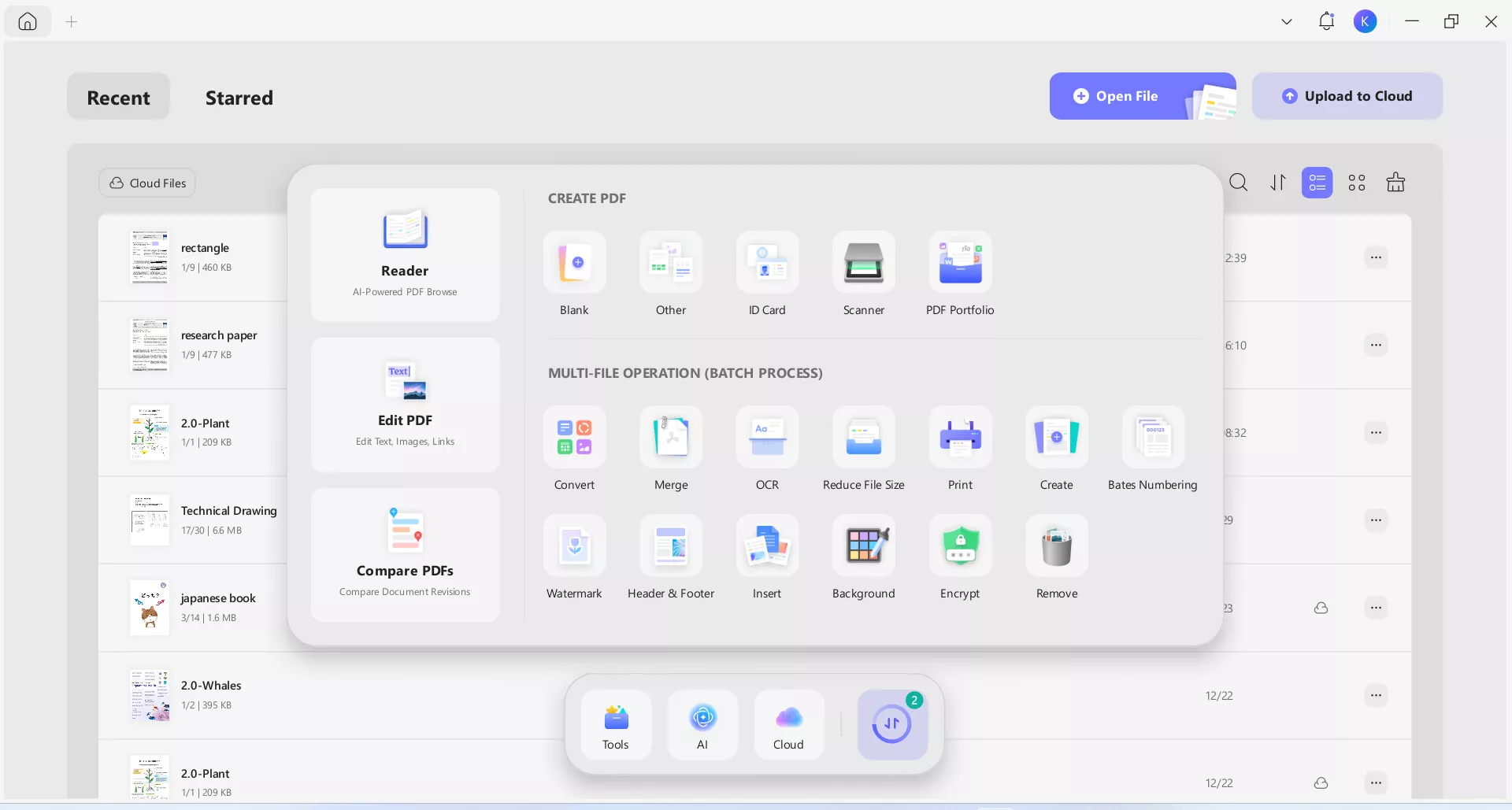
UPDF presents a modern, clean interface with clearly labelled tools. Furthermore, icons and panels feel intuitive, even for first-time users across workflows. I located features quickly without interrupting my workflow during daily editing tasks. The learning curve felt noticeably shorter with UPDF during initial use periods.
Merging PDF Files In Daily Workflows
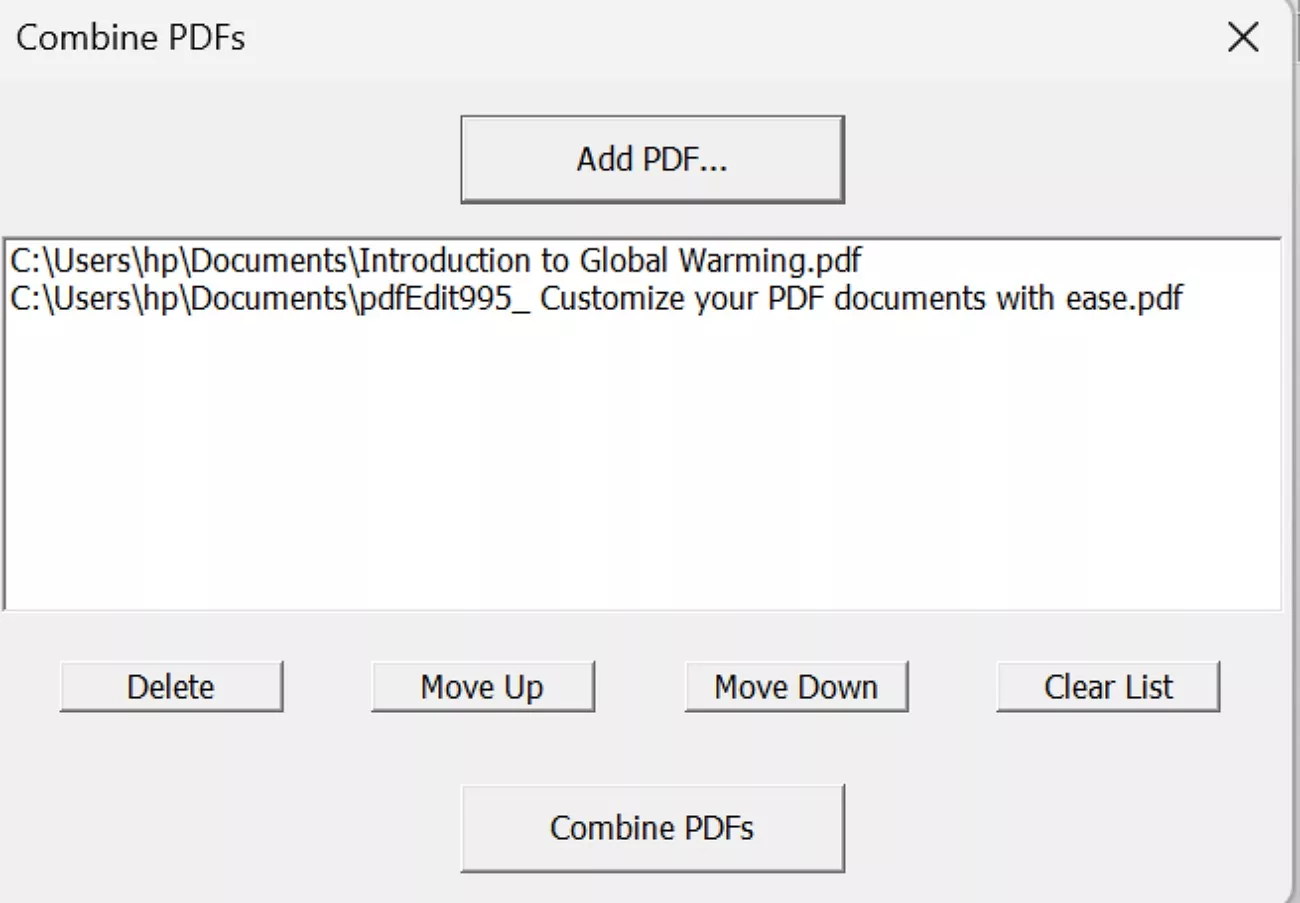
To test merging, I combined multiple reports into a single document. PDF995 required opening PDF Editor 995 and manually selecting files to combine. The process worked, but required several confirmation steps each time. Repeated merging felt slower when handling large documents.
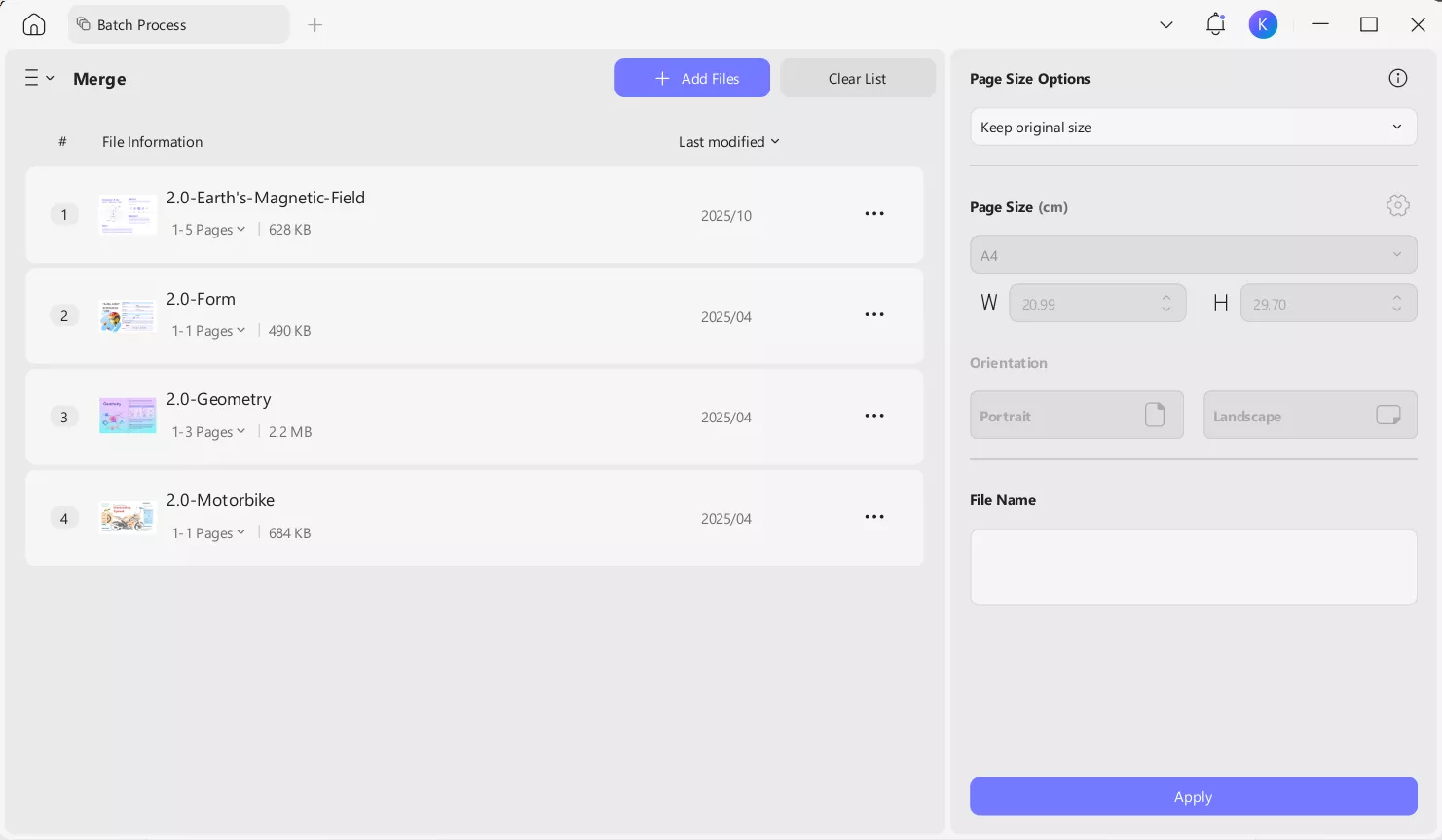
UPDF handled merging through a dedicated merge panel designed for efficiency. I dragged files directly, rearranged pages visually, and merged documents instantly. The preview helped avoid mistakes before finalizing results during document processing. This approach saved time during batch operations involving multiple PDF files.
Extracting And Splitting Pages
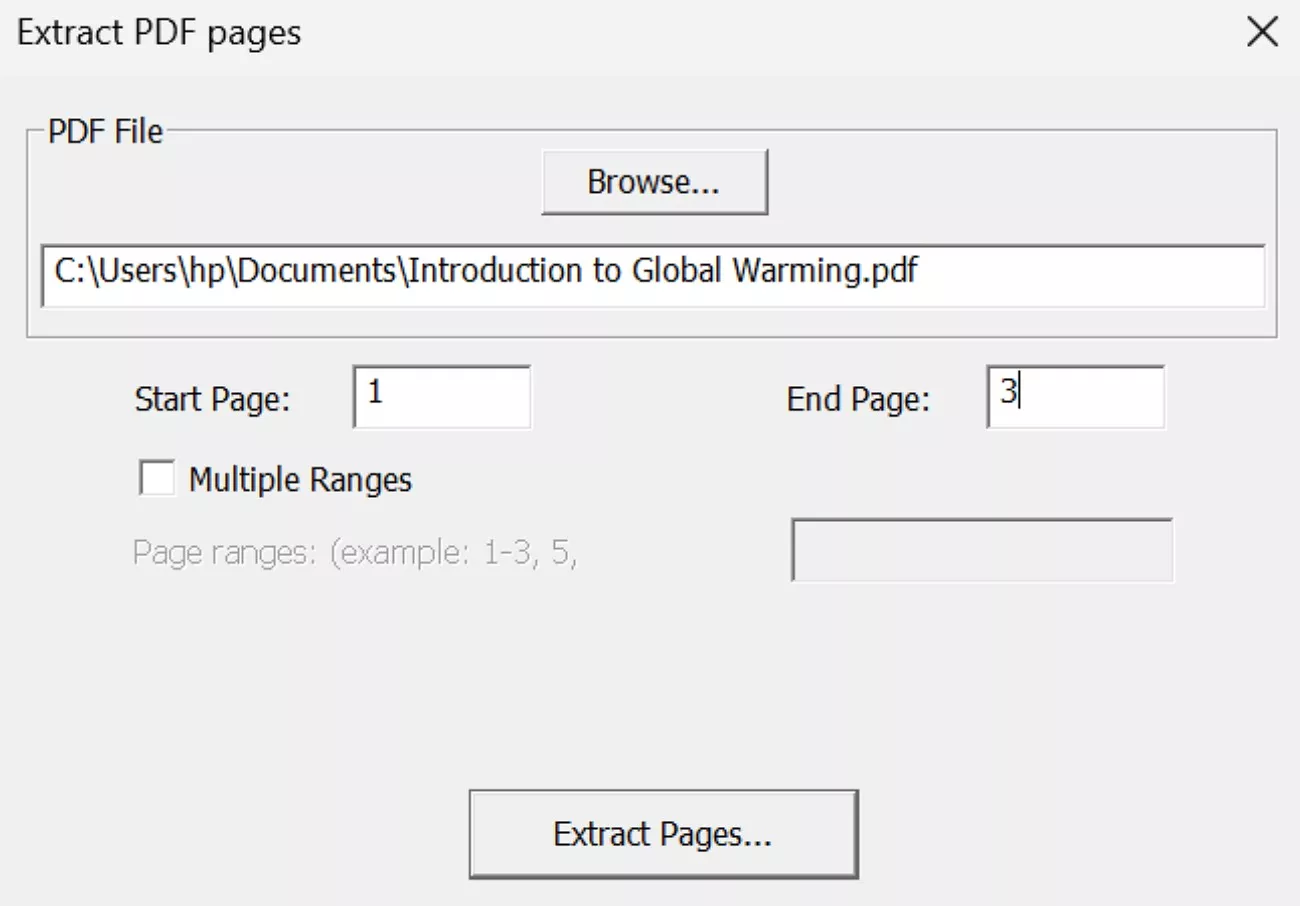
I tested page extraction using long PDFs with mixed content. PDF995 extracted pages correctly, but lacked visual previews beforehand. I relied on page numbers rather than thumbnails to confirm selections. Furthermore, mistakes required repeating the entire process during document handling.
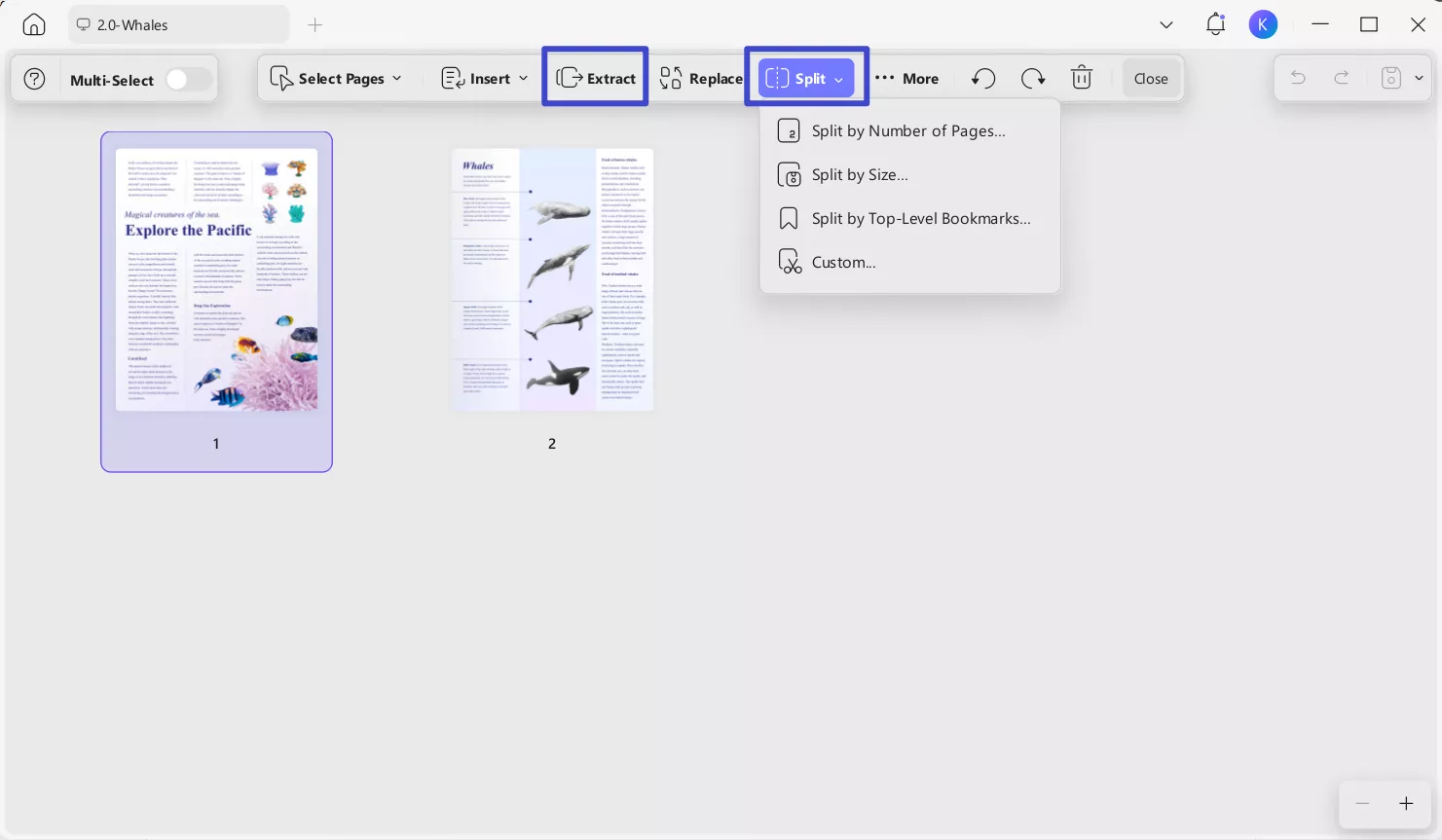
UPDF provided clear page thumbnails before extraction, improving visibility during document handling. I selected pages visually, previewed results carefully, and split files confidently each time. This reduced error and significantly sped up document preparation tasks across workflows.
Optimize And Compress PDF Files
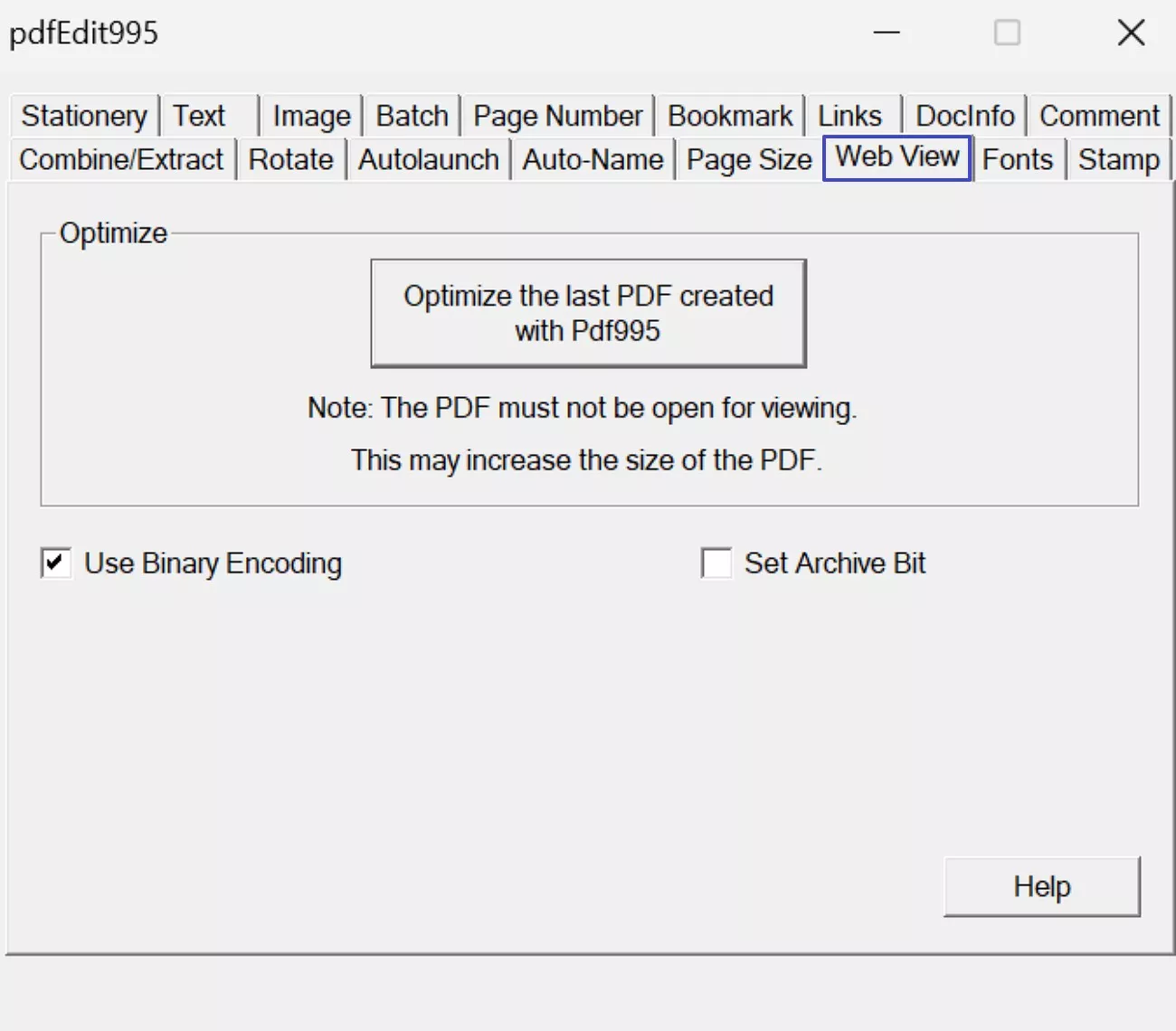
File compression matters greatly when sharing documents frequently across professional workflows. PDF995 offers compression options, but the results varied noticeably between different document types. Some compressed files showed noticeable quality reduction after applying available compression settings. Settings felt technical and less descriptive during selection for non-technical users.
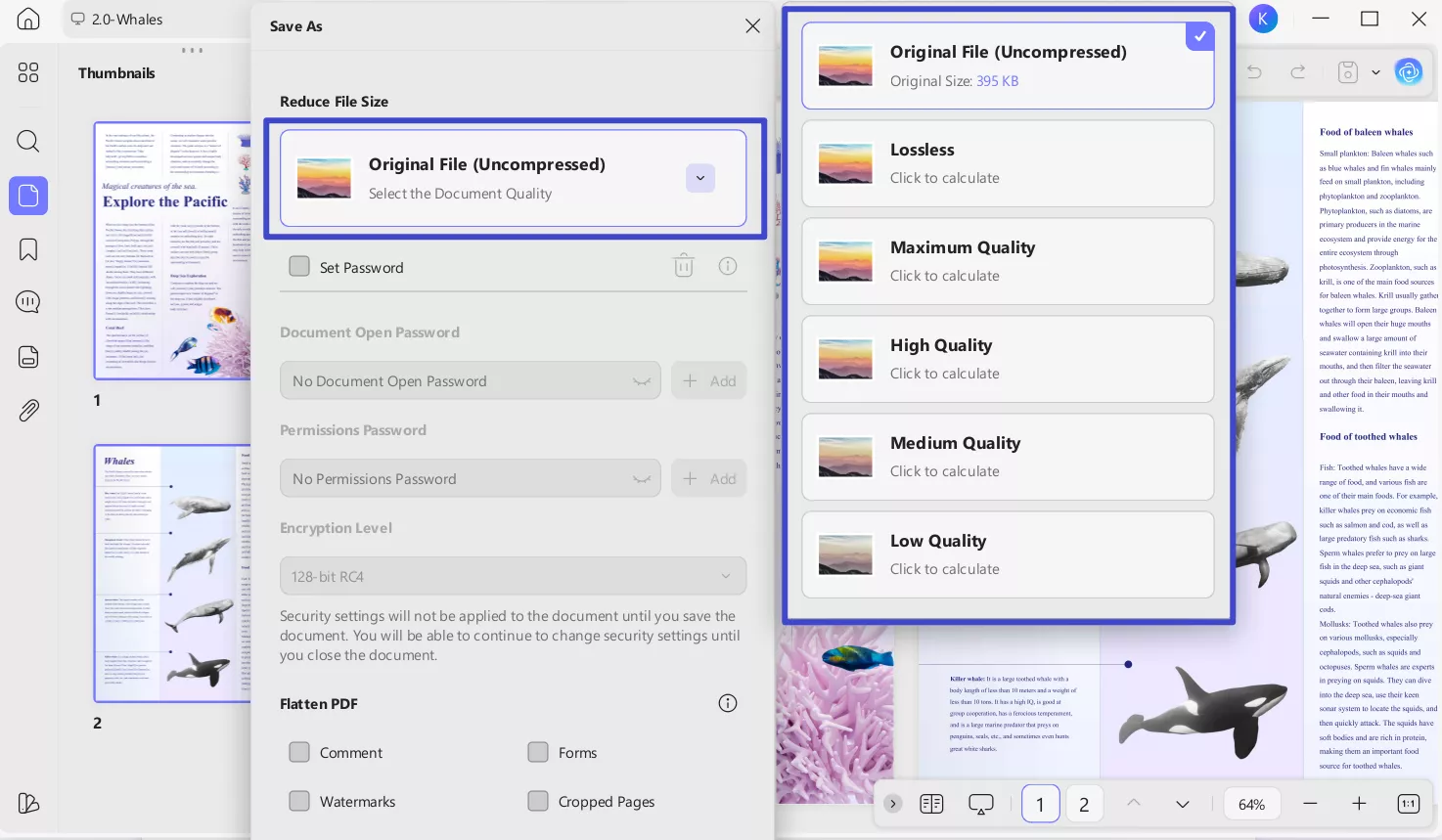
UPDF compression produced consistent results across different files during repeated testing sessions. I adjusted quality levels using clear labels and helpful preview options. The final PDFs remained sharp while reducing file size effectively. This consistency helped during repeated sharing tasks across email and cloud platforms.
Adding Stamps And Visual Markups
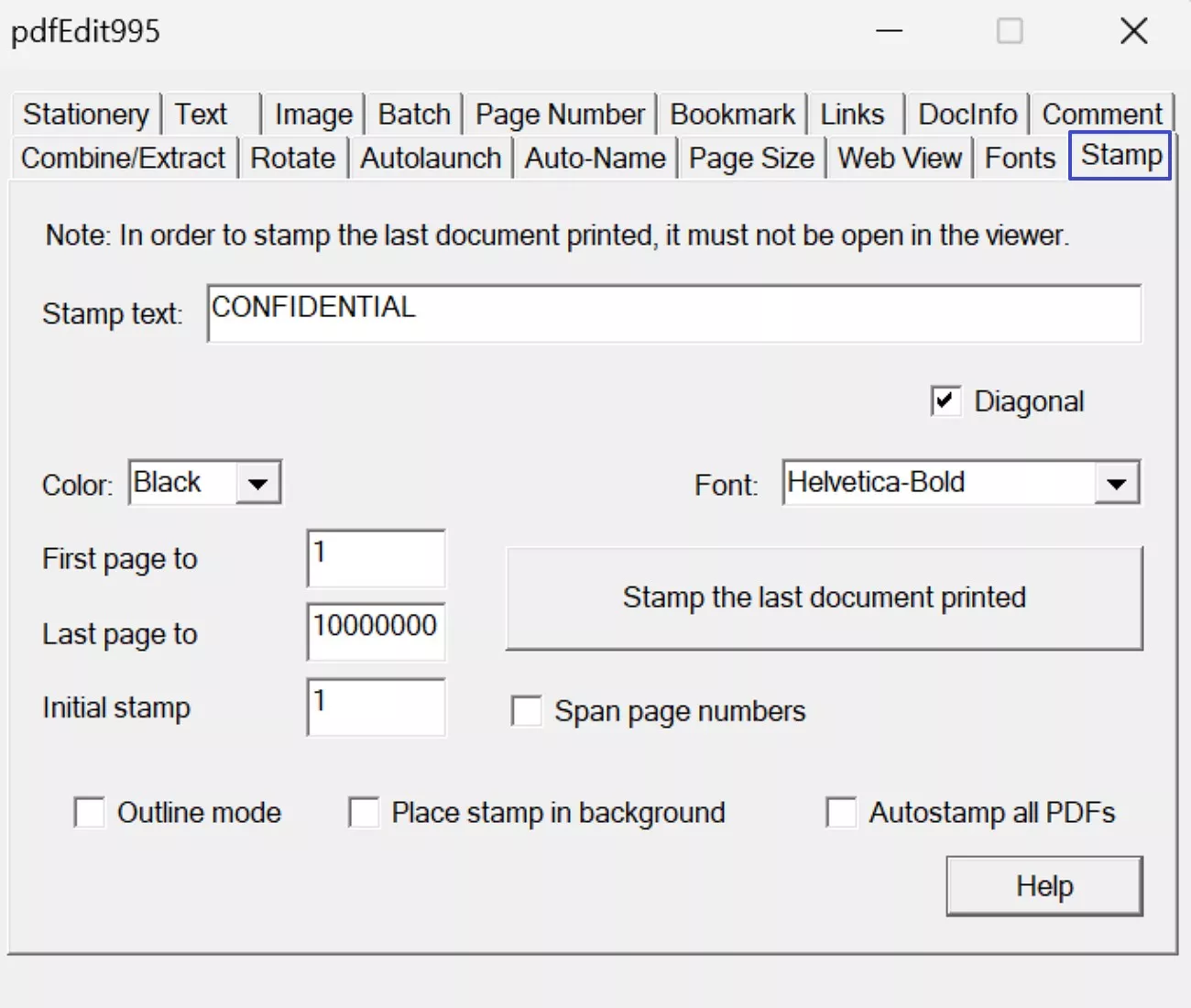
I tested stamping features using structured review and approval workflows regularly. PDF995 supports stamps, but customization options remain limited for professional usage. Font styles and positioning required extra adjustments, which were performed each time manually. Moreover, creating reusable stamps felt restrictive during repeated approval tasks.
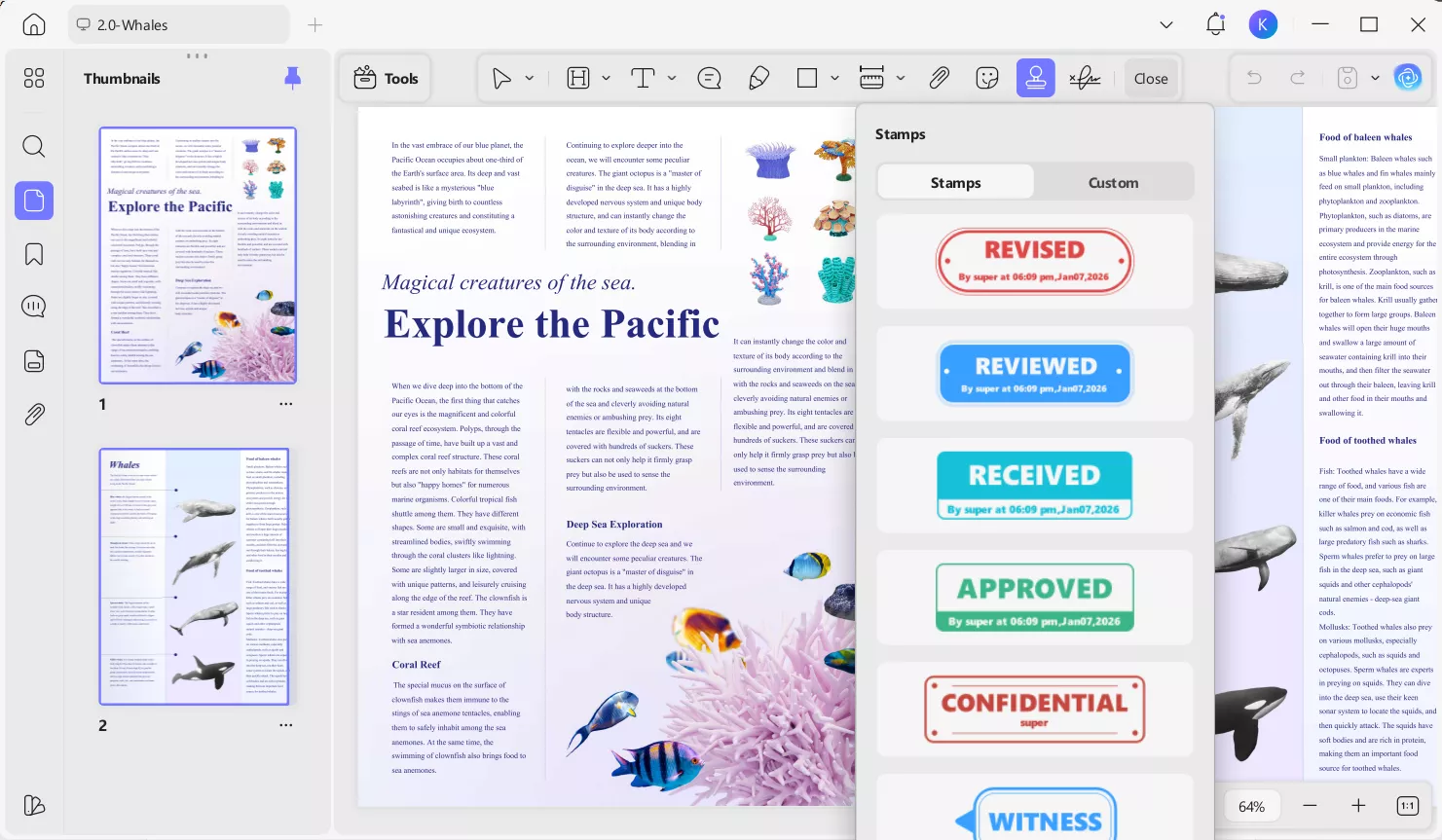
UPDF offered prebuilt stamps alongside flexible custom stamp creation tools. I adjusted colors, sizes, and positions easily without workflow interruptions. Furthermore, saving stamps for reuse simplified repetitive document reviews across multiple files. This feature felt intentionally designed for real approval workflows in practice.
Extracting Text And Summarizing Content
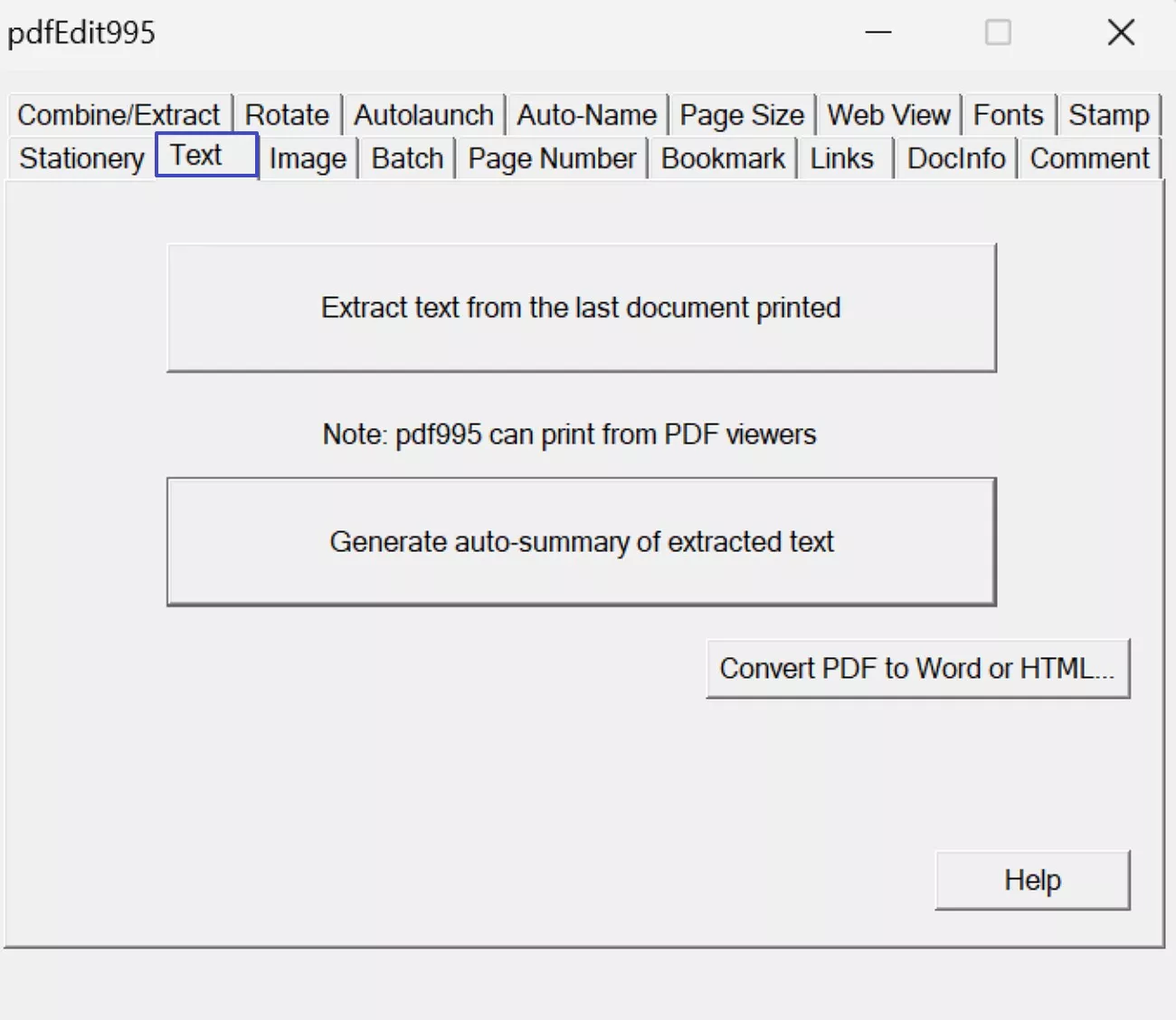
Text extraction accuracy mattered greatly during testing across multiple real document scenarios. I tested PDF995’s text extraction feature using scanned and digitally created PDF documents. PDF995 download allows users to extract text directly from PDFs without performing OCR beforehand. This method relies on existing text layers rather than recognizing text from images. During testing, the extracted text often lost formatting and sentence structure accuracy.
Moreover, PDF995 also includes an option to summarize extracted text automatically. When I tested this summary feature, the output fell incomplete and contextually weak. Important details were frequently missed, reducing the usefulness for document understanding. As a result, manual review and correction became necessary after extraction and summarization.
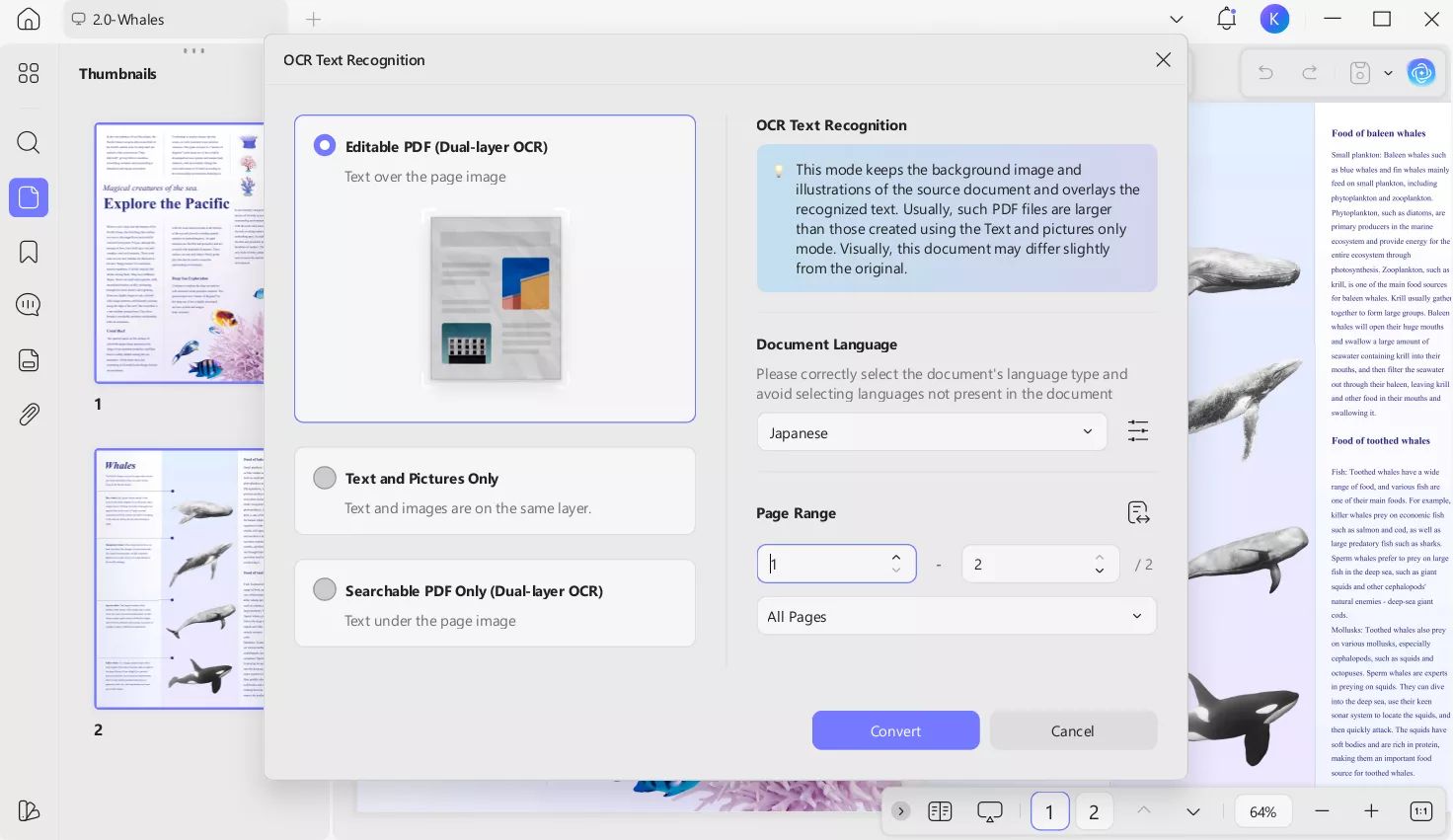
UPDF approaches text extraction by first applying OCR to scanned documents. I used OCR to convert scanned PDF pages into selectable, searchable text accurately. Once OCR processing completed, the document content became editable and ready for direct copying. This method allows to extract text by selecting and pasting it, while preserving layout and structure. For scanned PDFs, OCR is essential because extraction is not possible without text recognition first.
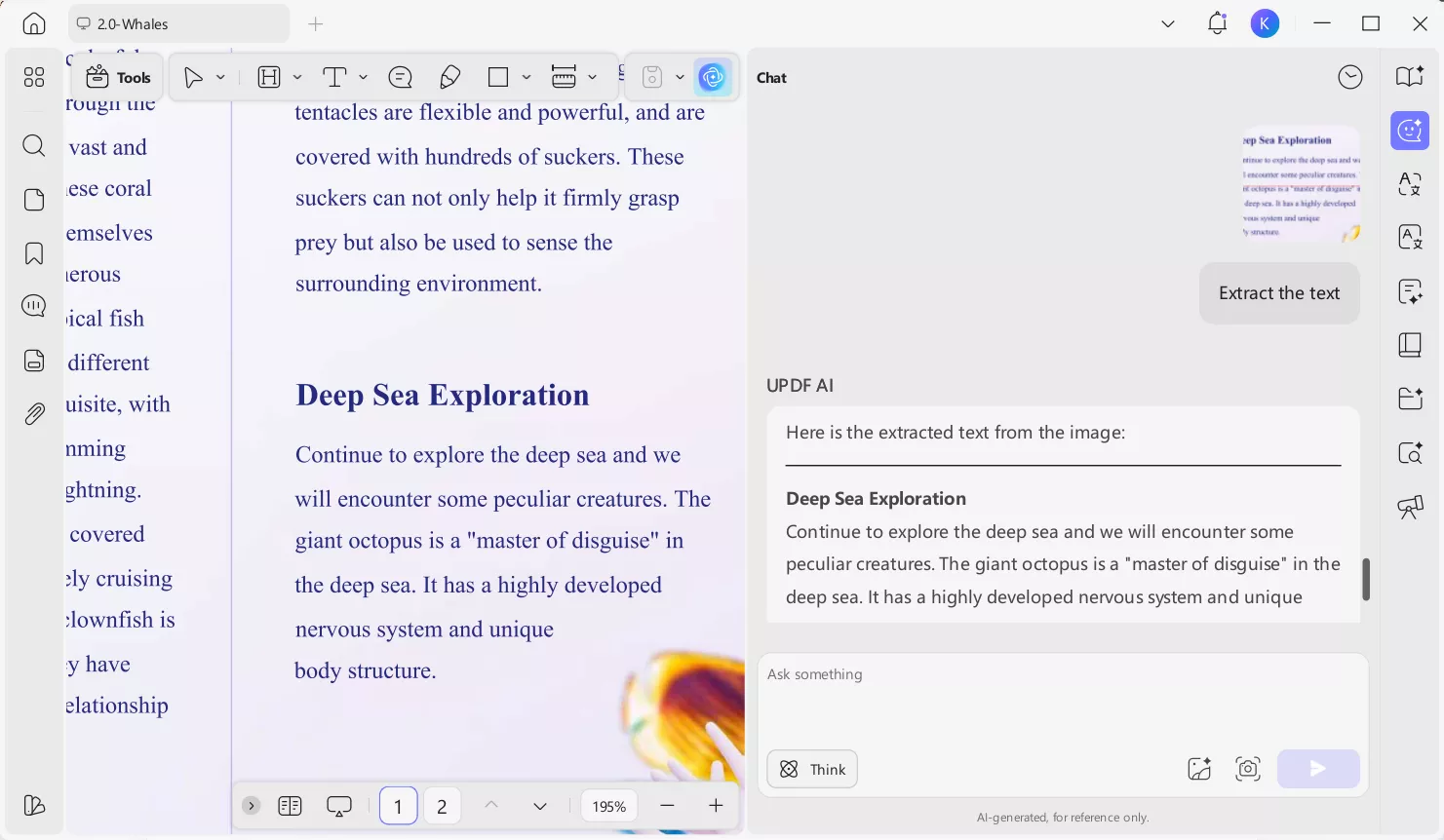
Moreover, UPDF AI provides an alternative extraction method as well by recognizing document content automatically. Instead of manual selection, users can ask AI to extract text from the document directly. This is useful when dealing with long files or when selective copying is inefficient. AI-based extraction maintains contextual accuracy while reducing manual effort during text retrieval.
Adding Page Numbers
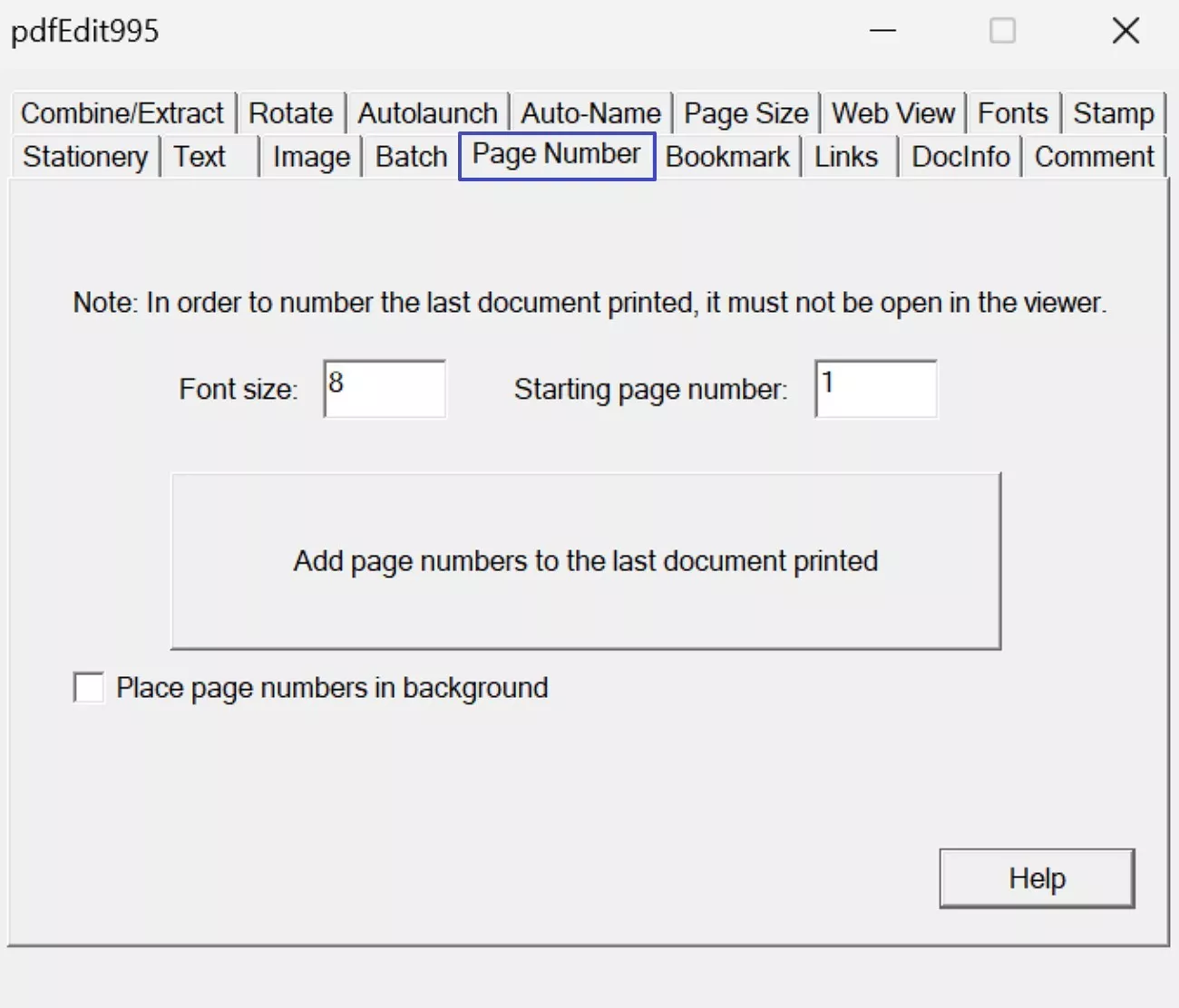
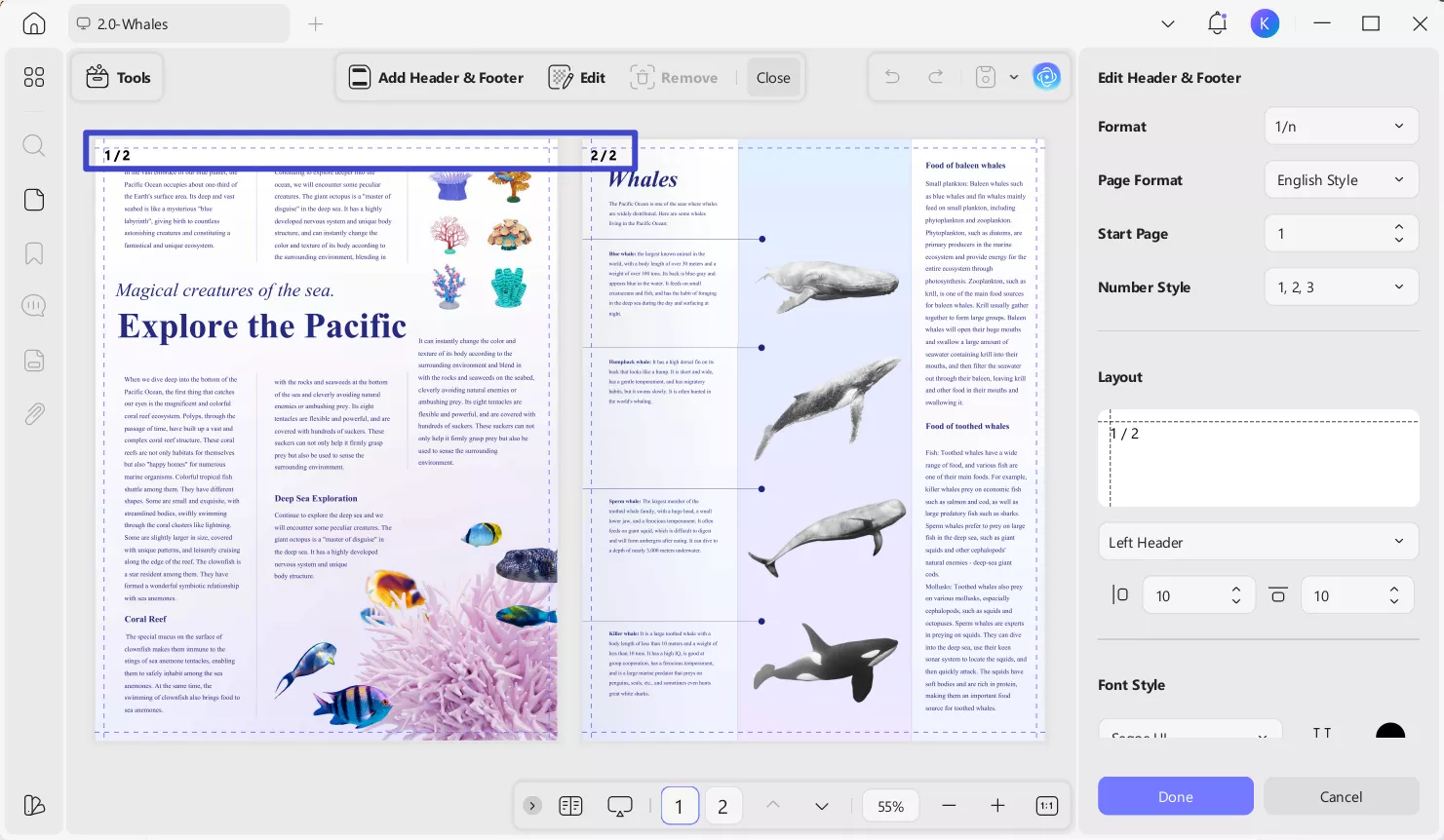
I tested page numbering using long, multi-section documents with varied layouts. PDF995 allows adding page numbers, but the setup process felt rigid. Additionally, previewing page number placement before applying changes required extra steps.
UPDF offered flexible page number placement with clear live previews available. I adjusted styles, positions, and page ranges quickly without workflow interruptions. This flexibility significantly improved accuracy during document formatting tasks.
Adding Bookmarks
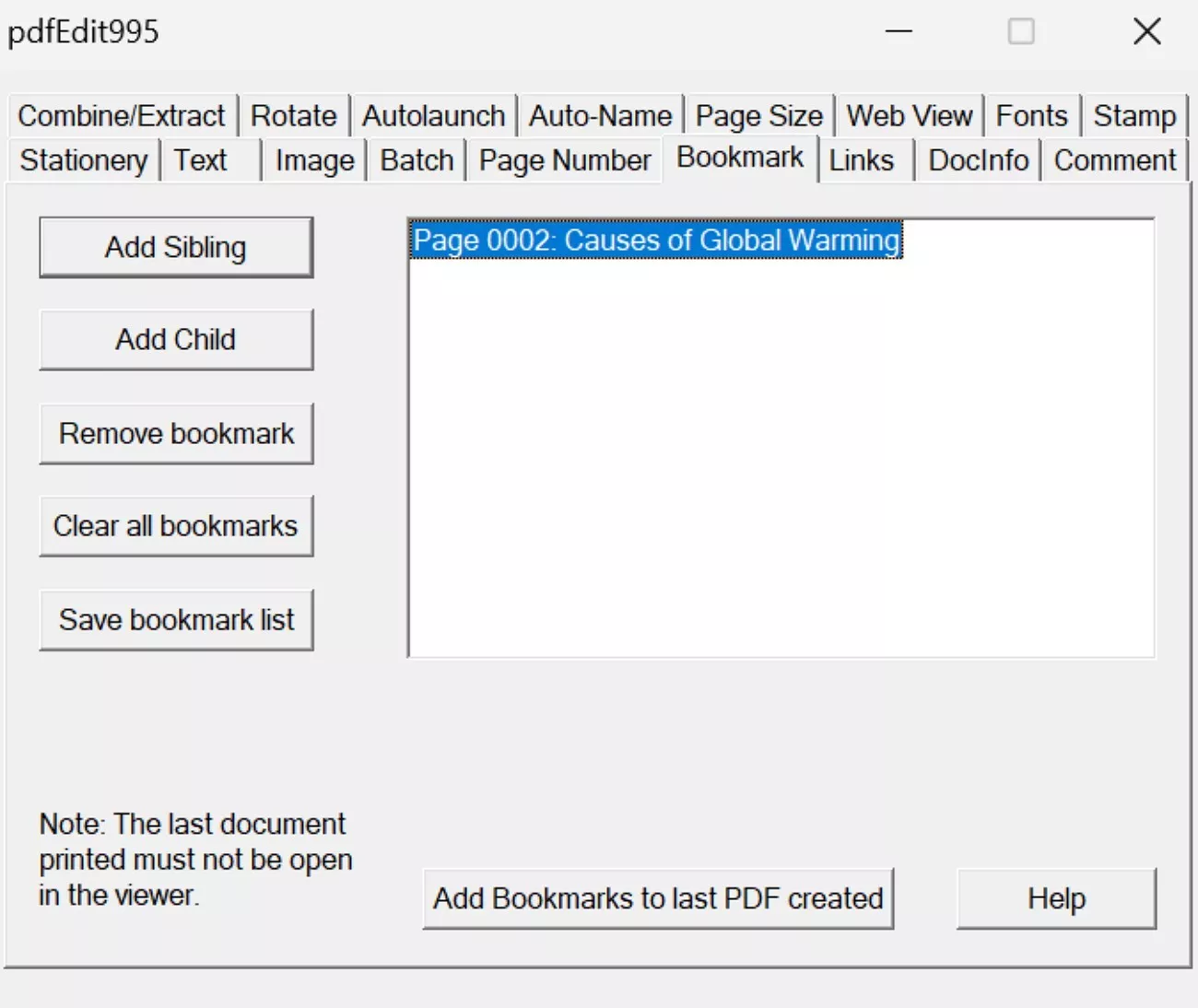
I also tested bookmark creation to improve navigation in lengthy PDF documents. PDF995 bookmarks worked, but required manual entry for each bookmark. Managing multiple bookmarks felt slow during repeated navigation tasks.
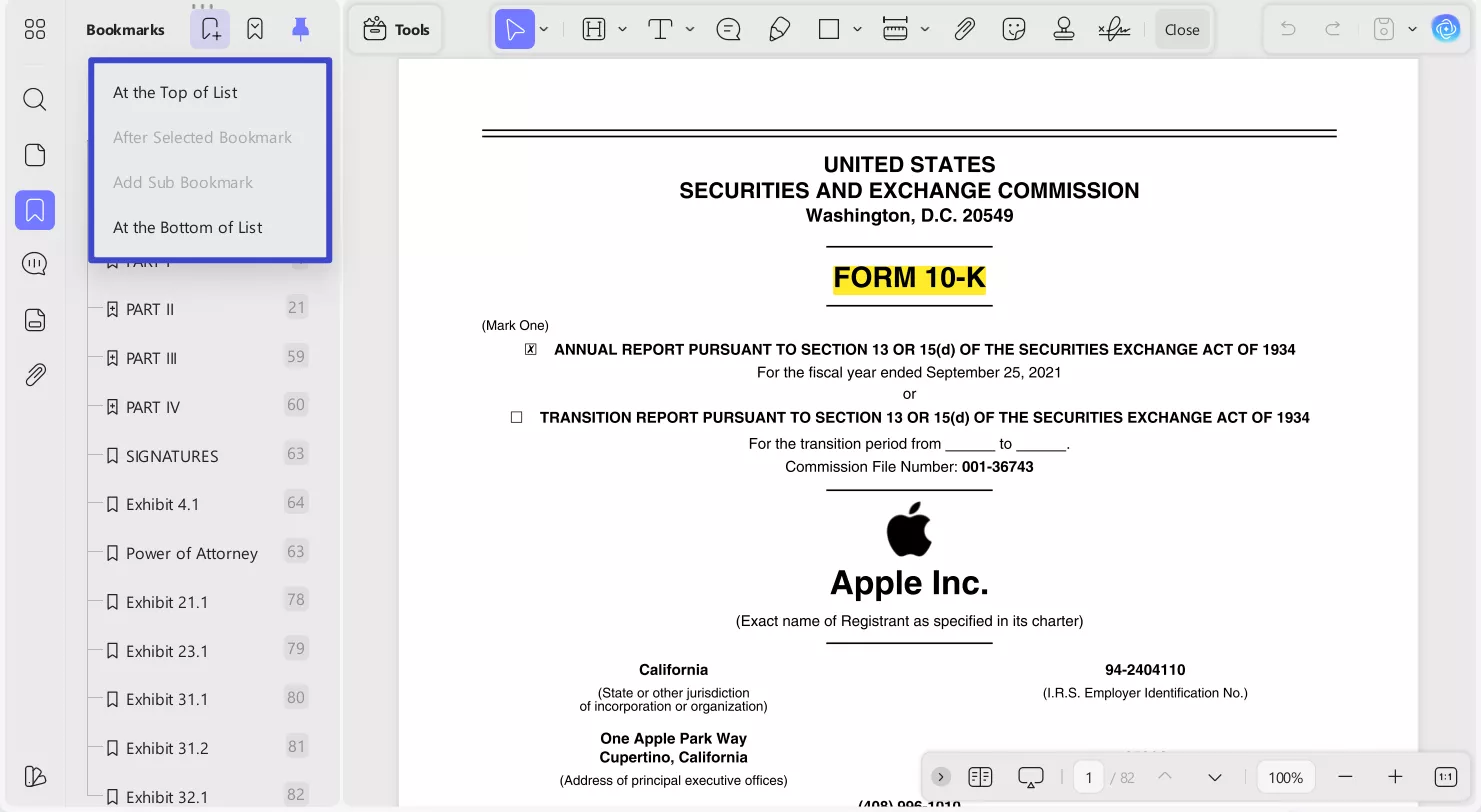
UPDF allowed adding, reordering, and editing bookmarks visually within one panel. Navigation felt smoother and faster during long document reading sessions.
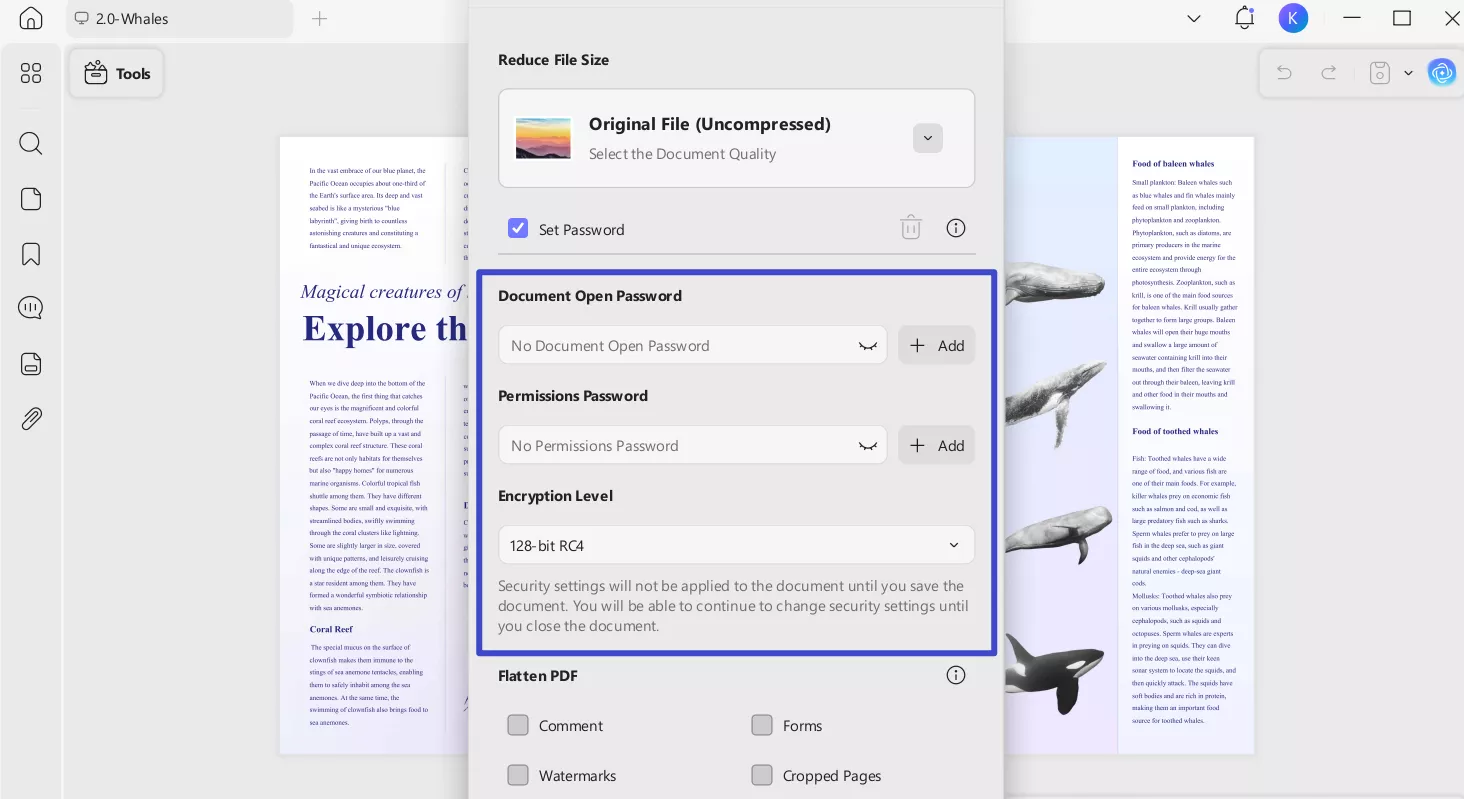
Protecting PDF Files And Security Handling
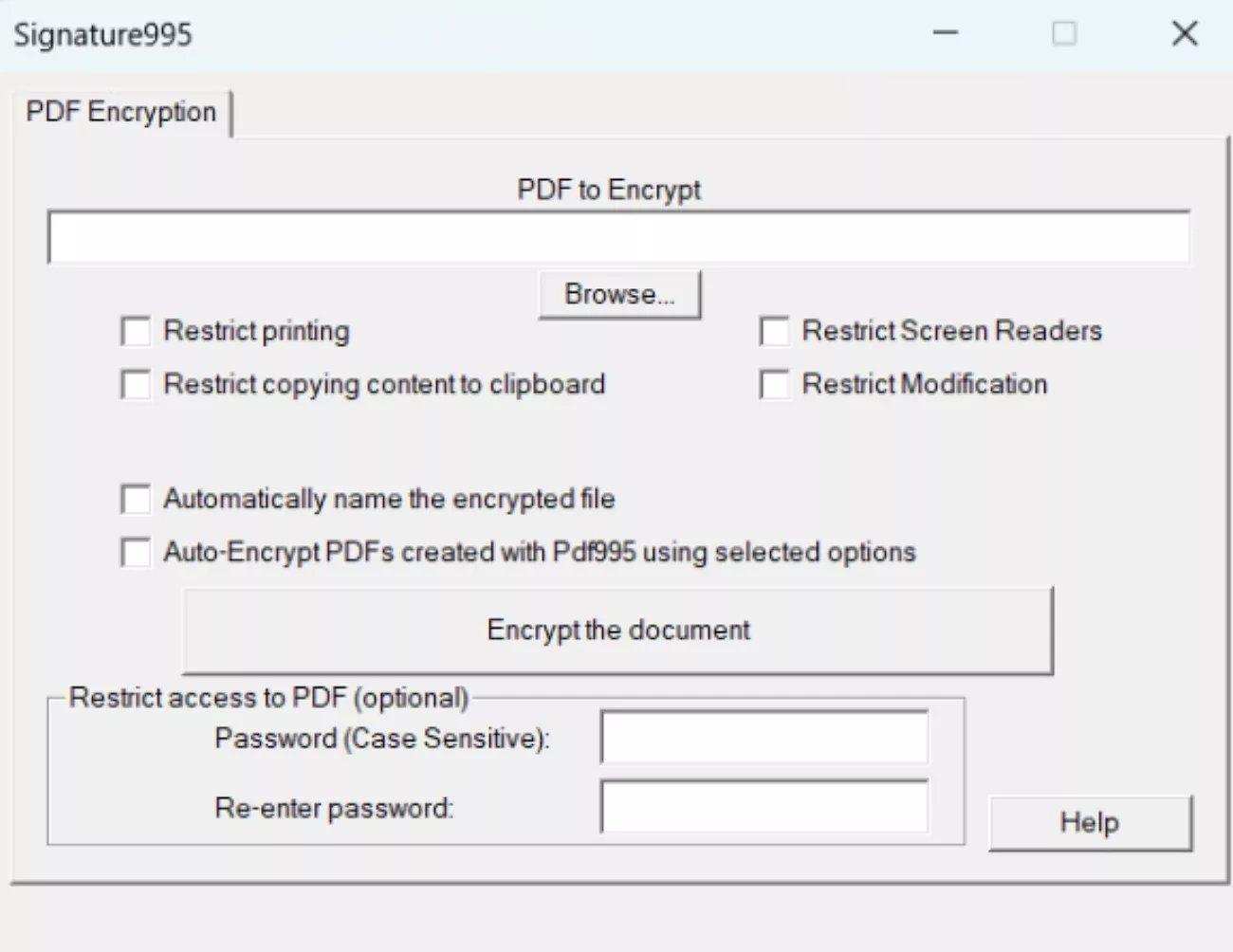
Security testing revealed clear workflow differences during real document protection tasks. PDF995 required switching to Signature995 for password protection and permission settings. This constant tool switching interrupted the editing flow noticeably during active work. Managing permissions felt disconnected from editing tasks within the overall workflow.
UPDF applied protection directly within the main editor interface seamlessly. I set passwords, restrictions, and permissions without leaving the editing environment. This integration saved time and reduced unnecessary tool switching significantly.
Speed And Stability During Extended Testing
I used both tools continuously for several hours during intensive document processing tasks. PDF995 remained stable but slowed when switching between tools frequently. Furthermore, opening multiple utilities increased processing delays gradually during extended work sessions.
UPDF maintained consistent performance across long sessions without noticeable slowdowns. I experienced no crashes or freezes during heavy document editing activities. This reliability matters greatly during professional workflows and time-sensitive projects.
Features PDF995 Does Not Offer
Before concluding my comparison, I highlighted several modern features that PDF995 completely lacks to help you in the PDF995 vs. UPDF comparison:
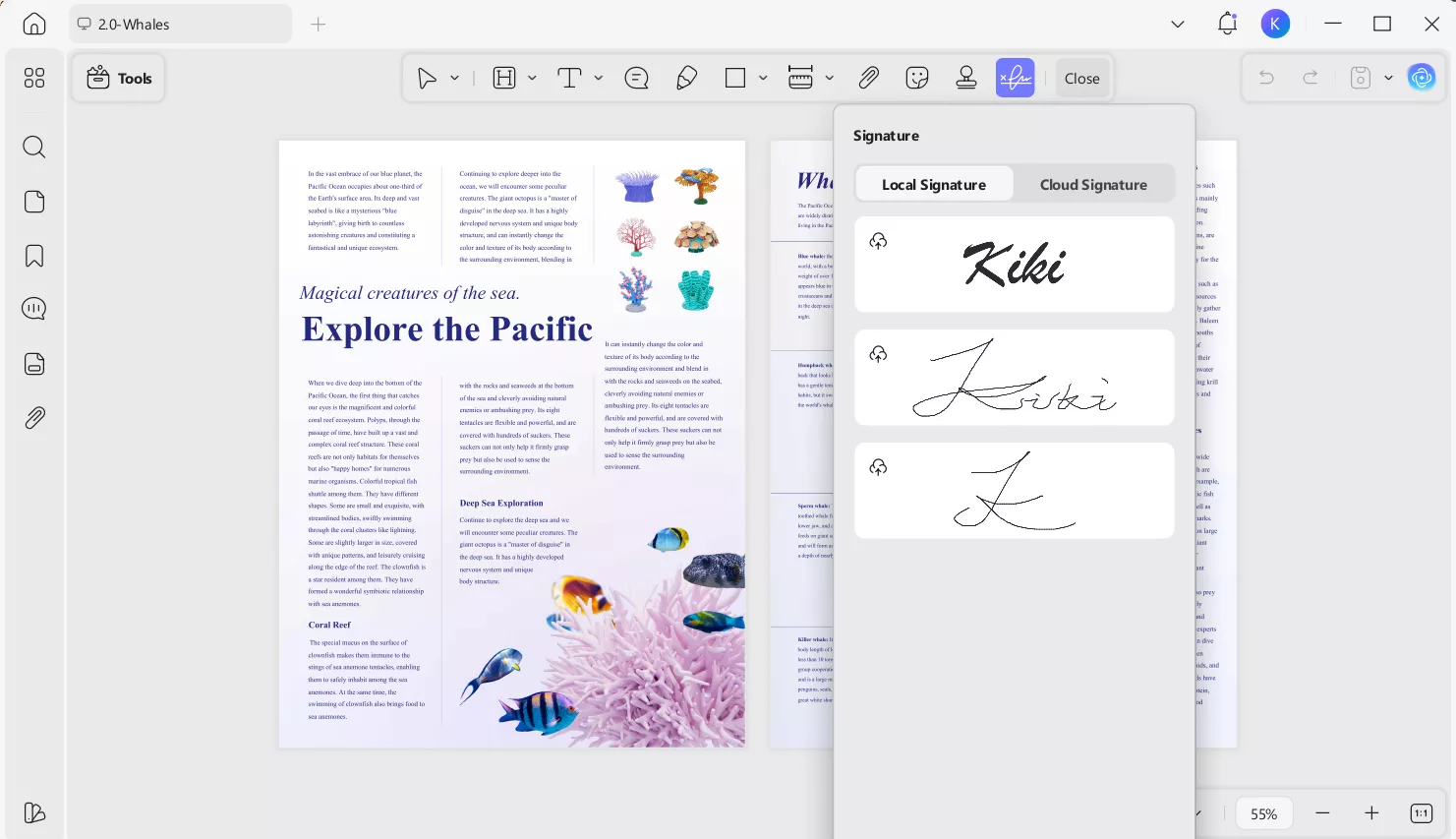
1. Digital Signatures Without Tool Switching: Working with signatures in PDF995 forced me to leave the editor repeatedly. In UPDF, signatures stay part of the same workflow, keeping editing uninterrupted.
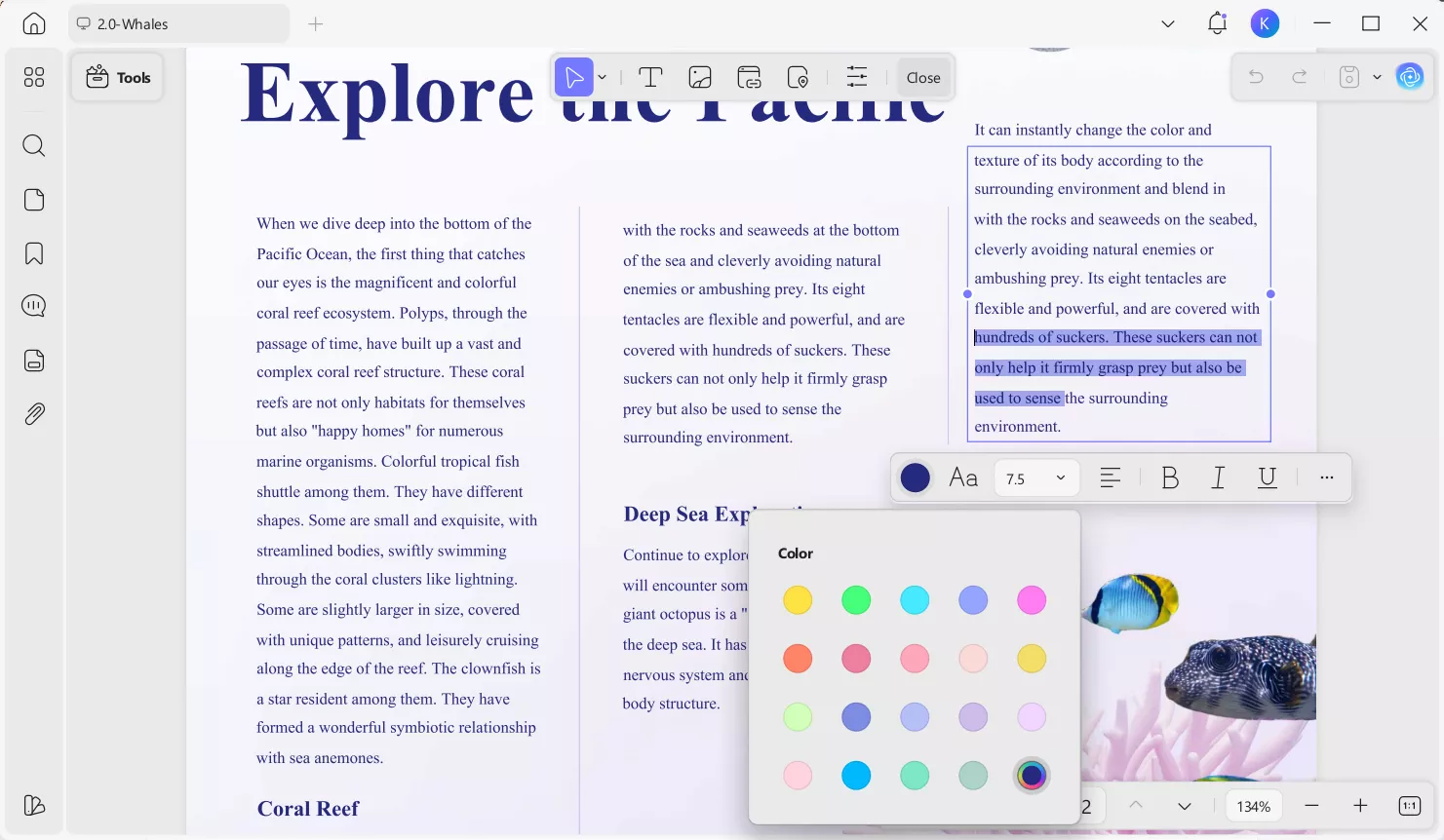
2. Flexible Editing for Text and Images: Attempts to adjust text or images inside PDF995 felt constrained and outdated. UPDF gave me the freedom to revise text, replace images, and annotate documents smoothly.
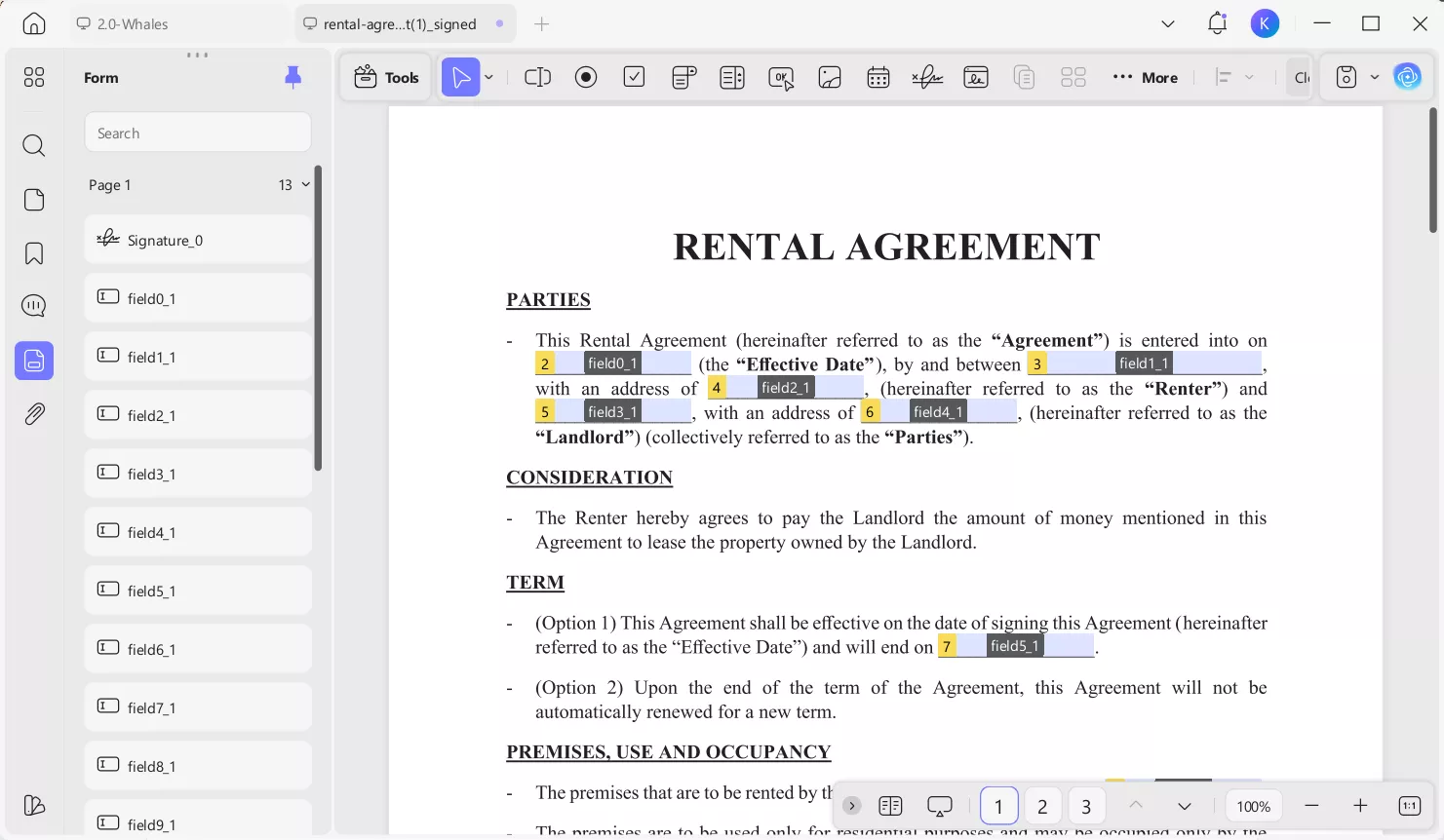
3. Built-In Forms For Interactive PDFs: PDF995 does not support building or completing interactive form fields. UPDF made form creation and form filling feel straightforward and efficient.
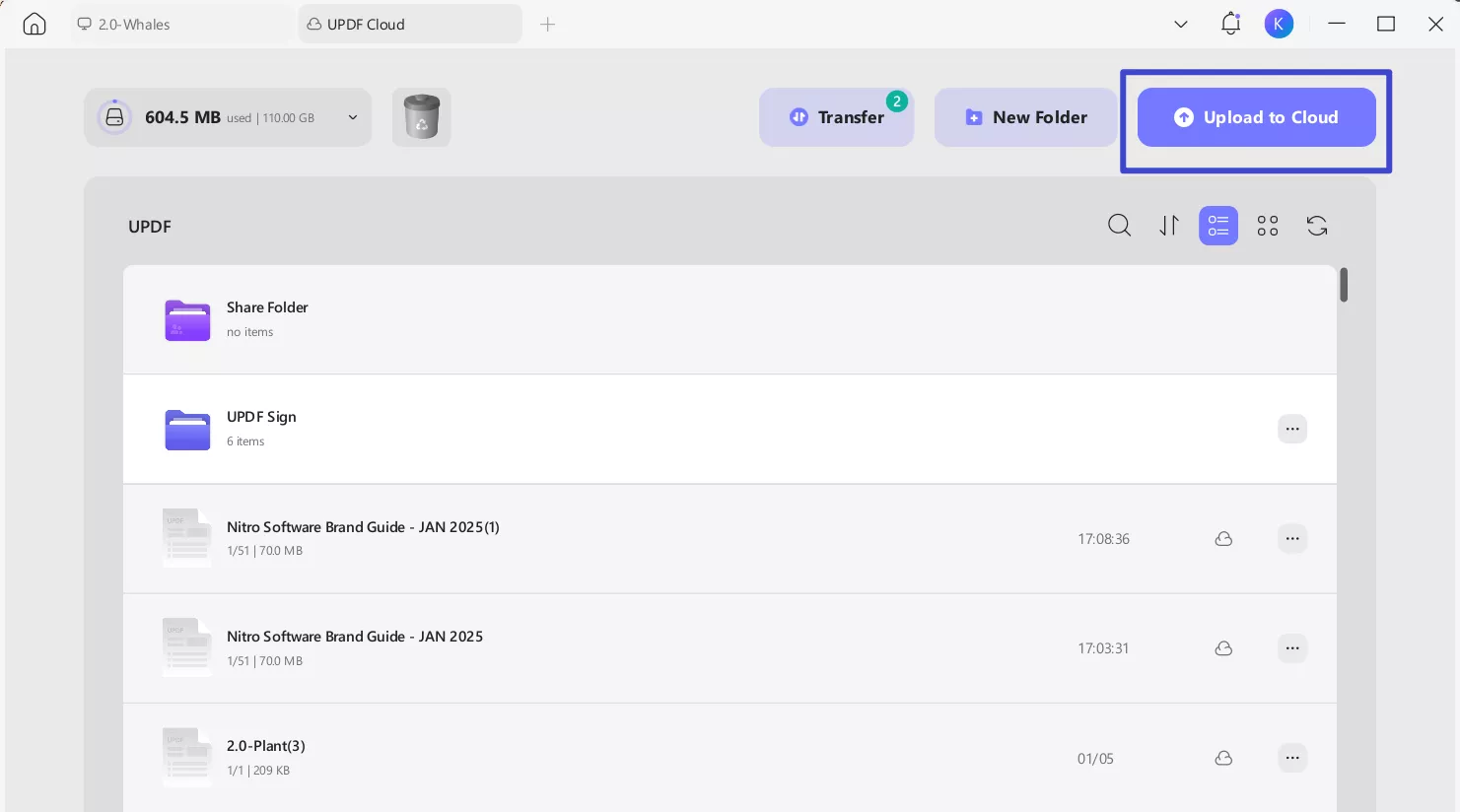
4. Cloud Access and Cross-Device Syncing: PDF995 restricts documents to one device, limiting continuity. UPDF syncs files across Windows, macOS, Android, and iOS, eliminating manual transfers and supporting flexible, mobile-first workflows.
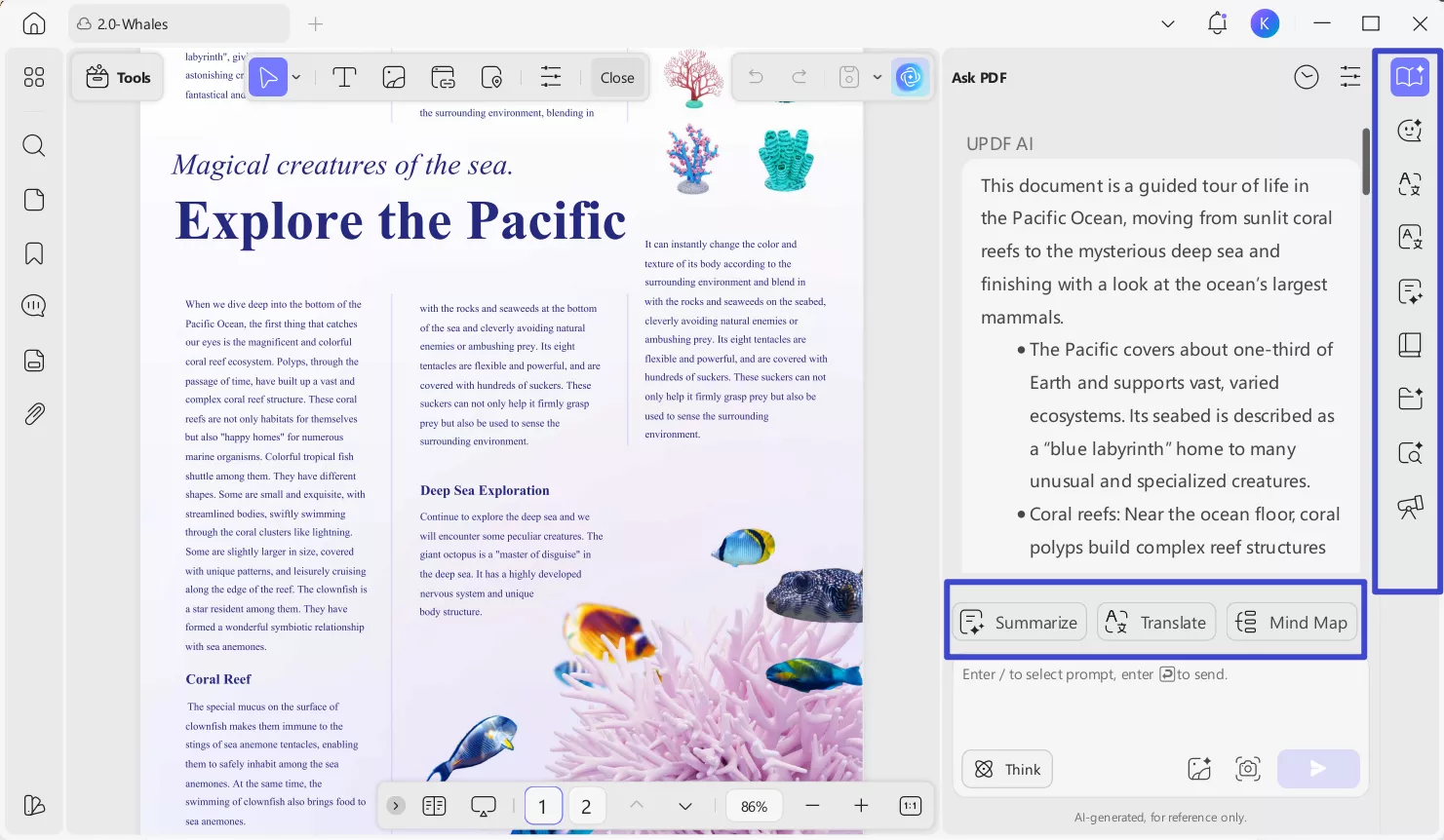
5. Intelligent AI Assistance: PDF995 lacks tools that help interpret or summarize document content intelligently. UPDF provided AI features that improved understanding through summaries and translations.
Part 4. Final Verdict: Which One Would I Recommend?
I choose PDF995 when my work involves occasional, straightforward PDF tasks on Windows systems. It suits situations where printing, merging, or simple document handling is enough. As a PDF editor, it feels appropriate for legacy environments prioritizing low cost. However, I only rely on it when advanced editing, mobility, or productivity tools remain unnecessary.
I recommend UPDF when PDFs are part of my daily professional or academic workflow. Its all-in-one design removes friction caused by switching tools repeatedly. Moreover, cross-device access, modern editing tools, and AI assistance improve efficiency consistently. UPDF feels built for users who expect speed, flexibility, and reliable long-term performance.
Windows • macOS • iOS • Android 100% secure
Conclusion
After hands-on testing, I found clear differences between traditional and modern PDF workflows. This PDF995 vs. UPDF comparison showed how real usage exposes strengths beyond feature lists. PDF995 works for basic needs, but limitations appear during frequent document handling. UPDF consistently delivered smoother editing, better accuracy, and stronger productivity tools.
I prefer UPDF for daily work because it simplifies tasks without interrupting focus. For modern users, UPDF feels like a practical long-term PDF solution.
Windows • macOS • iOS • Android 100% secure
Note: The information on this page is based on UPDF writers’ testing and publicly available product details at the time of writing. Features and pricing may change over time. If you notice any inaccuracies, please contact us at [email protected]


 Enya Moore
 Engelbert White
- Round_Opening_9999