UPDF
UPDF
 UPDF for Windows
 UPDF for Mac
 UPDF for iPhone/iPad
 UPDF for Android
 UPDF AI Online
 UPDF Sign
 Edit PDF
 Annotate PDF
 Create PDF
 PDF Form
 Edit links
 Convert PDF
 OCR
OCR PDF to Word
 PDF to Image
 PDF to Excel
 Organize PDF
 Merge PDF
 Split PDF
 Crop PDF
 Rotate PDF
 Protect PDF
 Sign PDF
 Redact PDF
 Sanitize PDF
 Remove Security
 Read PDF
 UPDF Cloud
 Compress PDF
 Print PDF
 Batch Process
 About UPDF AI
 UPDF AI Solutions
 AI User Guide
 FAQ about UPDF AI
 Summarize PDF
 Translate PDF
 Chat with PDF
 Chat with AI
 Chat with image
 PDF to Mind Map
 Explain PDF
 PDF AI Tools
 Image AI Tools
 AI Chat Tools
 AI Writing Tools
 AI Study Tools
 AI Working Tools
 Other AI Tools
 PDF to Word
 PDF to Excel
 PDF to PowerPoint
 Enterprise Solution
 Enterprise Sign
 Enterprise AI
 Enterprise Plan
 Enterprise User Guide
 Enterprise Webinar
 Banking
 Healthcare
 Insurance
 Legal
Legal Manufacturing
 Government
 Education Solution
 Customer Stories
 User Guide
 UPDF Tricks
 FAQs
FAQs UPDF Reviews
 Download Center
 Blog
Blog Newsroom
 Tech Spec
 Updates
 UPDF vs. Adobe Acrobat
 UPDF vs. Foxit
 UPDF vs. PDF Expert


I've been looking for a tool that will convert handwritten notes to text. I've heard that ChatGPT is quite good, but I don't like the idea of the tool training the AI on my content. HandwritingOCR.com says it doesn't use your content to train its AI, so I'm interested. But I haven't found many independent reviews. Can anyone here vouch for this tool / company? - WildRideToad4697
In this digital age, I still rely on handwritten reports, clinical notes, and detailed field observations. Paper continues to play an important role across professional fields such as healthcare, law, and academic research. Comparing UPDF AI vs HandwritingOCR made me realize that handwriting conversion is a challenging and complex process.
Handwriting recognition is more difficult because letters, writing angles, and ink clarity differ greatly among various individuals. In this article, I will explain the key differences between HandwritingOCR and UPDF AI in practical terms. Read until the end to discover which tool provides the most reliable solution for handwritten documents. You can click the button below to try UPDF AI for free.
Part 1. Meeting the Contenders: What Are They?
When I started exploring tools for handwritten documents, two names kept coming up, UPDF AI and HandwritingOCR. I tested both to see how they actually work in real workflows, not just on paper. Next, I will explain what each tool does and how you can start using them.
What is UPDF AI (Online)?
Sometimes I need help managing messy handwritten documents, so I started relying on UPDF AI Online. I use it to upload scanned pages or images and quickly turn them into searchable, editable text. It also lets me ask questions, summarize sections, and clarify confusing handwriting in a few moments. This makes it easier to review clinical reports, legal notes, and field observations without reading every line manually.
Moreover, I appreciate that everything happens in one place, combining recognition with smart guidance on the content. Now, follow the steps below to start using it with your own handwritten documents:
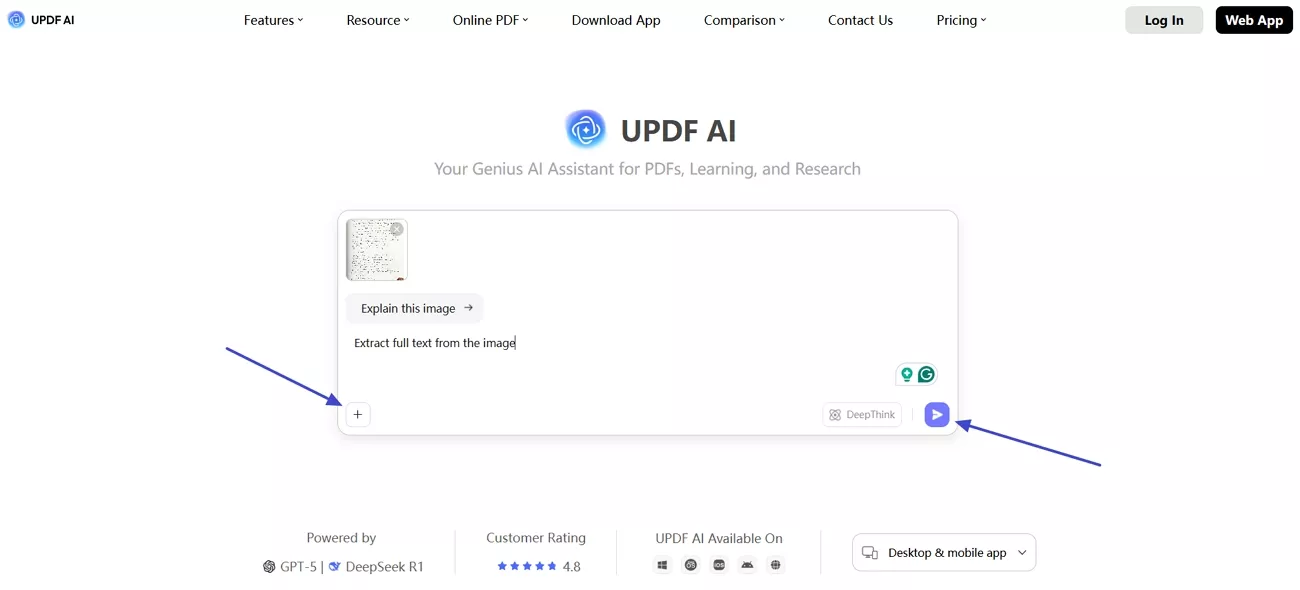
Step 1. Upload Image and Enter Prompt
On the UPDF AI homepage, press the “+” icon and upload the image. Next, enter the prompt “Extract full text from the image” and press the “Send” button.
Step 2. Review Extracted Text
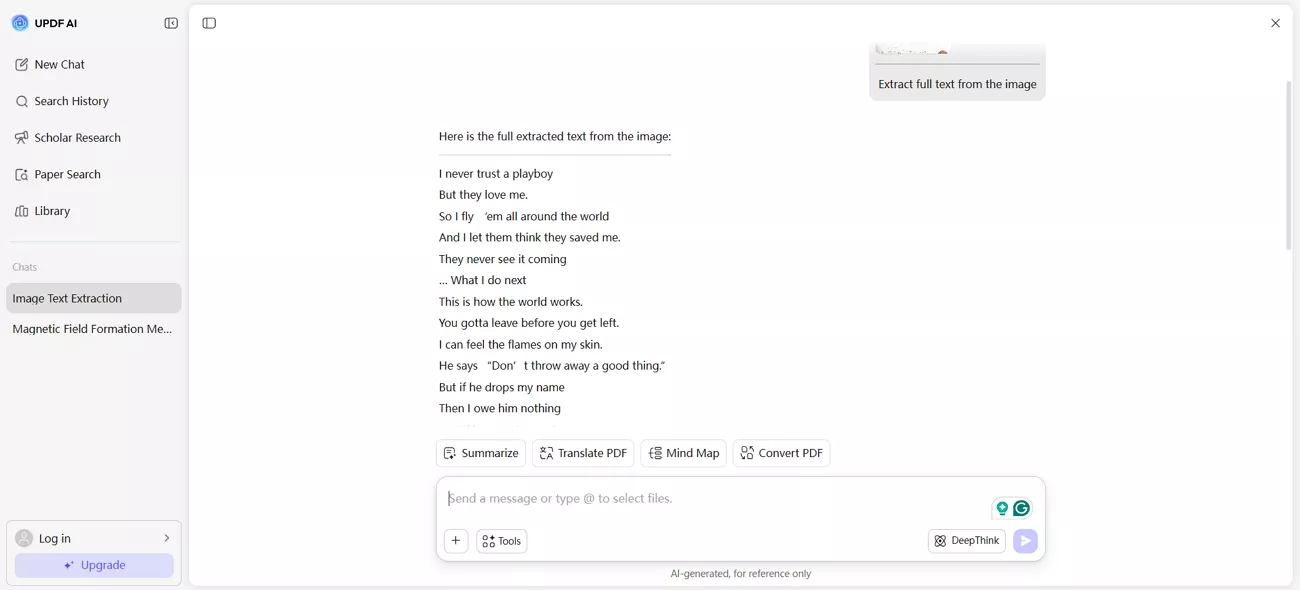
This way, UPDF AI Online will extract the text from the image.
What is HandwritingOCR?
Another alternative that I found is HandwritingOCR, which I use for quick handwriting-to-text conversions. It helps me turn handwritten notes and scanned pages into editable digital text. I usually copy or download the converted text and then format it in another editor. For fast, one-off handwriting tasks, I find HandwritingOCR focused and easy to use. Next, follow the steps below to see how it works:
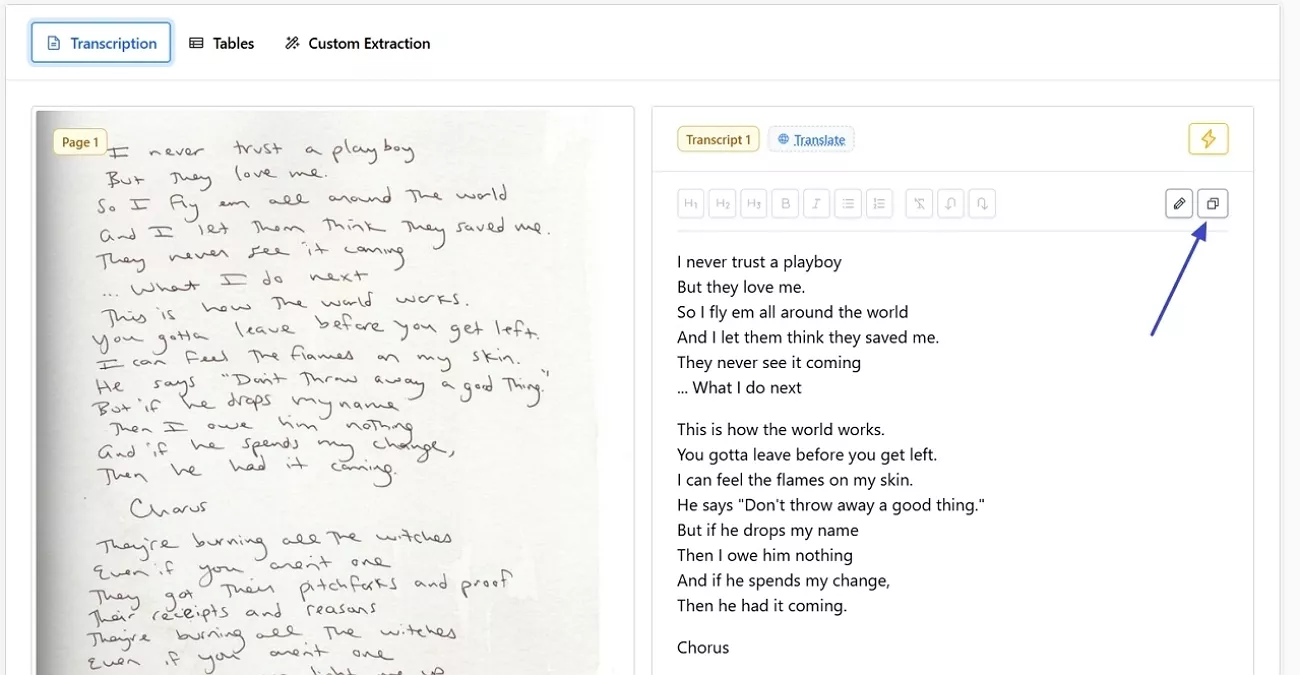
Step 1. Upon entering the landing page, press the “Add Files” option in the left side panel. Next, choose the “Extract Full Text” option and press the “Select Files” option to upload the image.
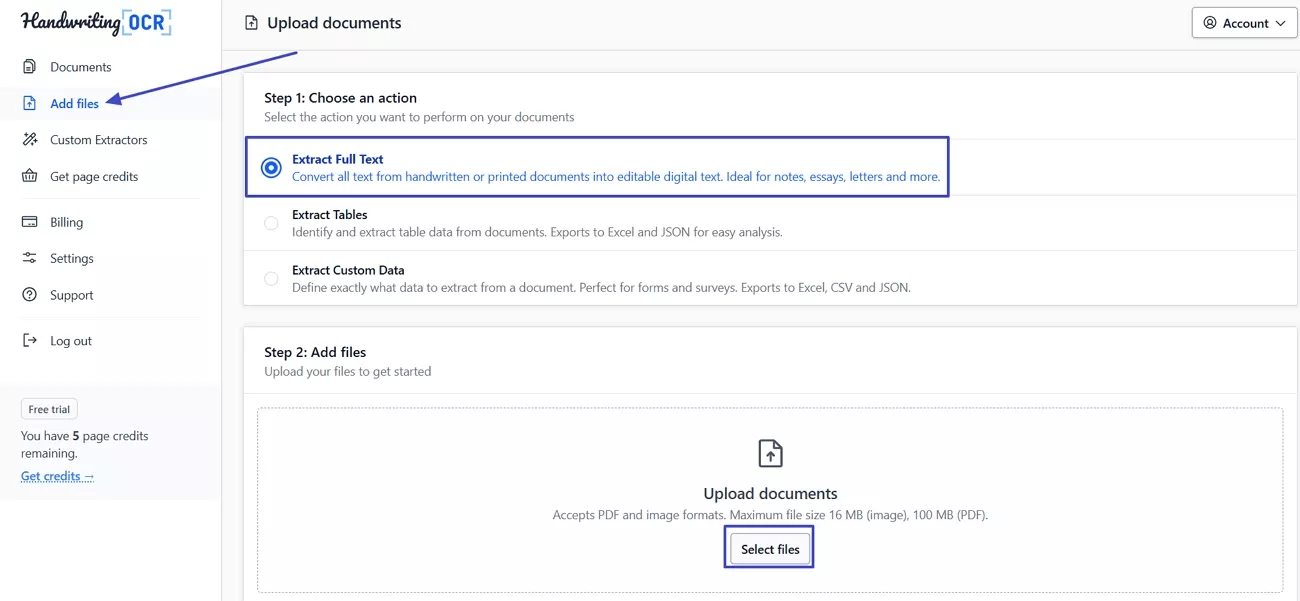
Step 2. Once the tool extracts the text, review the text and press the “Copy” icon to copy the extracted content.
Part 2. The 7-Dimension Showdown: UPDF AI vs HandwritingOCR
While using these tools, my focus stays on real-world performance, not just technical promises or marketing claims. Through repeated testing on different handwritten documents, my notes highlight where each option struggles and where it shines. Let’s break down my results for UPDF AI vs HandwritingOCR so you can see which fits best.
1. Recognition Accuracy: The Core Metric
For recognition accuracy, I compared how UPDF AI and HandwritingOCR handled different real handwritten samples.
Adaptability
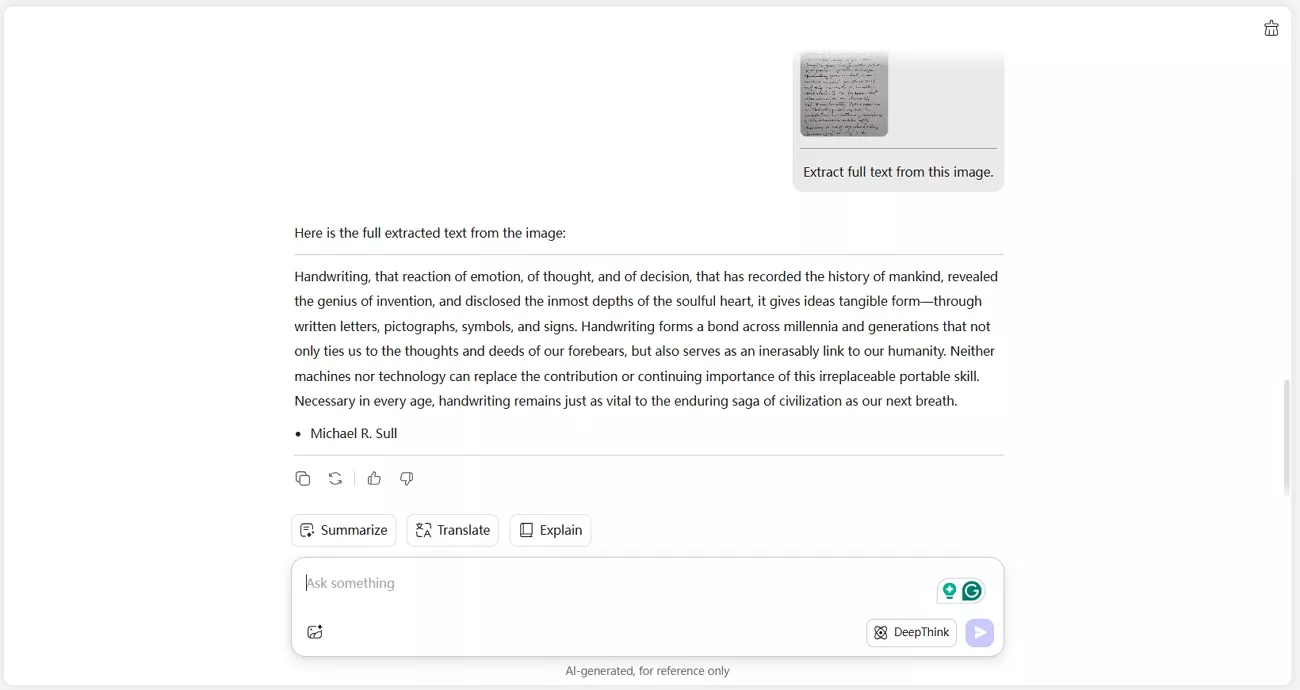
In my tests, both UPDF AI and HandwritingOCR performed well on handwritten text. UPDF AI maintained accurate recognition even with cursive and slightly messy writing.
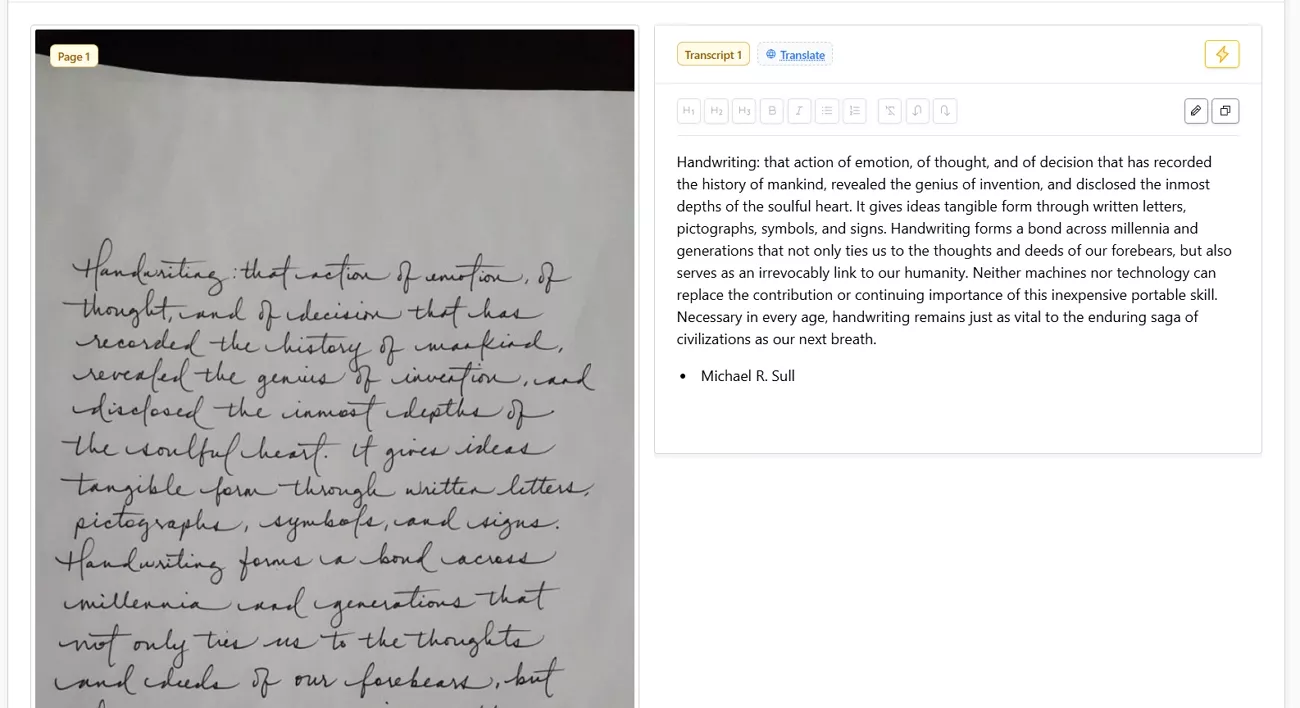
HandwritingOCR also handled clear handwriting effectively and produced reliable results.
Multilingual Support
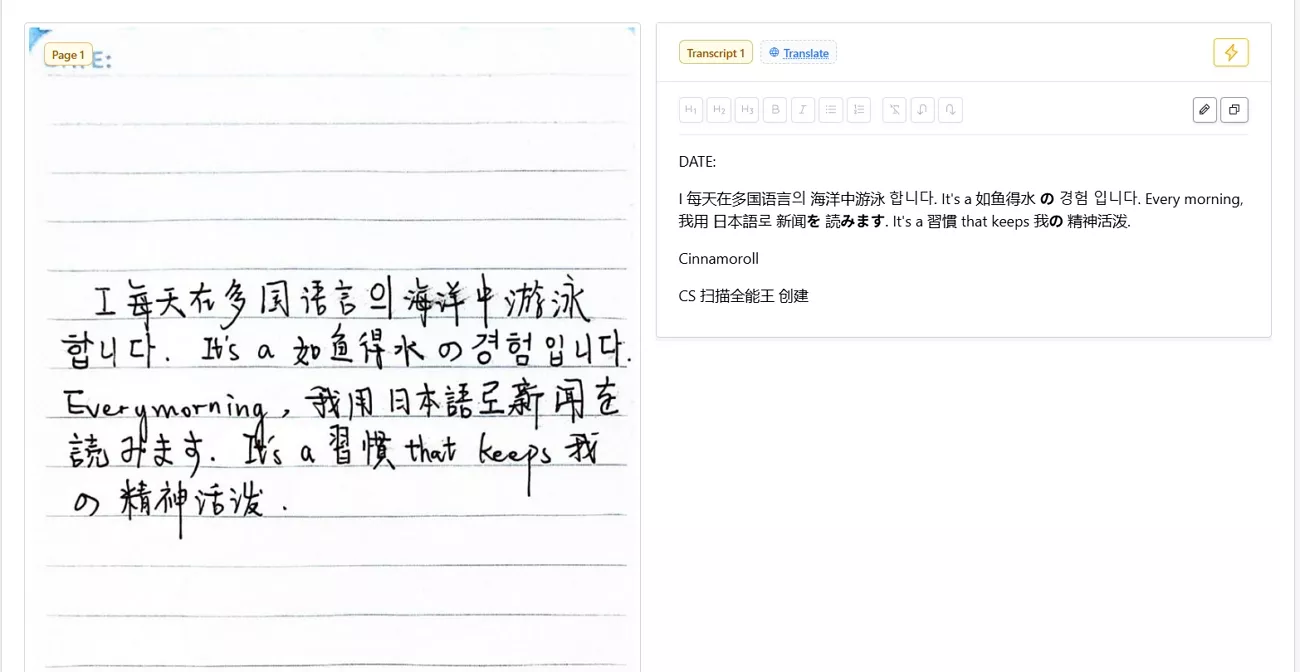
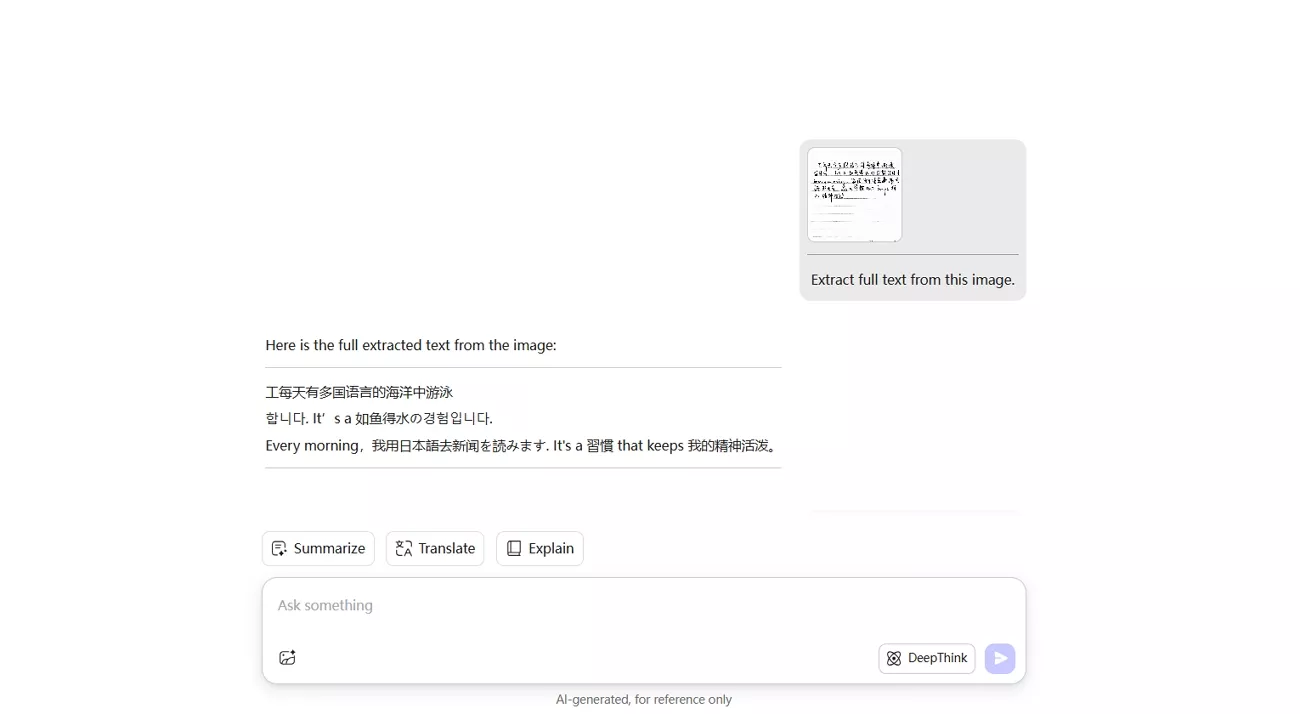
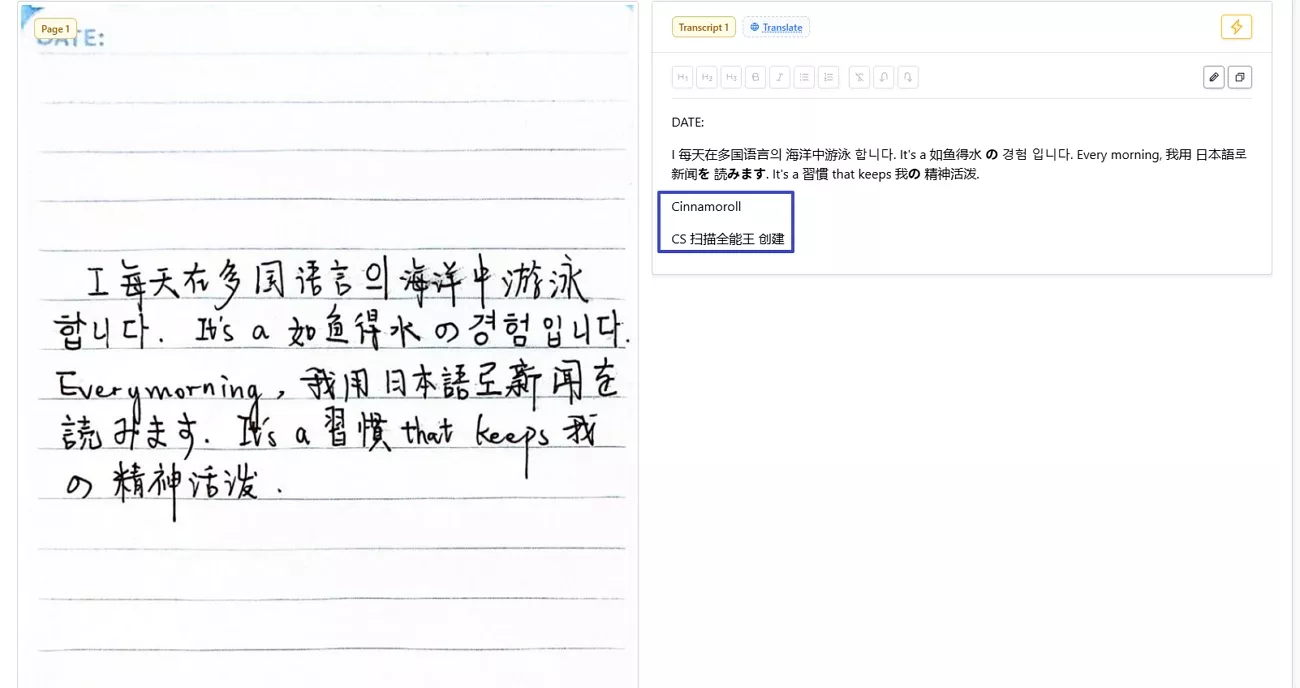
On mixed-language pages, UPDF AI kept most lines readable but did make occasional recognition errors, including misreading the first word “I” as the Chinese character “工”.
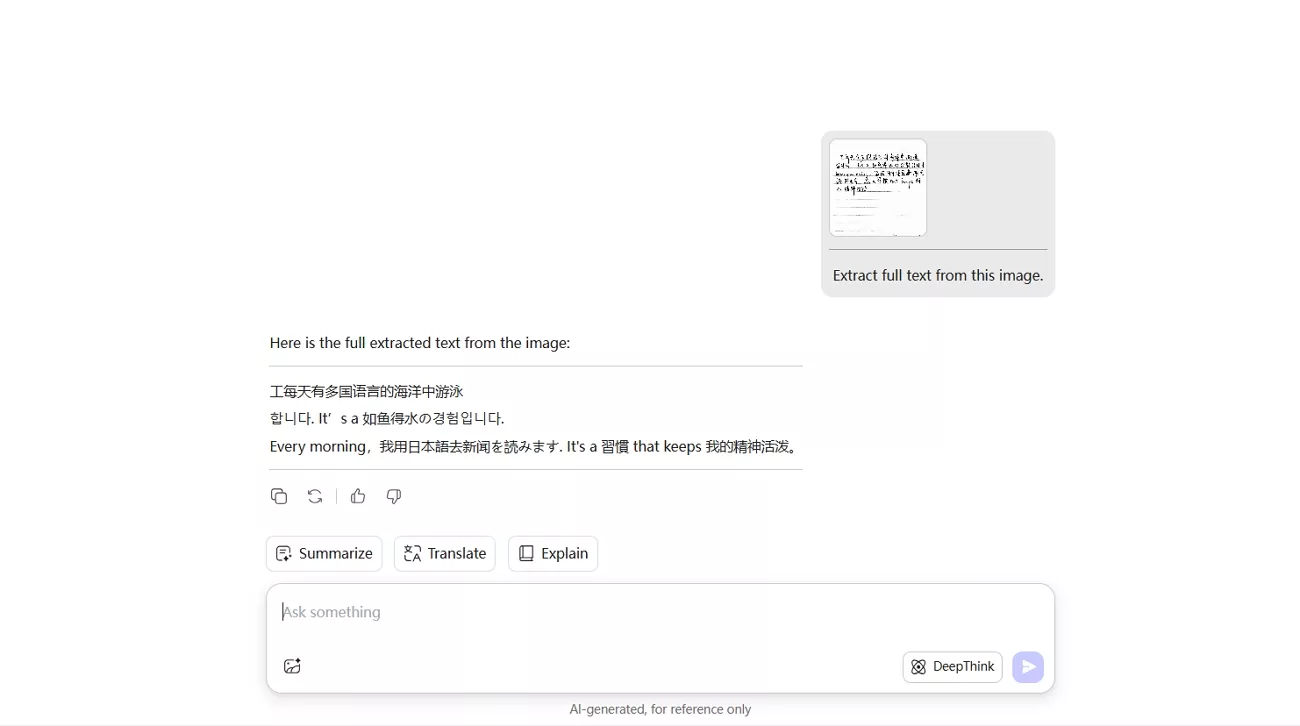
However, HandwritingOCR correctly recognized that word and also worked well on clear, single-language notes.
Contextual Correction
In longer sentences, UPDF AI often uses surrounding words to correct obvious spelling mistakes automatically. HandwritingOCR copied errors as they appeared, so I had to manually fix more of the final text.
2. Layout and Formatting Preservation
I also care about how well each tool keeps the original layout and structure of my documents.
Structural Restoration
In my experience, UPDF AI often converts documents into plain text rather than maintaining complex layouts.
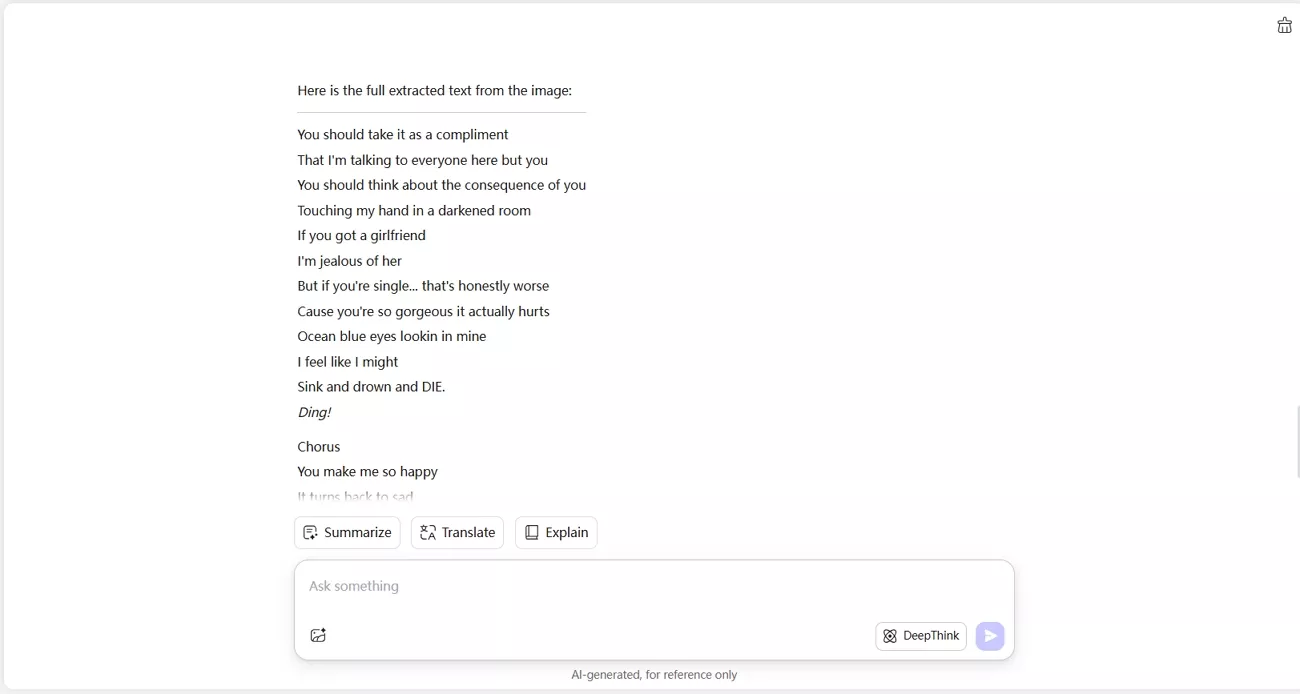
HandwritingOCR behaves similarly in this example, also flattening the content into plain text instead of preserving the original paragraph flow, lists, and tables.
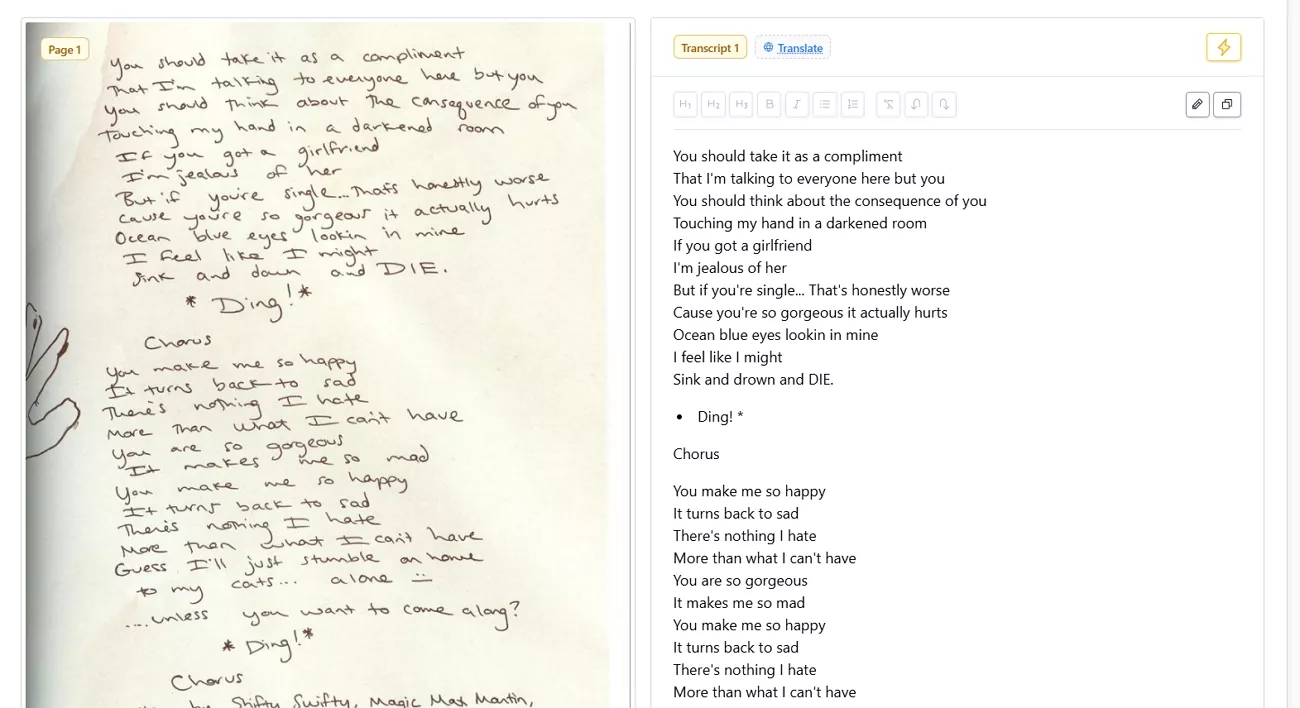
Filtering Non-text Elements
On pages with lines, stamps, or light background graphics, UPDF AI usually skips these and focuses on actual text.
HandwritingOCR sometimes turns these elements into random characters, which means extra cleanup for me.
3. AI Enhancement and Auxiliary Functions
Beyond basic handwriting recognition, UPDF AI vs HandwritingOCR also matters in terms of what extra intelligence each adds.
AI Deep Interaction
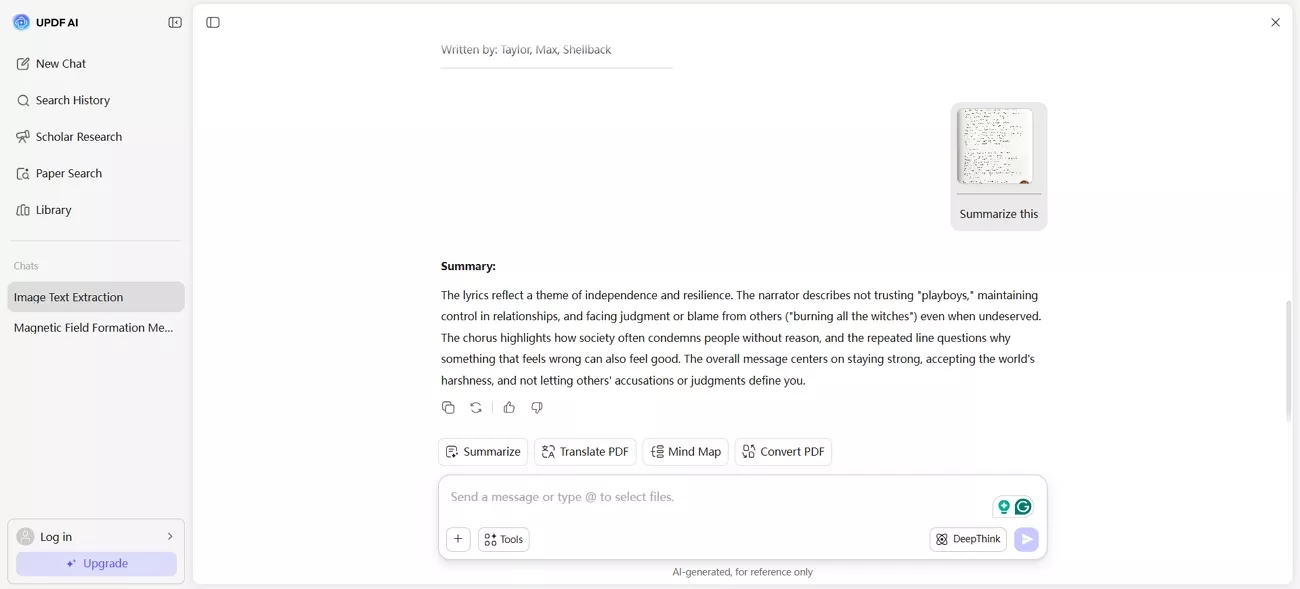
With UPDF AI, I can ask questions about the content, generate summaries, and work inside the same workspace.
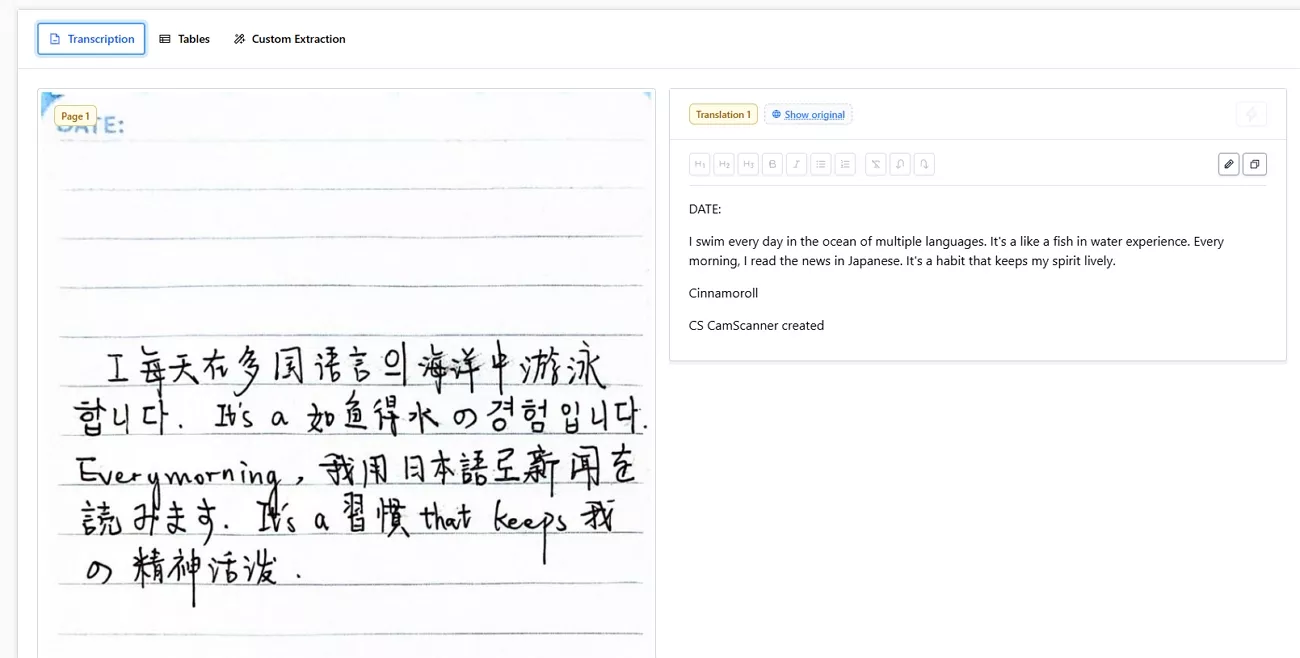
HandwritingOCR focuses on converting handwriting into editable text and also offers built‑in translation.
4. Global Language Support
For language coverage, I look at how many major languages each option can handle accurately in real documents. UPDF AI, powered by advanced models like ChatGPT and DeepSeek, is designed to work with almost all languages and can help interpret multilingual notes in one place.
On the other hand, HandwritingOCR supports more than 300 languages, making it suitable for a wide variety of scripts.
5. Batch Processing Efficiency
In my use, batch tasks move faster and feel more automated on the side of UPDF AI when I queue several handwritten images together.
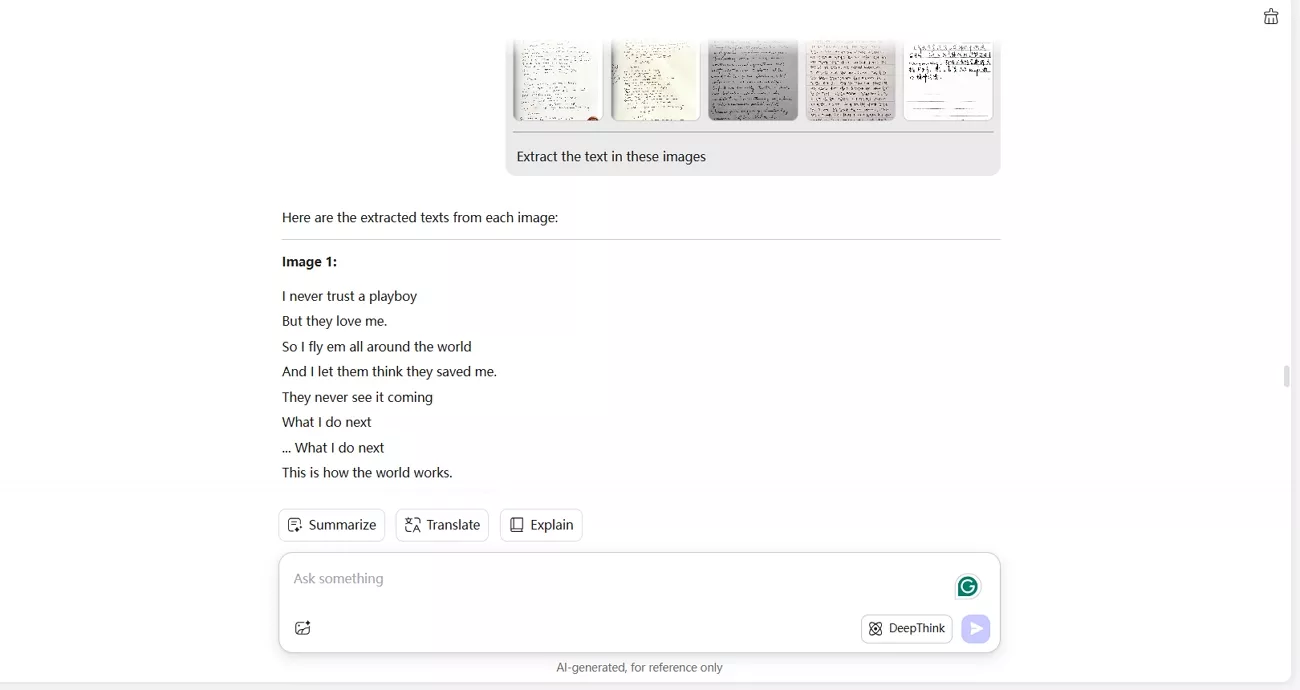
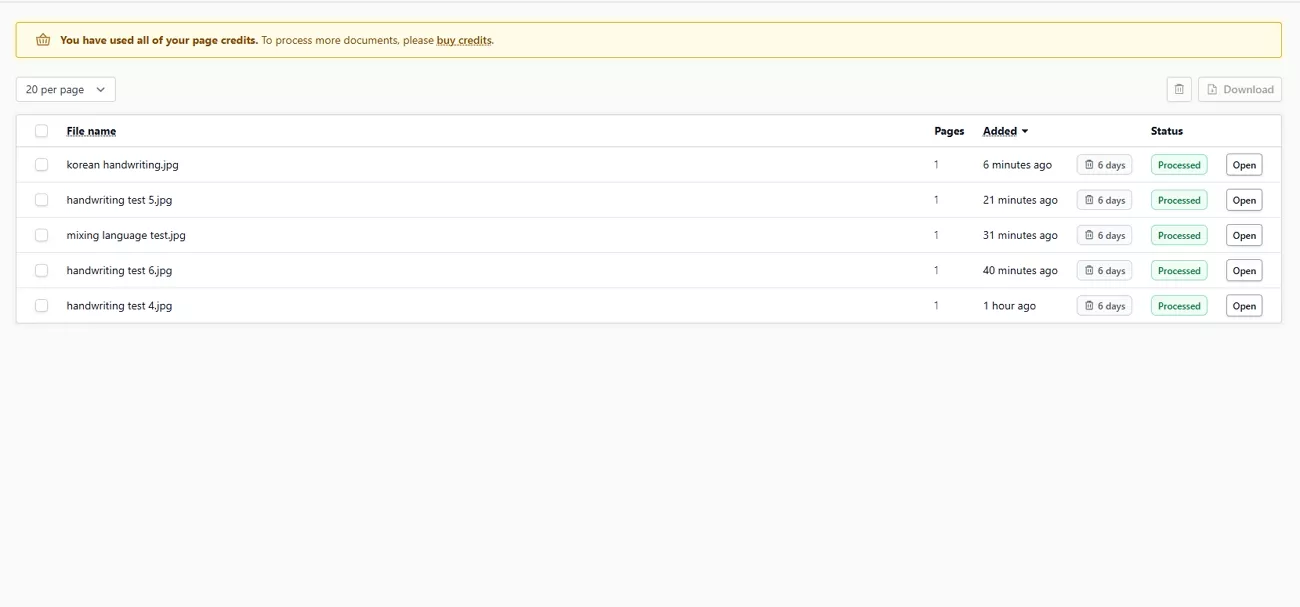
However, HandwritingOCR handles one-off or very small jobs well, but managing larger batches usually means more manual uploads and extra waiting between files.
6. Security and Privacy Protection
To keep my sensitive handwritten content protected, I check how each service handles privacy before uploading sensitive handwriting. UPDF AI says it protects user data during online summarizing and translating, and HandwritingOCR also indicates it safeguards user information. Since both are online tools, I still avoid uploading highly confidential pages to any third‑party platform.
7. Cost and Value for Money
Price also matters if I plan to use these tools regularly in my workflow.
Pricing Models
Now, look at the table below to see how each option is positioned in terms of cost:
| Plan | Price | Credits |
| UPDF AI | $79.00/year | Unlimited AI usage |
| HandwritingOCR Pro Plan | $590/year | 1000 credits/month |
Free Trial Value
Free plans make it easier to judge real value before paying for either tool. UPDF AI offers around 100 prompts to explore its features, while HandwritingOCR provides roughly 5 extractions on its free tier.
Part 3. Deep Dive: HandwritingOCR
After repeatedly using HandwritingOCR, I take a closer look at how it performs as a standalone, web-based handwriting tool. I focus on how it handles real handwritten notes, from very simple pages to slightly more complex documents. Next, I will show where it works best and where its limits become clear.
Specialist Approach
As a standalone web tool, HandwritingOCR focuses on turning handwriting into editable digital text. I use it directly in the browser whenever I need to convert handwritten pages without installing extra software.
Strengths
To move into the positives, let’s explore what HandwritingOCR actually does well in daily use:
- It focuses on extracting handwritten text from images or PDFs into plain text formats like TXT or Word.
- The operation path is short and direct, which makes it suitable for simple, ad hoc conversions.
Limitations
While researching HandwritingOCR, I found some consistent concerns that helped me see its weaker side.
- Reddit: “Specialised for handwriting rather than general document processing, and less flexibility than enterprise APIs for highly custom workflows. No export to PDF.”
- G2: “The latency is a concern along with accuracy issues.”
Part 4. The Future of Productivity: UPDF AI
After UPDF AI vs HandwritingOCR comparison, the main advantage that pushed me to use UPDF AI over HandwritingOCR is conversational interaction. After completing OCR, I can immediately chat with my document, asking questions, summarizing, or clarifying complex passages. I can easily summarize long handwritten notes, generate key takeaways, and translate text into multiple supported languages.
On top of that, UPDF AI is part of a unified UPDF ecosystem. Users can access UPDF AI online via ai.updf.com or through the desktop and mobile UPDF apps to use these AI features. UPDF OCR is designed for printed text on all devices, keeping layouts, fonts, and tables intact. For handwritten content, UPDF AI provides better contextual understanding, enabling smarter summaries and insights than standard OCR tools.
Windows • macOS • iOS • Android 100% secure
Key Features
Next, look at the features below that make UPDF stand out:
- Smart Editing and AI Interaction: Before OCR, I couldn’t select or edit any of the text in the document.
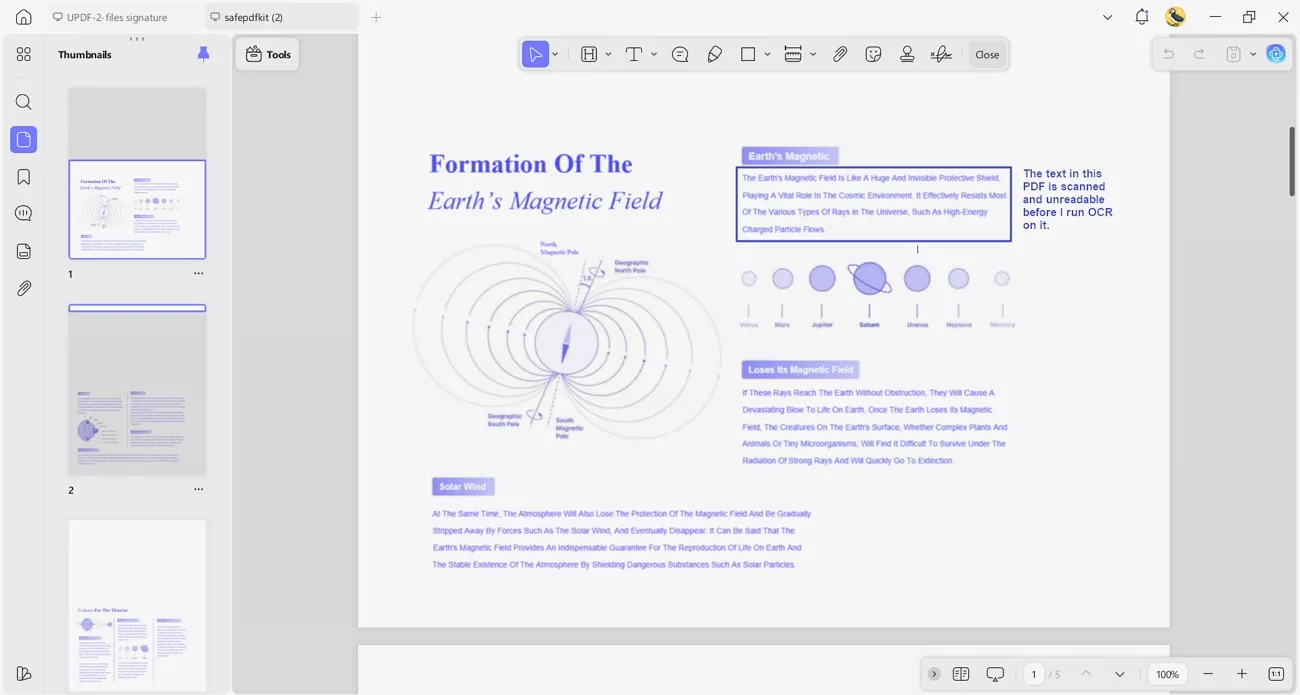
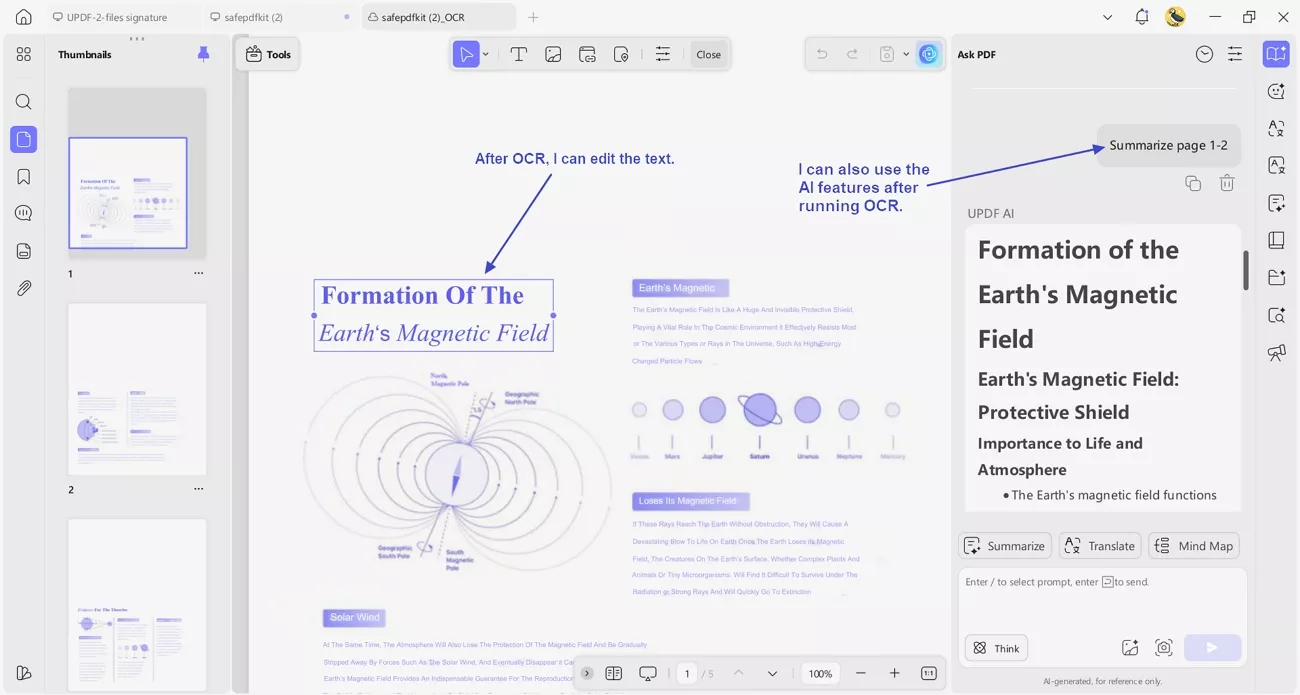
After OCR, I can edit the text, organize pages, and manage the file like a regular PDF. UPDF AI also understands the context, so I can ask it to summarize my recognized handwritten notes or extract key conclusions.
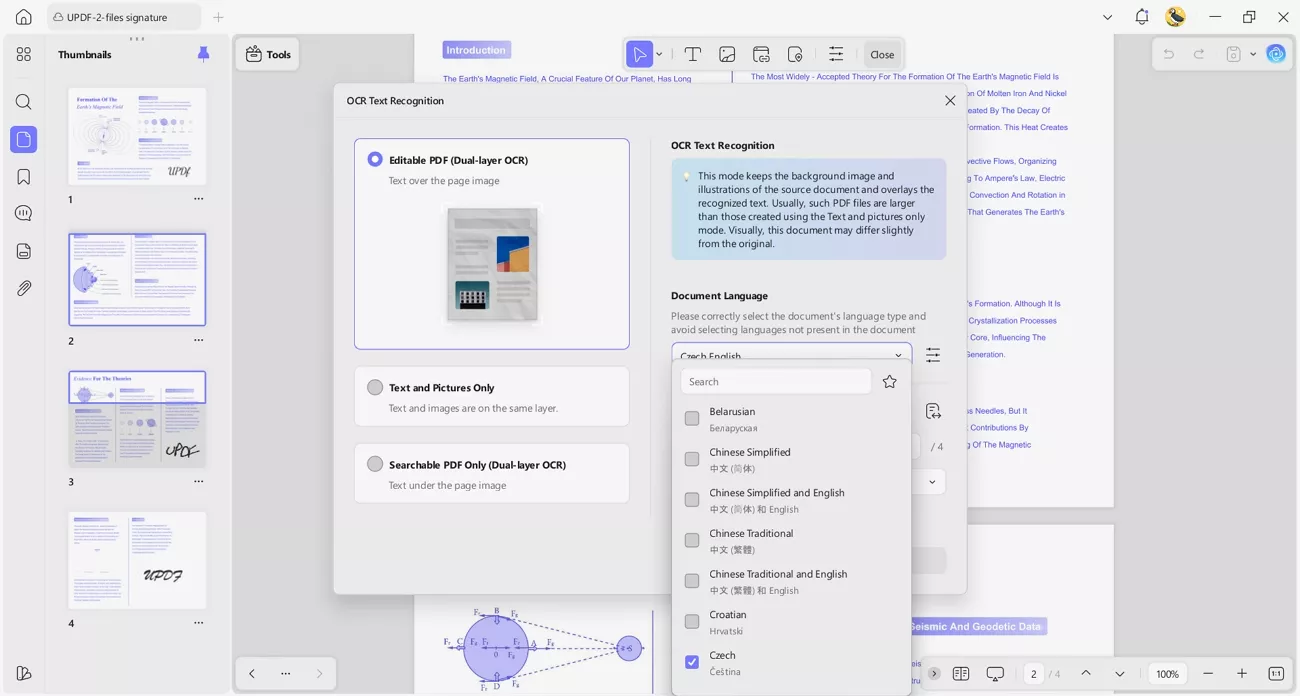
2. High Accuracy and Language Support: The OCR engine provides up to 99% accuracy on supported content. It can recognize and work with text in over 38 different languages.
3. Cross‑Platform Sync: You can capture images with printed text on your mobile device and upload them to UPDF Cloud. The same files stay synced, so you can continue precise editing and review on your desktop.
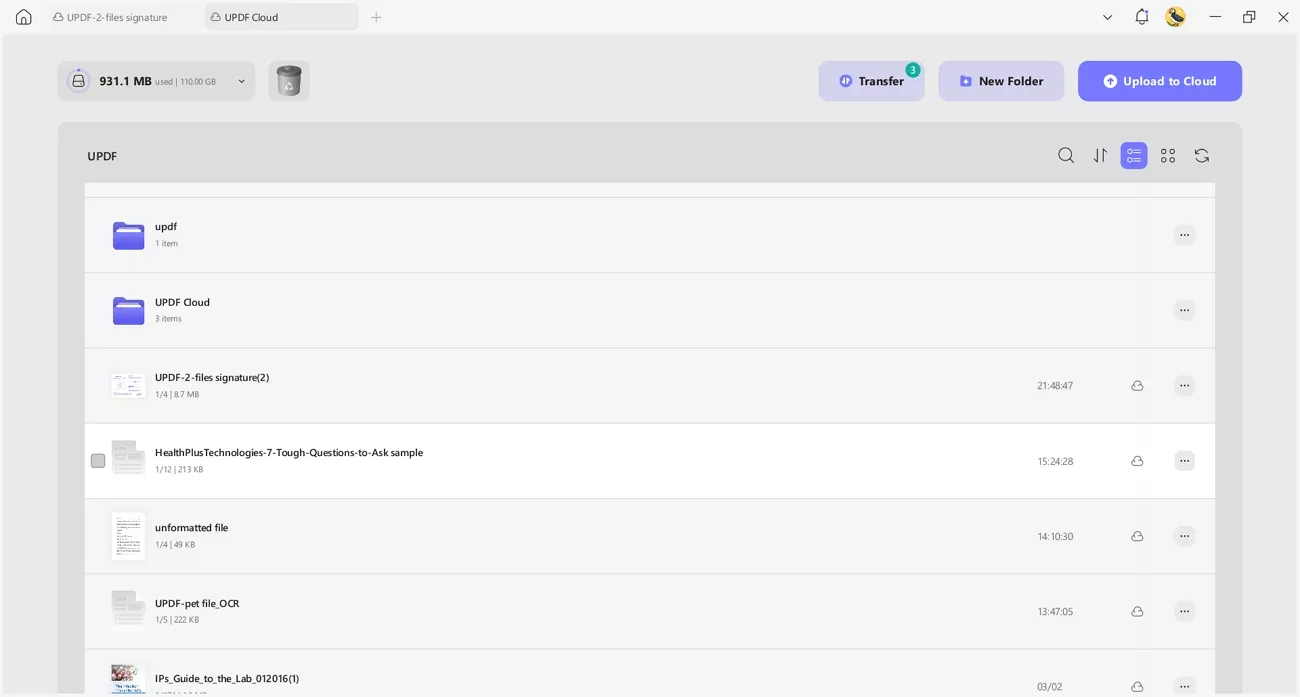
4. Local Processing for Sensitive Data: Important or confidential documents, such as clinical trial reports, can be processed directly on your device. This avoids sending sensitive content to external online servers, enhancing privacy and security.
5. Batch OCR for Printed Documents: You can run OCR on multiple documents containing printed text at the same time. This saves effort and speeds up workflows when handling large volumes of files.
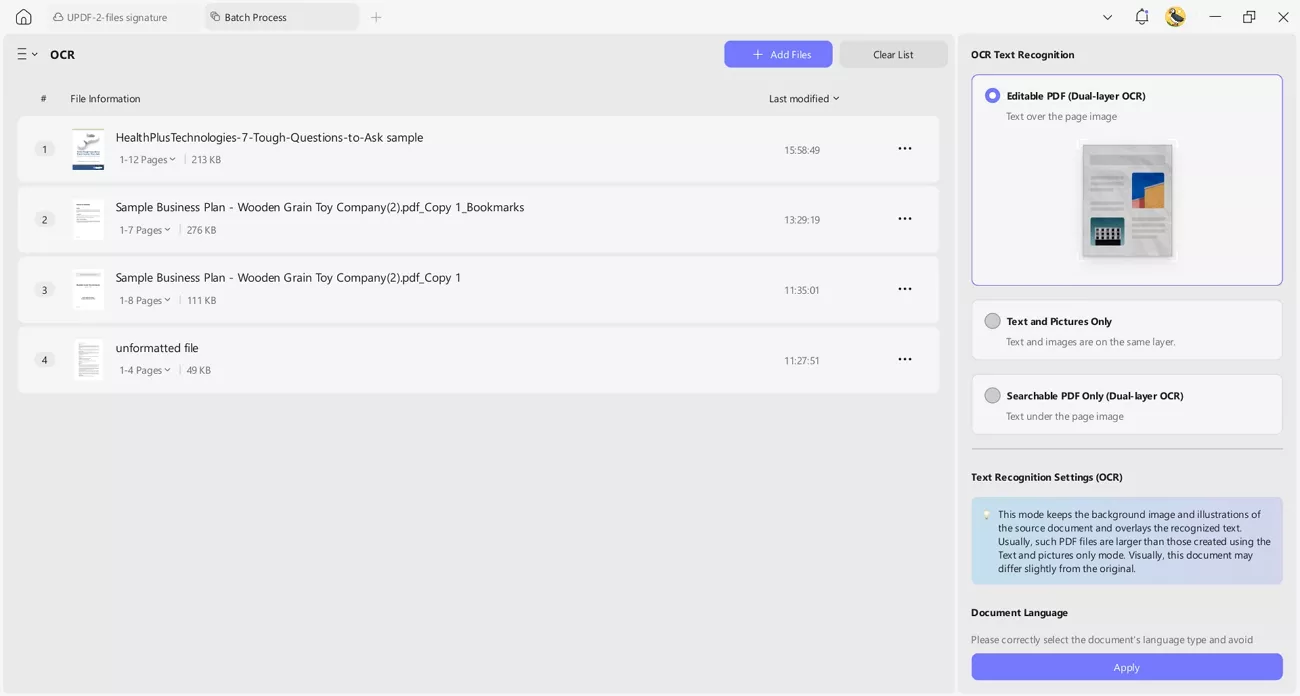
For me, both UPDF (trial with watermark and 5 free OCR uses) and UPDF AI (100 uses) offered free versions with limitations, so it was still a cost‑effective choice. So, download UPDF to see if it fits your own workflow, as it did for me.
Windows • macOS • iOS • Android 100% secure
Final Verdict
In my final verdict, I’ll weigh my real experience with HandwritingOCR against UPDF AI and explain which one makes more sense for different users and budgets.
Choose HandwritingOCR If
- You only need basic handwriting recognition without advanced editing or AI chat features.
- You don’t mind a simpler interface and are okay with more limited language and format support.
Choose UPDF AI/UPDF OCR If
- You want to chat with your documents, summarize notes, translate content, and ask context‑aware questions.
- You need reliable OCR for printed text with layout preserved, plus cross‑platform sync and batch processing.
Part 5. FAQs
- Can ChatGPT transcribe handwriting?
Yes, ChatGPT can transcribe handwriting if image input is enabled and the writing is clear. For higher accuracy and structured output, it is often combined with a dedicated handwriting OCR tool.
2. Is Google OCR free?
Google’s built‑in OCR in Drive and Photos is generally free for normal personal use, though advanced API usage may incur costs.
3. Is AI handwriting better than OCR?
AI handwriting recognition is often better for messy, real‑world notes, while traditional OCR excels on clean, printed text documents.
Conclusion
To conclude, this UPDF AI vs HandwritingOCR comparison showed how conversational AI and a full PDF ecosystem transformed my workflow. While HandwritingOCR helped with basic handwriting extraction, UPDF AI gave me summaries, translations, and context-aware answers in one place. For anyone balancing cost, features, and real productivity gains, I’d confidently recommend choosing UPDF AI.

 Enid Brown
 Enrica Taylor