 UPDF
UPDF
 UPDF for Windows
 UPDF for Mac
 UPDF for iPhone/iPad
 UPDF for Android
 UPDF AI Online
 UPDF Sign
 Edit PDF
 Annotate PDF
 Create PDF
 PDF Form
 Edit links
 Convert PDF
 OCR
OCR PDF to Word
 PDF to Image
 PDF to Excel
 Organize PDF
 Merge PDF
 Split PDF
 Crop PDF
 Rotate PDF
 Protect PDF
 Sign PDF
 Redact PDF
 Sanitize PDF
 Remove Security
 Read PDF
 UPDF Cloud
 Compress PDF
 Print PDF
 Batch Process
 About UPDF AI
 UPDF AI Solutions
 AI User Guide
 FAQ about UPDF AI
 Summarize PDF
 Translate PDF
 Chat with PDF
 Chat with AI
 Chat with image
 PDF to Mind Map
 Explain PDF
 PDF AI Tools
 Image AI Tools
 AI Chat Tools
 AI Writing Tools
 AI Study Tools
 AI Working Tools
 Other AI Tools
 AI Bookmark Generation
 AI Bookmark Summary
 AI Watermark Generation
 AI Background Generation
 AI Sticker Generation
 AI Stamp Generation
 AI Editing Suite
 UPDF Copilot
 AI Page Management
 AI Semantic Search
 PDF to Word
 PDF to Excel
 PDF to PowerPoint
 Enterprise Solution
 Enterprise Sign
 Enterprise AI
 Enterprise Plan
 Enterprise User Guide
 Enterprise Webinar
 Banking
 Healthcare
 Insurance
 Legal
Legal Manufacturing
 Government
 Education Solution
 Customer Stories
 User Guide
 UPDF Tricks
 FAQs
FAQs UPDF Reviews
 Download Center
 Blog
Blog Newsroom
 Tech Spec
 Updates
 UPDF vs. Adobe Acrobat
 UPDF vs. Foxit
 UPDF vs. PDF Expert


he demand for AI-powered document analysis tools has grown rapidly within academic and research environments worldwide. Students, researchers, and professionals increasingly rely on AI tools to summarize papers and extract critical insights efficiently. Handling long academic documents manually is time-consuming and increases the risk of missing essential arguments or references. As research workloads expand, automated assistance becomes increasingly important for maintaining accuracy and productivity.
When comparing UPDF AI vs. Humata AI, both tools stand out as capable AI document assistants. They enable users to ask questions, analyze content, and interact with research materials efficiently. However, their design priorities, workflows, and long-term usage scenarios differ meaningfully. Readers exploring academic research tools are encouraged to try UPDF AI Online to evaluate its capabilities firsthand.
Part 1. Quick Comparison Table
Before exploring a detailed explanation, the table below provides a clear comparison of both tools for better understanding:
| Feature | UPDF AI | Humata AI |
| Free Plan Availability | Yes, supports free usage with question limits | Yes, free tier available with usage limits |
| AI Assistance for PDF Documents | Explicitly designed for PDF research and analysis | Supports PDF Q&A but not deeply PDF-native |
| Summarize PDF | Supported with structured summaries | Supported (simple summarization expected) |
| Ask Questions Over Uploaded Documents | Supported | Supported |
| Multi-Document Interaction | Yes, supports context across multiple PDFs | Likely supported, but context continuity may vary |
| Citation/Reference Extraction | Structured due to PDF focus | General extraction, not PDF-native |
| Platform Support | Online, Windows, macOS, Android, iOS | Online (web-based) |
| Document Privacy | Files not used for model training | Files not used for model training |
| Data Security & User Control | Enterprise-grade privacy tools | Standard web privacy according to terms |
Part 2. Overview of UPDF AI Online and Humata AI
Before diving into a detailed comparison, it is important to understand what UPDF AI Online and Humata AI are designed to do, and how each tool positions itself within the academic research and document analysis landscape.
1. What Is UPDF AI Online?
UPDF AI Online is an AI-powered document assistant built specifically around PDF-centric academic and professional workflows. Unlike general-purpose AI chat tools, UPDF AI is deeply integrated with PDF documents, allowing users to interact directly with research papers, reports, and long-form academic texts while preserving their original structure.
Designed for students, researchers, and knowledge professionals, UPDF AI Online supports tasks such as summarizing academic papers, asking context-aware questions, extracting citations, translating content, and organizing research insights within the same workspace. Features like Scholar Research, Paper Search, and DeepThink emphasize long-term research continuity, making it suitable for literature reviews, thesis preparation, and multi-document academic projects.
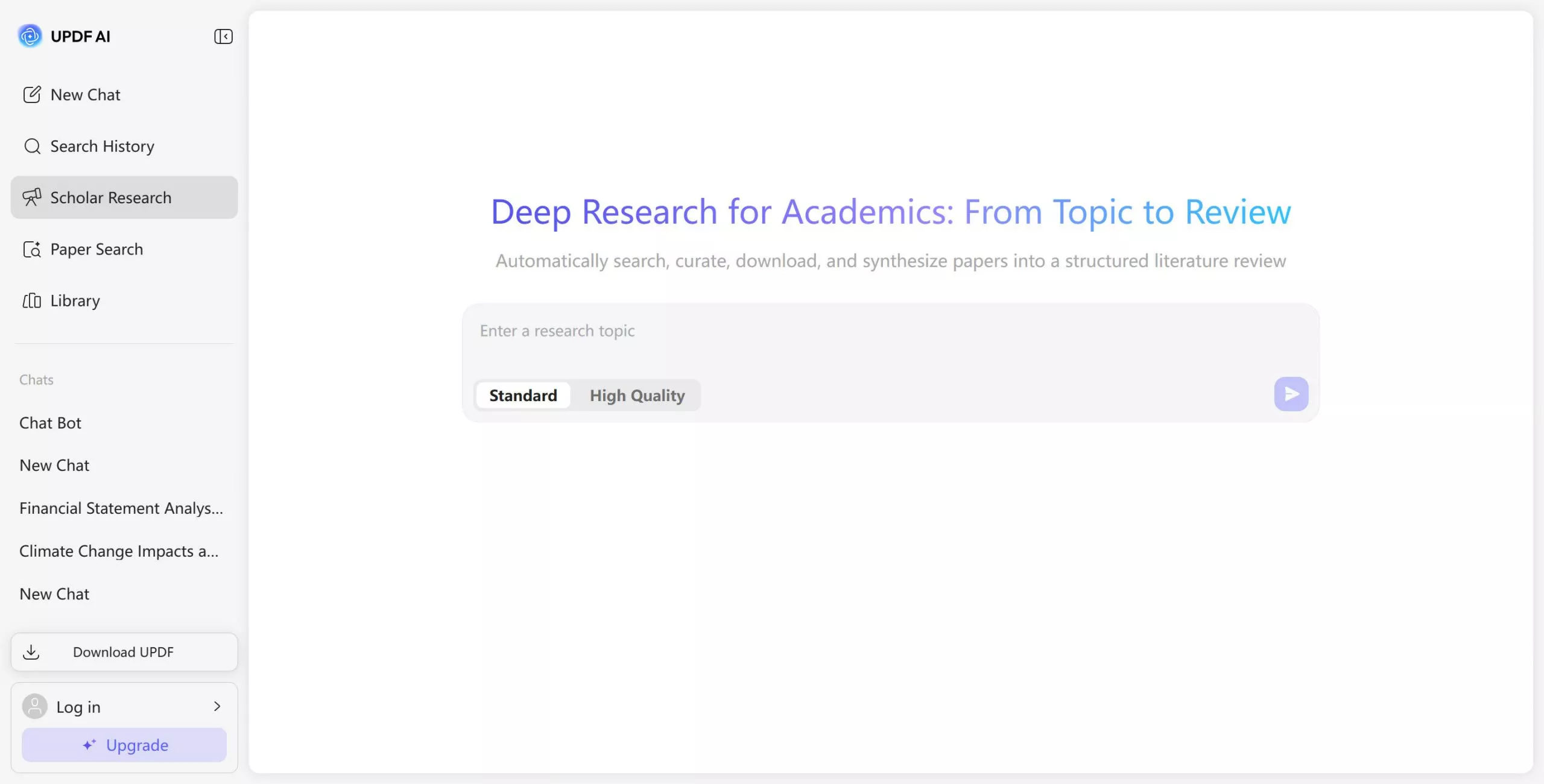
Another key aspect of UPDF AI Online is its focus on privacy and data security. Uploaded documents are not used for AI model training, which aligns well with institutional and academic data protection expectations. Users can start with a free plan offering 100 AI questions, and upgrade later if the tool fits their workflow.
2. What Is Humata AI?
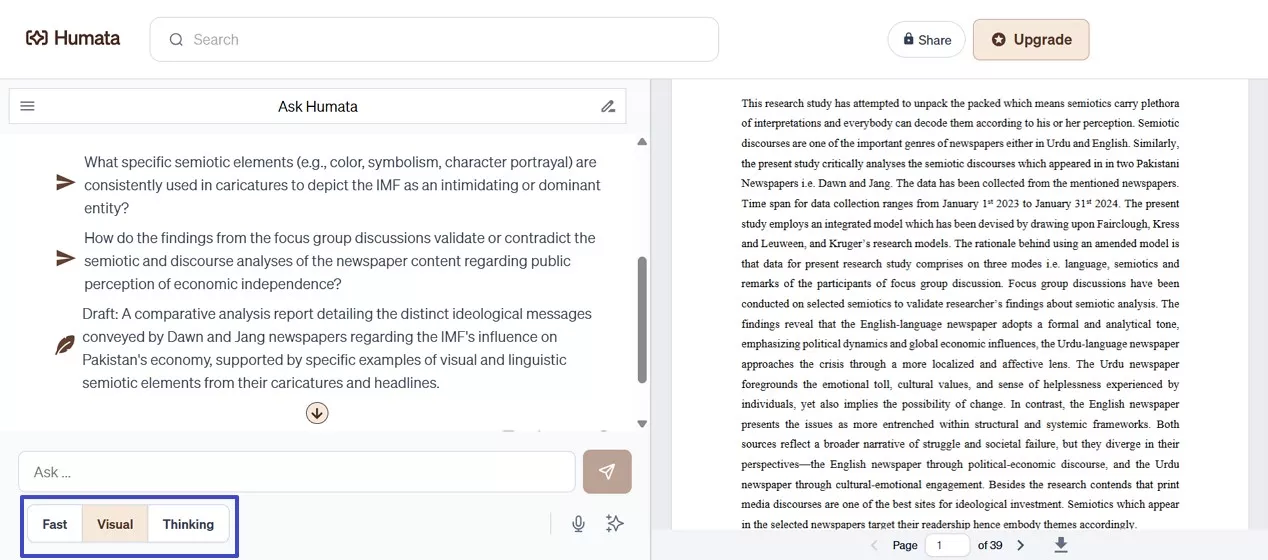
Humata AI is an AI-powered document question-and-answer tool designed to help users quickly understand and extract information from uploaded documents, particularly academic papers and reports. Its core strength lies in fast, conversational interaction, allowing users to ask direct questions and receive summarized responses without manually reading entire documents.
Humata AI is commonly used for quick clarification, concept exploration, and rapid insight extraction. The platform emphasizes ease of use, with a chat-based interface that enables users to begin interacting with documents almost immediately after upload. This approach works well for short-term research tasks, case studies, or situations where users need concise explanations rather than in-depth structural analysis.
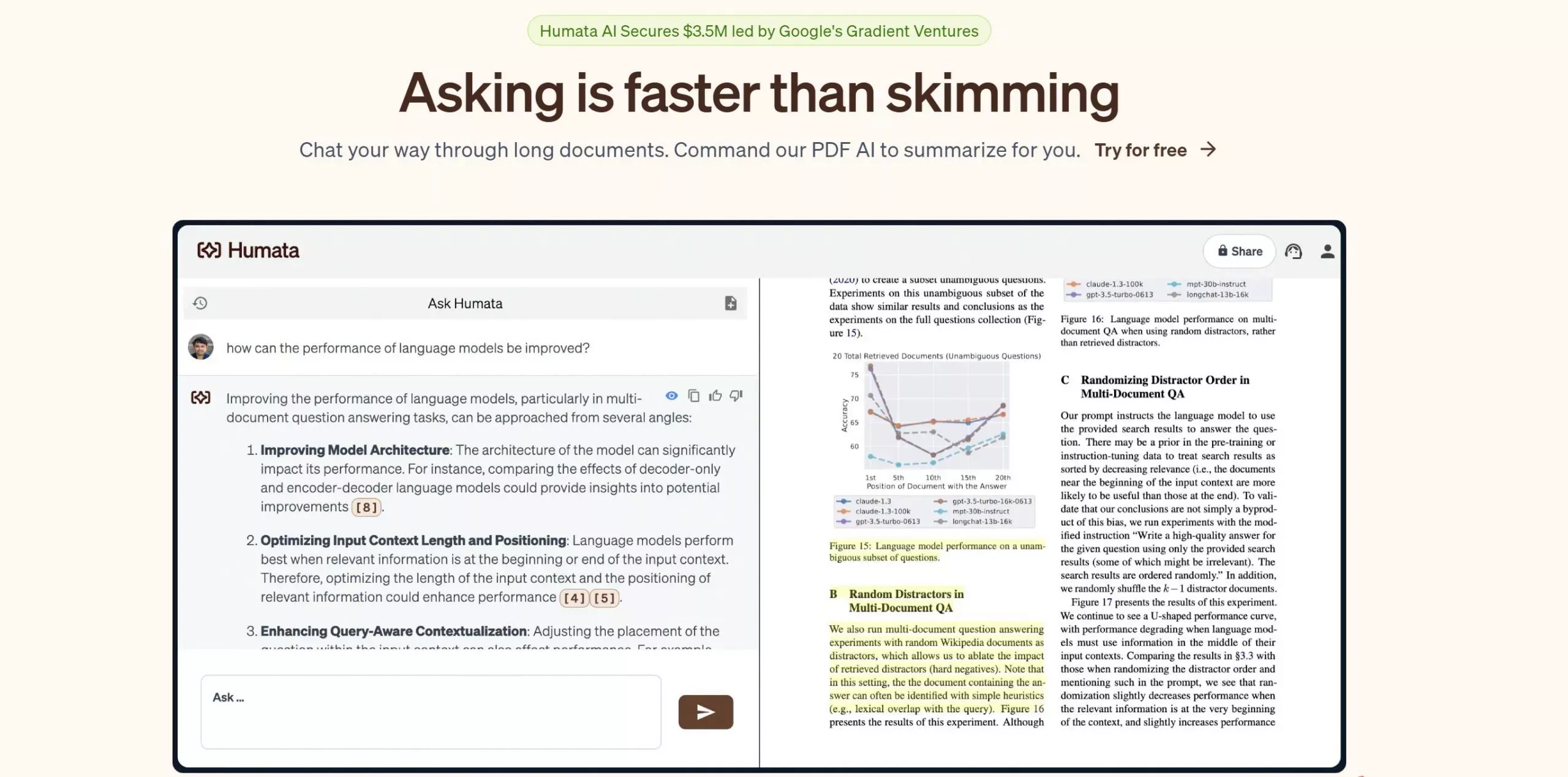
While Humata AI supports summarization and document Q&A across various file types, it places less emphasis on PDF-native structure and long-term research continuity. As a result, it is often favored by users who prioritize speed and simplicity over extended academic synthesis across multiple documents.
Part 3. Pricing And Free Plan Comparison
Both UPDF AI vs Humata AI provide free access options, though their pricing models reflect different usage expectations. Understanding these differences helps users choose based on workload patterns and research duration.
UPDF AI
- Free plan: Yes — includes 100 free AI questions (online) to explore core academic workflows like summarizing papers and asking research questions.
- Paid plan details: $29/month or $79/quarter with unlimited AI usage.
- Free plan: Yes — up to 60 pages and 10 answers per month with basic features.
- Paid plan (monthly):
- Student Plan: $1.99/month, up to 200 free pages (additional pages charged ~$0.02/page).
- Expert Plan: $9.99/month, up to 500 free pages, premium chat support, GPT-4 model access (additional pages ~$0.02/page).
- Team Plan: $49/user/month, up to 5,000 free pages, OCR support, advanced permissions, premium chat.
- Enterprise Plan: Custom pricing, tailored for large teams and organizational needs.
Part 4. User Experience & Feature Comparison Through Real Academic Workflows
Evaluating AI document tools becomes meaningful only when they are tested in real academic situations. Students and researchers rarely use AI features in isolation. Instead, they upload academic papers, ask layered research questions, extract citations, and manage multiple documents over time. This section compares UPDF AI vs Humata AI by examining how each tool supports these real-world academic workflows.
Uploading An Academic Paper And Understanding Structure
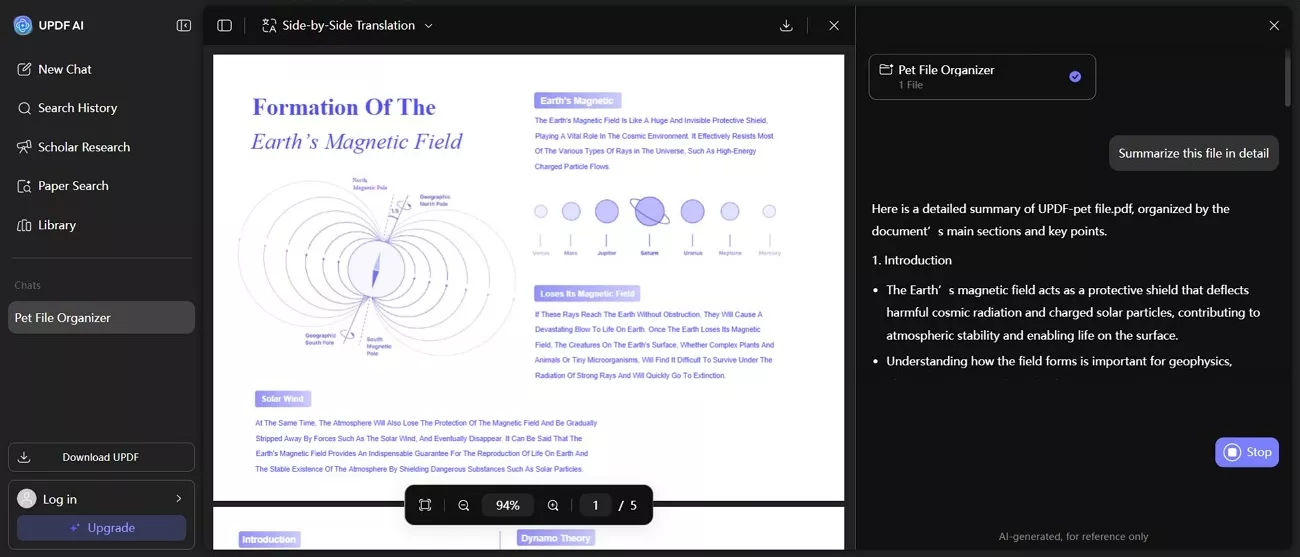
When an academic paper is uploaded, UPDF AI Online immediately interprets the PDF's structural hierarchy. Abstracts, headings, tables, and reference sections remain clearly distinguished. This helps users navigate long research papers efficiently during literature reviews or thesis preparation. Moving between sections feels natural, especially when users need to understand how arguments connect across chapters.
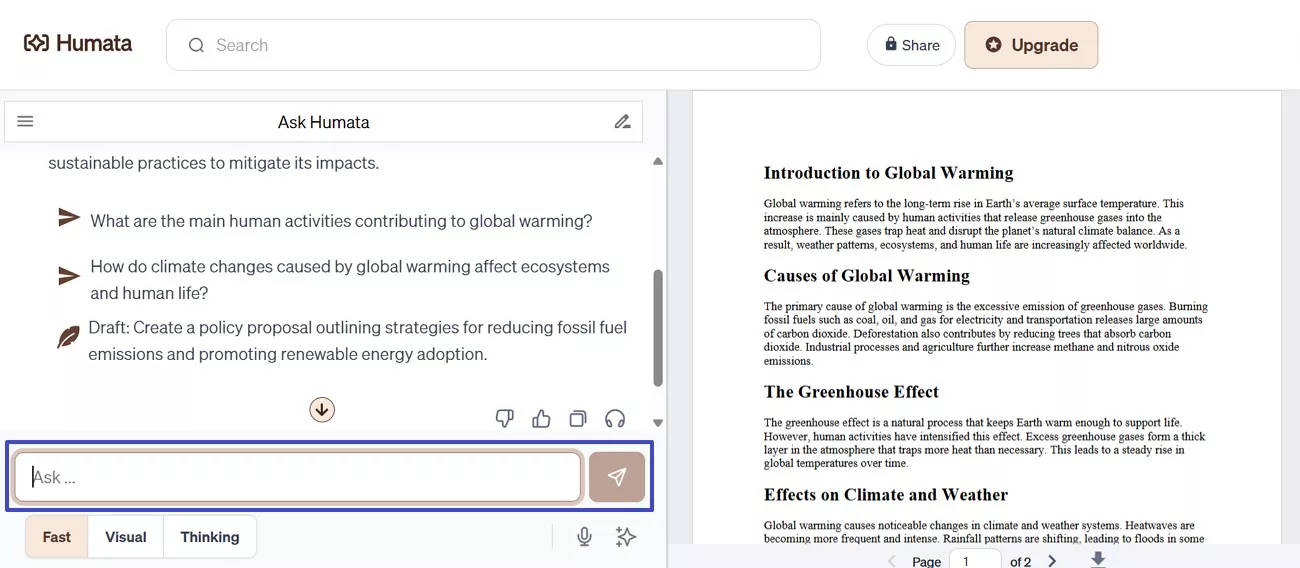
On the other hand, Humata AI also supports uploading academic documents and enables instant interaction through conversational prompts. Users can ask questions without first exploring the document structure. This approach works well for quickly understanding isolated concepts or findings. However, with longer papers, users may need to restate context frequently, as interactions focus more on individual responses.
Asking Research Questions And Exploring Academic Arguments
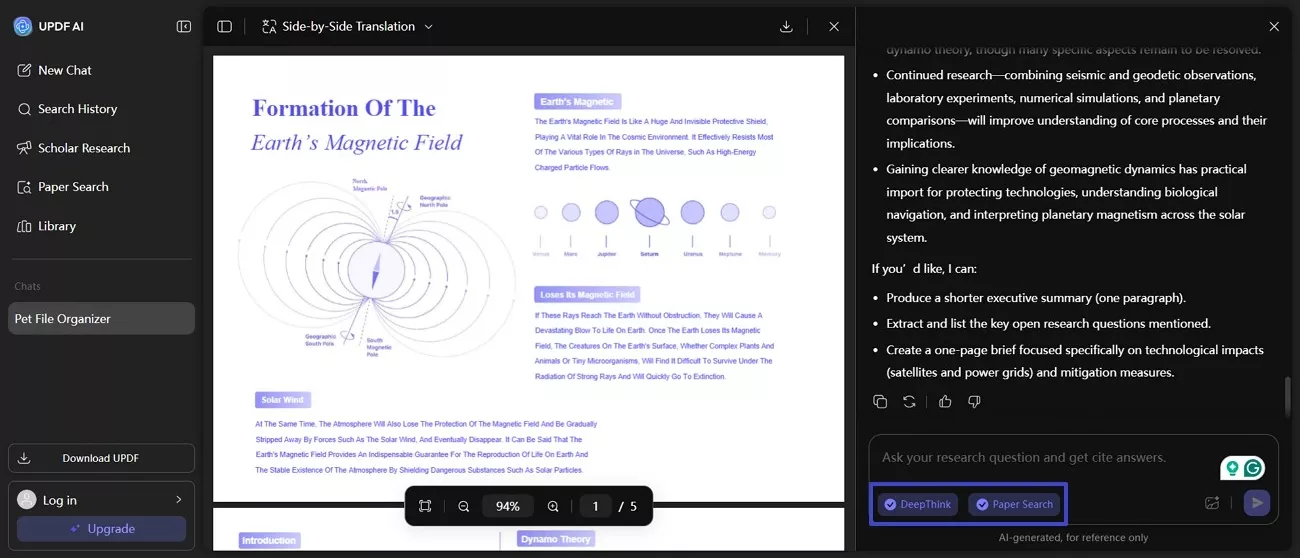
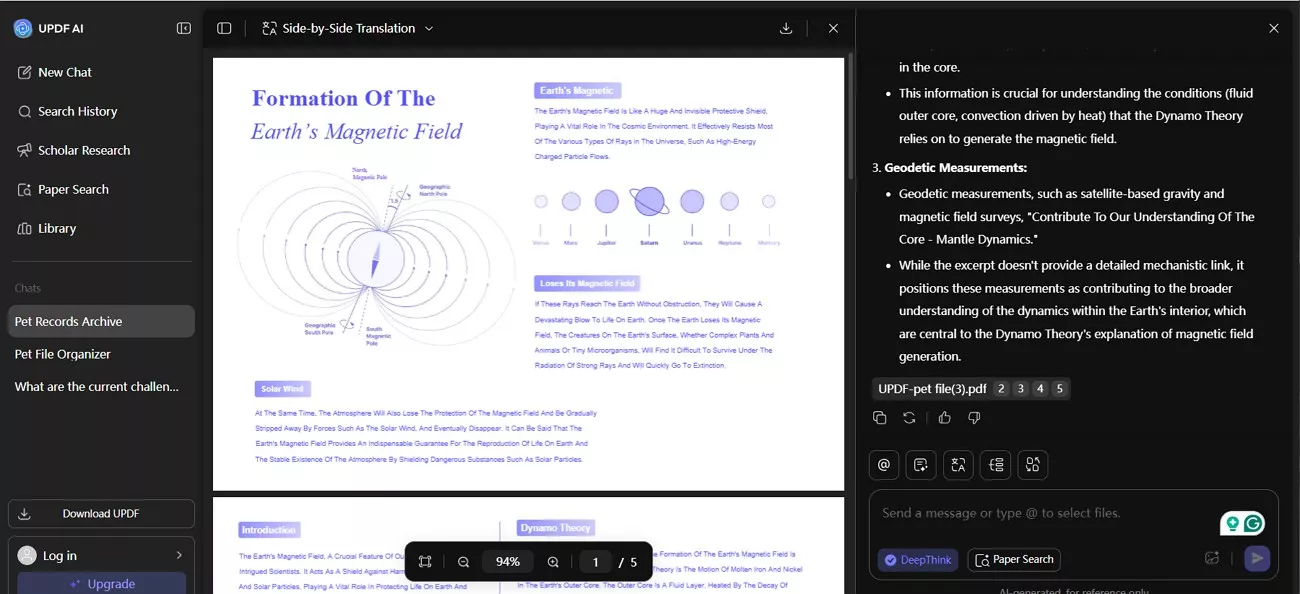
Being a Humata AI alternative, UPDF AI Online supports layered academic questioning by preserving context across follow-up queries. Its side-by-side translation keeps the original text and meaning visible together. Scholar Research and Paper Search enable source exploration within the same workspace. The split-panel layout and DeepThink feature maintain continuity while reviewing objectives, methods, and findings, reducing repetition and supporting deeper academic reasoning during extended literature analysis.
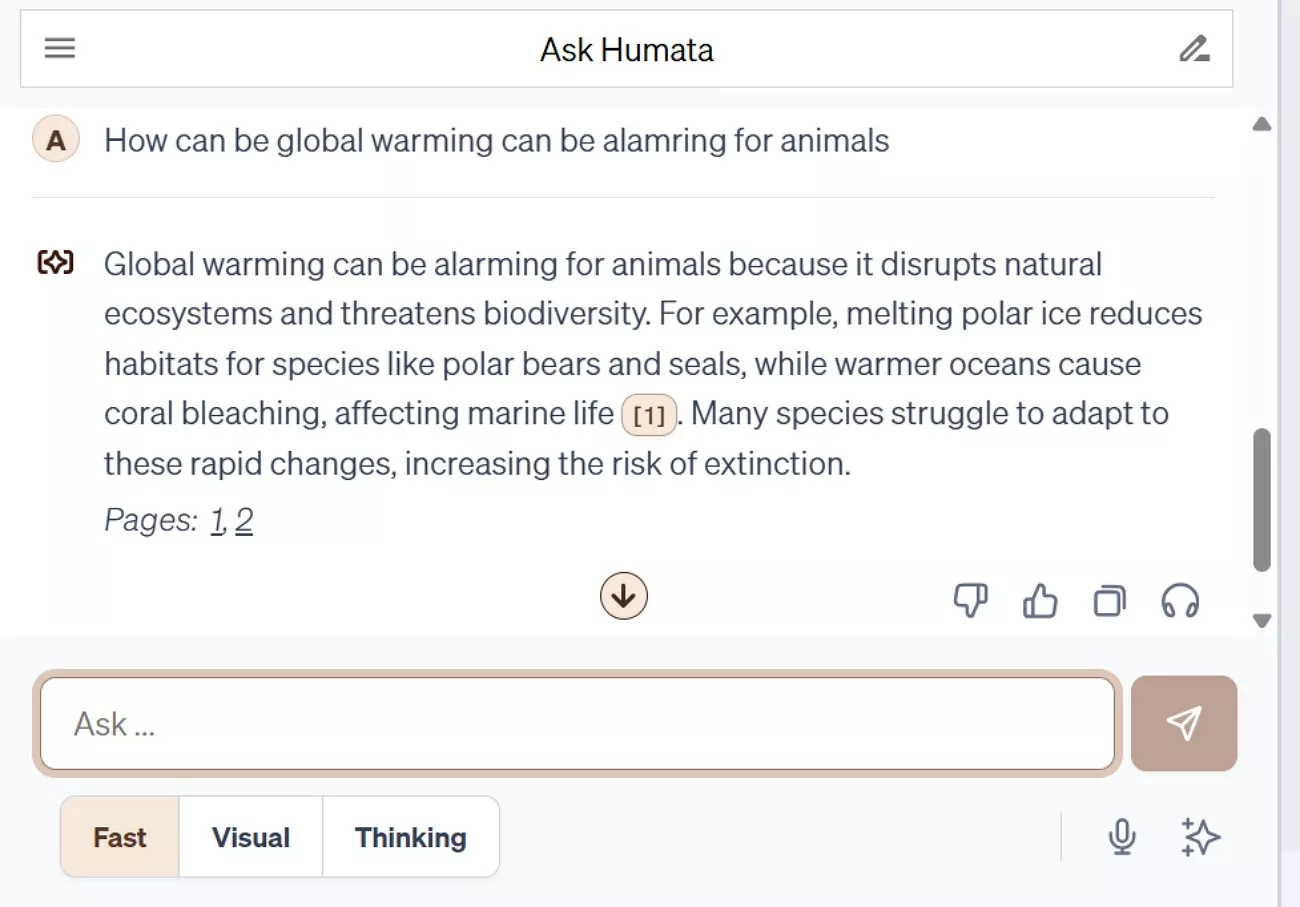
Humata AI emphasizes direct question-and-answer interaction within documents. It responds efficiently when users ask clearly defined questions. This makes it suitable for quick fact-finding or clarification tasks. That said, when questions become conceptual or interconnected, users may need to restate background information to maintain coherence.
Extracting Citations And Supporting Evidence
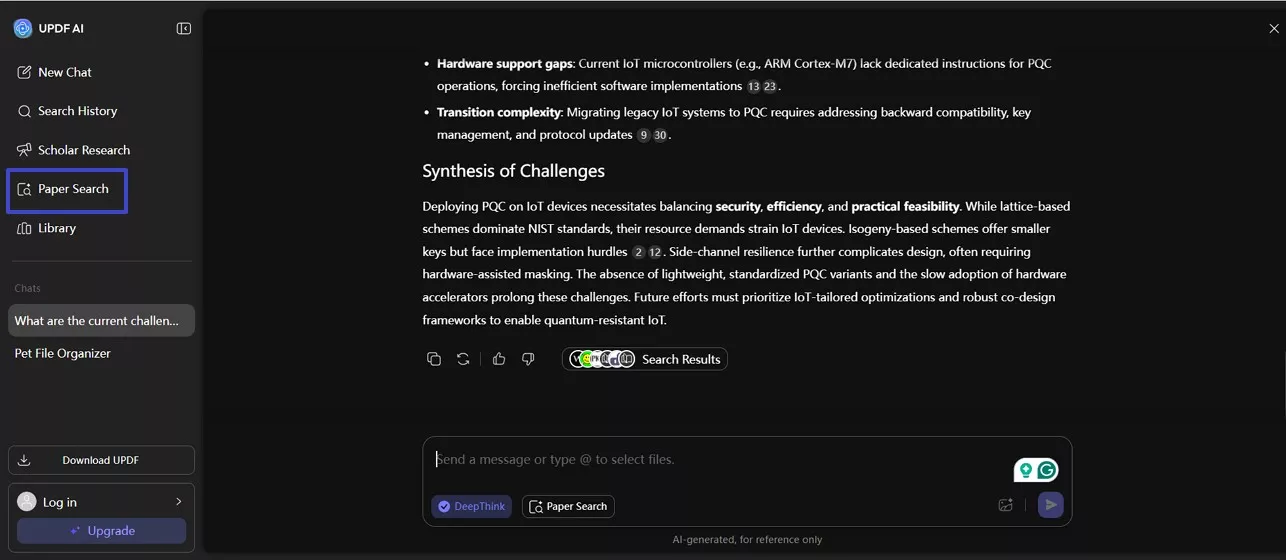
UPDF AI Online links extracted information back to the document structure when handling citations. This makes it easier to trace claims to specific sections or passages within a PDF. Such contextual clarity supports academic writing, especially during thesis development or journal article preparation. As a Humata AI alternative, users can identify the source of evidence without losing track of the document organization with UPDF AI paper search feature.
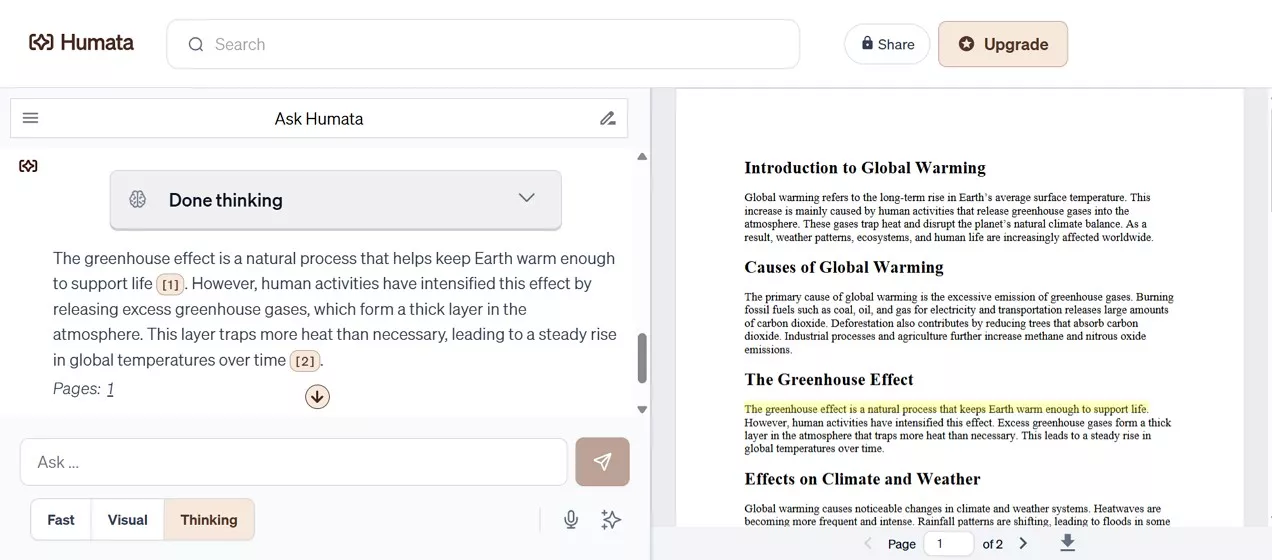
Humata AI allows users to query documents for supporting explanations and relevant content efficiently. Its responses primarily focus on summarizing information in an accessible and readable manner. This approach supports stronger comprehension during early academic and exploratory research stages. Still, users preparing formal citations must manually verify sources, as references lack strict structural binding.
Managing Multiple Documents In Research Projects
The supported workflow of UPDF AI online involves multiple academic documents while maintaining research continuity. Users can switch between PDFs without losing thematic understanding. This benefits long-term projects such as dissertations or systematic reviews. Insights accumulate gradually, making it easier to revisit earlier findings and synthesize ideas across sources.
Supporting Academic Workflows Beyond Basic Q&A
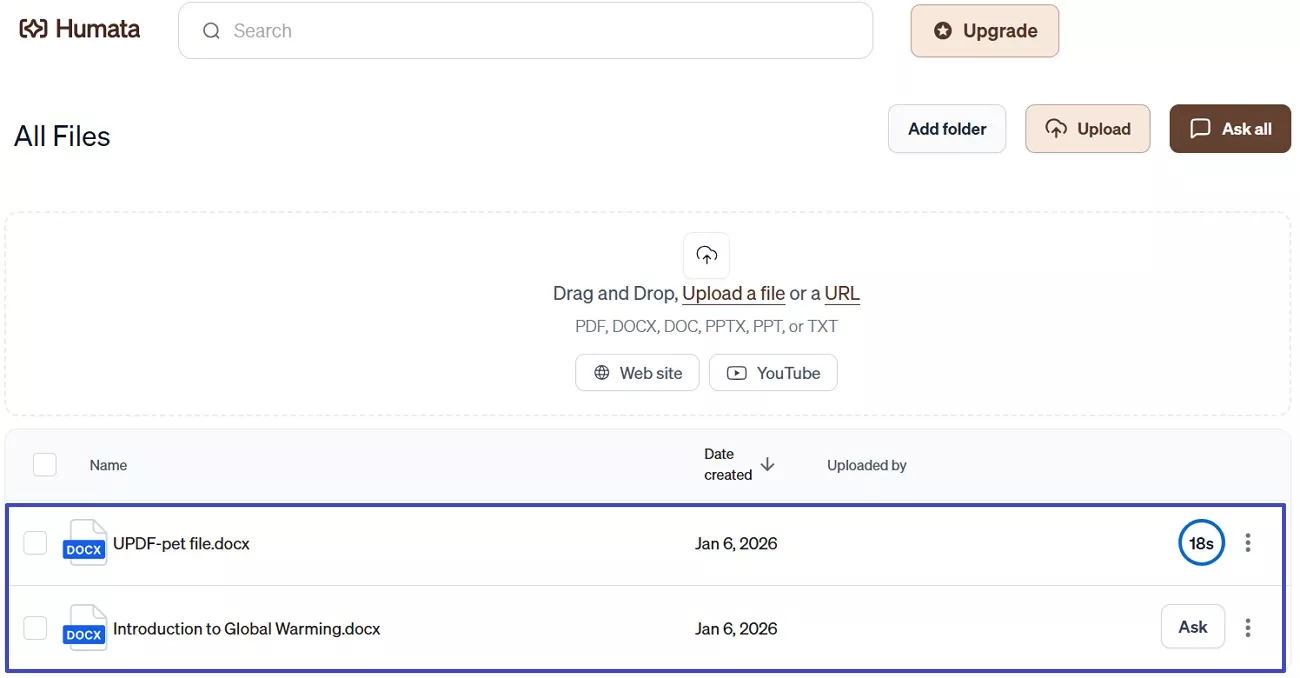
UPDF AI Online extends beyond question answering by supporting summarization, translation, and mind-map generation directly inside PDFs. In UPDF AI vs Humata AI comparisons, this integrated visualization helps students grasp theoretical relationships clearly, supporting academic workflows that require analysis and structured conceptual organization.
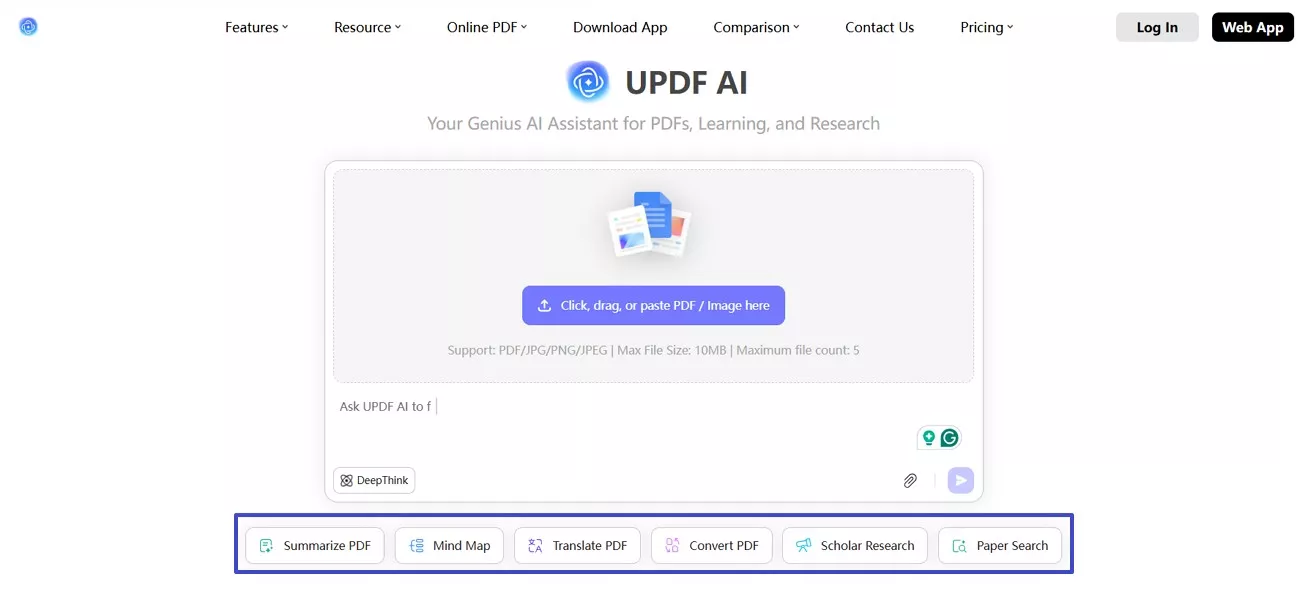
Humata AI primarily focuses on conversational interaction and detailed explanatory responses for users. It supports effective summarization in text form across various document types. This approach suits users who prefer reading concise explanations without additional visualization. Nevertheless, broader academic workflows involving visual analysis or document-based synthesis may require supplementary tools.
Learning Curve And Interface Clarity
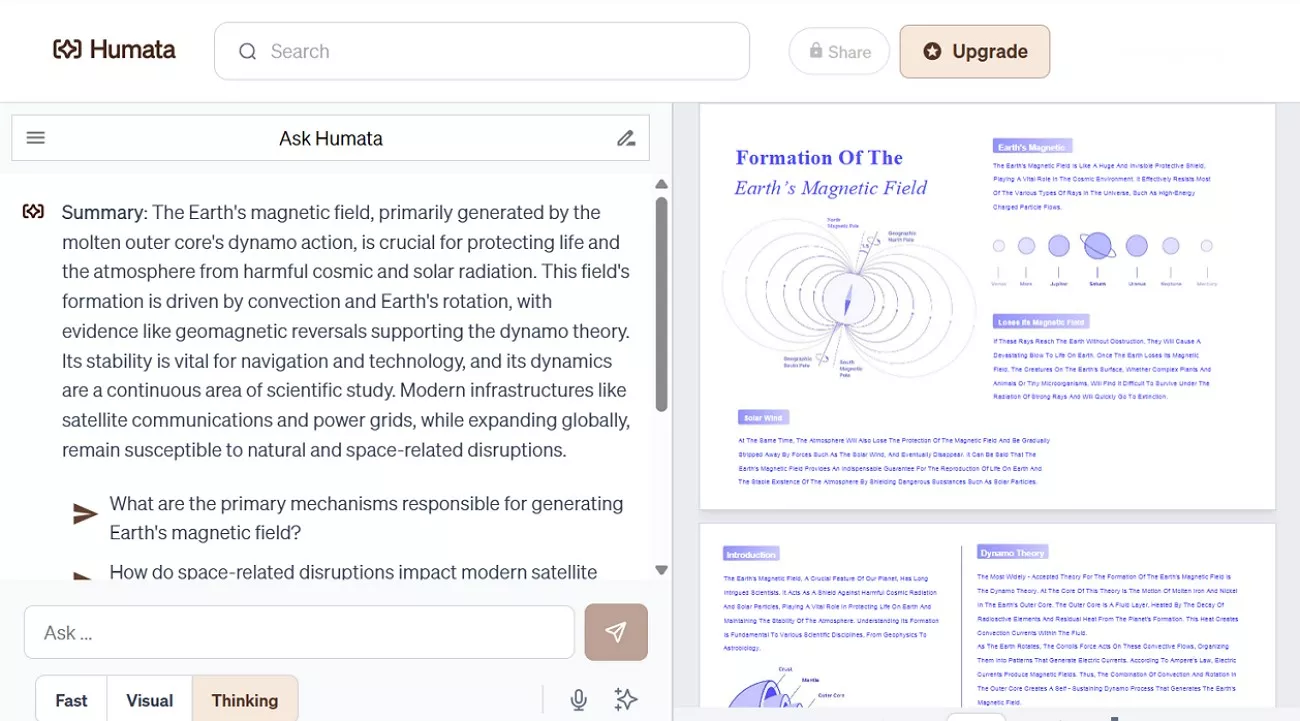
Within a familiar PDF-centric environment, UPDF AI Online, as a Humata AI alternative, integrates advanced artificial intelligence tools seamlessly. Academic readers accustomed to annotation and close reading usually adapt to this environment quickly. Integrated AI features appear directly alongside document content, which reduces workflow disruption significantly. Such interface familiarity supports sustained academic productivity without demanding major workflow changes or extensive onboarding.
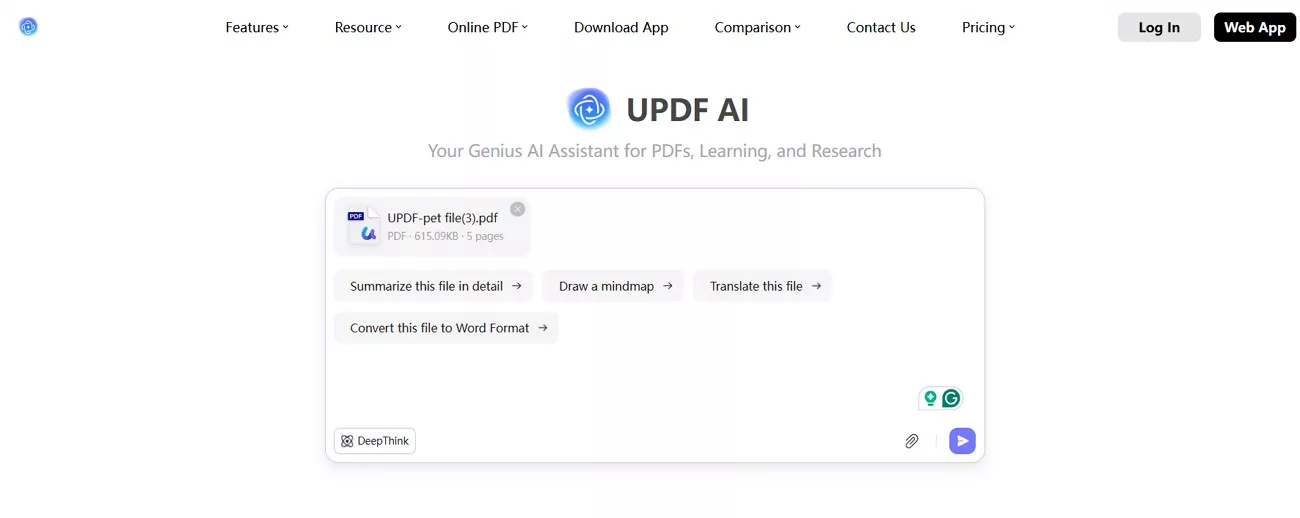
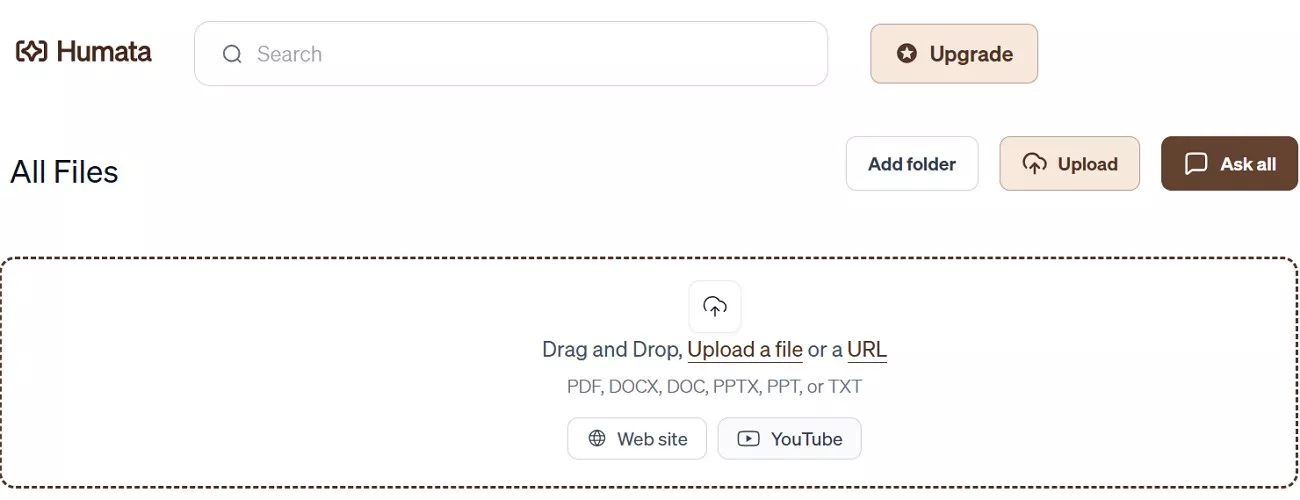
Humata AI presents a chat-based interface designed around simplicity and ease of use. New users can begin asking document questions immediately without navigating complex menus or panels. This design supports researchers seeking fast results with minimal configuration requirements overall. Adapting this interface for advanced academic workflows may require adjustments during complex research tasks.
Context Awareness And Long-Document Handling
UPDF AI Online maintains strong contextual awareness across lengthy and complex academic documents through its DeepThink feature. Rather than responding to isolated excerpts, it connects broader thematic structures across sections. This approach supports deeper comprehension during extended research sessions and enables users to explore arguments holistically, aligning well with established academic reading and analytical practices.
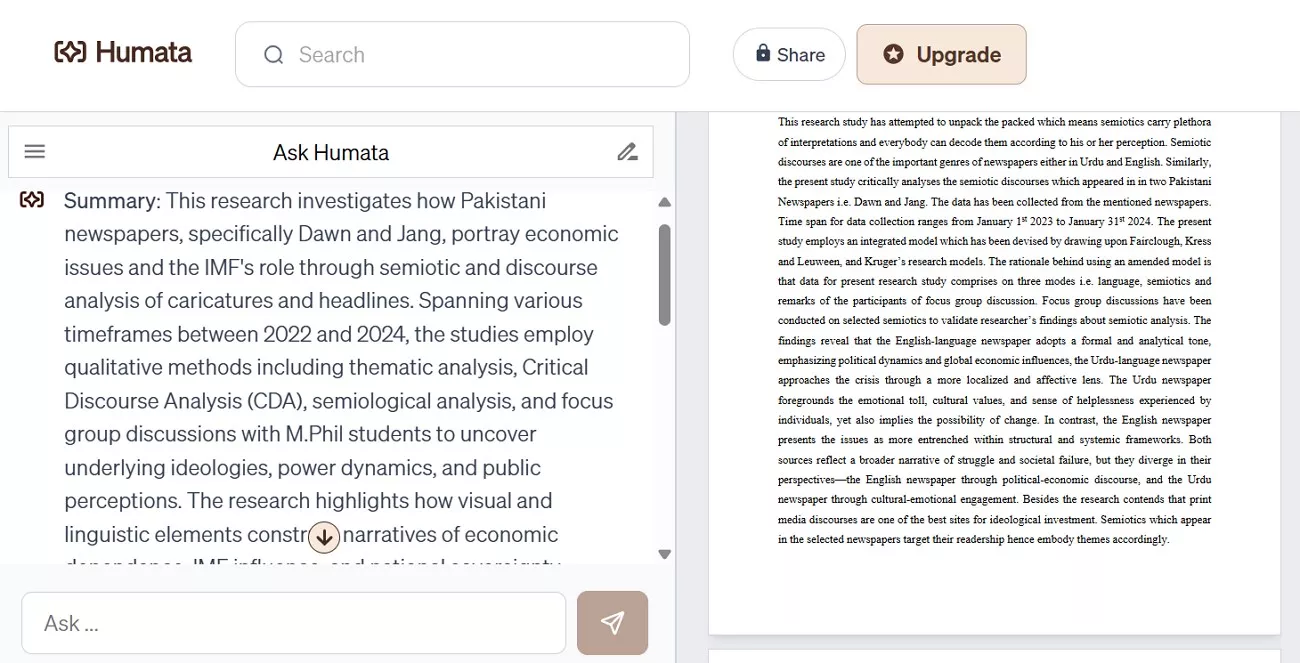
Humata AI processes long documents while emphasizing responses to individual user questions. This interaction style suits researchers conducting focused, question-driven document exploration tasks. Still, users may need to guide interactions carefully to maintain context across sections. This difference becomes more noticeable during sustained analysis of complex research papers.
Verdict: Choosing Based On Academic Usage Patterns
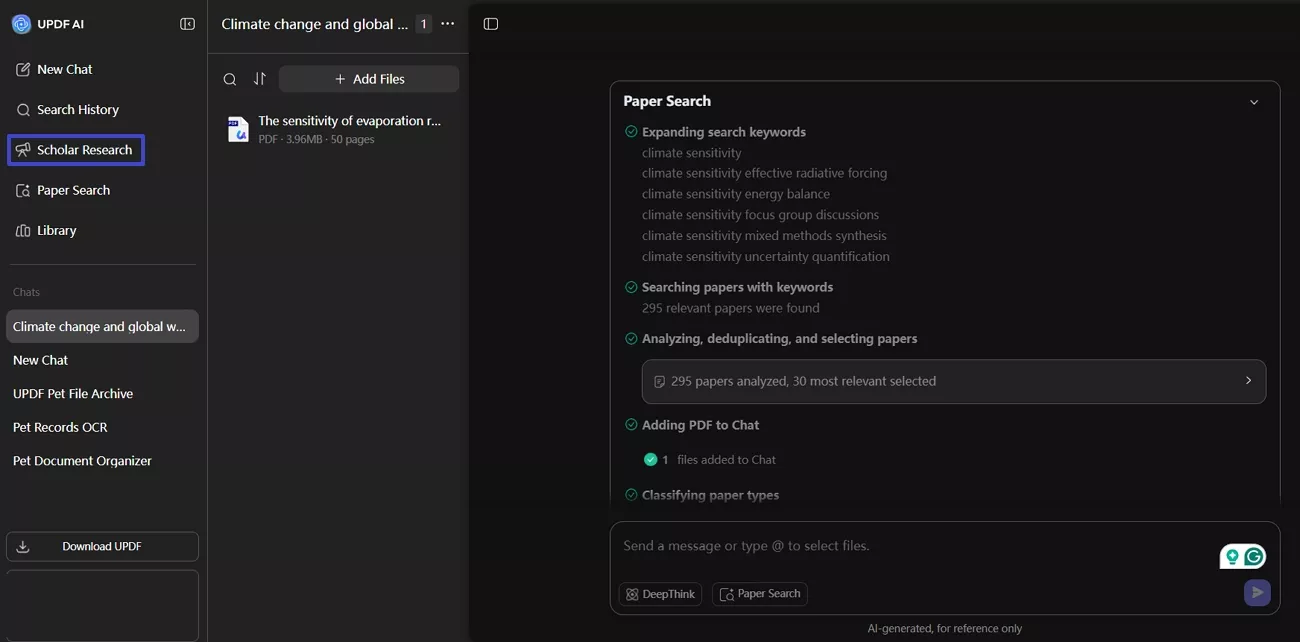
UPDF AI further supports long-term academic workflows through its Scholar Research feature. In UPDF AI vs Humata AI comparison, this tool enables users to automatically search, curate, download, and synthesize academic papers into structured literature reviews. By centralizing topic exploration, source collection, and thematic synthesis within one interface, Scholar Research strengthens research continuity and supports students and academics managing complex, multi-source projects.
Humata may work better for users prioritizing quick answers and focused document queries. Its conversational design supports short-term analysis and rapid clarification with three different models. The choice depends on whether users prefer sustained academic exploration or targeted information retrieval within documents.
Part 5. User Reviews & Ratings
Looking beyond features, following user reviews and ratings reveals how each tool performs in practical research scenarios:
UPDF AI Online
Positive User Review
- "I use UPDF mainly for the AI PDF Translations, and it really helps since I work with international clients who use documents in different languages. I like that it feels very snappy and pretty intuitive overall. The AI features, especially the chat PDF feature, are very robust. The initial setup was super easy, and I appreciate the cloud feature along with the UPDF app on my iPhone."-Jerod B.
Negative User Review
Users Rating: 4.5/5
Humata AI
Positive User Review
- "I've been using it extensively for my research and case studies, and it has proven to be an invaluable tool for short, medium, and long-term projects. The accuracy and speed with which it processes and extracts insights from complex documents are truly impressive."-Ricardo Moura
Negative User Review
- "Somewhat useless as it does not read your pdfs properly anyway even how many times you upload and re-upload them. This will just use up your pages with intention to charge you more. Basically, as what others are saying, the intention is to scam you."-Rhealyn
Users Rating: 3.2/5
Part 6. Which Tool Is Better for You?
This UPDF AI vs Humata AI comparison does not name a single winner, but aligns tools with academic needs. UPDF AI suits students and researchers managing long-term, complex workflows. Its PDF-native design preserves structure, context, and citation awareness. Features like Scholar Research and DeepThink prioritize synthesis and continuity, delivering lasting value for literature reviews and multi-source academic research.
Humata AI fits users who need fast, targeted answers from documents. It performs well for quick clarification tasks and short-term document question answering. However, it places less emphasis on sustained context and long-form academic research continuity. Choosing between these tools depends on whether depth or speed matters more to you.
Conclusion
In the UPDF AI vs Humata AI comparison, users should choose tools that match their academic depth and workflow needs. UPDF AI Online supports secure research with strong privacy, protected documents, and no training on user files. Users can start with the free version and upgrade if it fits their academic workflow, making UPDF AI Online a reliable long-term research companion.
Note: The information on this page is based on UPDF writers’ testing and publicly available product details at the time of writing. Features and pricing may change over time. If you notice any inaccuracies, please contact us at [email protected]



 Engelbert White
 Enrica Taylor