UPDF Pricing Plans for Enterprises

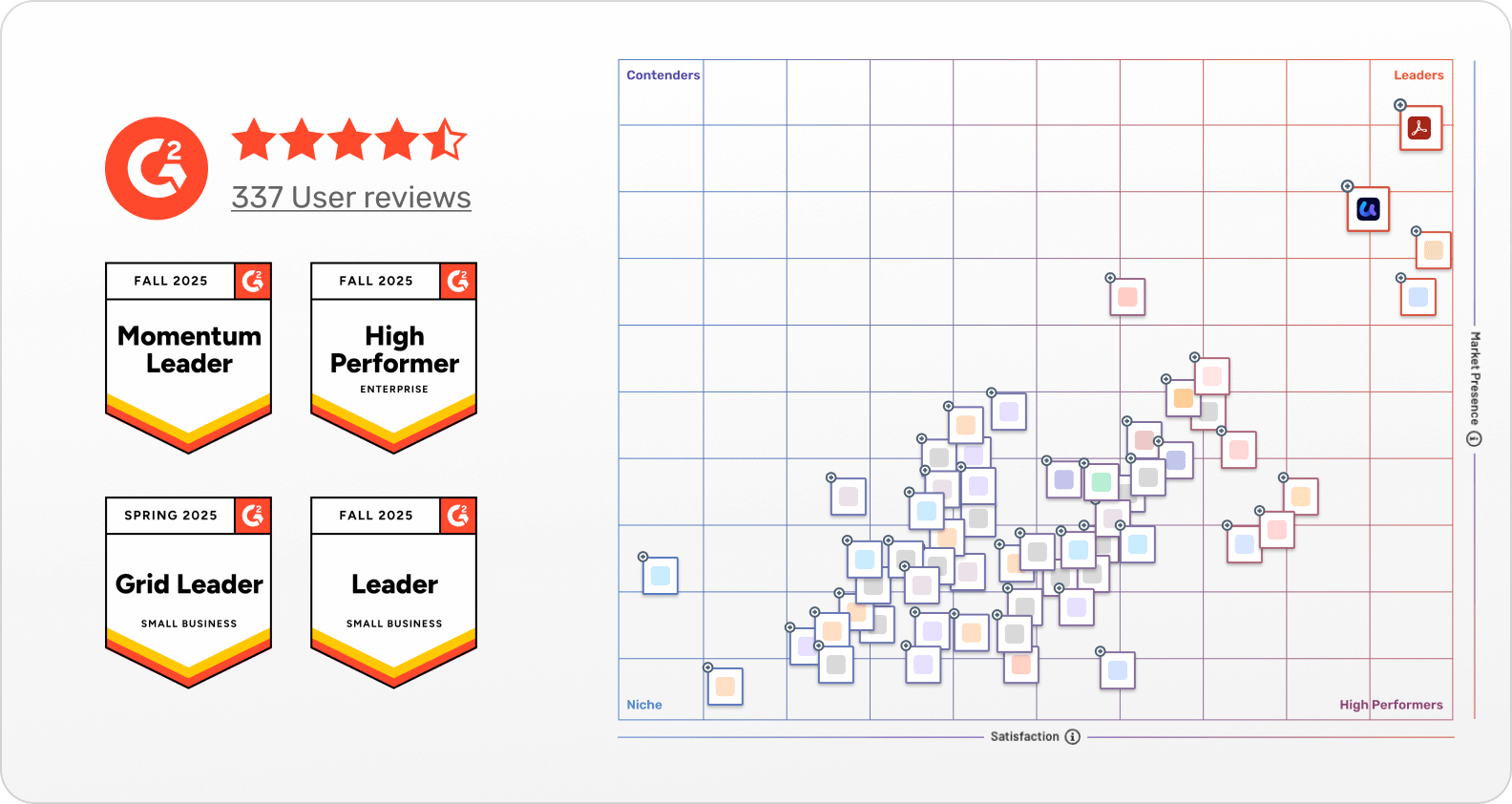
License Management Dashboard G2 High Performer 2025 24/7 Customer Service 4.8/5 Stars

UPDF
AI Assistant
UPDF Sign
4.8 stars rated

UPDF Yearly Plan

Use on 3 devices across:

Use on 5 devices across:

Number of users

AI Assistant

  • Full access to all PDF tools for editing, annotating, converting PDFs.

  • AI tools for summarizing, AI chat with PDF, translate PDF, PDF to mind map.

  • Flexible license management dashboard.

  • Sign up now and lock your per-user rate; future additions cost you less, not more.

  • Use UPDF on Windows, Mac, iOS, Android and Web — one license, all platforms.

  • 24/7 dedicated enterprise support and fast response SLA.

  • Includes future feature updates&upgrade and product roadmap exclusive for enterprise clients.

  • 110GB cloud storage

  • 10GB cloud storage

  • Get Your Free PDF Password Remover Tool

🔥 Popular

UPDF Lifetime Plan

Use on 3 devices across:

Use on 5 devices across:

Number of users

AI Assistant

  • Full access to all PDF tools for editing, annotating, converting PDFs.

  • AI tools for summarizing, AI chat with PDF, translate PDF, PDF to mind map.

  • Flexible license management dashboard.

  • Sign up now and lock your per-user rate; future additions cost you less, not more.

  • Use UPDF on Windows, Mac, iOS, Android and Web — one license, all platforms.

  • 24/7 dedicated enterprise support and fast response SLA.

  • Includes future feature updates&upgrade and product roadmap exclusive for enterprise clients.

  • 120GB cloud storage

  • 20GB cloud storage

  • Get Your Free PDF Password Remover Tool

AI Yearly Plan

Use on 5 devices across:

Auto renew, billed yearly at /year. Cancel anytime

Number of users

30-day money back guarantee


  • AI chat with PDF and ask your PDF questions.

  • Chat with image (extract info from image).

  • PDF to mind map.

  • Chat with AI (get answers to unlimited questions)

  • Paper search (online)

  • Deep Research (online)

  • 100GB secured cloud storage per user.

  • Get a FREE PDF Password Remover

  • Use AI on up to 5 devices(1 desktop+2 mobiles+2web)

  • Support for Windows, macOS, iOS, Android and Online.

  • Flexible user management dashboard.

  • AI is deployed independently for a fast and stable experience.

  • Dedicated 24*7 technical support.

UPDF Sign for Enterprises

| /User | Auto-renew, billed yearly.

Number of users

30-day money back guarantee


  • Send unlimited signature requests per user.

  • Legally binding digital signature (certified by AATL ).

  • Auto-notify recipients when a signing request is sent.

  • Send files in bulk and send signature requests to multiple recipients at once.

  • Support signing on mobile devices.

  • Save and manage digital signatures for long-term use.

  • Provide audit trail and certification.

  • License management dashboard to authorize licenses. (The license is non-transferable)

  • Enterprise Authentication and Qualified eSignatures (QES)

  • Log in to 2 webs simultaneously per account.

  • 100GB cloud storage per user.

  • Dedicated 24*7 technical support.

  • Get a FREE PDF Password Remover

What UPDF Business Can Bring to You

Unlock the enterprise-level PDF tool UPDF — Intelligent and Efficient, All-in-One and Easy to Use, Built for All-Scenario Office Work

Smart PDF Workflow

Seamless Collaboration

AI Document Intelligence

Intuitive Interface

Team Management Hub

Tailored Enterprise Support

Data Security Compliance

Priority Tech Support

Drive Business Growth

Reduce document processing costs by

75%

Enhance document efficiency by

55%

Boost team collaboration by

49%

Enhance business process efficiency by

65%

Awards and Recognition of UPDF

With its outstanding product strength and user reputation, UPDF has won a number of authoritative awards and certifications:

  • Won the G2 High Performer title in 2025 and it is one of the top PDF tools.
  • Received a user rating of 4.5 (based on hundreds of authentic user reviews) and has been widely praised for its intelligent, efficient, and easy-to-use features.
  • Has the membership qualification of the PDF Association and has passed strict data security certification to ensure the entire process of document processing is safe and compliant.

Explore the Office Value
of UPDF for Various Industries

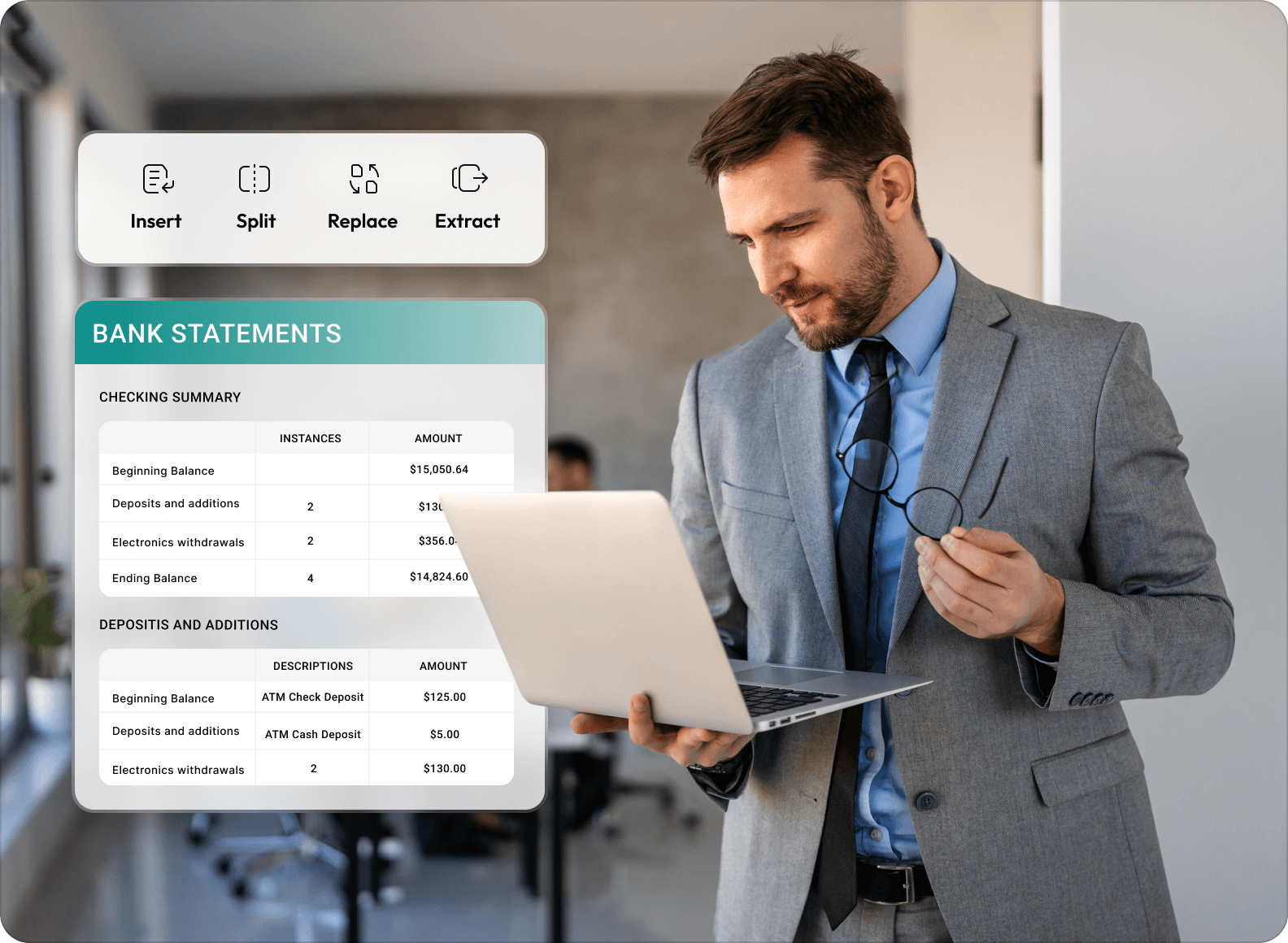
Banking

Insurance

Healthcare

Manufacturing

Legal

Government

Enhancing Contract and Document Management Efficiency with UPDF.

Banking is a vital sector that deals with financial transactions and manages large amounts of sensitive data. UPDF’s enterprise-level features ensure secure and efficient document management, enabling banks to streamline operations and comply with regulatory requirements.

— Document Management Lead, Guotai Junan Securities

Enhancing Contract and Document Management Efficiency with UPDF.

Banking is a vital sector that deals with financial transactions and manages large amounts of sensitive data. UPDF’s enterprise-level features ensure secure and efficient document management, enabling banks to streamline operations and comply with regulatory requirements.

— Document Management Lead, Guotai Junan Securities

UPDF’s intelligent handling of massive insurance contracts, seamless clause modification, and robust data encryption have redefined how we manage policy documents. It’s a cornerstone of our digital insurance operations.

— Document Management Director, China Life

Peking Union Medical College Hospital achieves 60% efficiency improvement in medical record management with UPDF.

UPDF has transformed our medical document workflow—from efficient annotation of patient records to streamlined electronic signatures for consent forms, and secure long-term archiving of clinical data. It’s now integral to our digital healthcare delivery.

— Medical Record Management Director, Peking Union Medical College Hospital

SANY achieves 65% efficiency improvement in production document collaboration by adopting UPDF for manufacturing scenarios.

By leveraging UPDF's precise drawing annotation and full-process technical document management capabilities, we've streamlined cross-departmental collaboration on equipment blueprints, optimized the version control of production process specifications, and accelerated the signing of supply chain technical agreements. UPDF has become a core tool in our digital manufacturing transformation.

— Production Technology Director, SANY

Dentons achieves 65% efficiency improvement in legal document governance with UPDF.

UPDF’s classification of evidence documents, digitization of paper materials, and sensitive information redaction have elevated our client service standards. It’s indispensable for our legal practice’s digital transformation.

— Senior Lawyer, Dentons

Hong Kong Police achieves 50% efficiency improvement in case document management with UPDF.

UPDF’s efficient conversion of case files, smooth inter-departmental collaboration, and secure handling of sensitive documents have optimized our law enforcement workflows. It’s a vital tool in our digital government initiative.

— Police officers, Hong Kong Police

From dozens of pages to tens of seconds,
UPDF AI allows you to quickly understand every document

Summary

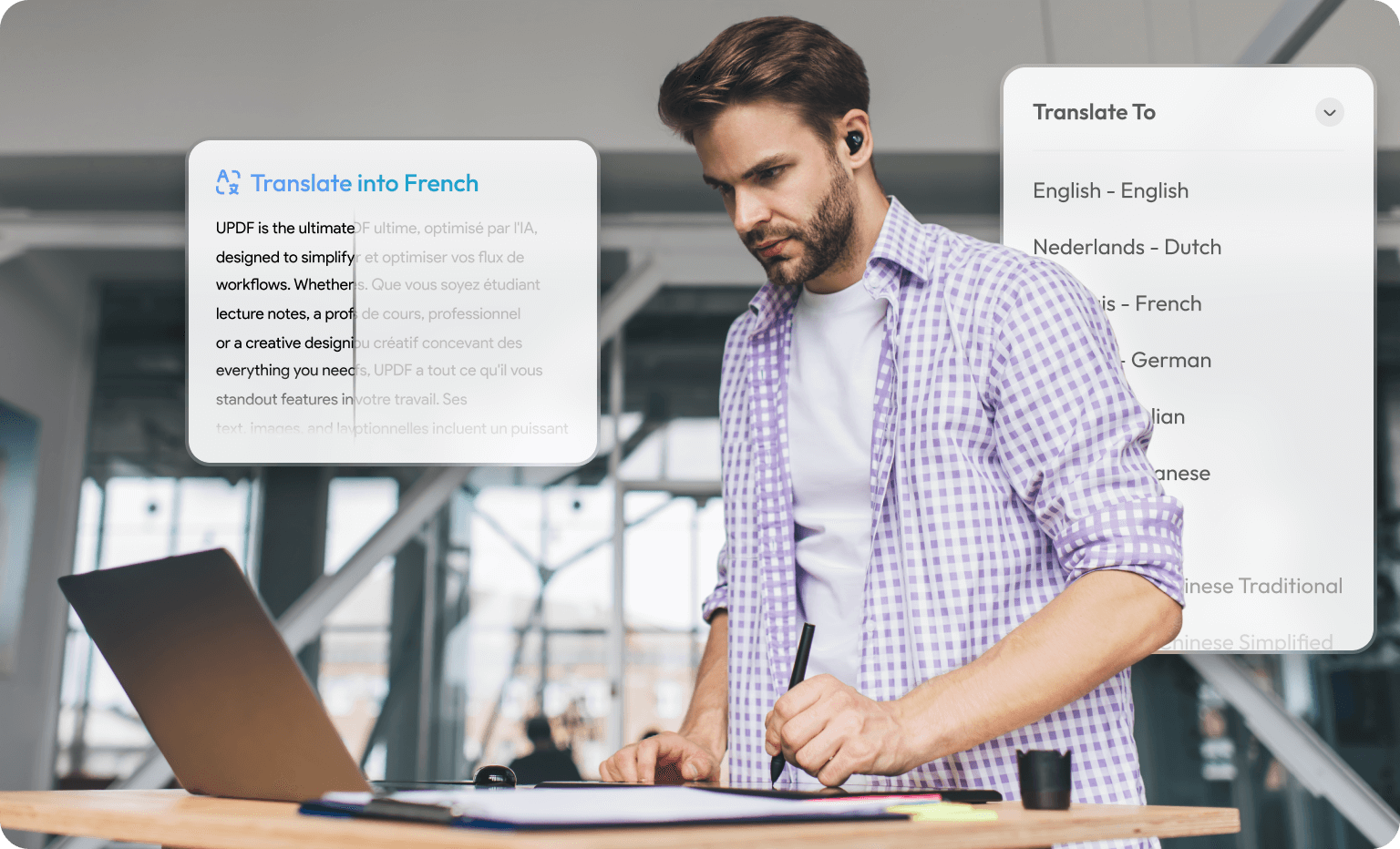
Translate

Explain

Ask&Chat

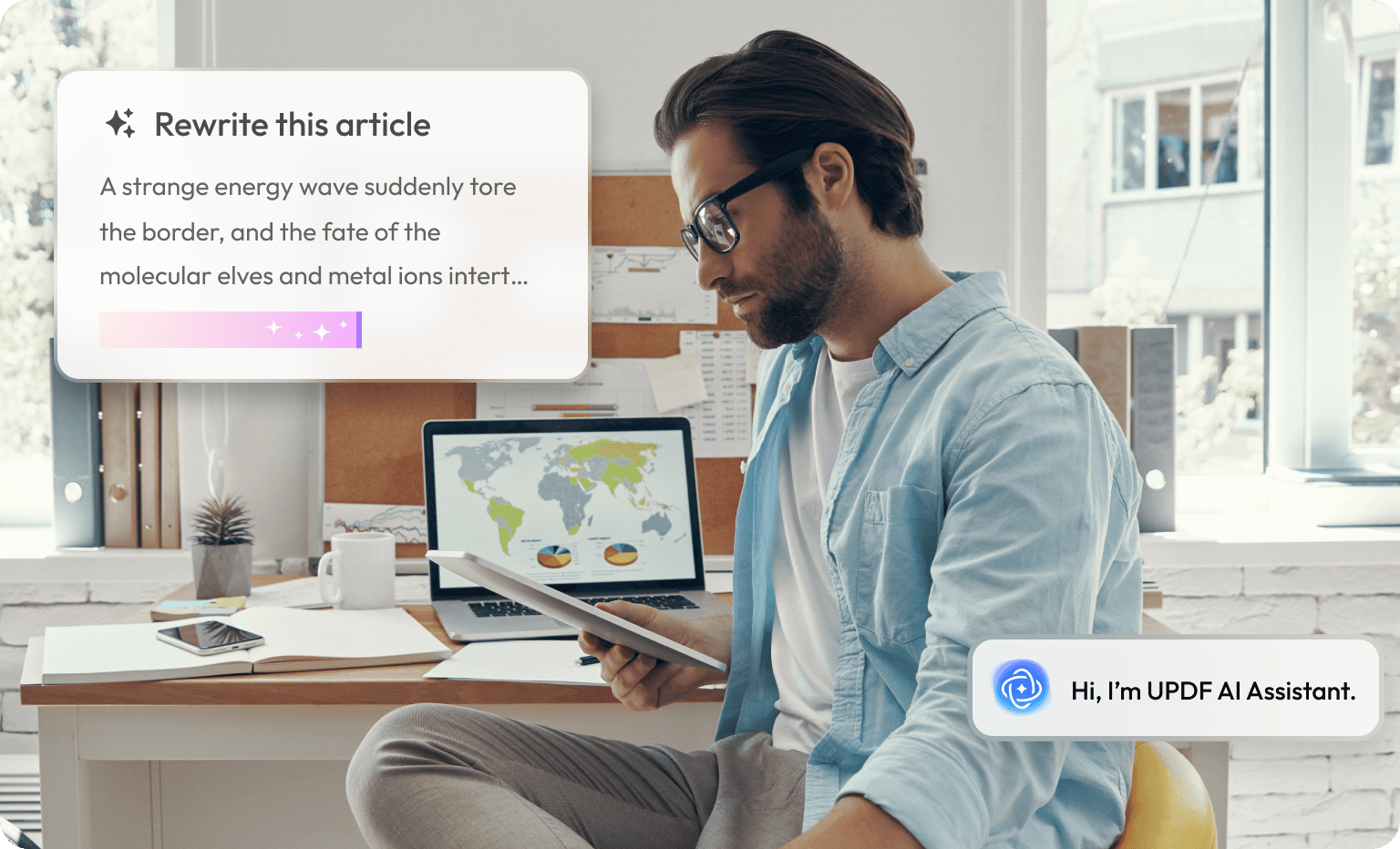
Rewrite

Usage scenarios:

A global consulting firm once spent hours manually reviewing contracts. Now, with UPDF AI, documents are uploaded and instantly summarized — key terms, amounts, obligations, and risks are clearly outlined, helping management make faster, smarter decisions in minutes.

Usage scenarios:

A global consulting firm once spent hours manually reviewing contracts. Now, with UPDF AI, documents are uploaded and instantly summarized — key terms, amounts, obligations, and risks are clearly outlined, helping management make faster, smarter decisions in minutes.

Usage scenarios:

A European import and export company handles contracts, invoices, and quotations from various countries daily. UPDF AI translates entire documents directly within the PDF file, while preserving the original document's formatting, tables, and signature styles. Even more intelligently, AI can generate bilingual summaries, helping teams quickly understand key information and collaborate on confirmations.

Usage scenarios:

A university researcher was reading an English paper on AI ethics, which was filled with abstract concepts and long sentences. He selected a passage and started a conversation with the AI. UPDF AI immediately explained the paper's arguments in clear and natural language, providing key takeaways to help researchers quickly grasp the core ideas. The AI ​​also generated follow-up questions to aid in academic thinking and research direction.

Usage scenarios:

Financial analysts need to understand revenue trends and cash flow from their clients' annual reports. In the past, they had to search repeatedly and perform manual calculations. Now, they ask UPDF AI questions: "What was the operating income for the fourth quarter of last year?" "Has the company's debt-to-equity ratio increased compared to last year?" The AI ​​instantly analyzes the content and generates accurate answers.

Usage scenarios:

The marketing team at a tech company was preparing an English product proposal. The team members imported the initial draft into UPDF AI, which automatically optimized the sentence structure, tone, and logical structure, rewriting the content into a more professional version that better aligns with international business terms. Users can also select different tone styles—"Formal," "Friendly," and "Concise"—to generate multiple versions suitable for different scenarios with a single click.

Quickly create a unique electronic signature

Personal signature

Batch signature

Signature verification

Multi-person signature

Form signature

Multiple Generation Methods:

Supports three generation modes: handwriting, photo conversion, and keyboard input. Stroke thickness and color are flexibly adjustable.

One-click reuse and storage:

Generated signatures are automatically saved to a dedicated signature library, eliminating the need for repeated creation. Signing a single document takes only 10 seconds.

Lightweight Operation:

The interface is simple and intuitive; all operations can be mastered in minutes.

Multiple Generation Methods:

Supports three generation modes: handwriting, photo conversion, and keyboard input. Stroke thickness and color are flexibly adjustable.

One-click reuse and storage:

Generated signatures are automatically saved to a dedicated signature library, eliminating the need for repeated creation. Signing a single document takes only 10 seconds.

Lightweight Operation:

The interface is simple and intuitive; all operations can be mastered in minutes.

Batch Import and Adaptation:

Upload up to 10 PDF files at a time. Automatic merging and processing are available, and the files can be restored to their original state and exported as separate files.

Intelligent Region Positioning:

Simply mark the signature area manually once, and it will be automatically applied to all documents. Furthermore, the system can recognize preset signature positions, eliminating the need for repeated adjustments.

Efficient and Compliant Output:

Standardize and sign 100 documents within 5 minutes, ensuring efficiency and professionalism.

Multiple Compliance Certifications:

Complies with international standards such as the U.S. Electronic Signatures Act (ESIGN Act) and the European Union's Electronic Identity Authentication Standard (eIDAS), ensuring the legal validity of the signature.

Blockchain-Level Evidence:

Automatically adds a unique timestamp and signer ID (name/email address), generating an immutable electronic fingerprint.

Secure and Traceability:

After signing, the document content is bound to the signature; clicking the signature allows you to view the complete evidence record and modification history.

Simultaneous Signing by Multiple Authorities:

Supports multiple signers for documents,with assignable roles such as "Require Sign," "Require Review," and "Require CC," accommodating complex collaboration scenarios.

Flexible Signing Management:

Set "Sequential Signing" or "Simultaneous Signing," and add private messaging and access passwords for enhanced security.

Real-time Progress Tracking:

In the "Signing Center," you can intuitively view the signing status of all documents and receive instant notifications upon completion.

Intelligent Field Recognition:

Automatically recognizes predefined signature fields in PDF forms. Simply drag and drop your signature, and it will automatically align.

Create Fields Freely:

Manually draw signature areas in non-form documents, supporting batch marking across multiple pages to ensure accurate signature placement.

Format Compatibility:

Perfectly preserves the original document layout; you can directly archive or transfer the document after signing.

UPDF with AI
Individual Plan

UPDF
Enterprise Plan

Most Popular

UPDF with AI
Enterprise Plan

Benefits

Dedicated Enterprise Management Dashboard

Manage Members

Authorize and Deauthorize Licenses

UPDF Cloud Storage

102 GB

20 GB

120 GB

Volume License Discount

MS Azure/CyberArk SSO login

Customized MSI installation package

AI Assistant

Total Files Limit

Unlimited

5 files in total

Unlimited

Pages Limit Per File

Unlimited pages per PDF

Up to 100 pages per file

Unlimited pages per PDF

Total Chat Questions

Unlimited

Up to 100 questions in total

Unlimited

Maximum File Size Limit

2GB per file

10MB per file

2GB per file

Edit PDF

Edit Text, Images, and Links

Edit Watermark, Background, Header and Footer

Convert PDF

Convert PDF to Word, Excel, PPT, images, HTML, XML, etc.

Unlimited

Unlimited

Unlimited

Create PDF from Word, Excel, PPT, images, etc.

OCR

Turn Scanned PDF Searchable and Editable

Turn PDF into an Image-only PDF

Annotate PDF

Highlight, Underline, Strikeout, Squiggly

Sticky Note, Text Box, Typewriter, Text Callout

Pencil, Eraser, Shapes, Stamps, Stickers

Sign PDF

Batch Process

Batch Convert, Combine, Print, Encrypt, and Insert

Unlimited

Unlimited

Unlimited

PDF Forms

Fill PDF Forms

Create PDF Forms

Edit PDF Forms

Protect and Share PDF

Add Password to PDF

Share PDF via Link and Email

Organize PDF Pages

Insert, Replace, Reorder, Extract, Split, Rotate, and Remove Pages

Crop Pages

Other Tools

Compress PDF

Flatten PDF

Save as PDF/A

Unlimited

Unlimited

Unlimited

Manage Bookmarks in PDF

Measure PDF

Slideshow PDF

See All Features

Free version

Free Trial

UPDF
Enterprise Plan

Hot

Paid version

Benefits

PDF Uploads

5

Unlimited

PDF Size

10MB/PDF

2GB/PDF

PDF Page

100/PDF

1000/PDF

PDFs Per Collection (Online)

5 PDFs per collection

100 PDFs/collection, 100MB/PDF

Questions

100

100

Unlimited

UPDF Cloud Storage

100GB cloud storage

Chat with PDF

Chat with Image

PDF to Mind Map

Chat with AI

Free Plan

Free Trial

UPDF Sign
for Individuals

Recommend

UPDF Sign
for Enterprise

Benefits

Signature Requests

2

300

Unlimited

Notifications and Reminders

Cloud Storage

+0GB, 10MB max per file

+20GB, 30MB max per file

+10GB, 30MB max per file

Set Recipient Permissions Before Sending

Signer Authentication (OTP)

Adobe Approved Trust List (AATL) Digital Certificate

Signature Field Property Setting

Sign Multiple Documents in Batches

Send to Multiple Recipients at Once

Real-time Audit Trail

Mobile-responsive Signing

Feature for Enterprise

Access Management & SSO Login

contact Sales contact Sales

Admin Console

User Permissions & Management

Compare UPDF Pro to Adobe®Acrobat®

How many licenses do you want?

You save: US$764.64

By choosing UPDF over 3 years

Price

UPDF Enterprise Plan

Lifetime Plan

Adobe Acrobat Pro Enterprise Plan

Annual Plan
Cost for 1st year
US$99
US$287.88
Cost for 2nd year
0
US$287.88
Cost for 3rd year
0
US$287.88
Total cost for 3 years
US$99
US$863.64

Frequently Asked Questions

1. Users with the UPDF Enterprise Plan can access UPDF on a maximum of three devices simultaneously: 1 desktop and 2 mobile devices. If they wish to activate their Enterprise account on an additional desktop, they must sign out from the first one.
2. Users with the AI Assistant Enterprise Plan can use the AI Assistant concurrently on up to five devices: 1 desktop, 2 mobile devices, and 2 web browsers.
Some differences lie in the Individual and Enterprise plans offered by UPDF. Following is an explanation of the differences between both particular plans, offering clarity to the users:

1. The Individual Plan is available for a single fixed user, whereas the Enterprise Plan is available for a dynamic number of users that can be adjusted within a specified number of licenses.
2. A comprehensive Enterprise Management Dashboard is available for Enterprises to manages all the licenses, members, and the company's virtual assets, etc, while individual license doesn't have this ability.
3. A user with an Individual Plan has the option to log into 4 different devices simultaneously (including 2 desktops and 2 mobiles). Conversely, a user with an Enterprise Plan has the option of logging into 3 devices (including 1 desktop and 2 mobiles).
4. UPDF Enterprise Plan authorize users to use for commercial purpose with no copyright risk.
5. Users have an availability of 20GB cloud storage in the Enterprise Plan, while Individual Lifetime Plan users have access to 2GB cloud storage.
For a better understanding of the differences between Individual and Enterprise Plans, look through the Enterprise User Guide for a detailed overview.
1. The Annual Plan automatically renews each year, while the Lifetime Plan requires a one-time payment.
2. The Annual Plan includes 10GB of cloud storage, whereas the Lifetime Plan offers 20GB of cloud storage.
3. The Annual Plan provides free updates and upgrades for the duration of the subscription, while the Lifetime Plan includes free updates and upgrades for lifetime.
After purchasing an Enterprise Plan, you will be redirect to a page where the "Redeem Now" button is located. Click the "Redeem Now" button to create a company, open the Enterprise Management Dashboard, and continue to the "Redeem" option present in the bar below. Add in the required data to redeem your license successfully. To learn more, please check the detailed Enterprise User Guide >. Alternatively, you can contact our sales team to assist you in redeeming.
In case you only buy the AI Assistant, you will still be a free user of UPDF, limiting your access to tools like editing, annotating, and converting PDFs. However, you can try and use all the features of UPDF but with certain limitations such as trial watermarks being added.
If you only purchase UPDF without the AI Assistant, you can only analyze 5 PDFs with AI or ask 100 questions for testing. Should you require additional tokens, you will need to purchase the AI Assistant additionaly.
1. The UPDF Enterprise Lifetime Plan provides lifetime access to the UPDF software, including all PDF features and future updates, meaning no renewal is necessary for your UPDF subscription.
2. The AI Assistant Yearly Plan requires annual renewal to maintain access to AI features (such as summarizing PDF, PDF to mind map, chat with images etc.). If you cancel AI's subscription after it expires, the feature will become unavailable.
Yes, you can use UPDF for commercial use if you purchase the Enterprise Plan.
Managing users and authorization is easy across UPDF Enterprise Management Dashboard. Navigate to the "Member Management" section to open the details. Select the option of "Add Member" or "Remove Member" to manage the entire company members.
Enterprise users can contact customer support by sending a ticket to [email protected]. Our support team will resolve your problem as the highest priority with detailed instructions. Or you can contact your sales manager for assistance.

We use cookies to ensure you get the best experience on our website. Continued use of this website indicates your acceptance of our privacy policy.