 UPDF
UPDF
 UPDF for Windows
 UPDF for Mac
 UPDF for iPhone/iPad
 UPDF for Android
 UPDF AI Online
 UPDF Sign
 Edit PDF
 Annotate PDF
 Create PDF
 PDF Form
 Edit links
 Convert PDF
 OCR
OCR PDF to Word
 PDF to Image
 PDF to Excel
 Organize PDF
 Merge PDF
 Split PDF
 Crop PDF
 Rotate PDF
 Protect PDF
 Sign PDF
 Redact PDF
 Sanitize PDF
 Remove Security
 Read PDF
 UPDF Cloud
 Compress PDF
 Print PDF
 Batch Process
 About UPDF AI
 UPDF AI Solutions
 AI User Guide
 FAQ about UPDF AI
 Summarize PDF
 Translate PDF
 Chat with PDF
 Chat with AI
 Chat with image
 PDF to Mind Map
 Explain PDF
 PDF AI Tools
 Image AI Tools
 AI Chat Tools
 AI Writing Tools
 AI Study Tools
 AI Working Tools
 Other AI Tools
 AI Bookmark Generation
 AI Bookmark Summary
 AI Watermark Generation
 AI Background Generation
 AI Sticker Generation
 AI Stamp Generation
 AI Editing Suite
 UPDF Copilot
 AI Page Management
 AI Semantic Search
 PDF to Word
 PDF to Excel
 PDF to PowerPoint
 Enterprise Solution
 Enterprise Sign
 Enterprise AI
 Enterprise Plan
 Enterprise User Guide
 Enterprise Webinar
 Banking
 Healthcare
 Insurance
 Legal
Legal Manufacturing
 Government
 Education Solution
 Customer Stories
 User Guide
 UPDF Tricks
 FAQs
FAQs UPDF Reviews
 Download Center
 Blog
Blog Newsroom
 Tech Spec
 Updates
 UPDF vs. Adobe Acrobat
 UPDF vs. Foxit
 UPDF vs. PDF Expert

 UPDF AI
Free Online AI Character Counter
Quickly count characters in any text—for social media, writing, marketing, documents, and more. Completely free with no sign-up required. Paste your text and click send to get instant, accurate results.
Powered by
 GPT-5 |
 DeepSeek R1
5000+ Reviews
 4.8
4.8
UPDF AI available on


 Desktop & mobile app

4M+ Users, 35M+ Pieces of Content Created, Trusted by Leading Medias:






How to Use UPDF AI Character Counter for Free?
-
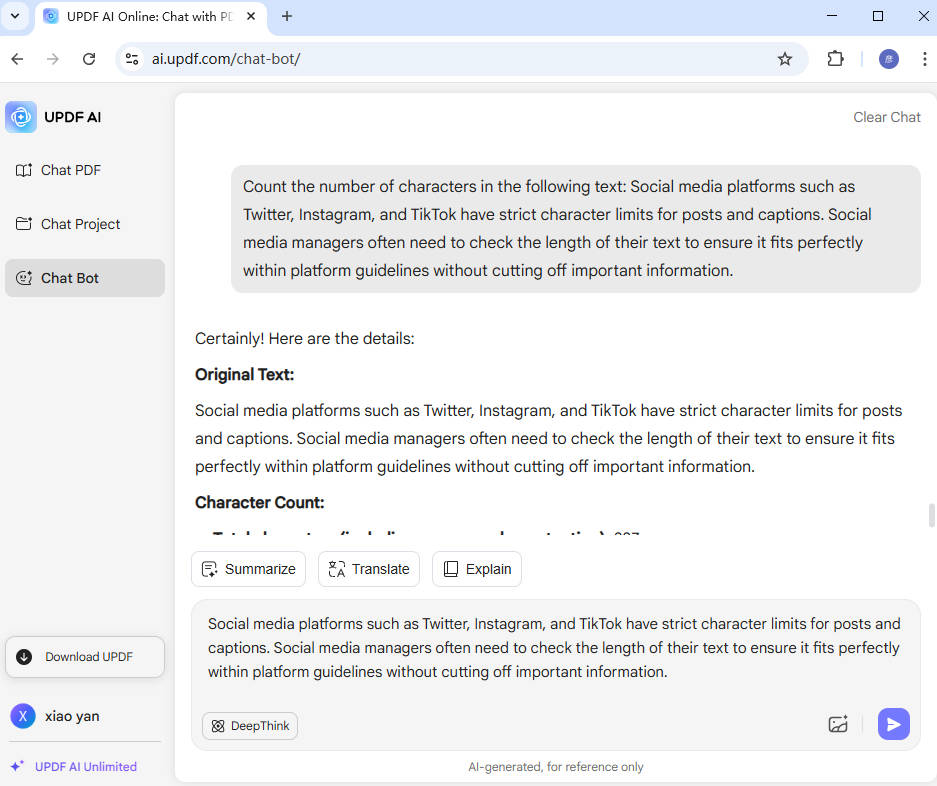
Clearly specify your request by using a prompt like:"Count the number of characters in the following text: [Your text here]." This helps the AI understand exactly what you want to check.
-
Select the AI model you want to use. By default, UPDF AI uses ChatGPT 5. If you prefer, you can switch to the "Deepthink" mode for Deepseek R1 for alternative AI behavior.
-
Click the “Send” button. In just a few seconds, UPDF AI will analyze your text and display the character count result on the screen.

Who Should Use UPDF AI Character Counter?
Social Media Managers and Digital Marketers
Social media platforms such as Twitter, Instagram, and TikTok have strict character limits for posts and captions. Social media managers often need to check the length of their text to ensure it fits perfectly within platform guidelines without cutting off important information.

Legal Professionals and Contract Writers
Legal documents often contain specific sections that need to meet word or character limits for compliance or readability. Lawyers and legal writers use character counters to ensure clauses, disclaimers, and notices meet regulatory standards.
App Developers and UI/UX Designers
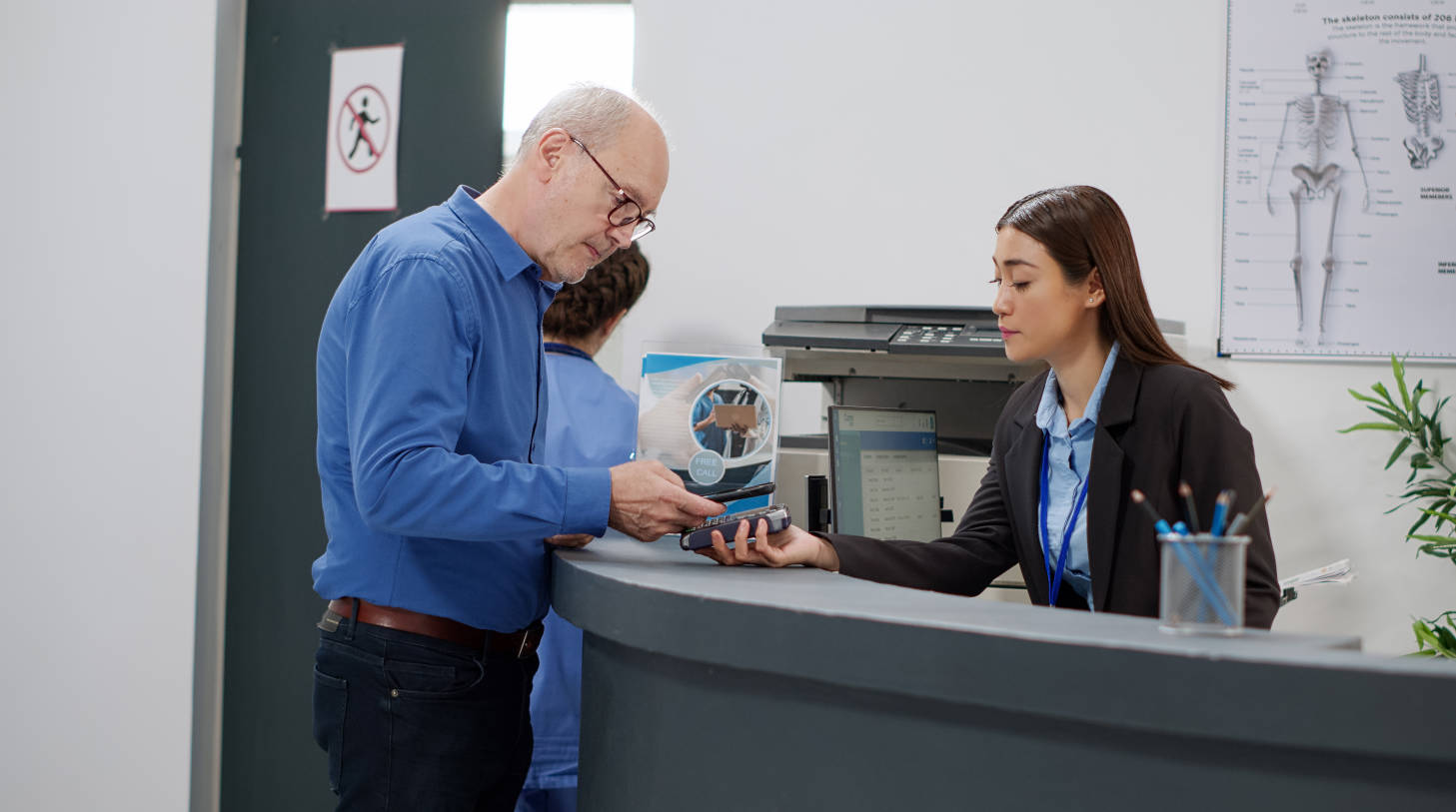
User interface elements such as buttons, menus, notifications, and labels often have limited space. App developers and designers use character counters to ensure text fits neatly without overflowing or breaking the design.

Why Use UPDF AI Character Counter?
Optimize Readability and User Experienceg
Character count doesn’t only matter for technical limits—it also affects readability and user experience. Keeping your text concise and clear can help readers better understand your message, especially in emails, websites, apps, and social media posts. With UPDF AI Character Counter, you can easily track your text length and adjust it to enhance clarity and engagement.
Boost Productivity Across Multiple Tasks
Whether you’re a student working on an assignment, a marketer drafting a campaign, or a professional preparing legal documents, UPDF AI can help streamline your workflow. By instantly showing the character count, you can make faster decisions about trimming, expanding, or editing text, which boosts overall productivity.
Free, Easy, and Accessible for Everyone
UPDF AI Character Counter is completely free to use, making it accessible to everyone—whether you're a professional, student, or casual writer. The tool is also easy to use, requiring no technical expertise. Simply paste your text, and UPDF AI does the rest, delivering results in seconds.
UPDF AI Character Counter
vs. Other AI Character Counters
UPDF AI
Character Counter
Other AICharacter Counters
Free

Satisfaction Rate
99%
80%
No Word Limits
No Sign Up
Ad-free

AI Models
ChatGPT 5 & Full DeepSeek R1
ChatGPT 3.5
Language Supported
100+ Languages
No more than 50 Languages
Platform Supported
Online, Windows, Mac, iOS, Android
Online
FAQs for UPDF AI Character Counter
1. How fast can I get the results?
2. Can I use this tool without any registration?
3. Does it only count characters, or can it do more?
4. Why should I choose UPDF AI over other character counters?
Other Popular UPDF AI Tools












 " alt />

