 UPDF
UPDF
 UPDF for Windows
 UPDF for Mac
 UPDF for iPhone/iPad
 UPDF for Android
 Nomostar
 UPDF AI Online
 UPDF Sign
 IvyCraft
 Edit PDF
 Annotate PDF
 Create PDF
 PDF Form
 Edit links
 Convert PDF
 OCR
OCR PDF to Word
 PDF to Image
 PDF to Excel
 Organize PDF
 Merge PDF
 Split PDF
 Crop PDF
 Rotate PDF
 Protect PDF
 Sign PDF
 Redact PDF
 Sanitize PDF
 Remove Security
 Read PDF
 UPDF Cloud
 Compress PDF
 Print PDF
 Batch Process
 About UPDF AI
 UPDF AI Solutions
 AI User Guide
 FAQ about UPDF AI
 Summarize PDF
 Translate PDF
 Chat with PDF
 Chat with AI
 Chat with image
 PDF to Mind Map
 Explain PDF
 PDF AI Tools
 Image AI Tools
 AI Chat Tools
 AI Writing Tools
 AI Study Tools
 AI Working Tools
 Other AI Tools
 AI Bookmark Generation
 AI Bookmark Summary
 AI Watermark Generation
 AI Background Generation
 AI Sticker Generation
 AI Stamp Generation
 AI Editing Suite
 UPDF Copilot
 AI Page Management
 AI Semantic Search
 PDF to Word
 PDF to Excel
 PDF to PowerPoint
 Enterprise Solution
 Enterprise Sign
 Enterprise AI
 Enterprise Plan
 Enterprise User Guide
 Enterprise Webinar
 Banking
 Healthcare
 Insurance
 Legal
Legal Manufacturing
 Government
 Researchers & PhDs
 Solopreneurs & Freelancers
 Lawyers & Legal Professionals
 Real Estate Agents & Brokers
 Education Solution
 Customer Stories
 User Guide
 UPDF Tricks
 FAQs
FAQs UPDF Reviews
 Download Center
 Blog
Blog Newsroom
 Tech Spec
 Updates
 UPDF vs. Adobe Acrobat
 UPDF vs. Foxit
 UPDF vs. PDF Expert

Not all PDF tools are created equal in education, where document requirements vary greatly. Many students and educators face problems when PDF tools lack editing controls, flexibility, and support for academic workflows. UPDF solves this by offering a modern, full-featured PDF editor supporting reading, editing, annotating, and file management.
In contrast, Kami PDF Editor focuses mainly on classroom annotation, collaboration, and teacher-guided student interactions. These differences matter in academics, which makes UPDF vs. Kami PDF Editor comparisons necessary today. This article helps students and educators clearly choose the right tool for real educational goals.
Part 1. Quick Comparison: UPDF vs Kami PDF Editor
First of all, let's take a closer look at UPDF vs Kami PDF Editor features and capabilities.
| Aspect | UPDF | Kami PDF Editor |
| Core Role | Full PDF editor for editing and converting academic PDFs | Web‑based annotation and collaboration tool |
| Editing and Annotation | Advanced content editing and annotations | Strong annotation and feedback, limited true content editing |
| Study & Research Tools | OCR, AI summaries, paper search, literature review generating, AI translation and organization for long‑term academic work | Real‑time collaboration, comments and engagement tools for lessons |
| Platform & Access | Desktop and mobile apps with reliable offline use | Only browser‑based access |
| Classroom Integration | Works alongside any LMS or sharing method | Deep integration with Google Classroom |
| Best Suited For | Everyone who manages complex documents and research | Teachers and students who prioritize live classroom workflows |
Part 2. Overview Of UPDF And Kami PDF Editor
Both tools serve different academic purposes despite working with PDF documents. After comparing UPDF vs. Kami PDF Editor, let's understand their core design and intended use to help students and educators choose the right tool.
What is UPDF?
UPDF is a pro-grade, AI-integrated PDF workstation tailored for heavy academic workloads. While many web-based tools are limited by file size and internet connection, UPDF offers a robust desktop and mobile environment for deep focus. It serves as a centralized hub for students to manage vast digital libraries, annotate dense textbooks, and leverage AI to break down complex academic concepts.
Try UPDF for Free – Empower your academic journey with the smartest PDF toolkit!
Windows • macOS • iOS • Android 100% secure
What UPDF Offers?
Let's look at the other capabilities of UPDF that distinguish it from traditional PDF editing tools.
- AI-Powered Study Buddy: Beyond simple editing, UPDF AI can summarize long research papers, explain intricate academic jargon, and even help brainstorm essay outlines or practice quiz questions.
- Advanced OCR for Digital Libraries: Transform blurry, scanned library books or old handouts into searchable, editable text. It supports 38 languages, ensuring international students can interact with global research.
- Comprehensive Annotation Toolkit: Highlighting isn't enough; UPDF offers sticky notes, text callouts, shapes, and stamps. Perfect for peer-reviewing papers or marking key sections for exam revision.
- Multi-Format Academic Conversion: Convert complex PDFs into editable Word, PowerPoint, or Excel files while preserving formulas and tables, making it easy to repurpose textbook content for study slides.
- Seamless Page & File Management: Effortlessly merge multiple lecture handouts into one study guide, or extract specific chapters from a massive textbook to create a lighter, focused reading file.
- UPDF Cloud for Seamless Sync: Start highlighting a paper on your MacBook and finish reading it on your iPad during your commute. Your library and annotations stay perfectly synced across all your devices.
The online version of UPDF's AI assistant also offers Paper Search and Scholar Research features, allowing you to access a database of 220 million+ academic papers, visualize citation networks, and generate structured literature reviews in seconds. Try it for free and search the papers you want!
What is Kami PDF Editor?
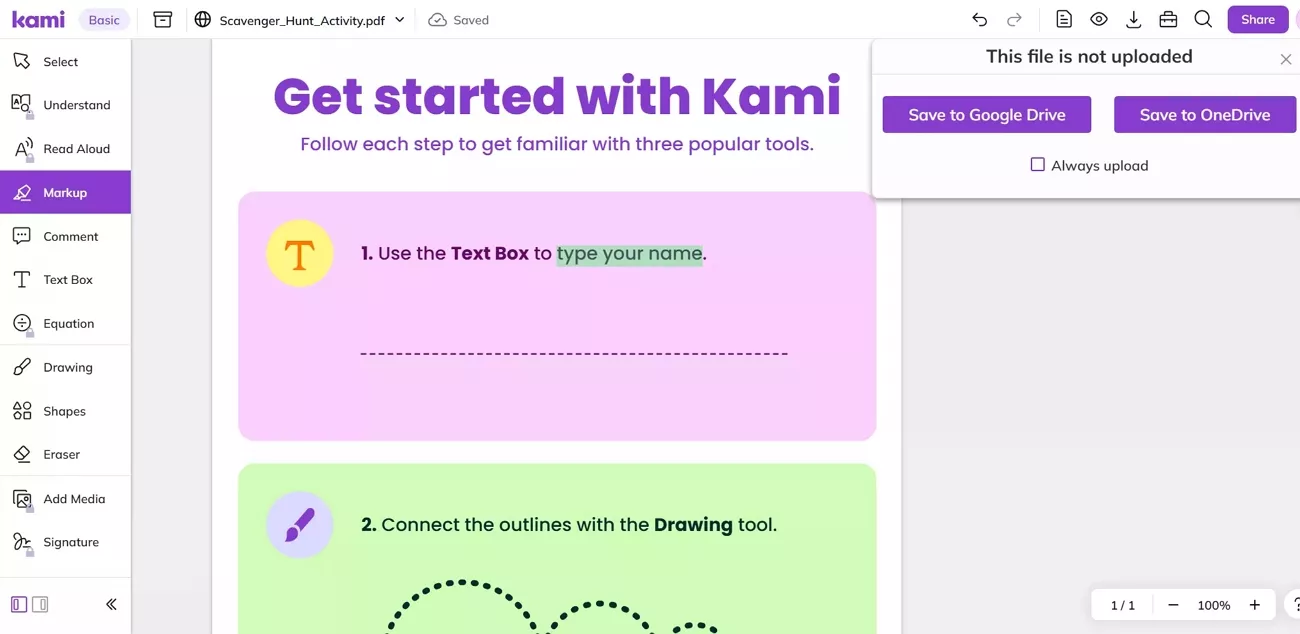
The Kami PDF editor is a web-based platform built for education and classroom collaboration. Kami PDF Editor assists teachers in maintaining class materials and providing feedback on any student documents. Students can add comments and submit assignments while working together with classmates and instructors. In contrast to modern PDF editors, Kami focuses on the educational processes rather than editing documents entirely.
Key Features
- Real-time annotation tools for highlighting and drawing on PDF documents.
- Supports teacher-student collaboration with assignment sharing and feedback capabilities.
- Integrated with learning platforms like MS Teams and Google Classroom for a smooth workflow.
- Voice comments and interactive tools to engage students in guided learning activities.
Part 3. Feature Comparison and Real-World Use Scenarios (UPDF vs Kami PDF Editor)
Choosing the right PDF tool can significantly impact productivity and teaching effectiveness in academic settings. To understand which tool best supports academic work, let's compare UPDF vs Kami PDF Editor feature by feature.
Scenario 1: Reading & Annotating Academic Materials
Students and educators often need to read and annotate textbooks, research papers, and lecture notes. See how both UPDF and Kami PDF Editor perform in this type of academic task.
- UPDF: Users can highlight, comment, draw, and organize annotations, supporting offline study and effective independent learning.
- Kami PDF Editor: Designed for classroom use, it supports comments, voice notes, and teacher-student interaction in guided learning environments.
Scenario 2: Editing & Reusing Academic Documents
Sometimes PDFs need content updates or adjustments for research, teaching materials, or academic assignments in real-world situations. Let's explore how both editors handle document editing and content reuse differently.
- UPDF: It allows direct editing of text and images to make PDF updates and material reuse practical.
- Kami PDF Editor: Editing remains limited to annotations and markups, without options to rewrite content and change the original document.
Scenario 3: Academic Support with AI
Handling complicated topics and summarizing research can be time-consuming, so reliable AI tools can improve workflow. Here is how these tools work when providing intelligent academic assistance.
- UPDF: UPDF AI summarizes articles and generates mind maps of study notes and structured outlines for quick understanding.
Download Button
- Kami PDF Editor: This tool provides minimal AI support and does not offer advanced summarization or content creation for academic tasks.
Scenario 4: Classroom vs Independent Study
Some tasks require working alone, while others depend on group collaboration or teacher guidance in structured environments. This scenario compares UPDF vs Kami PDF Editor for independent study and classroom collaboration.
- UPDF: Works best for self-study, research, and lesson preparation, providing full control and ownership of files.
- Kami PDF Editor: Excels in classroom collaboration and teacher-managed assignments and depends on school platforms and integrated learning systems.
Part 4. Pricing Comparison Between UPDF and Kami PDF Editor
When it comes to pricing, both tools offer different plans for various needs. Kami provides subscription-based plans with classroom and collaboration features, while UPDF offers special discounts for students and educational professionals. Now, look at the table below to compare UPDF vs Kami PDF Editor pricing and value clearly.
| Aspect | UPDF Pro | UPDF Enterprise | Kami Custom Plan | Kami Teacher Plan |
| Price | $49.99/year or $79/lifetime, $29/quarter for the AI. See pricing >> | $118.00/year | $80/year | $149/year |
| Devices | 4 devices | 4 devices | 1 Web login | 1 Web login |
| Best For | Self-study, research, lesson preparation | Schools, universities, large teams | School-wide or district deployment | Individual teachers managing classes |
Part 5. Pros and Cons of UPDF vs Kami PDF Editor
After UPDF vs. Kami PDF Editor on the basis of pricing, let's review their main pros and cons for education.
Pros and Cons of UPDF
Before deciding, let's explore the key advantages and minor limitations of UPDF in academic use.
Pros:
- Offers full PDF editing, annotation, and conversion tools for academics.
- Built-in AI assistant summarizes papers, explains concepts, and generates notes.
- Supports offline use to provide full control over all PDF files.
- Affordable education pricing provides discounts for students and teachers effectively.
Cons:
- Value prompts sometimes provide unclear or less precise results, needing extra input.
- Some advanced AI features require Pro or Enterprise paid versions.
Pros and Cons of Kami PDF Editor
Next, let's review the main advantages and minor limitations of Kami PDF Editor.
Pros:
- Offers excellent classroom collaboration tools for assignments and teacher-student interactions.
- Provides interactive annotation features, voice comments, and integration with learning platforms.
Cons:
- Editing functions are limited and focus mostly on annotations, not full modifications.
- Works best online and relies on platforms, so offline flexibility is restricted.
Part 6. Which One Should You Choose?
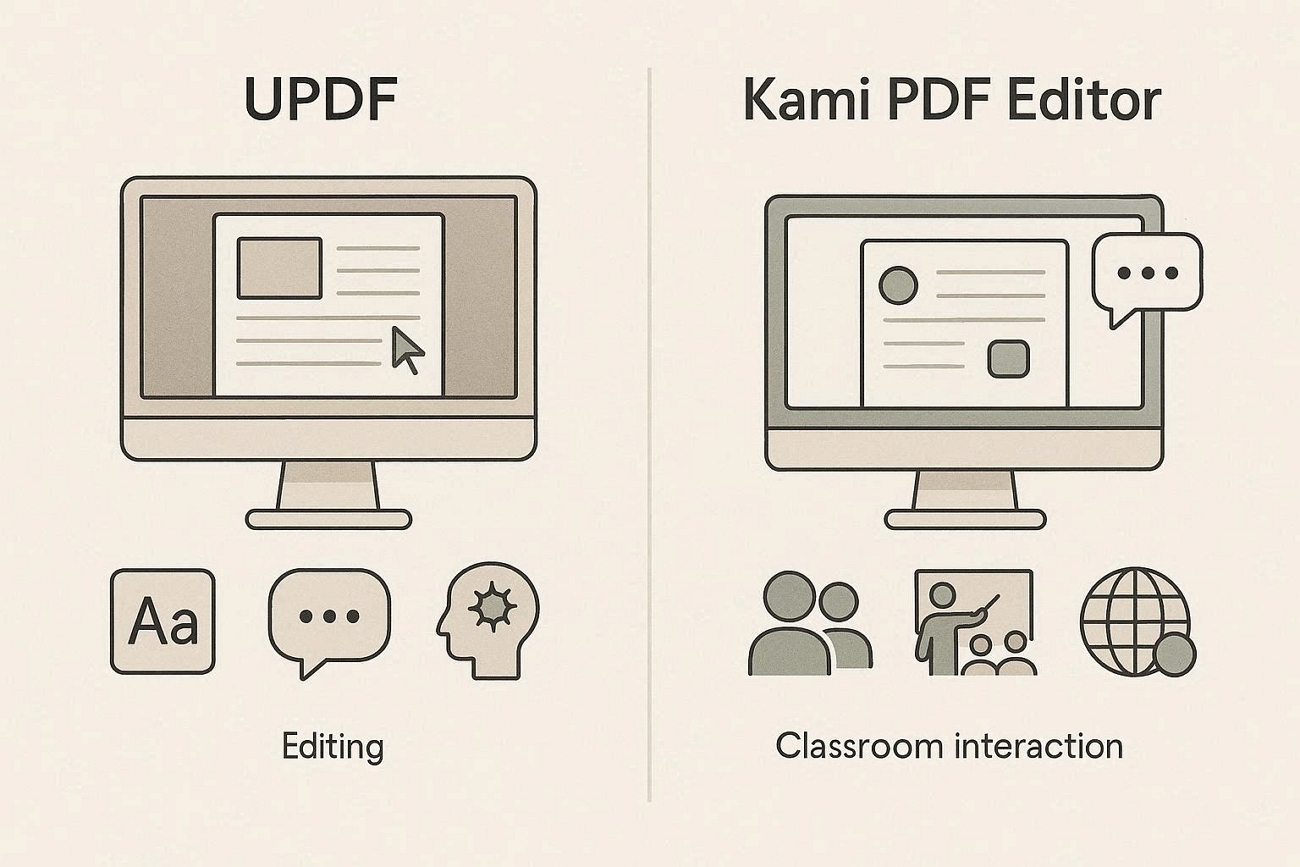
When evaluating UPDF vs. Kami PDF Editor, it becomes clear that each tool is designed for different academic needs. Kami shines in environments where assignments are shared, reviewed, and discussed in a classroom setting, offering tools for collaboration and feedback. Its design favors structured learning, but editing options remain limited, and full offline access is restricted.
In contrast, UPDF provides a broader set of tools for managing PDFs independently. It supports detailed text and image editing, organizes notes effectively, and includes AI features that assist with summarizing documents and creating study outlines. For users who value flexibility, control, and practical productivity across study or teaching tasks, UPDF offers a more well-rounded solution.
Conclusion
In summary, comparing UPDF vs. Kami PDF Editor highlights how each tool serves different academic workflows. Kami excels in classroom collaboration and guided learning, while UPDF provides full PDF editing, AI-assisted study tools, and offline file control. For users seeking flexibility, productivity, and comprehensive document management, UPDF offers a more practical and well-rounded solution for academic tasks.
Windows • macOS • iOS • Android 100% secure
Disclaimer
The details provided on this page reflect testing results and publicly available information at the time of publication. Product features and pricing may change without notice. If you encounter any discrepancies, please reach out to us at [email protected].

 Engelbert White
 Lizzy Lozano
 Enola Miller
 Enrica Taylor