UPDF
UPDF
 UPDF for Windows
 UPDF for Mac
 UPDF for iPhone/iPad
 UPDF for Android
 Nomostar
 UPDF AI Online
 UPDF Sign
 IvyCraft
 Edit PDF
 Annotate PDF
 Create PDF
 PDF Form
 Edit links
 Convert PDF
 OCR
OCR PDF to Word
 PDF to Image
 PDF to Excel
 Organize PDF
 Merge PDF
 Split PDF
 Crop PDF
 Rotate PDF
 Protect PDF
 Sign PDF
 Redact PDF
 Sanitize PDF
 Remove Security
 Read PDF
 UPDF Cloud
 Compress PDF
 Print PDF
 Batch Process
 About UPDF AI
 UPDF AI Solutions
 AI User Guide
 FAQ about UPDF AI
 Summarize PDF
 Translate PDF
 Chat with PDF
 Chat with AI
 Chat with image
 PDF to Mind Map
 Explain PDF
 PDF AI Tools
 Image AI Tools
 AI Chat Tools
 AI Writing Tools
 AI Study Tools
 AI Working Tools
 Other AI Tools
 AI Bookmark Generation
 AI Bookmark Summary
 AI Watermark Generation
 AI Background Generation
 AI Sticker Generation
 AI Stamp Generation
 AI Editing Suite
 UPDF Copilot
 AI Page Management
 AI Semantic Search
 PDF to Word
 PDF to Excel
 PDF to PowerPoint
 Enterprise Solution
 Enterprise Sign
 Enterprise AI
 Enterprise Plan
 Enterprise User Guide
 Enterprise Webinar
 Banking
 Healthcare
 Insurance
 Legal
Legal Manufacturing
 Government
 Researchers & PhDs
 Solopreneurs & Freelancers
 Lawyers & Legal Professionals
 Real Estate Agents & Brokers
 Education Solution
 Customer Stories
 User Guide
 UPDF Tricks
 FAQs
FAQs UPDF Reviews
 Download Center
 Blog
Blog Newsroom
 Tech Spec
 Updates
 UPDF vs. Adobe Acrobat
 UPDF vs. Foxit
 UPDF vs. PDF Expert

In 2026, researchers are bound manage PDFs daily, which often consumes more time than the analysis itself. Zotero, Mendeley, and EndNote resolve this issue by offering various applications for citation management and storing PDFs. Combining a reference manager with UPDF allows AI-backed PDF summarization and faster understanding of research content.
In this article, we will provide a detailed comparison of Zotero vs. Mendeley and EndNote, highlighting their strengths for professional researchers. We will also introduce UPDF, a dedicated PDF tool that enhances research productivity by turning static files into interactive, AI-analyzed documents. Here's why combining a reference manager with UPDF can elevate your academic work:
- Tag and search thousands of PDFs without losing track of your sources.
- Extract important findings and compare results across papers.
- Annotate and finalize PDFs to reduce time spent on revisions and adjustments.
Before committing to a reference manager, download UPDF for a free trial. Experience how AI can transform the way you interact with the papers you collect to make your research workflow faster.
Windows • macOS • iOS • Android 100% secure
Part 1. The Master Comparison Table (At-a-Glance)
Many users feel confused when deciding which research tool best fits their academic needs. Each tool offers its own features and workflow advantages for different types of users. This master comparison table summarizes key differences in Mendeley vs. Zotero and EndNote for quick evaluation and decision making.
| Aspect | Zotero 7 | Mendeley | EndNote 21 |
| Best For | Academic freedom & customization | Team collaboration & simplicity | Large‑lab standards |
| Core Strength | Open‑source workflow and rich PDF tools | Built‑in group libraries and collaborative annotation | Enterprise‑grade sharing and style management |
| Pricing | Starting from $20/year | Starting from $60/year | $275/full license & $150/student |
| Free Trial | 300 MB cloud | 2 GB cloud | Limited free online access with purchase options |
| G2 (Out of 5) | 4.4 | 4.3 | 4.1 |
| Word Processor Support | Plugins for Word and Google Docs | Word add‑in (Mendeley Cite) | Deep Word and Google Docs integration |
| Collaboration | Unlimited free groups, shared libraries | Designed for teams with shared libraries and notes | Library sharing for up to 1,000 users |
Part 2. Deep Dive: Zotero vs. Mendeley (For Students)
Many students feel uncertain when choosing a reference manager for long academic research projects. Both tools help manage citations, store PDFs, and organize literature for coursework and thesis writing. For user thinking about which is better, Zotero vs Mendeley, let's overview each of them.
1. Mendeley
It offers the Mendeley Institutional Edition that many universities provide free to enrolled students and faculty members. This edition includes up to 100GB of cloud storage and supports large research libraries and collaborative projects. Students can manage their study workflows and keep references and notes organized for thesis work. The platform also provides built-in tools for research management and helps students stay productive while handling multiple papers.
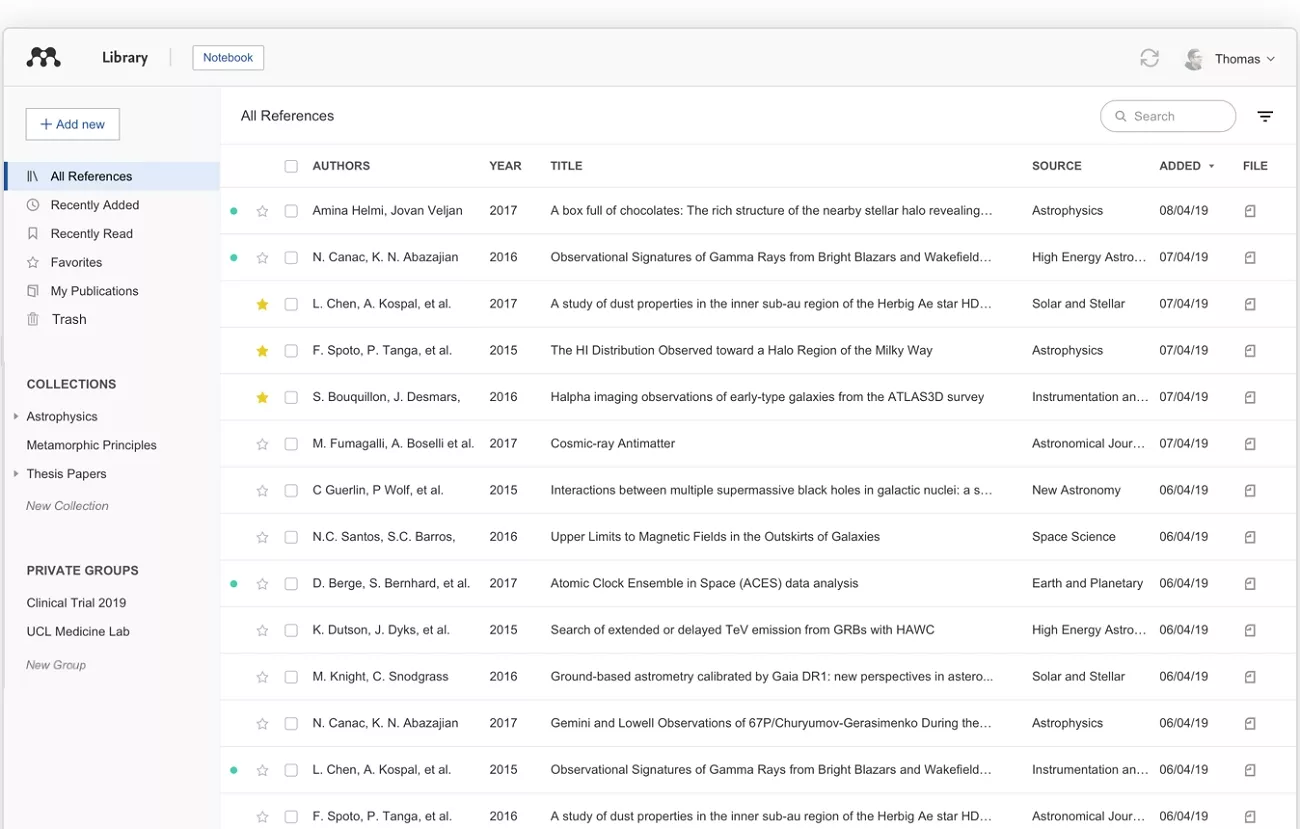
Student Advantages Inside the Platform
Let's explore the features that Students often find helpful for managing research.
Pros:
- Allows cross-PDF note-taking and organizes ideas from multiple research papers in one place.
- Integrates with Microsoft Word to generate references and formatted bibliographies for academic writing.
- Suggests relevant academic papers based on saved library content to help students find useful resources.
2. Zotero
Zotero provides Zotero Lab for organizations to give unlimited storage to all members of an institution. This setup allows universities to support collaborative research projects and shared academic work. It helps students keep research materials organized and accessible for coursework and group projects. Unlike Mendeley, it encourages students to manage projects without relying on university-provided storage limits and institutional editions.
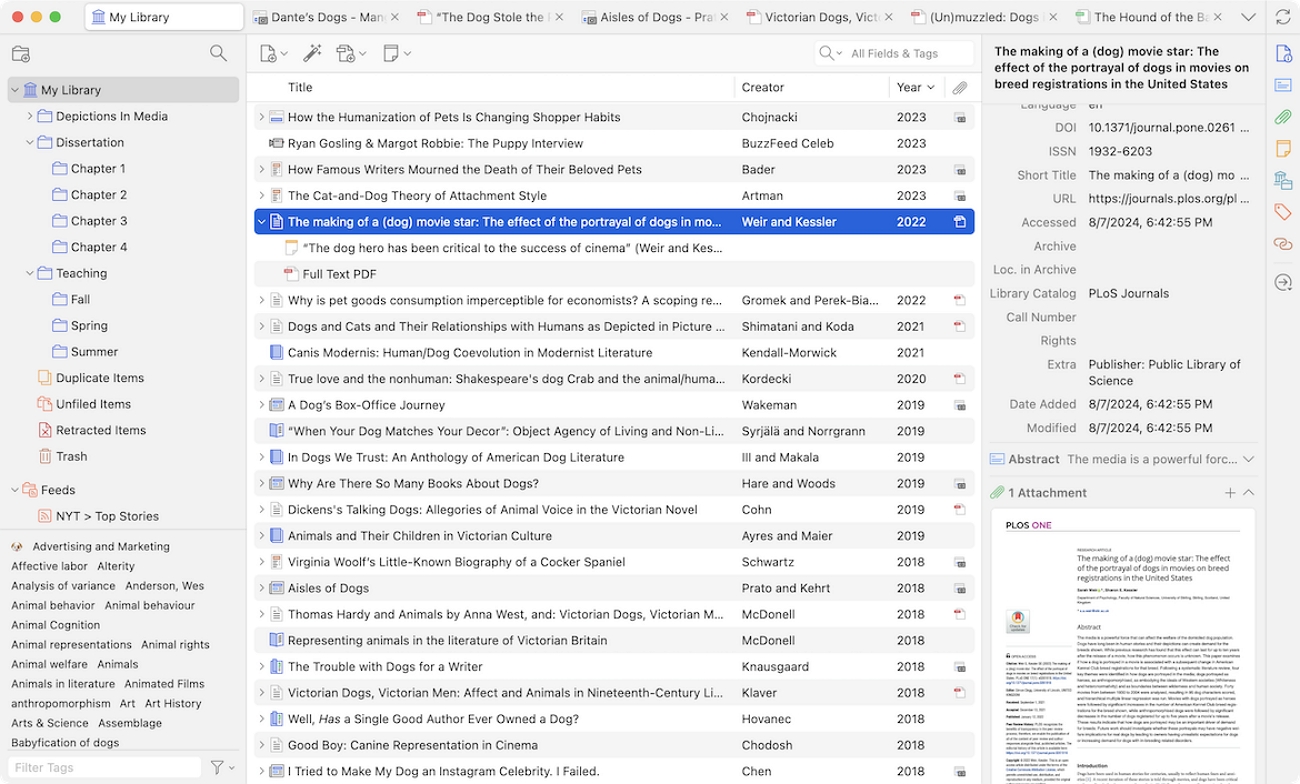
Academic Strengths for Student Researchers
Next, look at the capabilities that help student researchers maintain smooth workflows and access references easily.
Pros:
- Supports customization through plugins developed by an active academic community for a personalized workflow.
- Captures citations directly from journals and websites to save research time.
- Protects user data and maintains long-term access without dependence on ownership concerns.
While Zotero and Mendeley organize your research library efficiently, students still need a tool to read, annotate, and analyze PDFs deeply. UPDF provides AI-built summaries and annotation tools to make understanding research papers and revisions easier. Students can download UPDF for a free trial to explore these features or read Part 4 for more details.
Part 3. The Professional Choice: EndNote 21 Enterprise
Having compared Mendeley vs Zotero for students, many large labs also require a platform that handles massive reference management. EndNote provides EndNote 21 Enterprise edition for them to manage extensive reference libraries. It focuses on scalability, reliability, and dedicated institutional support for complex workflows and collaborative projects.
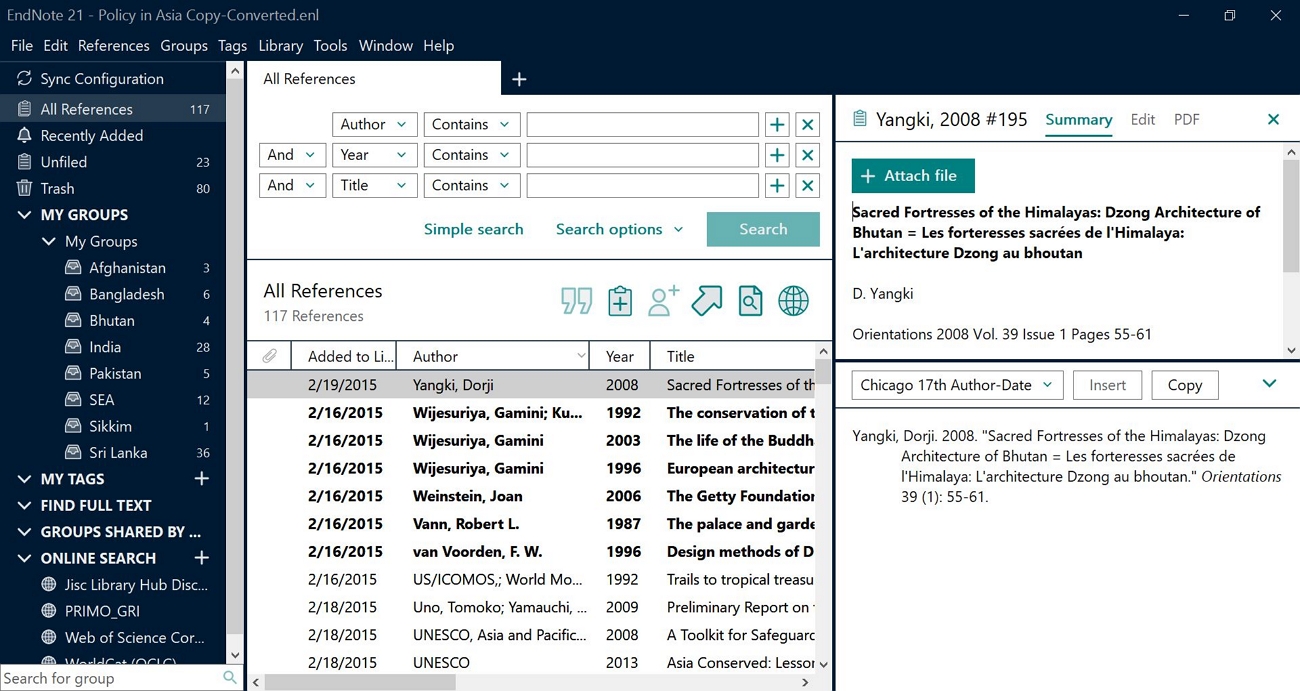
Unlike tools aimed at individual users, EndNote provides advanced solutions that ensure research projects remain organized and efficient. Labs benefit from a platform that keeps workflows smooth and reduces errors across multiple users.
Scalability for Large Libraries
The platform maintains stability and consistent performance even under demanding research workloads. Its tools allow recovery from unexpected errors to protect libraries from accidental loss or corruption.
Key Features
- Supports more than 100k references and attached PDFs for large, high-volume research projects.
- Recovers lost or corrupted reference libraries to protect important and critical research data effectively.
- Keeps PDFs, notes, and annotations organized for rapid access across multiple research projects.
- Enables multiple users to work on shared libraries simultaneously without conflicts and version inconsistencies.
Dedicated Institutional Support
EndNote provides dedicated technical support for institutions, unlike open-source tools. Labs can access professional assistance for installation and updates to minimize workflow interruptions. This support allows multiple users to collaborate seamlessly and focus on research without technical delays.
Part 4. Why UPDF is the Missing Piece in the Academic Workflow
Once compared EndNote vs Mendeley vs Zotero, managing a growing library of PDFs can still feel overwhelming for researchers. This is where UPDF comes in with a focused environment where students and professionals can organize and review their documents. The platform helps maintain a clear workflow make verify that all research materials are available in one central location.
Windows • macOS • iOS • Android 100% secure
Moreover, UPDF also provides intuitive tools for navigating large documents to help users track progress across multiple files. With these capabilities, researchers can stay organized and prepared without relying solely on reference managers.
Key Benefits of Using UPDF for Academic Workflows
After the introduction, let's take a closer look at the benefits UPDF provides researchers.
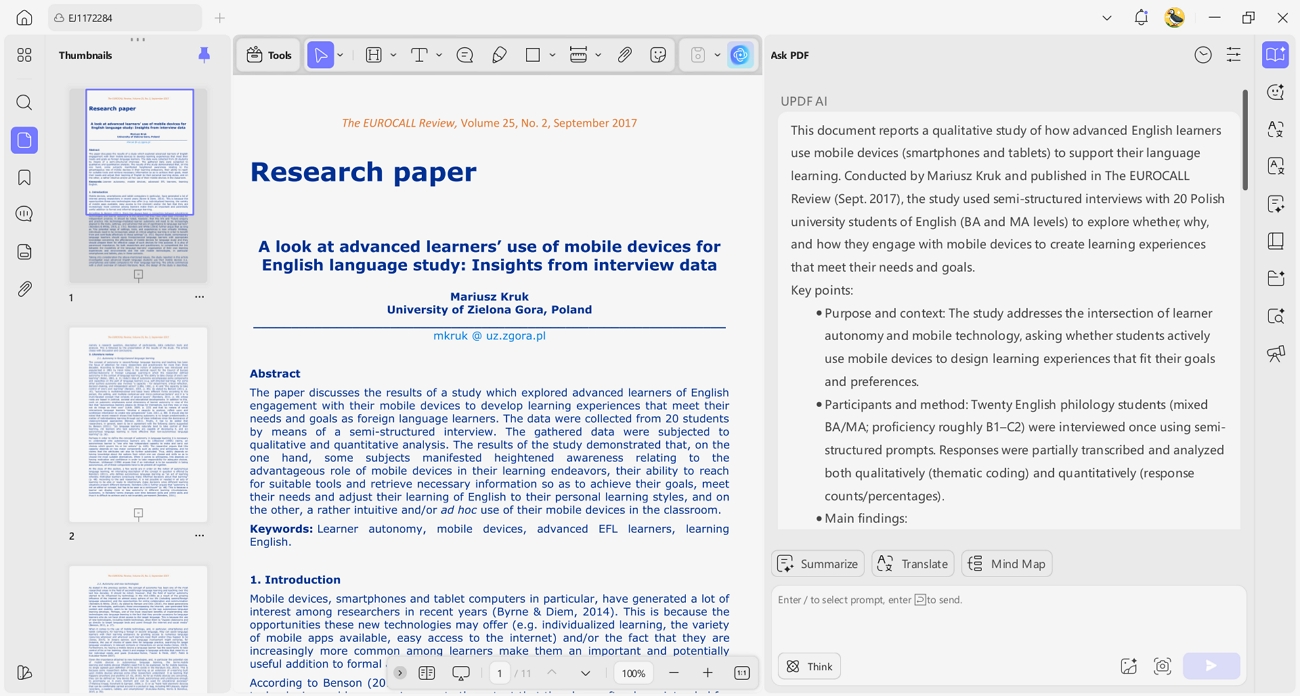
1. Advanced AI Analysis: UPDF does more than store PDFs by analyzing content and identifying important insights efficiently. It also summarizes long documents like dissertations and allows users to compare multiple PDFs for a deeper understanding.
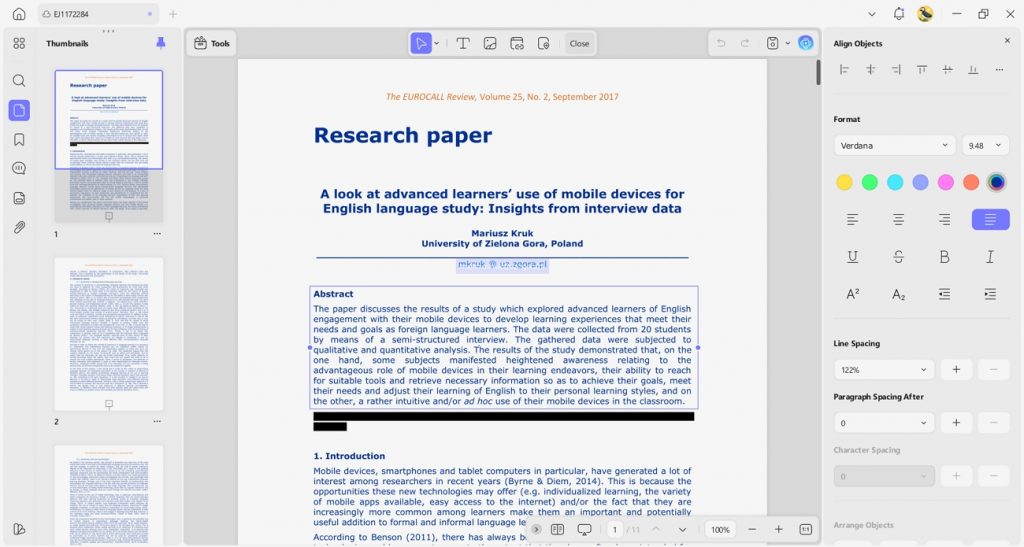
2. Document Editing Capabilities: Reference managers create citations, but UPDF enables precise layout adjustments and redacting notes within the PDF. Researchers can finalize manuscripts for submission while ensuring formatting and comments remain accurate and professional.
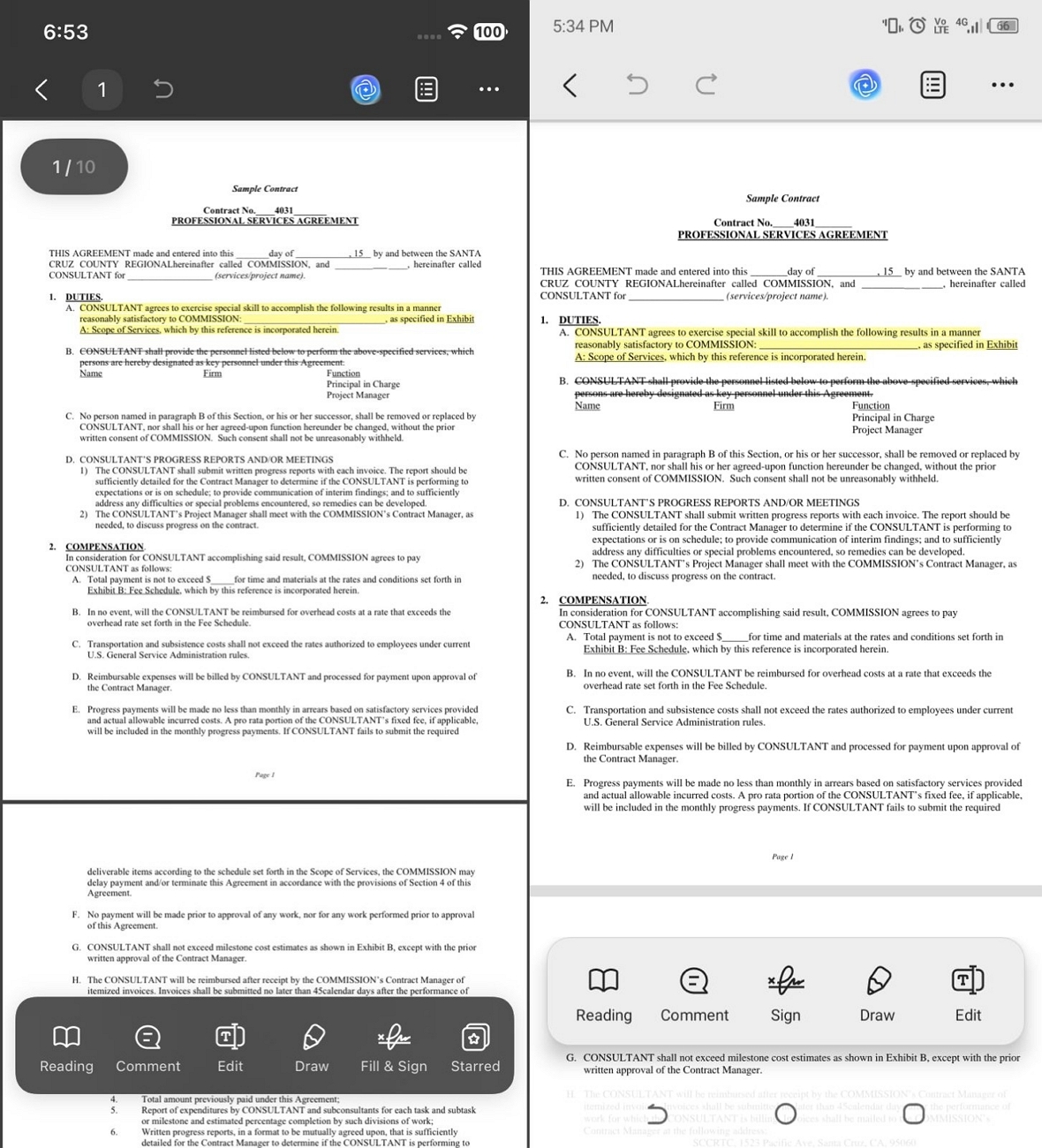
3. Cross-Device Reading: UPDF also supports iOS and Android apps to provide an improved reading and annotation experience across all devices. This allows researchers to access, highlight, and review documents anywhere to maintain a consistent workflow.
UPDF Free and Paid Plans
Alongside the Zotero vs. Mendeley price comparison, UPDF also provides a free plan for basic PDF features to get started without payment. Paid plans use a predictable subscription, allowing payment once per year or a one-time lifetime option. The paid version gives access to unlimited resources for long-term academic or professional use. Now, let's take a closer look at how the free and paid plans compare in terms of features and access.
| Feature | UPDF Free Plan | UPDF Pro Plan |
| Price | $0 | $49.99/year, $79.99/lifetime |
| Core Tools | Basic edit, annotate, and organize with trial watermarks and strong limits | Full access to all PDF editing, annotating, and organizing tools without trial watermarks |
| Conversions | 2 PDF conversions per day | Unlimited conversions |
| AI Assistant | Analyze 5 PDFs total, 100 questions, limited tokens | Unlimited files/questions depending on AI add‑on |
| Cloud Storage | 1 GB (10 MB max per file) | 10 GB (2 GB max per file) |
| Page/File Limits | Up to 100 pages per PDF, 10 MB per file | Unlimited pages per PDF, 2 GB per file |
Choosing the Right UPDF Plan
For long-term academic users, the UPDF Pro plan with yearly or lifetime access provides full features and unlimited resources. Download UPDF and visit the UPDF Pricing Plan page to explore all options and find the plan that suits your needs.
Part 5. Decision Matrix: Which One Should You Download?
When comparing EndNote vs. Mendeley vs. Zotero, choosing the right tool depends on your workflow and research priorities. Each platform offers unique advantages for different types of users, from students to professional researchers managing large libraries. Let's see which tool best matches your needs and research style for more efficient academic work.
- Choose Zotero if: You value flexibility and enjoy a wide range of community-developed plugins. It also ensures strong data privacy and gives full control over references without corporate platforms.
- Choose Mendeley if: You prefer a modern, intuitive interface with generous free cloud storage for research projects. It also supports collaboration and allows teams to share libraries and coordinate work efficiently.
- Choose EndNote if: Your lab requires a standardized enterprise solution with dedicated technical support for large reference libraries. It also provides advanced tools for organizing data and restoring library files securely.
Conclusion: Professional Research Requires Professional Tools
To conclude, managing citations with Zotero vs. Mendeley is only part of a complete academic workflow. Reference managers organize your past research to keep PDFs and sources structured, yet they do not provide tools for deep reading. Combining them with UPDF ensures you work smarter and maintain clarity across all research projects.
A PDF editor like UPDF complements reference managers by allowing precise annotation, layout adjustments, and cross-platform access. This combination supports students and professionals in preparing polished manuscripts while saving time and reducing errors. So, download UPDF for a free trial today and bridge the gap between your library and final publication.
Windows • macOS • iOS • Android 100% secure
Disclaimer!
The information on this page is based on product testing and publicly available details at the time of writing. Features and pricing may change over time. If you notice any inaccuracies, please contact us at [email protected].



 Engelbert White
 Enrica Taylor