 UPDF
UPDF
 UPDF pour Windows
 UPDF pour Mac
 UPDF pour iPhone/iPad
 updf android
 UPDF AI en ligne
 UPDF Sign
 Modifier le PDF
 Annoter le PDF
 Créer un PDF
 Formulaire PDF
 Modifier les liens
 Convertir le PDF
 OCR
OCR PDF en Word
 PDF en Image
 PDF en Excel
 Organiser les pages PDF
 Fusionner les PDF
 Diviser le PDF
 Rogner le PDF
 Pivoter le PDF
 Protéger le PDF
 Signer le PDF
 Rédiger le PDF
 Biffer le PDF
 Supprimer la sécurité
 Lire le PDF
 UPDF Cloud
 Compresser le PDF
 Imprimer le PDF
 Traiter par lots
 À propos de UPDF AI
 Solutions de UPDF AI
 Mode d'emploi d'IA
 FAQ sur UPDF AI
 Résumer le PDF
 Traduire le PDF
 Analyser le PDF
 Discuter avec IA
 Analyser l'image
 PDF vers carte mentale
 Expliquer le PDF
 Outils IA PDF
 Outils IA Image
 Outils de Chat IA
 Outils de Rédaction IA
 Outils d’Étude IA
 Outils Professionnels IA
 Autres Outils IA
 PDF en Word
 PDF en Excel
 PDF en PowerPoint
 UPDF pour les entreprises
 UPDF Sign pour les entreprises
 UPDF AI pour les entreprises
 Plans pour les entreprises
 Mode d'emploi pour les entreprises
 Webinar d'Entreprise
 Banque
 Santé
Santé Assurance
 Juridique
 Fabrication
 Gouvernement
 Solution pour l'éducation
 Témoignages de clients
 Mode d'emploi
 Astuces UPDF
 FAQs
FAQs Avis sur UPDF
 Centre de téléchargement
 Blog
Blog Actualités
 Spécifications techniques
 Mises à jour
 UPDF vs. Adobe Acrobat
 UPDF vs. Foxit
 UPDF vs. PDF Expert

Avant de commencer
Windows • macOS • iOS • Android 100% sécurisé
L'outil Pi7 PDF est conçu pour faciliter les tâches liées aux fichiers PDF, telles que l'édition, la compression et la conversion. Avec la multitude d'outils disponibles en ligne, il peut être difficile de déterminer si cet outil est le mieux adapté à vos besoins en matière de PDF. Cet article présente un résumé de Pi7 PDF et met en avant ses principales fonctionnalités afin de vous aider à décider s'il s'agit d'un choix fiable pour la gestion des PDF.
La présentation met également en évidence les domaines dans lesquels cet outil présente des lacunes et les raisons pour lesquelles vous pourriez préférer une alternative.
Partie 1. Qu'est-ce que Pi7 PDF ?
Pi7 PDF est une plateforme web tout-en-un conçue pour effectuer un large éventail de tâches PDF directement dans votre navigateur. Elle est entièrement en ligne, ce qui signifie que vous n'avez pas besoin de télécharger ou d'installer de logiciel supplémentaire pour l'utiliser.
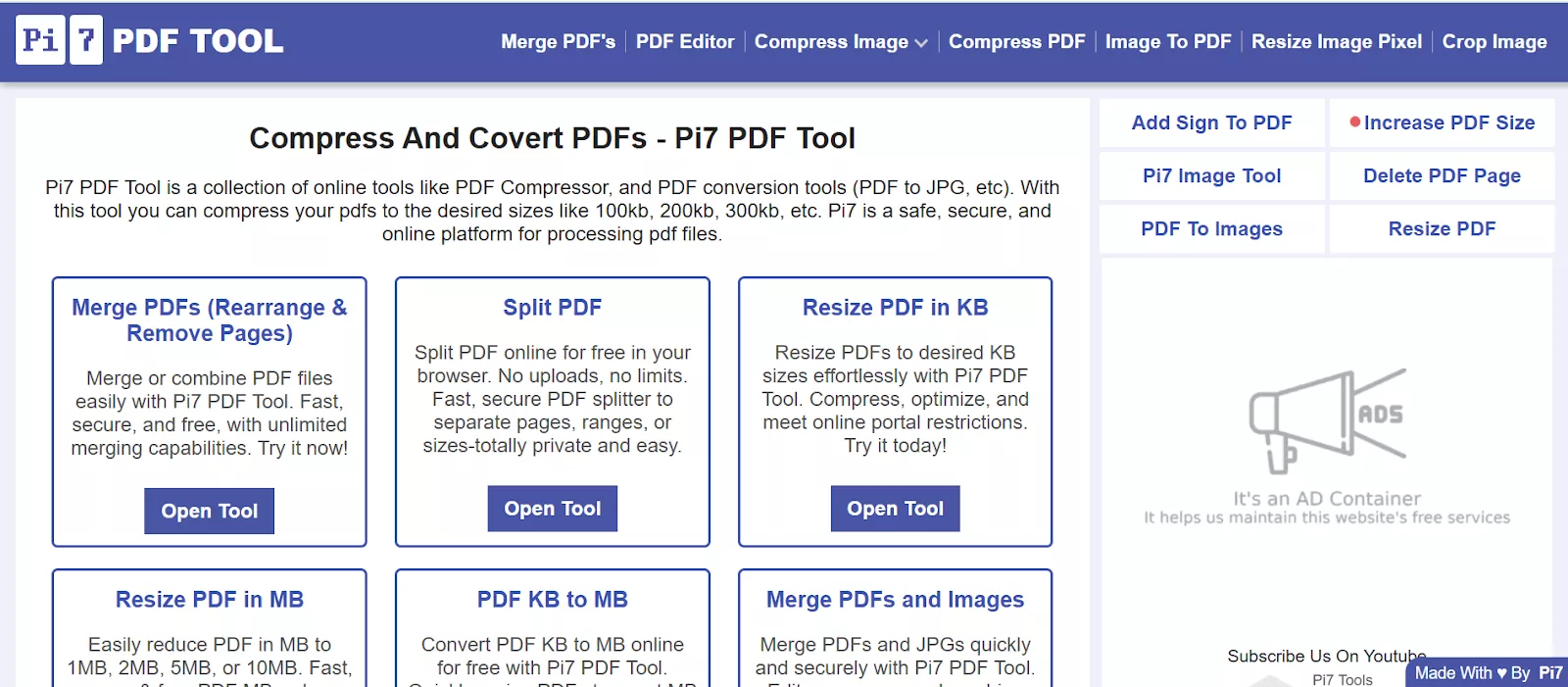
Pi7 PDF propose une série d'outils qui facilitent la gestion des fichiers PDF et répondent aux différents besoins des utilisateurs. Dans cette section, je vais mentionner certains des autres outils clés fournis par Pi7 PDF pour faciliter la gestion des fichiers PDF.
- Fusion de PDF : Cet outil vous permet de combiner plusieurs PDF ou même des images en un seul document. De plus, les outils de gestion des pages vous permettent de réorganiser, supprimer, retourner ou recadrer des pages pendant le processus.
- Division de PDF : Grâce à Pi7 PDF Splitter, vous pouvez diviser vos PDF par plages, pages spécifiques ou même par taille de fichier tout en conservant la mise en page d'origine. En quelques secondes, votre PDF sera divisé et automatiquement téléchargé.
- Redimensionnement de PDF : L'outil de redimensionnement permet de convertir votre PDF à la taille souhaitée en Ko ou en Mo. Le redimensionnement du PDF s'effectue en quelques secondes, vous n'avez donc pas à attendre longtemps.
- Ajout de numéros de page à un PDF : Pi7 PDF fournit un outil permettant d'insérer des numéros de page n'importe où dans le PDF. Vous pouvez ajuster la taille, la couleur et l'épaisseur de la police des numéros de page.
- Rotation du PDF : Vous pouvez rapidement faire pivoter une seule page, des pages sélectionnées ou même l'ensemble du PDF. Vous avez également la possibilité de donner la même largeur à toutes les pages après la rotation.
- Réduction de la taille du PDF : Pi7 PDF Compressor vous permet de réduire vos fichiers PDF à la taille souhaitée. L'outil affiche également la nouvelle taille du fichier à titre de référence après avoir effectué la compression.
- Augmentation de la taille du PDF : Vous pouvez augmenter la taille de vos fichiers PDF à la taille souhaitée en quelques clics seulement. Il vous suffit d'entrer la taille requise en Ko ou en Mo, et l'outil ajustera le fichier en conséquence.
- Réorganisation des pages PDF : L'outil Pi7 PDF vous permet de réorganiser vos pages PDF par simple glisser-déposer ou à l'aide des boutons de déplacement. De plus, vous pouvez faire pivoter ou recadrer les pages avant de générer le nouveau PDF.
- Recadrage de PDF : Si vous souhaitez ajuster les dimensions d'une page, l'outil Pi7 PDF Cropper vous permet de le faire rapidement. Vous pouvez recadrer toutes les pages de manière uniforme ou personnaliser chaque page individuellement selon vos préférences.
- Suppression de pages PDF : Cet outil vous permet de supprimer les pages inutiles de votre PDF. Lors de la suppression, vous pouvez également réorganiser les pages restantes, et le nouveau PDF reflétera ces modifications.
- Déverrouillage de PDF : Avec cet outil, vous pouvez supprimer les mots de passe et les restrictions des fichiers PDF protégés. Il suffit de télécharger le fichier et de saisir son mot de passe pour le déverrouiller et pouvoir le modifier.
- Conversion de PDF en Word/JPG : Pi7 PDF propose des outils de conversion qui vous permettent de convertir des fichiers PDF au format Word ou JPG. Vous pouvez convertir jusqu'à trois PDF à la fois dans ces formats.
- Comptage des mots dans un PDF : Cet outil vous aide à compter avec précision le nombre de mots dans un document PDF. Vous pouvez spécifier l’étendue de pages pour voir le nombre total de mots et de caractères.
- Modification d'un PDF : Avec l'outil d'édition PDF, vous pouvez modifier du texte, ajouter des images et insérer/supprimer des pages. Il comprend également une large gamme d'outils qui vous permettent d'ajuster la taille, la couleur et la police du texte.
Partie 2. Pi7 PDF est-il gratuit ?
Oui, tous les outils de Pi7 PDF sont entièrement gratuits. Le site web indique clairement que tous les outils sont gratuits et qu'il s'agit d'un éditeur PDF 100 % gratuit. Vous pouvez accéder à toutes ses fonctionnalités, notamment le compresseur Pi7 PDF, l'édition de texte, l'ajout d'images, la signature de PDF, la fusion et le réarrangement de pages, sans aucun frais ni abonnement. Il est entièrement basé sur un navigateur, il n'est donc pas nécessaire de télécharger, d'installer ou d'acheter quoi que ce soit.
Partie 3. Son utilisation est-elle sécurisée ?
Pi7 PDF affirme que tous les fichiers téléchargés sont automatiquement supprimés de son serveur 20 minutes après leur traitement. De plus, il offre la possibilité de supprimer manuellement vos fichiers à tout moment en cliquant sur le bouton « Supprimer mon PDF du serveur ». Mais comme il s'agit d'un outil en ligne, il existe toujours un léger risque de problèmes de sécurité, en particulier lorsque des données sensibles sont partagées sur des réseaux non sécurisés.
Partie 4. Pourquoi ne pas recommander l'utilisation de Pi7 PDF ?
Bien que Pi7 PDF offre gratuitement de nombreuses fonctionnalités liées aux PDF, il présente plusieurs limites et n'est pas totalement fiable. Je vais vous expliquer les principales limites qui devraient vous dissuader d'utiliser cet outil.
1. Interface financée par la publicité
Le premier inconvénient de cet outil est qu'il affiche de nombreuses publicités sur son interface, ce qui peut être gênant. Ces publicités peuvent ralentir l'outil et nuire à l'expérience utilisateur globale. Pour remédier à ce problème, vous devrez peut-être télécharger et utiliser des bloqueurs de publicités.
2. Absence de nombreuses fonctionnalités
Pi7 PDF ne comprend pas plusieurs fonctionnalités avancées dont vous avez souvent besoin. Il ne prend pas en charge l'OCR pour les PDF numérisés, le traitement par lots ou les fonctionnalités de comparaison de PDF. De plus, il ne dispose pas d'outils basés sur l'IA tels qu'un assistant IA permettant d'effectuer des tâches telles que la synthèse, l'analyse ou la traduction de documents.
3. Problèmes de performances
Les utilisateurs ont signalé que l'outil Pi7 PDF rencontre parfois des problèmes de performances tels que des temps de traitement lents lors du téléchargement ou du chargement de fichiers. De plus, lors de l'utilisation de certaines fonctions telles que l'édition de PDF, l'interface peut sembler encombrée et surchargée, ce qui ralentit l'outil et affecte son efficacité globale.
4. Limite de taille des fichiers
Certains outils PDF de Pi7 imposent des restrictions quant à la taille des fichiers. Par exemple, l'outil de redimensionnement des PDF n'accepte que les fichiers jusqu'à 10 Mo. Vous devez donc réduire les PDF plus volumineux avant de les traiter. Une autre limitation est que l'outil ne permet de traiter que trois fichiers PDF à la fois.
Partie 5. La meilleure alternative à Pi7 PDF - UPDF
Si vous trouvez les limitations de Pi7 PDF frustrantes et que vous recherchez un éditeur PDF plus puissant doté de toutes les fonctionnalités dont vous avez besoin, UPDF est l'alternative parfaite. Il offre des outils avancés d'édition, d'annotation, de conversion et de gestion de PDF, ainsi que des fonctionnalités d'IA, le tout sur une seule et même plateforme. Vous pouvez télécharger UPDF via le bouton ci-dessous pour l'essayer.
Windows • macOS • iOS • Android 100% sécurisé
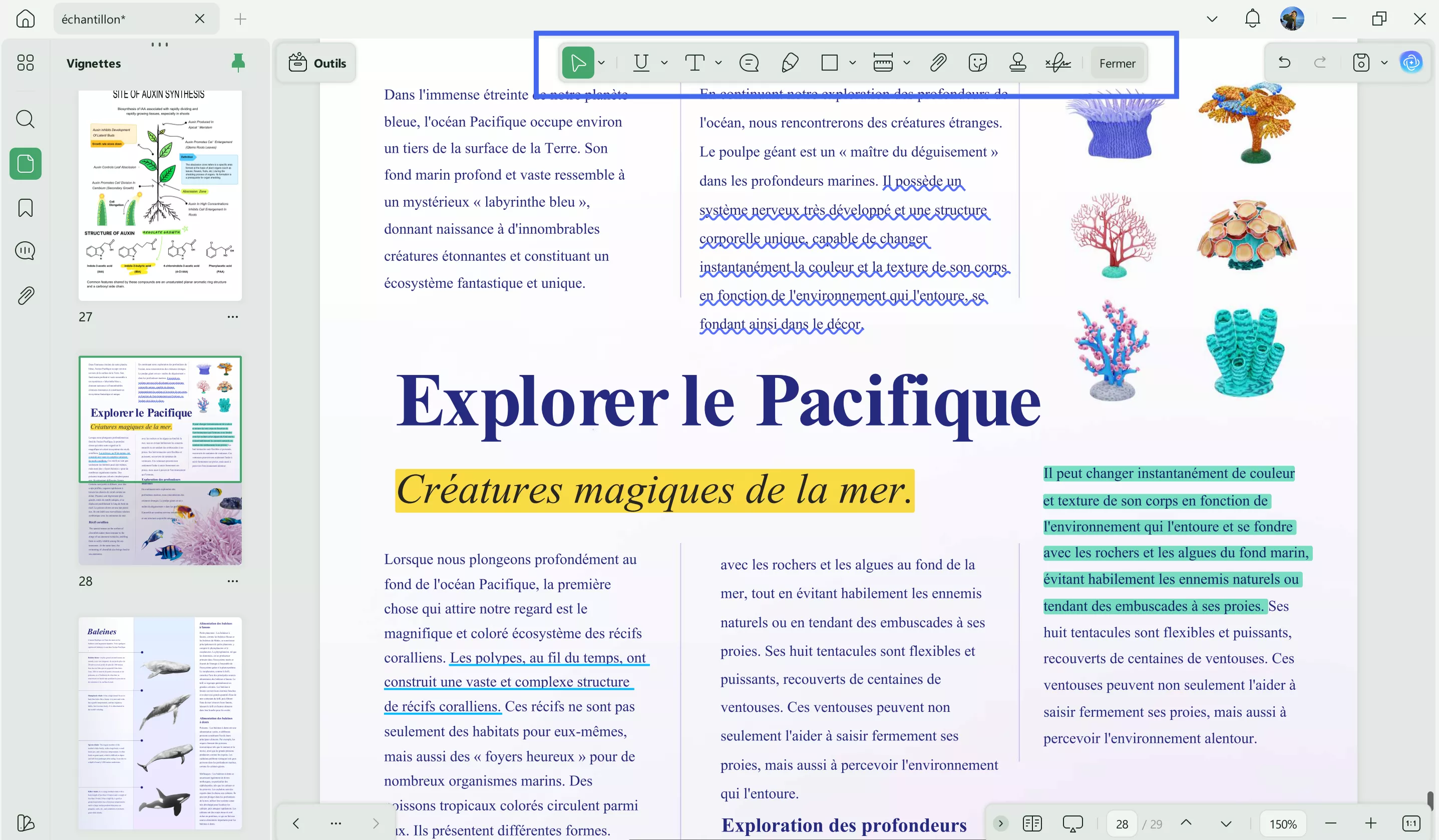
UPDF fonctionne sous Windows, Mac, Android et iOS, ce qui facilite l'accès et la gestion de vos fichiers PDF sur tous les appareils. Voici quelques-unes des principales fonctionnalités qui distinguent UPDF :
- Prise en charge de plusieurs formats de fichiers : Pi7 PDF ne permet que la conversion de PDF en JPG et Word. En revanche, UPDF vous permet de convertir des PDF en 14 formats.
- OCR : UPDF offre une fonctionnalité OCR qui permet d'extraire du texte à partir d'images et de documents numérisés. Il s'agit là d'un avantage par rapport à Pi7 PDF, qui ne dispose pas de cette fonctionnalité.
- Traitement PDF par lots : Vous pouvez traiter des PDF par lots, par exemple pour effectuer une OCR, compresser, convertir, créer, combiner et crypter. Mais Pi7 PDF ne prend pas en charge le traitement de plusieurs fichiers à la fois.
- Compression de PDF : Contrairement au compresseur Pi7 PDF, UPDF vous permet de réduire la taille de plusieurs formats de fichiers grâce à quatre niveaux de compression réglables pour des résultats optimaux.
- Comparaison de PDF : Contrairement à Pi7 PDF, UPDF propose une fonctionnalité de comparaison de fichiers qui vous permet de suivre facilement les modifications entre deux versions d'un fichier PDF.
- Chat avec PDF : En utilisant la fonctionnalité Chat avec PDF de UPDF, les lecteurs peuvent poser des questions et interagir avec le contenu du PDF, une fonctionnalité IA intelligente qui n'est pas disponible dans Pi7 PDF.
Pour en savoir plus sur les fonctionnalités liées au PDF de UPDF 2.0, lisez l'article de 9to5Mac ou regardez cette vidéo.
Conclusion
Pi7 PDF offre gratuitement des outils PDF de base, mais ses limites rendent nécessaire le recours à une alternative fiable. À cet égard, UPDF est un choix supérieur grâce à ses fonctionnalités avancées d'édition, d'OCR, de traitement par lots et de PDF alimentées par l'IA. Par conséquent, si vous souhaitez bénéficier d'une meilleure expérience de gestion des PDF, pensez à télécharger UPDF dès aujourd'hui.
Windows • macOS • iOS • Android 100% sécurisé






 Freddy Leroy


