UPDF
UPDF
 Windows版UPDF
 Mac版UPDF
 iPhone/iPad版UPDF
 Android版UPDF
 Nomostar
 UPDF AI オンライン
 UPDF Sign
 IvyCraft
 PDF編集
PDF編集 PDF注釈付け
 PDF作成
PDF作成 PDFフォーム
 リンクの編集
 PDF変換
PDF変換 OCR機能
OCR機能 PDFからWordへ
 PDFから画像へ
 PDFからExcelへ
 PDFのページ整理
 PDF結合
PDF結合 PDF分割
PDF分割 ページのトリミング
 ページの回転
 PDF保護
PDF保護 PDF署名
PDF署名 PDFの墨消し
 PDFサニタイズ
 セキュリティ解除
 PDF閲覧
PDF閲覧 UPDF クラウド
 PDF圧縮
PDF圧縮 PDF印刷
PDF印刷 PDFのバッチ処理
 UPDF AIについて
 UPDF AIソリューション
 AIユーザーガイド
 UPDF AIによくある質問
 PDF要約
PDF要約 PDF翻訳
PDF翻訳 PDF付きチャット
 AIでチャット
 画像付きチャット
 PDFからマインドマップへの変換
 PDF説明
PDF説明 PDF AIツール
 画像AIツール
 AIチャットツール
 AIライティングツール
 AI学習ツール
 AI業務ツール
 その他のAIツール
 AI ブックマーク生成
 AI ブックマーク要約
 AI 透かし生成
 AI 背景生成
 AI ステッカー生成
 AI スタンプ生成
 AI 編集スイート
 UPDF コパイロット
 AI ページ管理
 AI セマンティックサーチ
 PDFからWordへ
 PDFからExcelへ
 PDFからPowerPointへ
 ソリューション
 電子署名
電子署名 ビジネスAI
 料金プラン
料金プラン 導入・運用ガイド
 ウェビナー
ウェビナー IT
IT 教育
教育 建設
建設 金融サービス
 医療
医療 保険
保険 法務
法務 製造業
製造業 官公庁
官公庁 研究者・博士向け
 個人事業主・フリーランス向け
 弁護士・法務専門家向け
 不動産担当者・仲介業者向け
 教育機関向けソリューション
 導入事例
導入事例 ユーザーガイド
 公式ブログ
公式ブログ UPDF 活用術
 UPDF vs Adobe Acrobat
 UPDF vs Foxit
 UPDF vs PDF Expert
 よくある質問(FAQ)
 ダウンロードセンター
 動作環境・仕様
 お問い合わせ
 ニュースルーム
 アップデート履歴
 ユーザーレビュー
 会社概要
会社概要

UPDF vs 国内定番PDFソフト(J社)比較:いま選ぶならUPDF。
高額なPro版を選ばなくても、UPDFならもっと無理なく始められます。編集・注釈・変換・OCR・AI要約まで、日常業務に必要な機能をオールインワンで搭載。Windows中心の従来型ソフトよりも、今の働き方に合ったPDF環境を求める方にUPDFが選ばれています。
ご意見

高額なPro版を選ばなくても、UPDFならもっと無理なく始められます。編集・注釈・変換・OCR・AI要約まで、日常業務に必要な機能をオールインワンで搭載。Windows中心の従来型ソフトよりも、今の働き方に合ったPDF環境を求める方にUPDFが選ばれています。
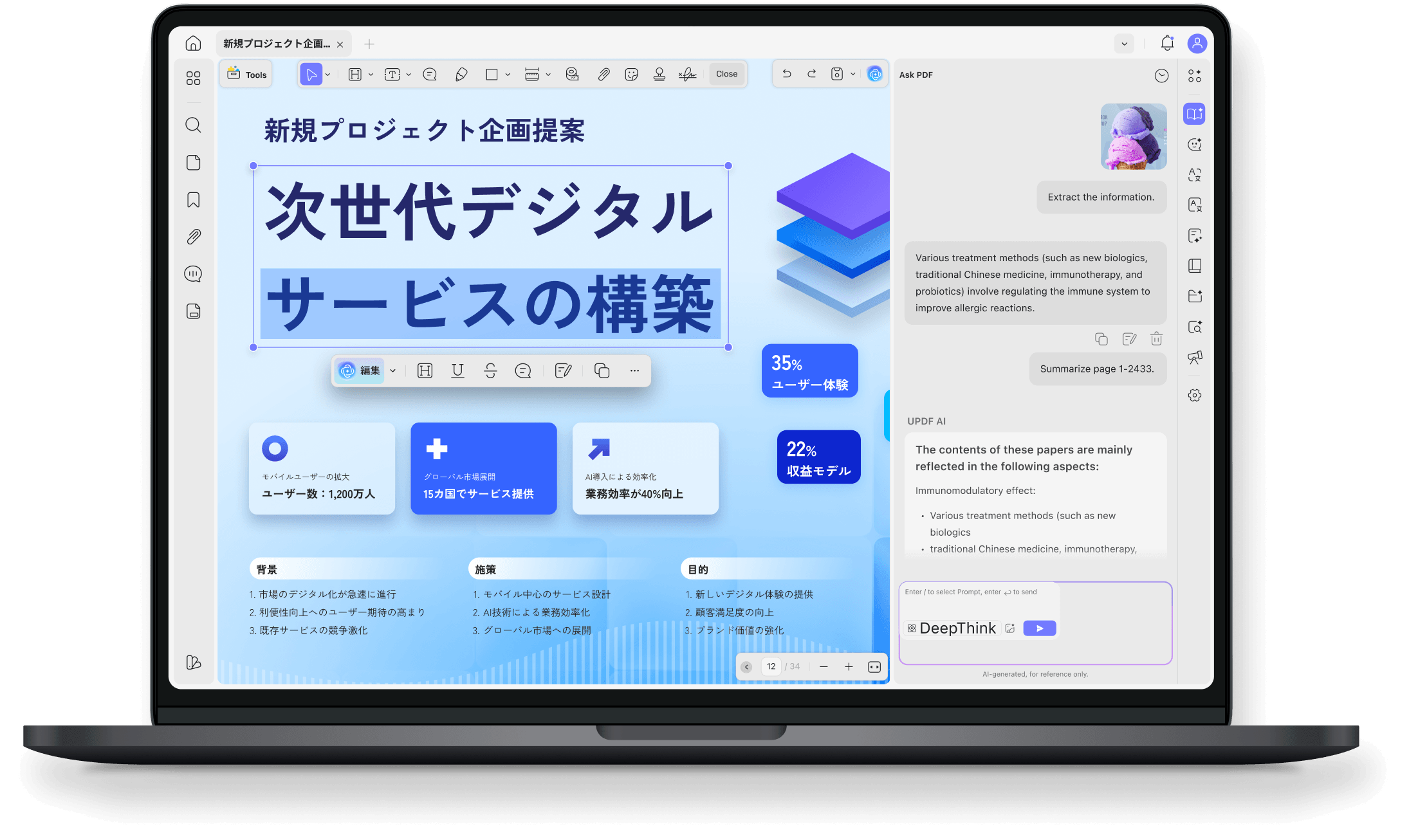
長い資料の要約・翻訳・内容確認まで、
UPDFなら1つの画面でスムーズに進められます。
 AI要約
AI要約
 AI翻訳
AI翻訳
 AIチャット
対応プラットフォーム |
Windows、Mac、Android、iOS |
Windows のみ |
無料トライアル |
あり |
なし |
共通の基本機能 |
PDFの編集、作成、注釈、ページ構成、OCR、変換、保護、電子署名など |
PDFの編集、作成、注釈、ページ構成、OCR、変換、保護、電子署名など |
UPDF独自の強み |
||
AIアシスタント機能 |
標準搭載 |
非搭載 |
マルチデバイス同期 |
クラウド連携でスムーズ |
非対応 |
PDFからマインドマップ作成 |
対応 |
非対応 |
ドラッグ&ドロップでリッチテキストを追加 |
対応 |
非対応 |
画像付きチャット |
対応 |
非対応 |
ステッカー(スタンプ) |
豊富でモダンなデザイン |
従来型のみ |
導入環境・ライセンス管理 |
||
対応プラットフォーム |
Win / Mac / iOS / Android |
Windows のみ |
ライセンス適用範囲 |
1アカウントで最大4デバイス |
1デバイスにつき1ライセンス |
クラウドストレージ連携 |
UPDF Cloud搭載(リアルタイム同期) |
買い切り型中心 |
AIアシスタント・高度解析機能 |
||
長文ドキュメント自動要約 |
標準搭載(AIチャット) |
非対応 |
ネイティブレベル多言語翻訳 |
標準搭載 |
非対応 |
画像認識付きAI対話 |
対応 |
非対応 |
マインドマップ自動生成 |
対応 |
非対応 |
ユーザーインターフェース・閲覧体験 |
||
操作画面のデザイン |
モダンで直感的なフラットUI |
従来型のオフィスソフトUI |
ダークモード対応 |
フル対応 |
一部制限あり / 非対応 |
複数ドキュメントのタブ表示 |
対応 |
対応 |
編集・マークアップ機能 |
||
高度なテキスト・画像編集 |
レイアウトを維持したシームレス編集 |
対応 |
ドラッグ&ドロップによる要素追加 |
対応(リッチテキスト対応) |
非対応 |
電子スタンプ・ステッカー |
100種以上のベクター素材を内蔵 |
一般的なビジネス印のみ |
フォーマット変換・データ出力機能 |
||
高精度OCR(光学式文字認識) |
AI駆動エンジン搭載(38言語対応) |
対応 |
PDFから多様な形式への変換 |
Word / Excelに加え、CSVやBMP等にも対応 |
主要Office形式のみ |
コンプライアンス・セキュリティ |
||
パスワード保護 / 権限管理 |
強固な暗号化による保護 |
対応 |
電子署名(デジタル署名) |
法的効力を持つ署名の付与・検証 |
対応 |
もっと見る
UPDFは、国内定番ソフト(J社)の通常価格以下でありながら、複数デバイス対応の「永久ライセンス」を選べるのが魅力です。さらに、PDF編集・注釈・OCR・変換・AI機能まで1つにまとまっているため、追加ツールをいくつも用意しなくても、日々の文書業務を効率よく進めやすくなります。価格・機能・使いやすさのバランスで選ぶなら、UPDFは導入しやすいPDFソフトです。
1つのアカウントで最大4台のデバイス(PC・スマホ)で同時利用可能です。
永久ライセンス※ 1年プラン(サブスク)は7,600円
Windows PC 1台につき1ライセンス必要です。(スマホ・Mac非対応)
通常価格(税込)※ バージョンアップ価格:10,010円
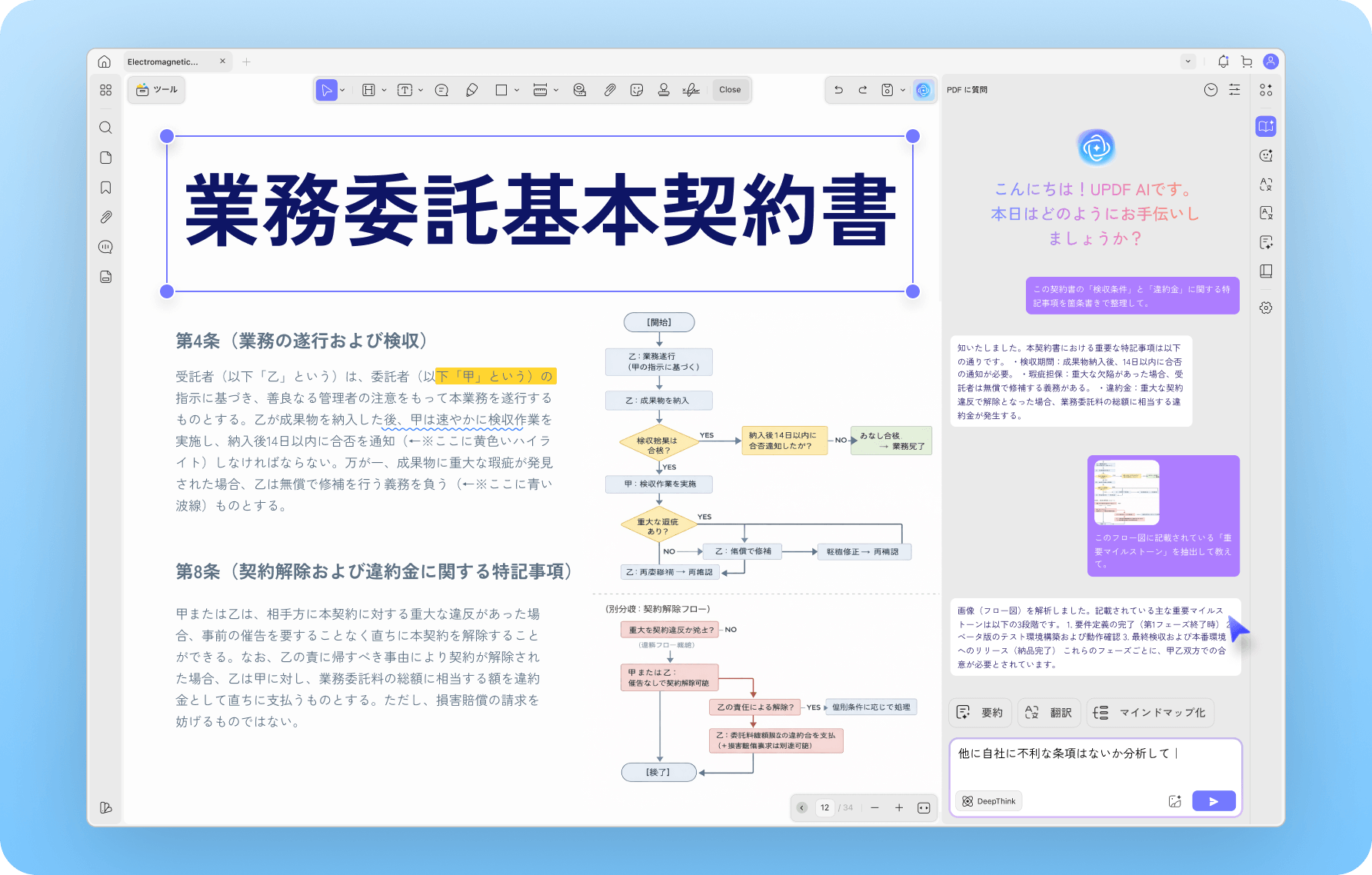
UPDFは、編集・変換・OCR・AI活用までを1つの流れで進めやすいPDFソフトです。
画面が分かりやすく、必要な機能にすぐアクセスしやすいため、日常の業務をよりスムーズに進められます。
Windows中心の固定的な使い方だけでなく、今の働き方に合った柔軟な環境を求める方に適しています。
クレジットカード登録不要
30日間の返金保証付き
以前は会社指定のWindows PCでしか使えないPDFソフトを使っていましたが、外出先でスマホから確認できないのが大きなストレスでした。UPDFに変えてからは、1つのアカウントでMacやスマホでもシームレスに同期でき、業務のスピードが格段に上がりました。直感的なUIで、マニュアルなしですぐに使いこなせたのも高評価です。
部署内でPDF編集ソフトが必要になるたびに高額なライセンスを購入していましたが、コストが見合っていないと感じていました。UPDFは非常にリーズナブルなうえに、買い切りの「永久ライセンス」があるのが決め手でした。しかも1ライセンスで複数端末に入れられるため、全社的な導入コストを劇的に削減できました。

従来使っていたソフトは、画像が多い提案書や図面を開くたびにフリーズ寸前になり、スクロールもカクカクでイライラしていました。UPDFを試してみて一番驚いたのは、その圧倒的な動作の軽さです。大容量ファイルでも瞬時に開き、ページの移動も極めてスムーズ。日々の小さなストレスが完全に消え去りました。

操作がわかりやすく、動作も速く、AI機能は本当に生産性を高めてくれます。さらに良くなるとすれば、ファイルをまとめる結合機能、右クリックメニューからすぐ使える連携、ブックマーク機能でクリック可能な目次を自動生成できる機能があると、大きな進化になると思います。全体としてUPDFにはとても満足しており、今後の改善にも期待しています。自信を持っておすすめできます!
UPDFは、PDFの作成や編集を簡単に行えるパワフルなツールです。AI機能は仕事にも個人的な作業にも非常に役立ち、調査や勉強にかかる時間をかなり短縮してくれました。特に良いのは、現在のメジャーバージョン向けのライフタイムプランと、今後のメジャーバージョンにも対応する月額・年額プランを選べる点です。選択肢が用意されているのは大きな魅力で、レビューでもぜひ触れておきたいポイントです。
UPDFを購入して本当によかったです。PDF作業において、私にとって大きな変化をもたらしてくれました。.docx、.ppt、.xlsxなど、さまざまな形式に書き出せる機能がとても便利で、時間も手間も大幅に減りました。これまで6種類のPDF閲覧・編集ソフトを試してきましたが、エクスポート機能の充実度ではUPDFが一番だと感じています。
フォーム作成機能も非常に優秀です。フォームの作成やカスタマイズが簡単で、仕上がりもプロらしくきれいです。さらに、動作がスムーズでPCが重くならない点も大きなメリットです。総合的に見て、UPDFは心からおすすめできます。仕事が本当に楽になり、今では毎日のように使っています。信頼できるPDFツールを探しているなら、ぜひUPDFを試してみてください。きっと満足できるはずです!

大きな違いは、対応環境と使い方の柔軟さです。 従来型ソフトは Windows 中心の製品ですが、UPDF は Windows・Mac・iPhone・iPad・Android に対応しています。 1つのライセンスで複数デバイスに使いやすく、日常のPDF業務をより柔軟に進められます。
AI要約・翻訳・PDFとのチャットまで活用したいなら、UPDFの方が向いています。 UPDF には AI アシスタントが統合されており、資料の要約や翻訳、内容理解まで1つの流れで進めやすいのが特長です。
まず試してから導入を決めたい方には、UPDFの方が始めやすいです。 無料ダウンロードですぐに使い始められるため、操作感や使いやすさを確認しながら検討できます。
いいえ、UPDFの有料プラン(UPDF Pro)は「すべて入り」です。従来型ソフトでは上位版(Pro版)を買わないと使えないことが多い「高度な直接編集、電子署名、墨消し、OCR(文字認識)」などの機能も、UPDFなら1つのプランで追加費用なくすべてご利用いただけます。