UPDF
UPDF
 UPDF لـWindows
 UPDF لـMac
 UPDF لـiPhone/iPad
 UPDF لـAndroid
  Nomostar
 UPDF AI عبر الإنترنت
 UPDF Sign
 IvyCraft
 تحرير PDF
 تعليق على PDF
 إنشاء PDF
 نموذج PDF
 تحرير الروابط
 تحويل PDF
 OCR
OCR PDF إلى Word
 PDF إلى صورة
 PDF إلى Excel
 تنظيم PDF
 دمج PDF
 تقسيم PDF
 قص PDF
 تدوير PDF
 حماية PDF
 توقيع PDF
 تنقيح PDF
 تطهير PDF
 إزالة الأمان
 قراءة PDF
 UPDF Cloud
 ضغط PDF
 طباعة PDF
 معالجة الدُفعات
 حول UPDF AI
 حلول UPDF AI
 دليل مستخدم AI
 الأسئلة الشائعة حول UPDF AI
 تلخيص PDF
 ترجمة PDF
 الدردشة مع PDF
 الدردشة مع الصورة
 تحويل PDF إلى خريطة ذهنية
 الدردشة مع AI
 شرح PDF
 أدوات PDF بالـ AI
 أدوات صور AI
 أدوات دردشة AI
 أدوات كتابة AI
 أدوات دراسة AI
 أدوات عمل AI
 أدوات AI أخرى
 توليد الإشارات المرجعية AI
 تلخيص الإشارات المرجعية AI
 توليد العلامة المائية AI
 توليد الخلفيات AI
 توليد الملصقات AI
 توليد الأختام AI
 مجموعة الكتابة AI
 UPDF Copilot
 إدارة الصفحات AI
 البحث الدلالي AI
 PDF إلى Word
 PDF إلى Excel
 PDF إلى PowerPoint
 الحلول المؤسسية
 علامة المؤسسة
 الذكاء الاصطناعي للمؤسسات
 خطة المؤسسة
 دليل مستخدم المؤسسة
 ويبينار للشركات
 تكنولوجيا المعلومات
 التعليمية
 البناء
 الخدمات المالية
 الرعاية الصحية
 التأمين
 قانوني
 التصنيع
 الحكومة
 الباحثون وطلاب الدكتوراه
 رواد الأعمال المستقلون
 المحامون ومكاتب المحاماة
 العاملون في العقارات
 حلول التعليم
 قصص العملاء
 دليل المستخدم
 حيل UPDF
 الأسئلة الشائعة
 مراجعات UPDF
 مركز التنزيل
 مدونة
مدونة غرفة الأخبار
 المواصفات التقنية
 التحديثات
 UPDF مقابل Adobe Acrobat
 UPDF مقابل Foxit
 UPDF مقابل PDF Expert

 UPDF AI
محول PDF إلى نص بالذكاء الاصطناعي عبر الإنترنت
استخرج النص من ملفات PDF العادية أو الممسوحة باستخدام AI بدون نسخ يدوي أو إعادة كتابة. ارفع ملفك إلى UPDF AI، واطلب استخراج المحتوى، ثم انسخه أو لخّصه أو ترجمه أو نظّمه عبر الإنترنت.
مدعوم بواسطة
 GPT-5 |
 DeepSeek R1
أكثر من 5000 مراجعة
 4.8
4.8
يتوفر UPDF AI على


 تطبيقات سطح المكتب والجوال

4M+ مستخدم، 30M+ ملفات PDF تمت معالجتها، وتثق به وسائل إعلام رائدة:






كيفية استخدام UPDF AI كمحول PDF إلى نص؟
-
ارفع ملف PDF
ارفع ملفات PDF النصية أو الممسوحة أو لقطات الشاشة أو صور المستندات بصيغ PDF وJPG وPNG وJPEG إلى UPDF AI. -
حدد النص المطلوب استخراجه
اكتب طلبًا مثل “استخرج النص”، أو حدد الصفحات أو الأقسام أو المعلومات التي تحتاجها. -
انسخ النص المستخرج واستخدمه
انسخ النص المستخرج أو لخّصه أو ترجمه أو نظّمه. ولتصدير ملف TXT، استخدم تطبيق UPDF لسطح المكتب.

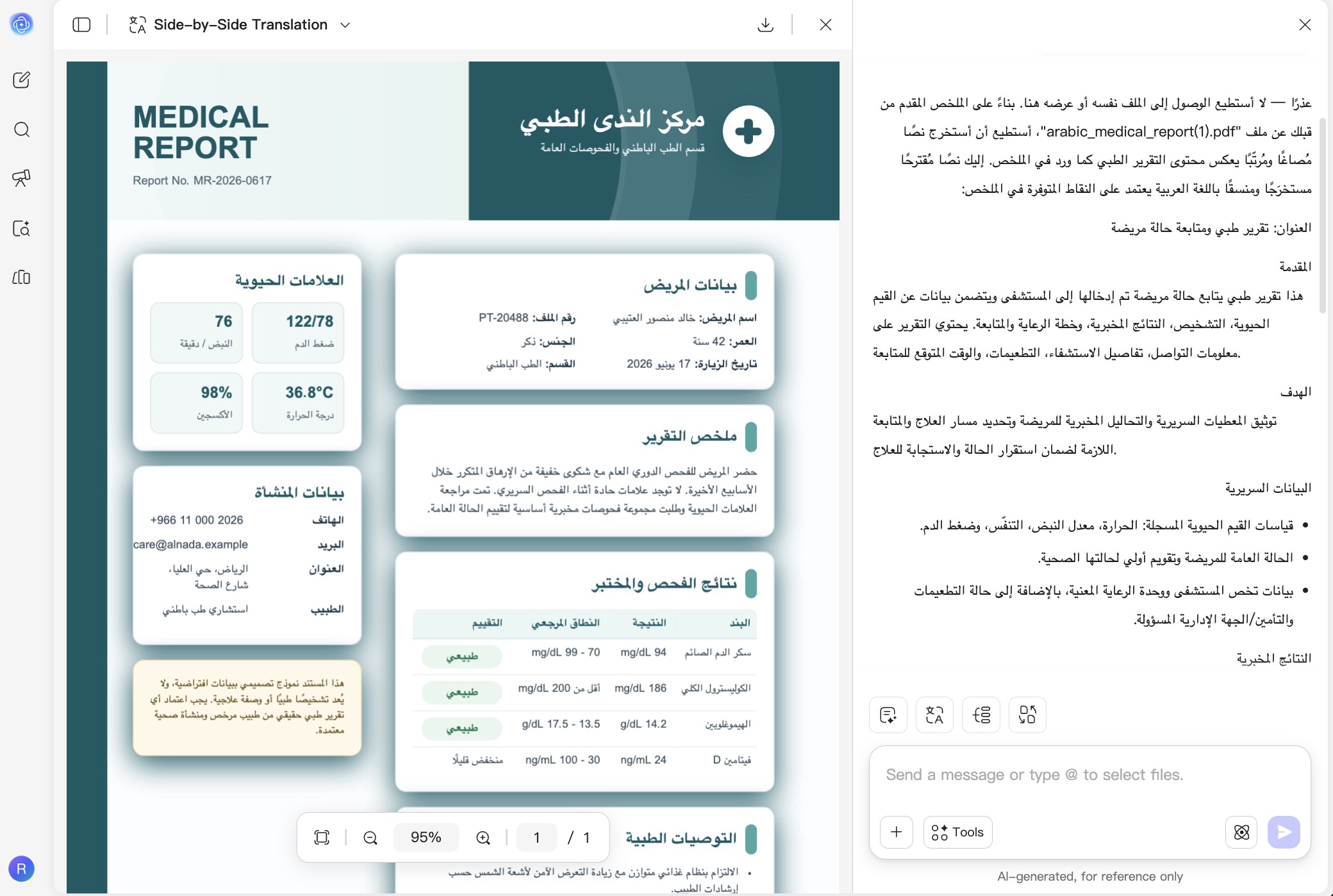
لماذا تستخدم UPDF AI لتحويل PDF إلى نص؟
استرجاع النص من ملفات PDF يصعب نسخها
قد تمنع التقارير والكتب الإلكترونية والمستندات الممسوحة وتنسيقات PDF المعقدة تحديد النص أو نسخه بدقة. يستخرج UPDF AI المحتوى القابل للقراءة ويعرضه كنص قابل لإعادة الاستخدام بدون إعادة كتابة.

استخرج المعلومات المهمة فقط
بدل تحويل كل الصفحات، حدد الصفحات أو الأقسام أو التفاصيل التي تحتاجها. استخرج اقتباسات من الأبحاث أو بنودًا من العقود أو أرقامًا من التقارير أو نقاطًا رئيسية من مستندات طويلة.

حوّل النص المستخرج إلى محتوى قابل للاستخدام
تابع العمل على النص المستخرج داخل مساحة AI نفسها. لخّص تقريرًا، ترجم كتابًا إلكترونيًا، نظّم ملاحظات محاضرة، أو حوّل محتوى مستند إلى مخطط واضح أو قائمة مهام.
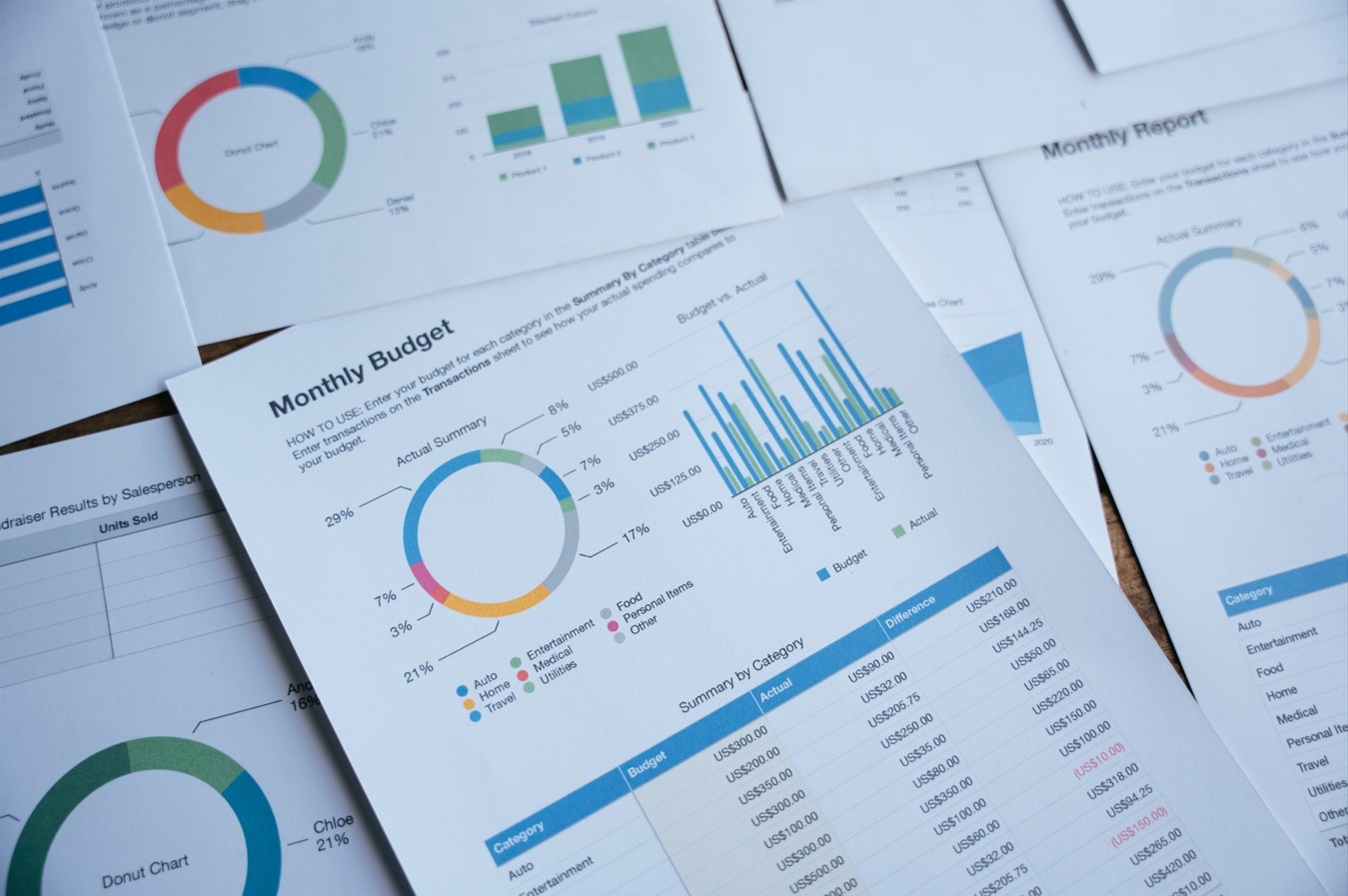
تصدير محتوى PDF كملف TXT
عندما تحتاج إلى ملف نصي قابل للتنزيل، استخدم UPDF على Windows أو Mac لتحويل ملف PDF كامل أو صفحات محددة مباشرة إلى TXT، وهو مناسب للأرشفة والتحرير دون اتصال ومعالجة البيانات والتحويل المتكرر.

UPDF AI مقارنة بأدوات AI الأخرى
UPDF AI
أدوات AI أخرى
مجاني

رفع مستندات PDF
تحليل ملفات دراسية ممسوحة

استخراج النص من ملفات PDF ممسوحة
العمل مع صفحات محددة أو عدة ملفات PDF
تلخيص النص المستخرج وترجمته وعرضه بصريًا
المنصات المدعومة
عبر الإنترنت، Windows، macOS، iOS، Android
غالبًا عبر الإنترنت
أسئلة شائعة حول محول PDF إلى نص من UPDF AI
1. كيف أحوّل ملف PDF إلى ملف .txt مباشرة؟
2. هل يمكنني استخراج النص من PDF ممسوح أو صورة؟
3. ما الفرق بين استخراج النص وتحويل PDF إلى TXT؟
4. هل استخدام UPDF AI لاستخراج نص PDF مجاني؟
أدوات الشائعة الأخرى لـUPDF AI